Introduction
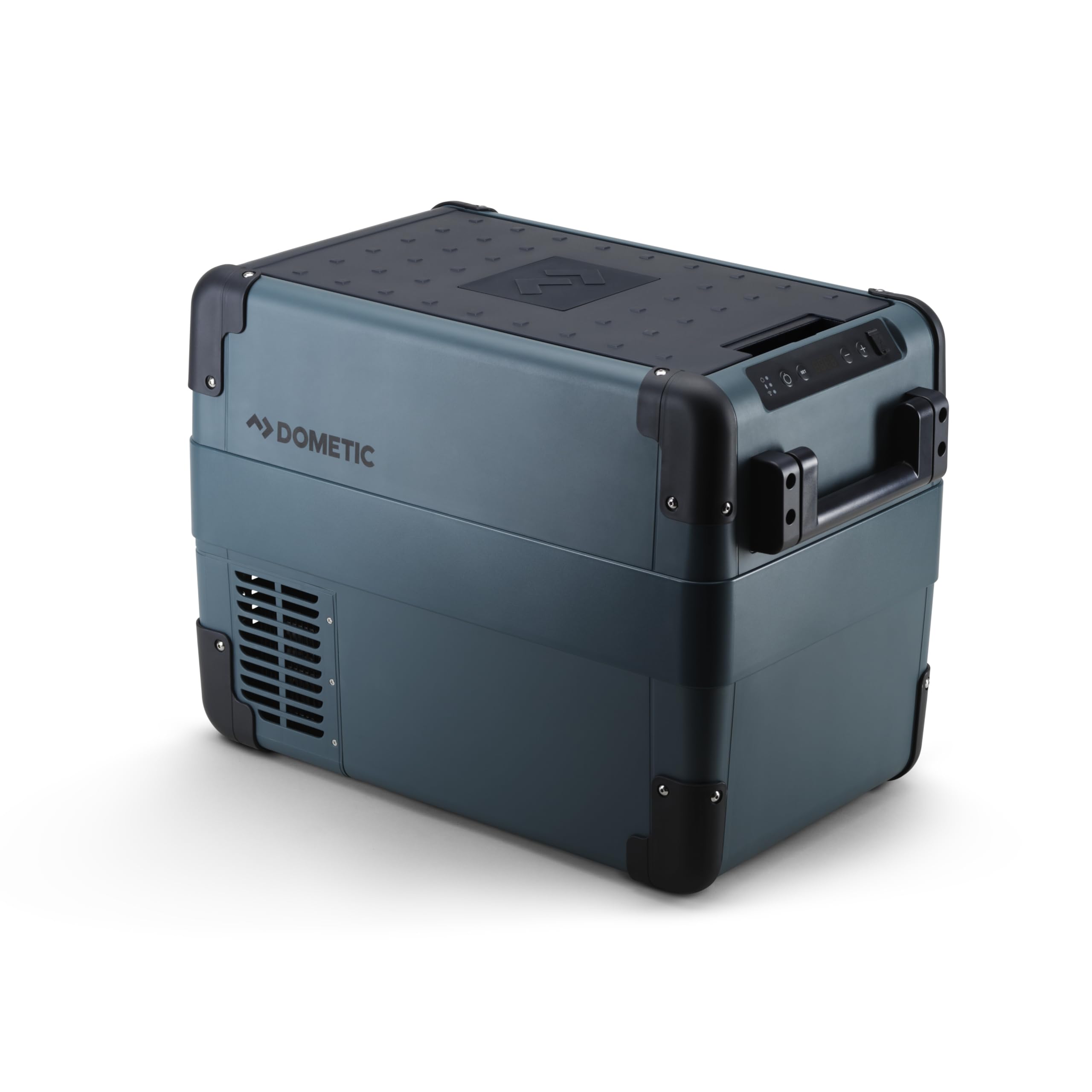
Thank you for choosing the Dometic CFX2 28 Electric Cooler and Portable Freezer. This manual provides essential information for the safe and efficient operation, maintenance, and troubleshooting of your new appliance. Please read it thoroughly before use and keep it for future reference.
Safety Instructions
Always follow basic safety precautions when using this appliance to reduce the risk of fire, electric shock, or injury to persons. This appliance is designed for portable use and should be handled with care. Ensure proper ventilation around the unit to prevent overheating.
Electrical Safety
- Connect to appropriate power sources (12/24V DC or 100-240V AC) only.
- Do not operate the unit with a damaged power cord or plug.
- Avoid exposing the unit to rain or excessive moisture.
- Ensure all connections are secure to prevent power interruptions or damage.
What's in the Box
Your Dometic CFX2 28 package includes the following items:
- 1 Cooler
- 1 Manual
- 1 Connection cable for 12/24V connection
- 1 Connection cable for 120V connection
Setup
Initial Setup
Upon receiving your Dometic CFX2 28, it is recommended to let the unit stand upright for at least 12 hours before initial use. This allows the compressor lubricants to settle, ensuring proper operation.
Power Connection
The CFX2 28 offers flexible power options:
- 12/24V DC: Connect the provided DC cable to your vehicle's 12V or 24V outlet.
- 100-240V AC: Connect the provided AC cable to a standard home or campsite electrical outlet.
The unit does not have an internal battery and requires an external power source to operate.
Mobile App Connection
Monitor and manage your cooler's temperature conveniently using the Bluetooth-controlled Dometic Mobile Cooling app. Download the app from your smartphone's app store and follow the in-app instructions to pair your device with the CFX2 28.
Operating Instructions
Temperature Control
The Dometic CFX2 28 features an adjustable temperature range from -7°F (-22°C) to 68°F (20°C). Use the control panel on the unit or the mobile app to set your desired temperature. The digital display shows the current temperature inside the cooler.
MAX/ECO Modes
The unit offers two operational modes for power consumption:
- MAX Mode: Provides maximum cooling power for rapid temperature reduction.
- ECO Mode: Optimizes energy efficiency for sustained cooling with lower power consumption.
3-Stage Battery Protection System
The integrated 3-stage battery protection system monitors your vehicle's battery draw and prevents excessive draining. This feature automatically shuts off the cooler if the voltage levels from the power source drop too low, safeguarding your vehicle's battery.
Internal Features
- Interior LED Light: An internal LED light illuminates the cooler's contents, making it easy to find items in low-light conditions.
- Drain Plug: A convenient drain plug is located at the bottom of the cooler for easy cleaning and removal of any accidental spills.
- Removable Basket: The cooler includes a fully removable wire basket, simplifying the loading and unloading of items.
Lid Operation
The CFX2 28 features a multi-opening lid design, allowing it to be opened from either side based on your preference or space constraints. The lid can also be completely removed for full access to the cooler's interior, making it easier to load and clean.
Maintenance
Cleaning
Regularly clean the interior and exterior of your cooler with a damp cloth and mild detergent. Ensure the drain plug is open during cleaning to allow water to escape. Do not use abrasive cleaners or harsh chemicals.
Storage
When not in use, ensure the cooler is clean and dry. Store it in a cool, dry place with the lid slightly ajar to prevent odors and mildew buildup.
Troubleshooting
If you encounter any issues with your Dometic CFX2 28, please refer to the following common troubleshooting tips:
- Unit not powering on: Check all power connections (DC/AC) and ensure they are secure. Verify the power source is active. Check the battery protection setting if connected to a vehicle battery.
- Cooling performance is poor: Ensure the lid is properly closed and sealed. Check that the vents are not obstructed. Verify the temperature setting is appropriate.
- Unusual noises: Minor operational noises from the compressor are normal. If loud or unusual noises persist, contact customer support.
- Error codes on display: Refer to the detailed troubleshooting section in the full manual for specific error code interpretations and solutions.
Specifications
| Feature | Specification |
|---|---|
| Brand | Dometic |
| Model Name | CFX2 28 |
| Capacity | 28 Liters |
| Product Dimensions (DxWxH) | 13.58"D x 23.62"W x 16.81"H |
| Item Weight | 29.3 Pounds |
| Material | Plastic |
| Special Feature | Insulated |
| Power Input | 12/24V DC, 100-240V AC |
| Temperature Range | –7°F (-22°C) to 68°F (20°C) |
| UPC | 034223403959 |
Warranty & Support
The Dometic CFX2 28 Electric Cooler comes with a 2-year warranty. For any support needs, troubleshooting assistance, or warranty claims, please refer to the contact information provided in the full manual or visit the Dometic website.
Product Images