
1. Introduction
This manual provides instructions for the safe and effective use of the Xiaomi Magnetic Reading Light Bar, Model BHR8956GL. Please read this manual thoroughly before operating the device and retain it for future reference.
Key Features
- Wide-angle Illumination: Features a 14.3-inch extended lamp head with a 150lm wide-angle light source for uniform illumination of large areas.
- High Color Rendering: Utilizes LEDs with a Color Rendering Index (CRI) of Ra90 for accurate color representation.
- Long Battery Life: Equipped with a built-in 2000mAh battery, providing up to 4.5 hours of operation at maximum brightness.
- Adjustable Lamp Head: Offers ±25° angle adjustment for flexible lighting positioning.
- Three Brightness Levels: Allows selection among 10%, 50%, and 100% brightness settings via touch control.
- Magnetic Design: Securely attaches to surfaces using a magnetic base with 3M double-sided adhesive.
- USB Type-C Charging: Convenient charging and connectivity via a standard USB Type-C port.
2. Product Components
The package includes the following items:
- Xiaomi Magnetic Reading Light Bar
- Magnetic Base with 3M Adhesive
- USB-A to USB-C Charging Cable (1.2 meters)
- User Manual

Figure 2.1: Front view of the Xiaomi Magnetic Reading Light Bar.
3. Setup Instructions
3.1 Mounting the Light Bar
- Identify a suitable, clean, and dry surface for mounting the light bar.
- Peel off the protective film from the 3M double-sided adhesive on the magnetic base.
- Press the magnetic base firmly onto the desired surface for secure adhesion.
- Attach the light bar to the magnetic base. The strong magnetic connection will hold it in place.
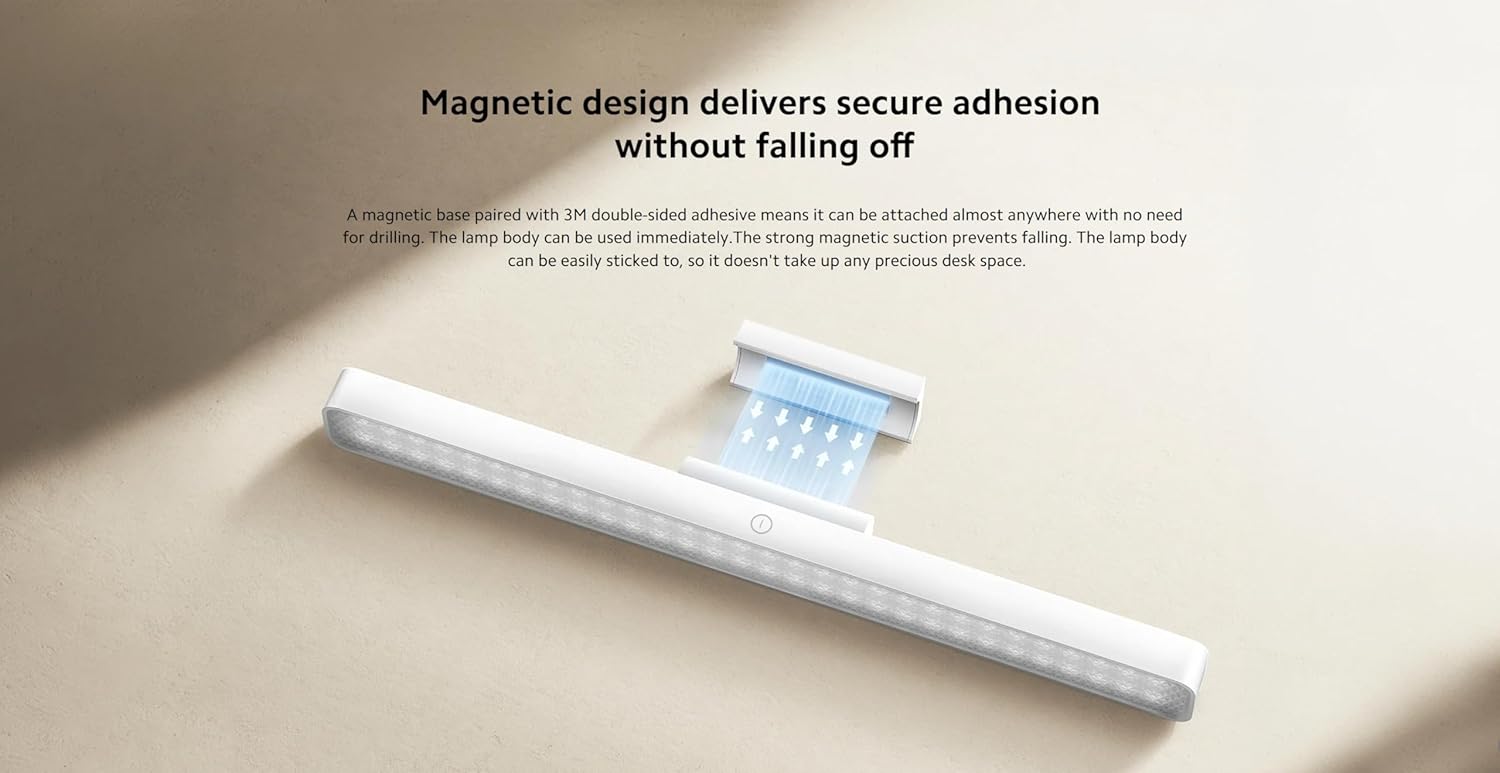
Figure 3.1: Illustration of the magnetic attachment mechanism.
3.2 Charging the Light Bar
The light bar is powered by a rechargeable battery. To charge:
- Locate the USB Type-C port on the side of the light bar.
- Connect the provided USB-A to USB-C charging cable to the light bar.
- Connect the USB-A end of the cable to a compatible USB power adapter (not included) or a computer USB port.
- The charging indicator (if present) will show the charging status. Disconnect once fully charged.

Figure 3.2: USB Type-C port for charging and connectivity.
4. Operating Instructions
4.1 Power On/Off and Brightness Adjustment
The light bar features intuitive touch controls:
- Power On/Off: Lightly touch the power icon on the light bar to turn it on or off.
- Brightness Adjustment: Press and hold the power icon to cycle through the three brightness levels: 10%, 50%, and 100%. Release your finger at the desired brightness.
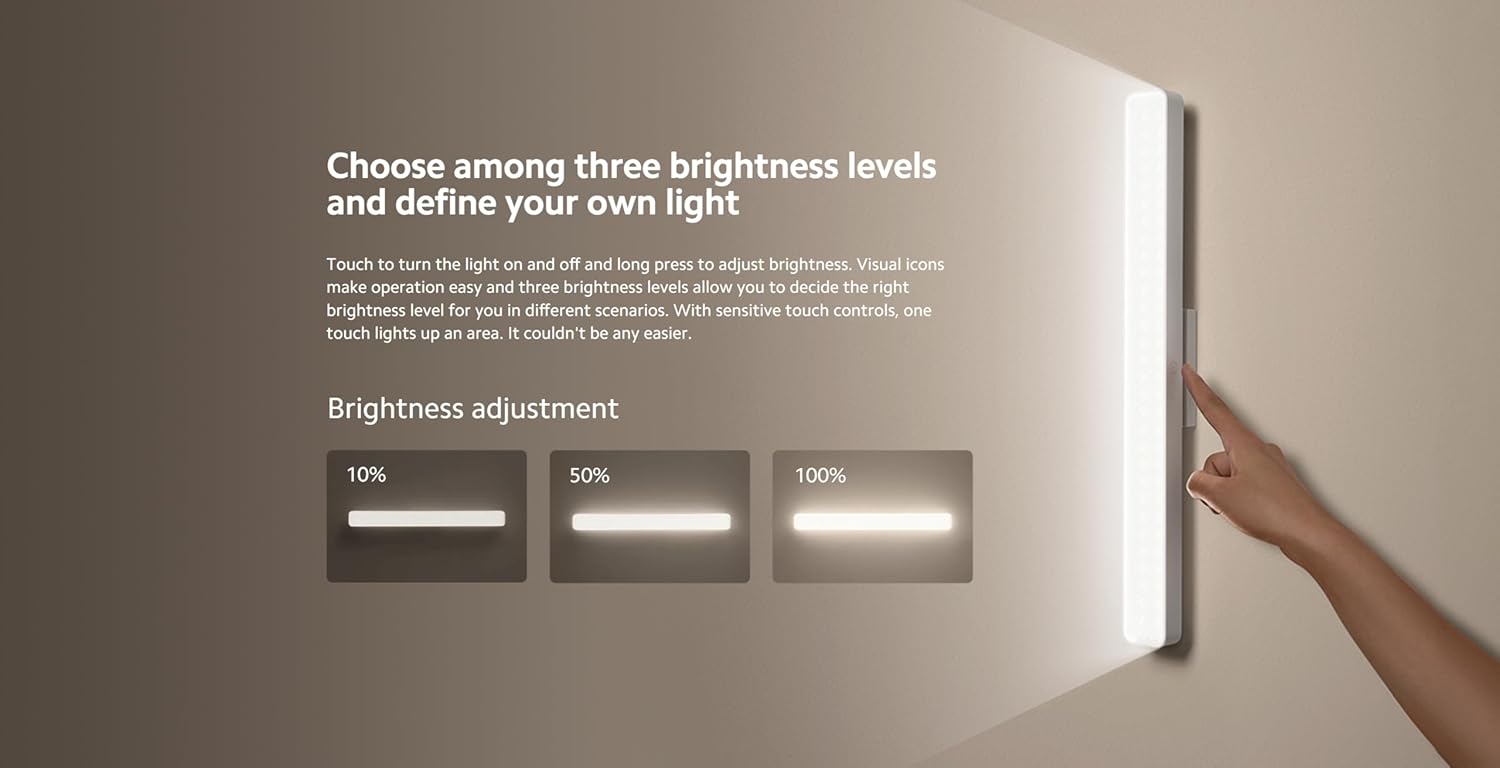
Figure 4.1: Visual representation of the three brightness levels (10%, 50%, 100%).
4.2 Angle Adjustment
The lamp head can be adjusted ±25° to direct light precisely where needed. Gently rotate the lamp head to achieve the optimal lighting angle.
4.3 Versatile Use
The light bar's magnetic and portable design allows for various applications:
- Desk Lighting: Provides focused illumination for reading or working.
- Handheld Torch: Detach from the magnetic base for portable lighting.
- Accent Lighting: Suitable for entrances, wardrobes, makeup areas, or other spaces requiring supplementary light.
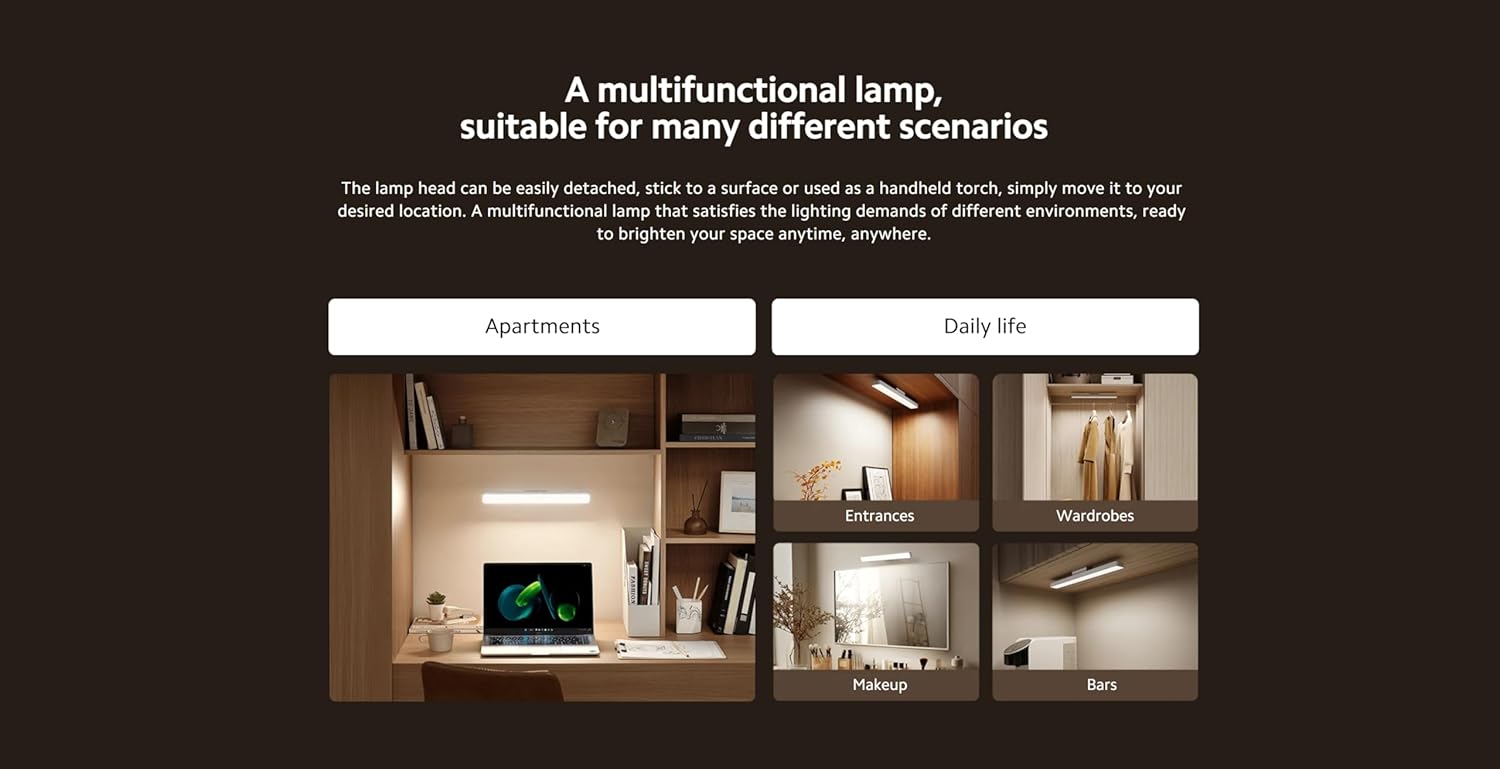
Figure 4.2: Examples of the light bar's multifunctional applications.
5. Maintenance
5.1 Cleaning
To maintain the light bar's appearance and performance:
- Ensure the device is turned off and disconnected from any power source before cleaning.
- Wipe the surface with a soft, dry, or slightly damp cloth.
- Do not use abrasive cleaners, solvents, or harsh chemicals, as these may damage the finish.
5.2 Storage
When not in use for extended periods, store the light bar in a cool, dry place away from direct sunlight and extreme temperatures. Ensure the battery is partially charged before storage to prolong its lifespan.
6. Troubleshooting
If you encounter issues with your Xiaomi Magnetic Reading Light Bar, refer to the following common problems and solutions:
| Problem | Possible Cause | Solution |
|---|---|---|
| Light bar does not turn on. | Battery is depleted. | Charge the light bar using the provided USB-C cable. |
| Light output is dim. | Brightness setting is low or battery is low. | Adjust brightness by long-pressing the power icon. If still dim, charge the battery. |
| Light bar detaches from surface. | Magnetic base not securely attached or surface is unsuitable. | Ensure the 3M adhesive is firmly pressed onto a clean, smooth surface. Avoid repositioning frequently. |
| Charging is slow or not working. | Faulty cable or power adapter. | Try a different USB-C cable or power adapter. Ensure the power source provides sufficient current. |
If the problem persists after attempting these solutions, please contact customer support.
7. Technical Specifications
| Specification | Detail |
|---|---|
| Model Name | Magnetic Light Bar |
| Model Number | BHR8956GL |
| Brand | XIAOMI |
| Product Dimensions | 14.17 x 1.46 x 1.57 inches (2"D x 14"W x 2"H) |
| Item Weight | 7.8 ounces (220 Grams) |
| Power Source | Battery Powered |
| Battery Capacity | 2000mAh |
| Light Source Type | LED |
| Brightness | 150 Lumen |
| Wattage | 5 Watts |
| Color Temperature | 4000 Kelvin |
| Color Rendering Index (CRI) | Ra90 |
| Switch Type | Touch |
| Material | Glass-ceramic, Metal |
| Finish Type | Black Metallic |
| Mounting Type | Desktop (Magnetic) |
| Indoor/Outdoor Usage | Indoor |
8. Warranty Information
Xiaomi products are manufactured to high quality standards. This product is covered by a limited warranty against defects in materials and workmanship under normal use. The specific warranty period may vary by region and retailer. Please retain your proof of purchase for warranty claims.
For detailed warranty terms and conditions, please refer to the warranty card included with your product or visit the official Xiaomi website.
9. Customer Support
For further assistance, technical support, or inquiries regarding your Xiaomi Magnetic Reading Light Bar, please contact Xiaomi customer service through their official channels.
You can find more information and support resources by visiting the official XIAOMI Store on Amazon.


