
Introduction
Thank you for choosing the TVON Rolling TV Stand. This manual provides detailed instructions for the safe and efficient assembly, operation, and maintenance of your new TV stand. Designed for 32-75 inch LCD, LED, and OLED flat or curved screen TVs weighing up to 88 lbs, this portable stand features height adjustment, lockable wheels, and an integrated power outlet for enhanced convenience. Please read this manual thoroughly before assembly and retain it for future reference.
Safety Information
- Weight Capacity: Do not exceed the maximum weight capacity of 88 lbs (40 kg) for the TV mount and 22 lbs (10 kg) for the media shelf. Overloading can cause instability and potential injury.
- TV Size: This stand is compatible with TVs from 32 to 75 inches. Ensure your TV's VESA pattern is within the supported range (100x100mm to 400x400mm).
- Assembly: Follow all assembly instructions carefully. Incorrect assembly can lead to product failure or injury. If you encounter any difficulties, contact customer support.
- Stability: Always ensure the TV stand is on a level surface. Lock the wheels when the stand is in a stationary position to prevent accidental movement.
- Power Outlet: The integrated power strip has a master switch. Turn it off when not in use to prevent accidental activation and ensure safety, especially around children and pets. Do not overload the power strip.
- Movement: When moving the stand, do so slowly and carefully, especially on uneven surfaces or with a TV mounted. Avoid sudden stops or turns.
- Children and Pets: Keep children and pets away from the stand during assembly and ensure the TV is securely mounted to prevent tipping.
Package Contents
Please verify that all parts are present before beginning assembly. If any parts are missing or damaged, do not proceed with assembly and contact customer support.
- Base Assembly with Wheels
- Vertical Support Poles (2)
- TV Mounting Brackets (2)
- Media Shelf
- Integrated Power Strip with 6.5ft Power Cord
- Hardware Kit (various screws, washers, spacers for TV mounting)
- Assembly Tools (Allen wrenches, spanner)
- Instruction Manual
Setup and Assembly
Follow these steps to assemble your TVON Rolling TV Stand. It is recommended to have two people for TV mounting.
- Assemble the Base: Attach the vertical support poles to the X-shaped base. Ensure all screws are tightened securely. The heavy-duty alloy steel base provides enhanced stability.
- Install Wheels: Attach the 360° rotating lockable wheels to the base. Ensure they are firmly secured.
- Attach Media Shelf: Secure the media shelf to the vertical support poles at your desired height. This shelf can hold devices up to 22 lbs.
- Mount TV Brackets: Attach the TV mounting brackets to the back of your television using the appropriate screws and spacers from the hardware kit. Refer to your TV's manual for specific mounting hole locations (VESA patterns). The stand supports VESA patterns from 100x100mm to 400x400mm.
- Hang TV on Stand: Carefully lift the TV and hook the mounted brackets onto the stand's vertical rails. Engage the safety lock mechanism to prevent the TV from accidentally dislodging.
- Connect Power Strip: Secure the integrated power strip to one of the vertical poles. Plug your TV and other devices into the 4 AC outlets. The 6.5ft thickened power cord ensures safe power delivery.
- Cable Management: Utilize the integrated cable management system to route and secure all cables, maintaining a tidy appearance.

Image: VESA compatibility and dimensions. This stand supports TVs from 32-75 inches, up to 88 lbs, with VESA patterns from 100x100mm to 400x400mm.

Image: Details of the safety lock, movable power strip, and the stable X-base design.

Image: The TVON Rolling TV Stand fully assembled with a TV, highlighting the power outlet and organized cables.
Operating Instructions
- Adjusting TV Height: The TV height can be adjusted from 44.1 inches to 56 inches (15 levels). Loosen the height adjustment screws on the vertical poles, slide the TV to the desired height, and re-tighten the screws firmly.
- Moving the Stand: Unlock all four wheels before moving the stand. Push or pull the stand gently to your desired location. The 360° rotating wheels allow for smooth movement across various floor types.
- Locking the Wheels: Once the stand is in its desired position, press down on the locking mechanism on each wheel to secure the stand in place.
- Using the Power Strip: Flip the master switch on the power strip to turn it on or off. Plug up to four devices into the AC outlets.
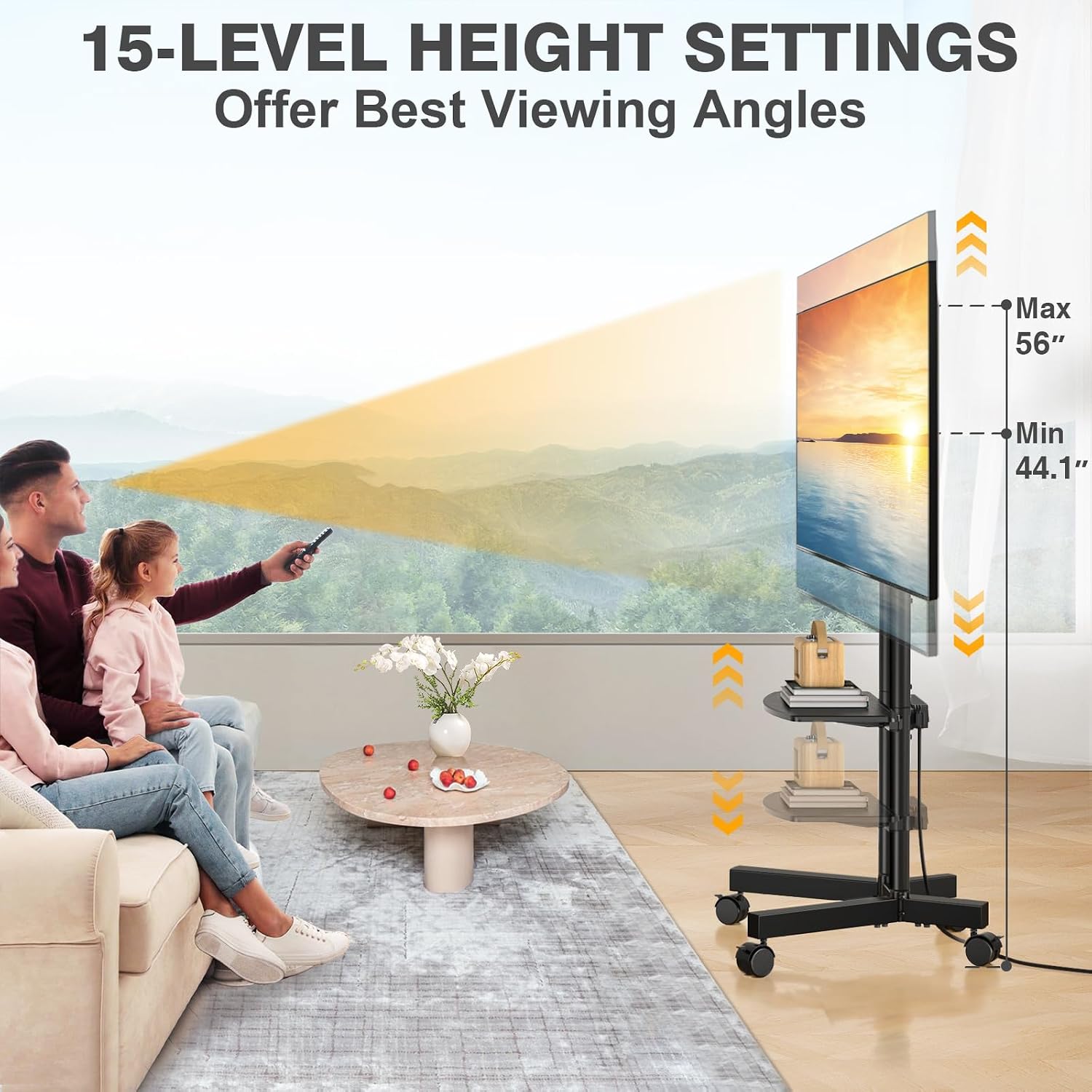
Image: Illustration of the 15-level height adjustment feature, allowing optimal viewing angles from 44.1 to 56 inches.

Image: The TV stand features 360° silent lockable wheels, designed for smooth movement on all floor types.
Video: Official product video demonstrating the features and mobility of the TVON Rolling TV Stand with Power Outlet for 32-75 Inch TVs.
Maintenance
- Cleaning: Wipe the stand with a soft, damp cloth. Avoid using harsh chemicals or abrasive cleaners that could damage the finish.
- Hardware Check: Periodically check all screws and bolts to ensure they remain tight. Re-tighten if necessary to maintain stability.
- Wheel Care: Keep the wheels free of debris to ensure smooth rolling.
Troubleshooting
- Stand is unstable: Ensure all assembly screws are fully tightened. Verify the TV weight does not exceed 88 lbs and the media shelf does not exceed 22 lbs. Ensure the stand is on a level surface.
- TV not level: Check that the TV mounting brackets are installed evenly on the TV and securely attached to the stand. Adjust height as needed.
- Wheels not rolling smoothly: Check for debris caught in the wheels. Ensure the wheels are unlocked when attempting to move the stand.
- Power strip not working: Check if the master switch is in the 'ON' position. Ensure the power cord is securely plugged into a working wall outlet. Do not exceed the power strip's capacity.
Specifications
| Brand | TVON |
| Model Number | Mobile TV Stand |
| Compatible TV Sizes | 32-75 inches |
| Maximum TV Weight Capacity | 88 lbs (40 kg) |
| VESA Compatibility | 100x100mm to 400x400mm |
| Height Adjustment Range | 44.1 inches to 56 inches (15 levels) |
| Media Shelf Weight Capacity | 22 lbs (10 kg) |
| Power Outlet | 4 AC Outlets, 125V/12A, Master Switch, 6.5ft 16AWG Pure Copper Cord |
| Material | Alloy Steel |
| Product Dimensions | 24.5 x 19.5 x 54 inches (approximate, varies with height adjustment) |
| Item Weight | 17.8 pounds |
Warranty Information
TVON products are manufactured with quality and care. For specific warranty details, please refer to the warranty card included with your product or visit the official TVON website. Please retain your proof of purchase for warranty claims.
Customer Support
If you have any questions, concerns, or require assistance with your TVON Rolling TV Stand, please contact our customer support team. Our friendly team is available to help you within 12 hours.
- Email: [Insert Customer Support Email Here]
- Phone: [Insert Customer Support Phone Number Here]
- Website: TVON Official Store