
Introduction
Thank you for choosing the VGR V-990 Professional Hair Clipper. This manual provides essential information for the safe and effective operation, maintenance, and care of your new device. Please read these instructions thoroughly before first use and retain them for future reference.
Important Safety Information
WARNING: To reduce the risk of electric shock, injury, or fire, always follow these basic safety precautions.
- Read all instructions before using this appliance.
- Keep the appliance dry. Do not use it near water or in wet conditions.
- Do not immerse the appliance in water or any other liquid.
- Avoid direct contact with sensitive skin areas, particularly around the eyes and face.
- When used by or near children, adult supervision is required.
- Do not operate the appliance if it has a damaged cord or plug, or if it is not working properly.
- Only use attachments supplied by the manufacturer.
- Unplug the appliance before cleaning or performing maintenance.
Package Contents
Carefully unpack your VGR V-990 Hair Clipper and check that all items are present and in good condition.
- VGR V-990 Hair Clipper
- 3 Attachment Guide Combs (1.5mm, 3mm, 4.5mm)
- USB-C Charging Cable
- Cleaning Brush
- Instruction Manual
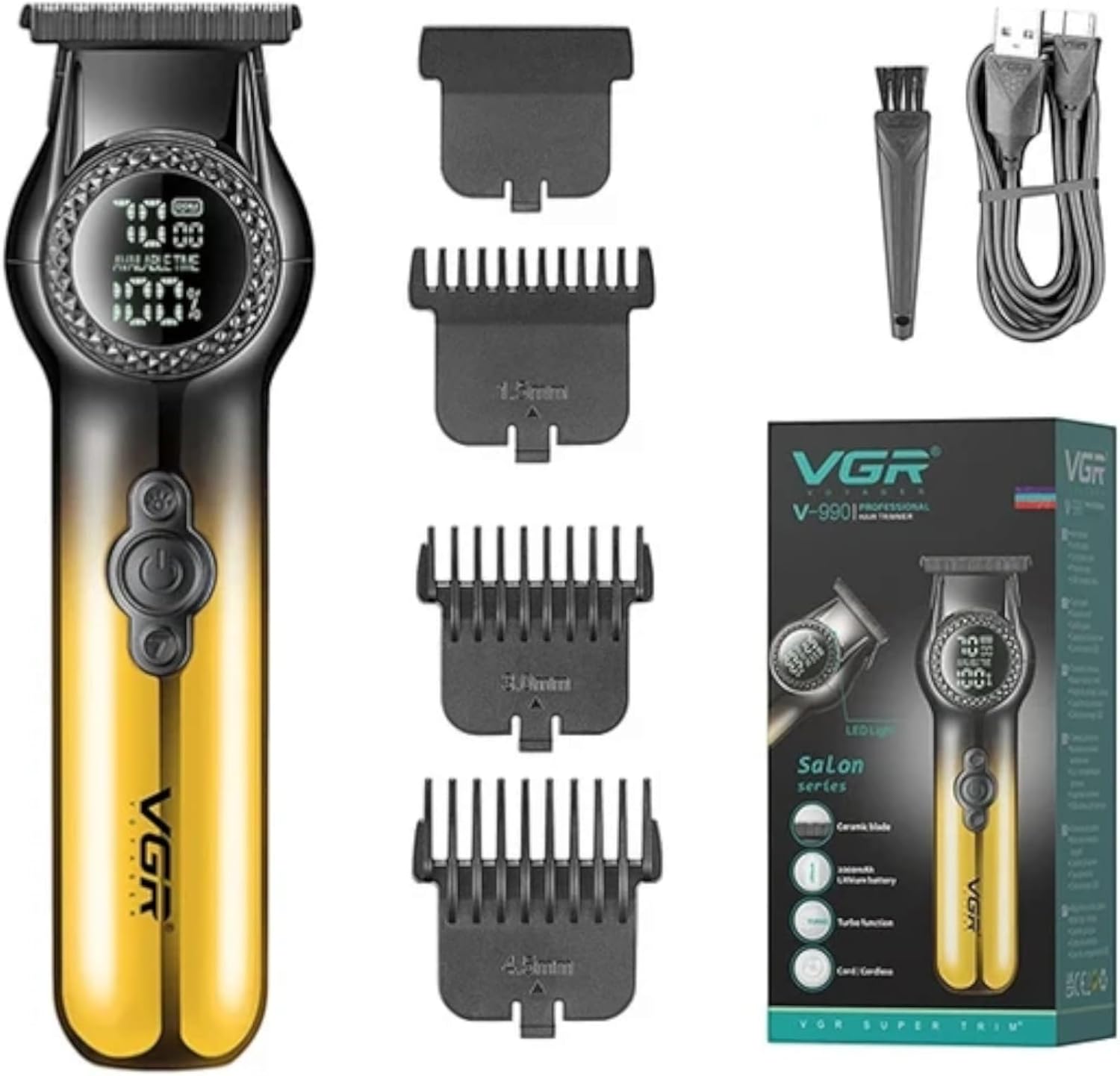
Image: The VGR V-990 hair clipper, along with its included accessories: three guide combs, a USB-C charging cable, and a cleaning brush. The product packaging is also visible.
Product Overview
Familiarize yourself with the components of your VGR V-990 Hair Clipper.

Image: A detailed view of the VGR V-990 clipper's body, highlighting the digital display showing working speed (RPM) and remaining battery percentage. Below the display are the LED Light Button, ON/OFF Button, and Turbo Button.
- Ceramic Moving Blade: Designed for precise cutting and to prevent skin irritation from heat.
- Powder Metallurgy Fixed Blade: Provides a stable cutting surface.
- Digital Display: Shows current working speed (RPM) and remaining battery charge percentage.
- ON/OFF Button: Powers the clipper on or off.
- Turbo Button: Adjusts the motor speed between 7000 RPM and 8000 RPM.
- LED Light Button: Activates or deactivates the integrated LED light.
- USB-C Charging Port: For convenient charging.
Charging the Clipper
Before first use, fully charge the clipper. The VGR V-990 operates cordlessly once charged, or can be used while plugged in.
- Ensure the clipper is switched off.
- Insert the USB-C charging cable into the charging port at the bottom of the clipper.
- Connect the other end of the USB cable to a compatible USB power adapter (not included) or a USB port on a computer.
- The digital display will indicate the charging status. A full charge typically takes approximately 2.5 hours.
- Once fully charged, the clipper provides up to 200 minutes of cordless operation.

Image: The VGR V-990 hair clipper with its USB-C charging cable connected, illustrating the charging interface. Text overlays indicate a 2.5-hour charging time and 200 minutes of usage duration.
Operating the Clipper
Attaching and Removing Guide Combs
The V-990 comes with three guide combs (1.5mm, 3mm, 4.5mm) to achieve various cutting lengths.
- To Attach: Align the desired guide comb with the clipper blade and push it firmly until it clicks into place.
- To Remove: Gently pull the comb upwards from the blade assembly.

Image: The VGR V-990 hair clipper displayed alongside its three attachment combs, labeled 1.5mm, 3.0mm, and 4.5mm, a cleaning brush, and a USB cable.
Powering On/Off and Adjusting Speed
- Power On: Press the ON/OFF Button once to turn on the clipper. The digital display will illuminate.
- Adjust Speed: Press the Turbo Button to switch between the two available speeds (7000 RPM and 8000 RPM). The current RPM will be shown on the digital display.
- Power Off: Press the ON/OFF Button again to turn off the clipper.
- LED Light: Press the LED Light Button to activate or deactivate the integrated light for improved visibility during use.

Image: A close-up of the VGR V-990 hair clipper, with an inset highlighting the Turbo switch used to adjust the motor speed between 7000 RPM and 8000 RPM.
Trimming Hair
For best results, ensure hair is clean and dry before trimming.
- Select the appropriate guide comb for your desired hair length. For a zero-gapped cut, use the clipper without a comb.
- Hold the clipper with the blade flat against the hair.
- Move the clipper slowly against the direction of hair growth.
- For detailing and outlining, use the clipper without a comb, ensuring careful and precise movements.

Image: A person receiving a haircut, demonstrating the VGR V-990 hair clipper in use for trimming hair.
Maintenance
Regular cleaning and maintenance will ensure optimal performance and extend the lifespan of your clipper.
Cleaning the Blades
- Ensure the clipper is switched off and unplugged from the power source.
- Use the provided cleaning brush to remove any loose hair from the blades and the area around them.
- For a more thorough cleaning, the blade assembly can be carefully detached. Refer to the diagram for blade removal if available.
- After cleaning, reattach the blade assembly securely.
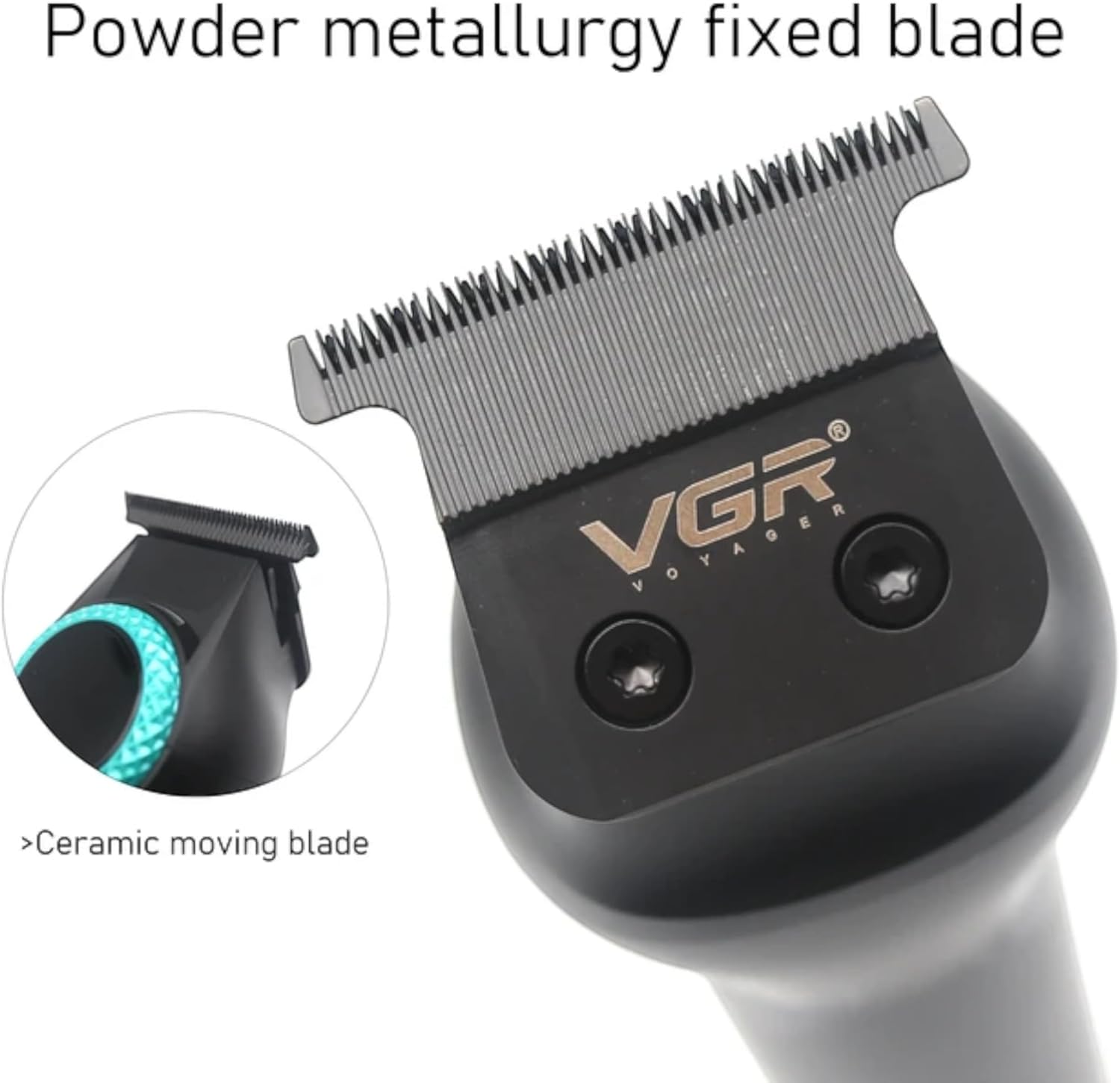
Image: A detailed view of the VGR V-990 hair clipper's blade assembly, showing the powder metallurgy fixed blade and the ceramic moving blade.
Blade Lubrication
To maintain cutting performance and prevent blade wear, it is recommended to oil the blades regularly (e.g., after every few uses). Apply a few drops of clipper oil (not included) to the teeth of the blades while the clipper is running for a few seconds, then wipe off any excess oil.
Troubleshooting
If you encounter issues with your VGR V-990 Hair Clipper, refer to the following common problems and solutions.
| Problem | Possible Cause | Solution |
|---|---|---|
| Clipper does not turn on. | Low battery or no charge. | Charge the clipper fully (approx. 2.5 hours). |
| Poor cutting performance or pulling hair. | Blades are dull, dirty, or not oiled. | Clean blades thoroughly and apply clipper oil. If problem persists, blades may need replacement. |
| Clipper runs slowly. | Low battery or hair caught in blades. | Charge the clipper. Clean blades to remove any obstructions. |
| Excessive heat from blades. | Blades are dirty or not lubricated. Prolonged use. | Clean and oil the blades. Allow the clipper to cool down if used continuously for an extended period. |
If the problem persists after attempting these solutions, please contact VGR customer support for assistance.
Specifications
- Model: V-990
- Brand: VGR
- Blade Material: Ceramic (moving blade), Powder Metallurgy (fixed blade)
- Motor Speed: 7000-8000 RPM (2 speeds)
- Battery Type: 2000mAh Lithium-Ion
- Charging Time: Approximately 2.5 hours
- Operating Time: Up to 200 minutes (cordless)
- Power Source: Battery Powered (Cord/Cordless operation)
- Charging Interface: USB Type-C
- Cutting Lengths: 0mm (zero-gapped) to 4.5mm (with guide combs)
- Included Combs: 1.5mm, 3mm, 4.5mm
- Dimensions: 20.2 x 9.9 x 6.8 cm
- Weight: 300 g
Warranty and Support
For warranty information and customer support, please refer to the warranty card included with your purchase or visit the official VGR website. Keep your proof of purchase for any warranty claims.
For further assistance or inquiries, please contact VGR customer service through their official channels.


