
1. Product Overview
The Tymate TM5 Tire Pressure Monitoring System (TPMS) is designed to enhance driving safety by providing real-time monitoring of your vehicle's tire pressure and temperature. This system features a large, colorful display and external sensors, suitable for a variety of vehicles including RVs, SUVs, and sedans.

Image: The Tymate TM5 TPMS display unit with its large colorful screen, accompanied by four external tire pressure sensors.
Key Features:
- Large Colorful Screen: Provides clear visibility with oversized icons and bold fonts for easy reading of tire conditions.
- Five Alert Modes: Notifies drivers of high pressure, low pressure, high temperature, rapid air leakage, and low sensor power.
- Flexible Charging: Supports dual power sources via car cigarette lighter and USB-C interface.
- Low Power Consumption Sensors: Four external sensors are energy-efficient, accurate (within 3 PSI error margin), and designed for durability in various conditions.
- Pre-paired Sensors: All sensors are factory-paired with the monitor for immediate use upon installation.

Image: A person installing a Tymate TM5 external sensor onto a tire valve, emphasizing the precision of the device.
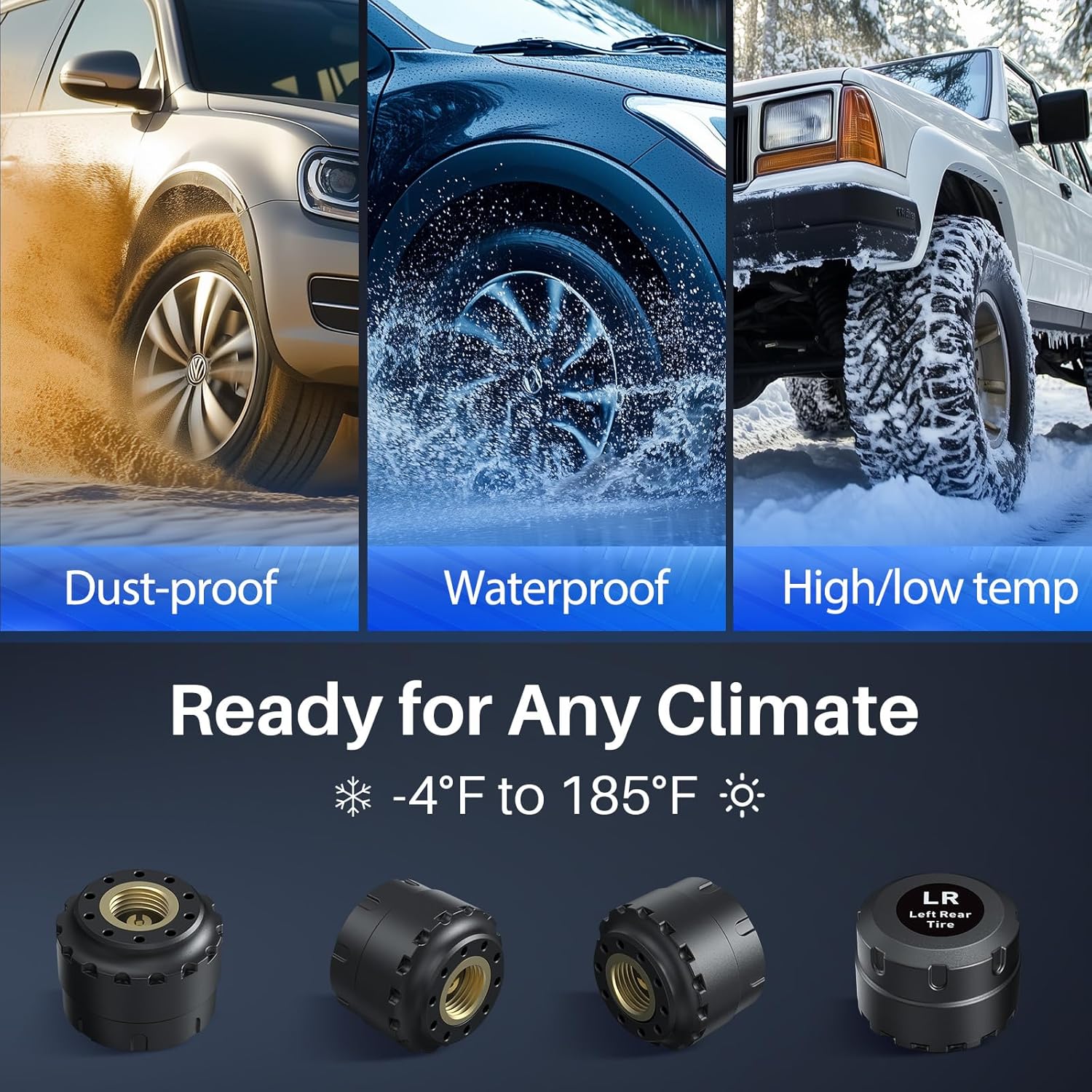
Image: A collage of three images depicting vehicles in dusty, wet, and snowy conditions, demonstrating the sensors' resilience to various climates.
2. Setup and Installation
2.1 Package Contents
Before beginning installation, ensure all components are present:
- 1 x Tymate TM5 Display Monitor
- 4 x External Tire Pressure Sensors
- 1 x USB-C Charging Cable
- 1 x Car Cigarette Lighter Adapter
- Mounting Accessories (e.g., suction cup mount, anti-slip mat)
- User Manual
2.2 Initial Setup Steps
- Power On Monitor: Turn on the TM5 display monitor first. Ensure it is charged or connected to a power source.
- Install Sensors: Install the external sensors onto your vehicle's tire valves. Each sensor is pre-labeled (e.g., LR for Left Rear) and factory-paired, so no manual pairing is required.

Image: A visual guide demonstrating the correct method for installing the external tire pressure sensors onto a tire valve stem.
- Mount Display: Place the display monitor in a location that provides clear visibility without obstructing your view of the road. Use the provided mounting accessories.
- Data Display: After installing the sensors and powering on the monitor, drive for 5-10 minutes. The system will automatically begin displaying tire pressure and temperature data.
- Reference Pressure: The system automatically sets the current pressure as the reference point after sensor installation. Alarm thresholds are then set within an alarming range of +25% PSI to -15% PSI of this reference pressure.
3. Operation
3.1 Display Interface
The TM5 monitor features a large, colorful HD screen that displays real-time tire pressure and temperature for all four tires. The display includes oversized icons and bold fonts for enhanced readability.

Image: The Tymate TM5 display unit showing clear, large readouts for tire pressure in PSI and temperature in Fahrenheit, along with a vehicle diagram.
3.2 Alarm Modes
The system is equipped with five distinct alarm modes to alert you to potential tire issues:
- High Pressure Alarm: Alerts when tire pressure exceeds the set upper limit.
- Low Pressure Alarm: Alerts when tire pressure falls below the set lower limit.
- High Temperature Alarm: Alerts when tire temperature exceeds the set upper limit.
- Rapid Air Leakage Alarm: Alerts to a sudden and significant drop in tire pressure.
- Low Sensor Power Alarm: Indicates that a sensor's battery is low and requires replacement.

Image: The Tymate TM5 display unit highlighting an alarm condition with a red exclamation mark, indicating a detected tire issue.
3.3 Charging the Monitor
The TM5 monitor offers flexible charging options to ensure continuous operation:
- Car Cigarette Lighter: Connect the monitor using the provided car charger.
- USB-C Interface: Use a standard USB-C cable to charge the device.
A power alert function will notify you when the monitor's battery needs recharging.

Image: The Tymate TM5 monitor connected for charging, illustrating both USB-C and car cigarette lighter power options.
3.4 Unit Selection
You can select your preferred units for tire pressure and temperature:
- Pressure Units: Bar or PSI
- Temperature Units: Celsius (℃) or Fahrenheit (℉)
Refer to the detailed instructions in the included manual for how to change these settings using the monitor's buttons.
4. Maintenance
4.1 Sensor Battery Replacement
The external sensors are designed for long working life. When a low sensor power alarm is triggered, the sensor battery (CR1632) needs to be replaced.
- Carefully unscrew the sensor cap.
- Remove the old CR1632 battery.
- Insert a new CR1632 battery, ensuring correct polarity.
- Securely re-attach the sensor cap.
Image: A three-step illustration showing how to open the sensor, remove the old battery, and insert a new CR1632 battery.
4.2 General Care
- Keep the monitor and sensors clean and free from excessive dirt or debris.
- Avoid exposing the monitor to extreme temperatures for prolonged periods when not in use.
- Ensure sensor caps are tightly secured to prevent moisture ingress.
5. Troubleshooting
This section addresses common issues you might encounter with your Tymate TM5 TPMS.
5.1 Intermittent Data Display
If the data displayed is intermittent or inconsistent:
- Move the display monitor away from potential sources of electromagnetic interference within your vehicle.
- If the problem persists, a signal repeater may be necessary, especially for longer vehicles like RVs or trailers, to ensure consistent signal transmission from the sensors to the monitor.
5.2 Tire Blowout or Puncture
The TPMS cannot prevent punctures caused by sharp objects or damaged tires. It also cannot monitor instantaneous changes. While the system provides rapid air leakage alerts, it is crucial to understand its limitations regarding sudden, catastrophic tire failures.
5.3 Post-Installation Tire Inspection
The TPMS is a monitoring tool, not a replacement for regular tire maintenance. It is recommended to perform a comprehensive tire inspection at least once a month and consult a tire technician for any faulty tires.
5.4 Sensors Not Pairing / Frozen Readings
Although sensors are pre-paired, if you experience issues with sensors not connecting or readings appearing frozen:
- Ensure the monitor is powered on before installing sensors.
- Drive the vehicle for at least 5-10 minutes to allow the system to initialize and receive signals.
- Check sensor batteries and replace if necessary (refer to Section 4.1).
- Verify that sensors are installed on the correct tire positions as indicated by their labels.
- If issues persist, contact customer support for further assistance.
6. Specifications
| Feature | Detail |
|---|---|
| Model Number | TM5 |
| Brand | Tymate |
| Manufacturer | Shenzhen Huatai Electronics Co.,Ltd |
| Item Weight | 11.7 ounces |
| Package Dimensions | 6.38 x 4.92 x 2.32 inches |
| Pressure Range | 0-87 PSI |
| Sensor Accuracy | Within 3 PSI error margin |
| Sensor Battery Type | CR1632 |
| Operating Temperature Range | -4°F to 185°F |
7. Warranty and Support
7.1 Customer Support
If you encounter any issues or have questions regarding your Tymate TM5 TPMS, please do not hesitate to reach out to our customer support team. Contact information can typically be found on the last page of the user manual included in your product packaging or on the official Tymate website.
For online support and additional resources, you may visit the Tymate brand store:
Visit the Tymate Store on Amazon
7.2 Warranty Information
Specific warranty details are typically provided with your product documentation. Please refer to the warranty card or the full user manual for information regarding warranty coverage, terms, and conditions.


