
Product Overview
The SUNLINKCO 16-inch 3-Color Motion Sensor LED Under Cabinet Light is a versatile lighting solution designed for various indoor spaces. It features smart motion sensing, adjustable light colors, stepless dimming, and a USB rechargeable battery for cordless operation. The unique 'Cat’s Eye Hill Corrugated Effect' enhances display items, making it ideal for cabinets, showcases, and other areas requiring accent lighting.
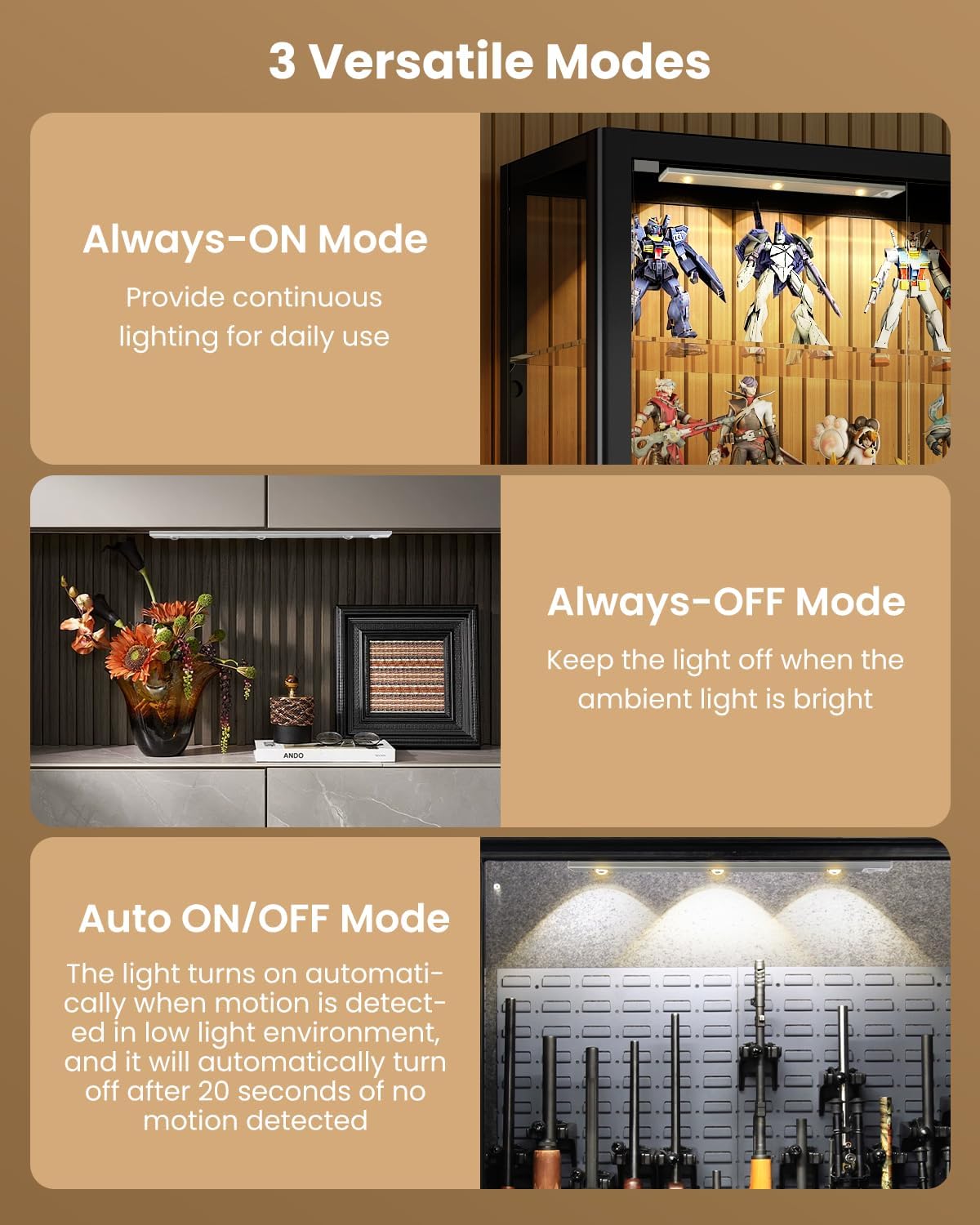
- Smart Motion Sensor & Versatile Modes: Offers Always-ON, Always-OFF, and Auto ON/OFF modes. In auto mode, it detects motion within 10 feet and a 100° sensing range in darkness, turning off after 20 seconds of no movement.
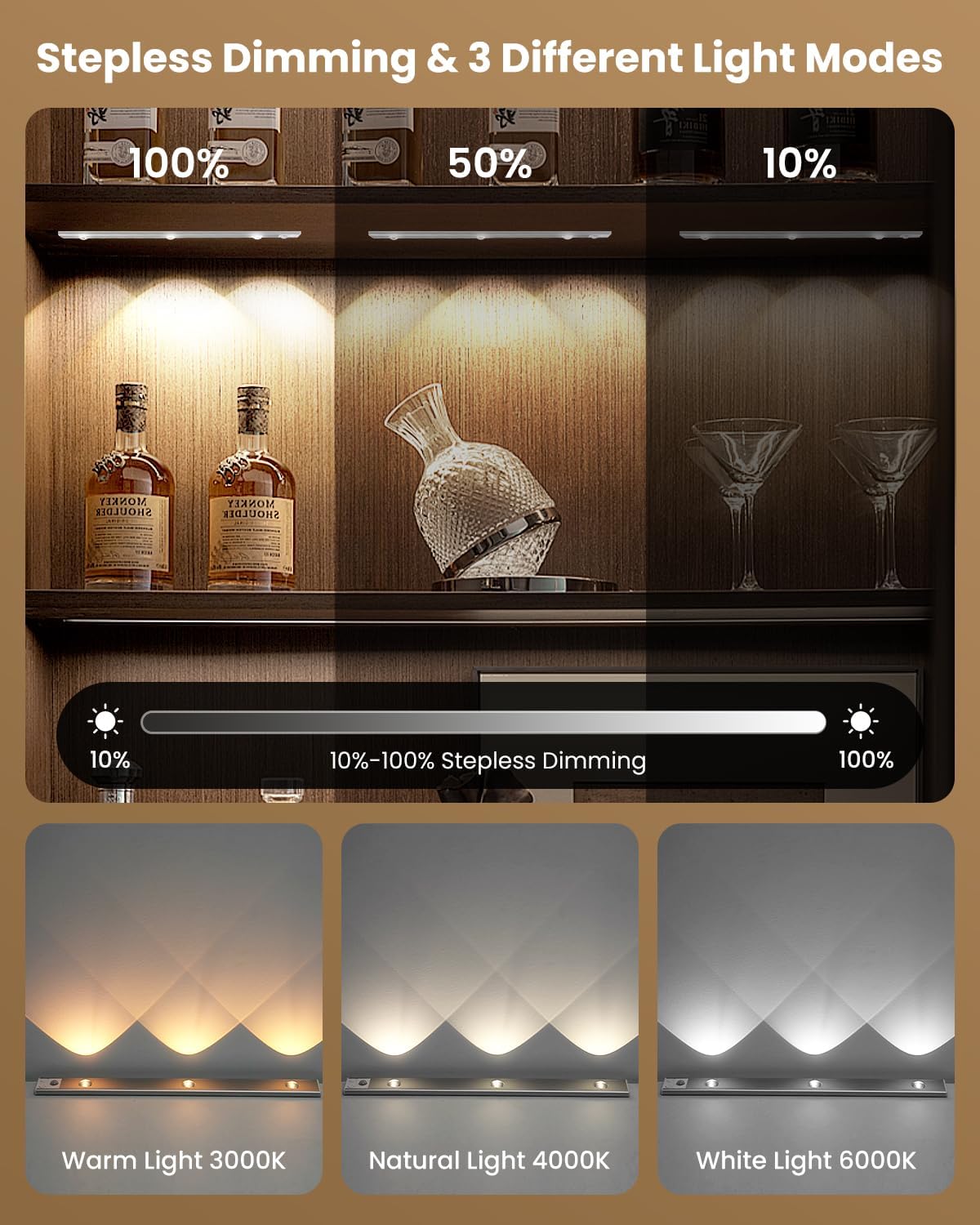
- Stepless Dimming & Adjustable Light Color: Brightness can be adjusted from 10% to 100%. Provides 3 color temperatures: 3000K warm light, 4000K natural light, and 6000K white light. Features a memory function to recall the last brightness setting.
- USB Rechargeable: Equipped with a 2200 mAh rechargeable battery, offering 4 to 80 hours of continuous lighting in Always-ON mode (depending on brightness) or up to 90 days in motion sensing mode. Charges fully in 3 to 5 hours via the included USB Type-C cable.
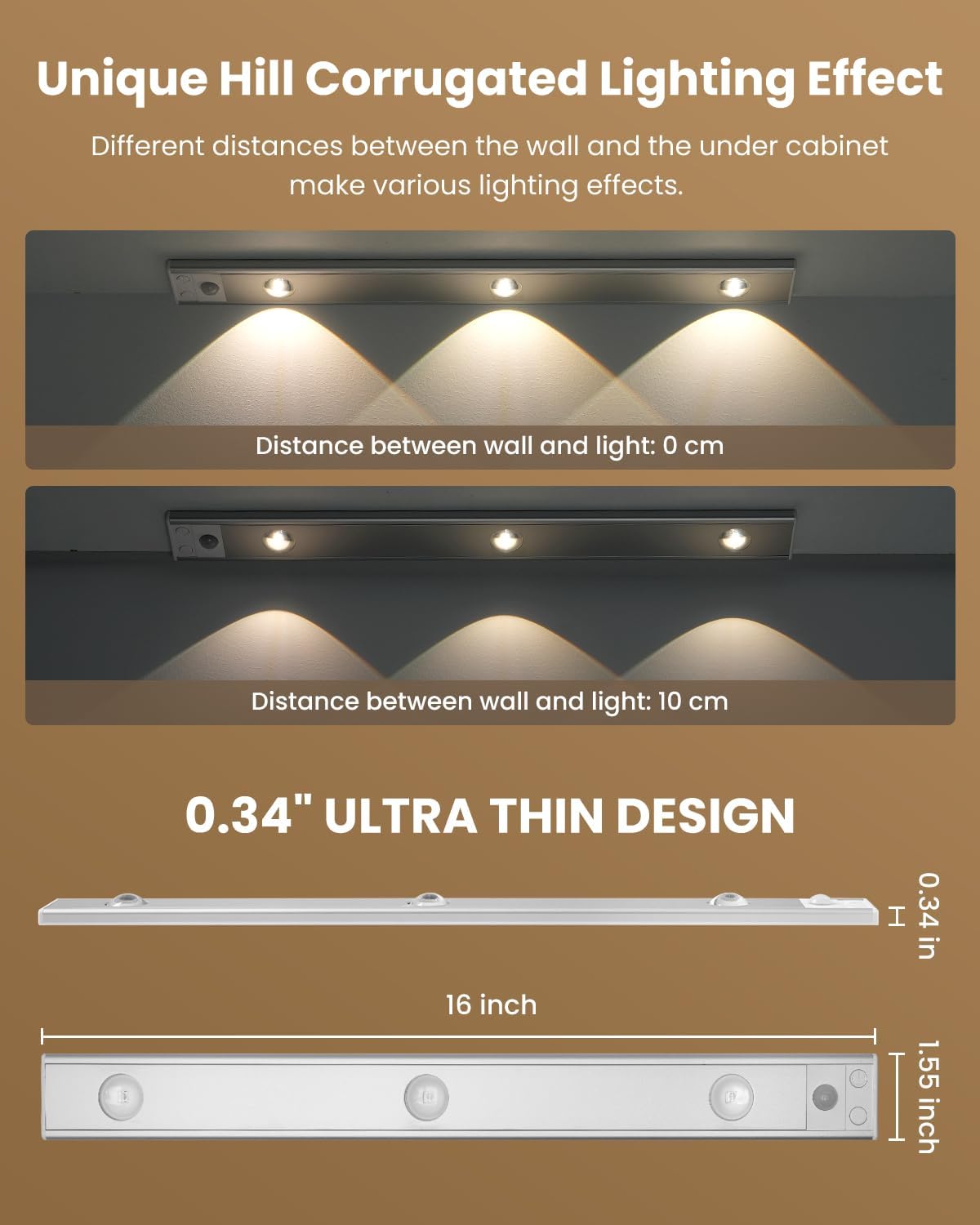
- Unique Light Effect & Wide Application: Three LEDs create a 'Cat’s Eye Hill Corrugated Effect', perfect for displaying collections. Suitable for display cabinets, wine cabinets, jewelry cabinets, counters, entrance cabinets, bedrooms, and shelves.
Setup and Installation
The SUNLINKCO LED Under Cabinet Light offers two convenient installation methods: magnetic attachment for metal surfaces and adhesive mounting for non-metal surfaces.
Package Contents:
- Under Cabinet Lights (x2)
- USB Charging Cable (x2)
- Mounting Hardware (x4)
Installation Steps:
- For Metal Surfaces: The light features built-in powerful magnets. Simply attach the light directly to any flat ironwork surface.
- For Non-Metal Surfaces:
- Place the iron plates (mounting hardware) onto the light, aligning them with the built-in magnets.
- Tear off the protective paper from the adhesive tapes on the iron plates.
- Attach the light with the iron plates to the desired location on the non-metal surface. Ensure the surface is clean and dry for optimal adhesion.

The magnetic and portable design allows for easy removal of the light whenever it needs to be charged or moved to a different location.
Operating Instructions
Power On/Off and Mode Selection:
The light features a control button for power and mode selection.
- Always-ON Mode: Press the button once to turn the light on for continuous illumination.
- Always-OFF Mode: Cycle through modes until the light is off.
- Auto ON/OFF Mode (Motion Sensor): Press the button until the light blinks, indicating motion sensor mode is active. In this mode, the light will turn on when motion is detected in a dark environment and automatically turn off after 20 seconds of no movement.
Motion Sensor Details:
The motion sensor detects movement within a 10-foot (3-meter) range and a 100° detection angle. It activates only in darkness or low-light conditions to conserve energy.

Adjusting Brightness and Color Temperature:
The light allows for stepless dimming and adjustment of color temperature.
- Stepless Dimming: While the light is on, press and hold the control button to adjust the brightness level from 10% to 100%. Release the button when the desired brightness is reached.
- Color Temperature Adjustment: Briefly press the control button to cycle through the 3 available color temperatures: 3000K (warm light), 4000K (natural light), and 6000K (white light).
Unique Lighting Effect:
The light is designed with 3 LEDs that create a 'Cat’s Eye Hill Corrugated Effect', providing an eye-catching display for your items.
Maintenance and Charging
Charging the Battery:
The light is equipped with a 2200 mAh rechargeable battery. Use the provided USB Type-C charging cable to recharge the device.
- Connect the USB Type-C cable to the charging port on the light.
- Connect the other end of the cable to a compatible USB power source (e.g., wall adapter, computer USB port).
- Charging typically takes 3 to 5 hours for a full charge.
- The battery indicator lights will show the charging status.

Battery Life:
- Always-ON Mode: 4 to 80 hours (varies with brightness level).
- Motion Sensing Mode: Up to 90 days (depends on frequency of use).
Troubleshooting
- Light not turning on: Ensure the battery is charged. Check the selected mode (Always-ON or Auto ON/OFF). If in Auto ON/OFF mode, ensure there is sufficient darkness and motion is detected.
- Motion sensor not working: Verify the light is in Auto ON/OFF mode. Ensure the environment is dark enough for the sensor to activate. Check for obstructions blocking the sensor.
- Light not dimming or changing color: Ensure the light is in Always-ON mode. For dimming, press and hold the button. For color change, briefly press the button.
- Adhesive not holding: Ensure the installation surface is clean, dry, and smooth. Reapply with new adhesive if necessary, ensuring proper surface preparation.
Specifications
| Feature | Detail |
|---|---|
| Brand | SUNLINKCO |
| Model Name | 01 |
| Size | 16 inch |
| Color | 3 Color-Motion Sensor |
| Material | Aluminum, Polycarbonate |
| Product Dimensions | 3.3"L x 17.5"W x 0.7"H |
| Power Source | Battery Powered (2200 mAh Lithium Ion) |
| Light Source Type | LED |
| Color Temperatures | 3000K (Warm), 4000K (Natural), 6000K (White) |
| Brightness | 200 lumen |
| Special Features | Motion Sensor, Stepless Dimming, USB Rechargeable, Magnetic Installation |
| Installation Type | Surface-Mounted (Magnetic & Adhesive) |
| Indoor/Outdoor Usage | Indoor |
Warranty and Support
This motion sensor cabinet light comes with a 2-year warranty.
For further assistance, troubleshooting, or warranty claims, please contact SUNLINKCO customer support through your retailer's platform or the official SUNLINKCO website.