
Tehanld Tehanld001
Tehanld 52 Pint Dehumidifier User Manual
Model: Tehanld001 | Brand: Tehanld
Introduction
The Tehanld 52 Pint Dehumidifier is designed to effectively control humidity in large spaces up to 5,000 square feet, such as basements, bathrooms, garages, and offices. This advanced unit features smart humidity control, multiple operating modes (DEHU, DRY, Air), an intuitive LED display, a convenient timer, and a child lock for enhanced safety. It is engineered for energy efficiency and quiet operation, ensuring a comfortable and healthy environment.

Image: Tehanld 52 Pint Dehumidifier, front view.
Video: Overview of the Tehanld large dehumidifier for home use, highlighting its features and portability.
Setup Guide
1. Unpacking and Placement
Carefully remove the dehumidifier from its packaging. Place the unit on a flat, stable surface in the desired area. Ensure there is at least 8 inches of space around the unit for proper airflow. The unit is equipped with built-in wheels and a handle for easy mobility, allowing you to move it between rooms as needed.

Image: Illustrates the compact dimensions and portability features of the dehumidifier, including its handle and wheels.
2. Power Connection
Plug the power cord into a standard electrical outlet. The unit is ready for operation once connected.
3. Drainage Options
Your Tehanld dehumidifier offers two drainage methods:
- Manual Drainage: The unit features an extra-large built-in water tank with a capacity of 6 liters (1.59 gallons). When the tank is full, the unit will automatically shut off and a "FULL" indicator will light up. Simply remove the tank, empty the collected water, and reinsert it.
- Continuous Drainage: For extended periods of operation without manual emptying, use the included 5.91-foot drain hose. Locate the drain port on the back of the unit, remove the rubber stopper, and securely attach the drain hose. Direct the hose to a suitable drain or larger container. An adapter for the hose is included and can be found inside the water bucket; ensure it is removed before use.

Image: Demonstrates both manual water tank drainage and continuous drainage using the provided hose.
Operating Instructions
The control panel provides easy access to all functions. When pressing a button to change the operation mode, the device will beep to confirm the selection.

Image: Close-up view of the digital control panel with various buttons and LED display.
1. Power On/Off
Press the POWER button to turn the unit on or off. The unit defaults to DEHU mode upon startup.
2. Operating Modes
Press the MODE button to cycle through the three available modes:
- DEHU Mode: Maintains the ideal humidity level in your space. The humidity adjustment range is 30%-80%. Use the HUMI+ and HUMI- buttons to set your desired humidity level.
- DRY Mode: Designed for quickly drying clothes. This mode helps remove moisture from garments efficiently.
- Air Mode: Operates the device in fan-only mode, circulating air without extracting water. Ideal for general air circulation.

Image: Visual representation of the three operating modes: Dehu, Fan, and Dry, with descriptions of their functions.
3. Humidity Control
In DEHU mode, use the HUMI+ and HUMI- buttons to set your desired humidity level between 30% and 80%. The smart electronic sensor will automatically maintain this level.
4. Timer Function
Press the TIMER button to set an auto-off timer from 0 to 24 hours. Each press increases the time by one hour. The unit will automatically turn off after the set duration.
5. Child Lock
To activate the child lock, press and hold the HUMI+ and TIMER buttons together for three seconds. This prevents accidental changes to settings. Repeat the process to deactivate the child lock.

Image: Illustrates the child lock function for enhanced safety.
6. Fan Speed
Press the SPEED button to switch between high and low fan speeds.
7. Quiet Operation
With advanced noise-reduction technology, the dehumidifier operates at no more than 42 decibels, ensuring minimal disturbance during sleep or study.
Video: Demonstrates the intelligent moisture management system and control panel features of the dehumidifier.
Maintenance
1. Emptying the Water Tank
When the water tank is full, the unit will automatically shut off, and the "FULL" indicator will illuminate. The silent full bucket indicator ensures no loud alarms disturb your sleep. Carefully remove the water tank from the unit, empty the collected water, and slide the tank back into place until it clicks securely.
2. Cleaning the Washable Filter
The dehumidifier is equipped with a washable filter to maintain optimal performance. Regularly check and clean the filter to ensure efficient operation. To clean, remove the filter cover, take out the filter, and rinse it under running water. Allow it to dry completely before reinserting.
3. Automatic Defrost Function
The unit features an automatic defrost function to prevent ice buildup on the coils, especially in cooler environments. This ensures continuous and efficient operation without manual intervention.
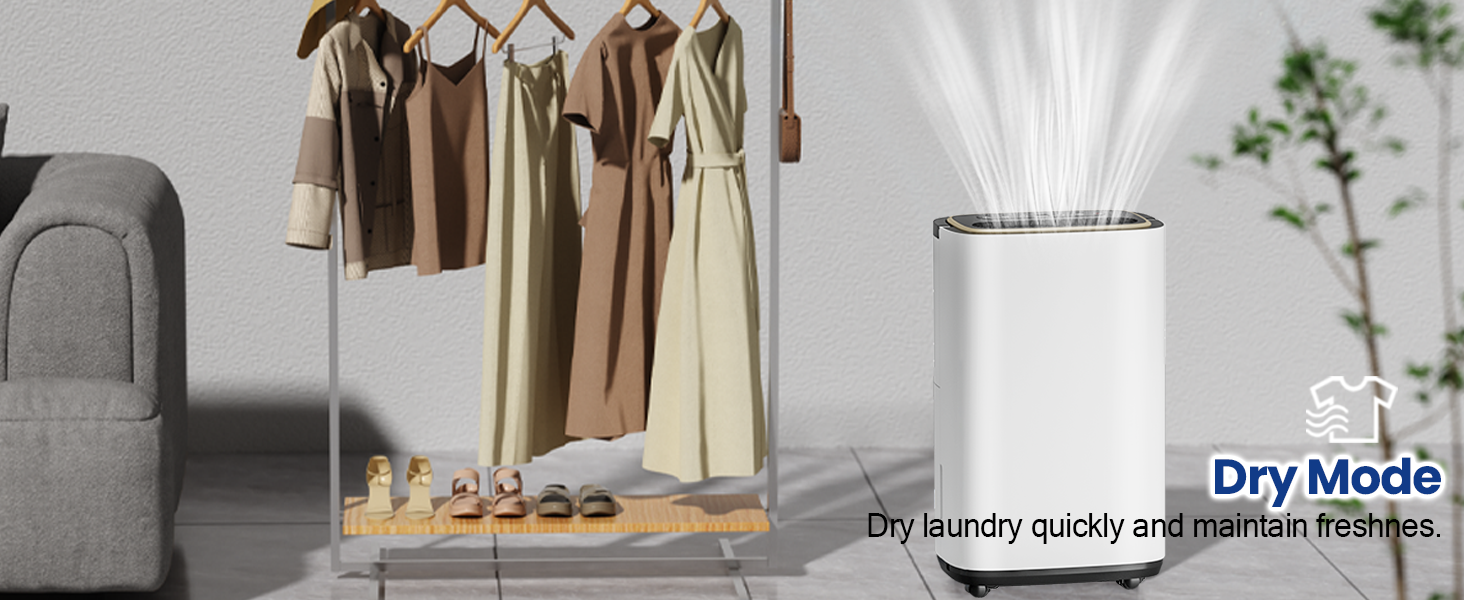
Image: Shows key maintenance features including auto shut-off, washable filter, 360-degree wheels, and auto defrost.
Troubleshooting Guide
This section provides solutions to common issues you might encounter with your dehumidifier. The unit features smart error codes to help diagnose problems.
| Error Code/Issue | Description | Solution |
|---|---|---|
| "FULL" Indicator On | The water tank is full or not properly seated. | Empty the water tank and ensure it is correctly reinserted. If using continuous drainage, check for kinks or blockages in the hose. |
| "E1" | Sensor failure. The unit will operate on a 20-minute cycle with a 5-minute defrost. | Unplug the unit for a few minutes and then plug it back in. If the error persists, contact customer support. |
| "CL/CH" | Extreme temperatures detected (CL: <5°C; CH: >38°C). | Ensure the unit is operating within its recommended temperature range (5°C to 38°C). Move the unit to a more suitable environment if necessary. |
| "LO" | Low humidity detected (<20%). Triggers safety shutdown with a 30-second fan delay. | This is a normal safety feature. The unit will resume operation when humidity levels rise. |
| "H0" | High humidity detected (>90%). Normal operation. | This indicates the unit is operating as expected to reduce high humidity. No action is required unless you wish to adjust the target humidity. |
| Unit not collecting water | Possible causes include low ambient humidity, clogged filter, or incorrect settings. | Check the current humidity level in the room. Ensure the filter is clean. Verify that the desired humidity setting is lower than the current room humidity. |
Specifications
| Feature | Detail |
|---|---|
| Brand | Tehanld |
| Model Name | Tehanld001 |
| Dehumidification Capacity | 52 Pints per Day |
| Coverage Area | Up to 5000 Square Feet |
| Water Tank Volume | 1.59 Gallons (6 Liters) |
| Product Dimensions (D x W x H) | 9.5"D x 13.38"W x 23.7"H |
| Item Weight | 27.6 Pounds |
| Material | Acrylonitrile Butadiene Styrene (ABS) |
| Wattage | 120 watts |
| Operation Mode | Continuous |
| Special Features | Automatic Shutoff, 2-Way Drainage, Adjustable Humidity Control, Automatic Defrost, Automatic Moisture Removal, Automatic Restart, LED Display, Ergonomic Handle, Portable, Removable Tank, Timer, Water Level Indicator, Child Lock |
| Included Components | User Manual, Dehumidifier, Removable Water Tank, Drain Hose, Power Cord |
Warranty and Support
Tehanld provides a one-year accessory maintenance service for your dehumidifier. Each unit undergoes quality testing to ensure reliability.
Contacting Customer Support
If you have any questions or encounter issues with your product, please do not hesitate to contact us. We are committed to providing a satisfactory solution, including a prepaid label for returns or other assistance.
To contact us via Amazon:
- Log into your Amazon account.
- Go to your order history and locate the order ID for your dehumidifier.
- Click on 'Contact Seller'.
We are here to make your experience smooth and stress-free.
Ask a question about this manual
Ask about setup, troubleshooting, compatibility, parts, safety, or missing instructions. Manuals+ will review the question and use this page’s manual context to help answer it.