
Introduction
The Shark DETECT Lift-Away LA492 Corded Upright Vacuum is engineered for powerful and efficient cleaning across various floor types. Featuring advanced Detect Technology, a self-cleaning brushroll, Anti-Allergen Complete Seal, and Odor Neutralizer Technology, this vacuum is designed to provide a thorough and refreshing cleaning experience for your home.

Figure 1: Shark DETECT Lift-Away LA492 Corded Upright Vacuum, showcasing its upright design and burgundy color.
What's in the Box
Ensure all components are present before assembly and operation:
- Main Vacuum Unit (Pod)
- Floor Nozzle with PowerFins Detect and LED Headlights
- Handle and Hose Assembly
- Wand
- Crevice Tool
- Dusting Brush
- Pet Multi-Tool
- Odor Neutralizer Technology Cartridge
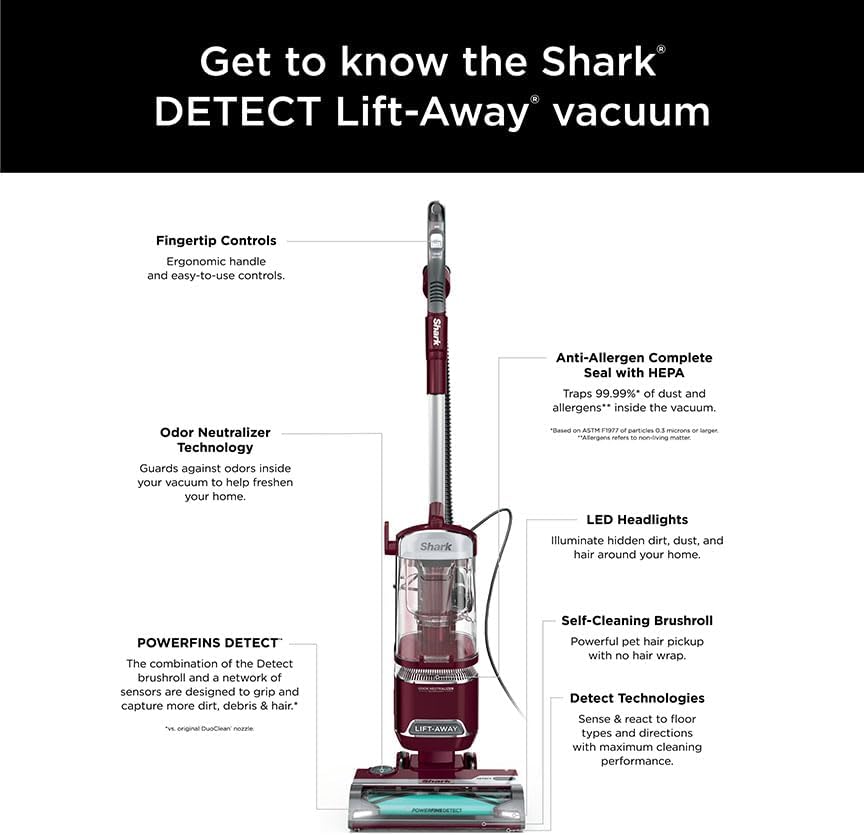
Figure 2: Overview of the Shark DETECT Lift-Away vacuum, highlighting its main parts and features.
Setup
Follow these steps to assemble your Shark DETECT Lift-Away vacuum:
- Insert the Wand into the Floor Nozzle until it clicks securely.
- Place the Vacuum Pod onto the Wand, sliding it down until it locks into place.
- Insert the Handle into the top of the Wand until it clicks.
- Connect the Hose to the back of the Vacuum Pod by pushing it firmly until it clicks.
- Insert the Odor Neutralizer Technology Dial into the nozzle and rotate counterclockwise until it clicks into place.
Operating Instructions
Power and Mode Selection
Press the power button to turn the vacuum on. The vacuum features Intelli-Sense technology that automatically detects floor types and adjusts brushroll speed for optimal performance. You can also manually select modes for Hard Floor, Carpet/Low Pile, or Thick Carpet/Area Rug if desired.

Figure 3: The Floor Detect feature automatically adjusts brushroll speed based on floor type.
Direction Detect
The vacuum's Direction Detect feature senses the direction you are vacuuming, providing maximum suction whether moving forward or in reverse, enhancing cleaning efficiency.

Figure 4: Direction Detect ensures powerful suction in both forward and reverse motions.
Lift-Away Technology
For versatile cleaning, step on the pedal to detach the pod from the floor nozzle. This allows you to easily clean stairs, furniture, and other above-floor areas with the hose and included attachments.

Figure 5: Lift-Away mode provides portable power for cleaning stairs and other elevated surfaces.
LED Headlights
The floor nozzle is equipped with powerful LED headlights to illuminate hidden dirt and debris, ensuring no spot is missed during cleaning.
Using Attachments
Connect the Crevice Tool, Dusting Brush, or Pet Multi-Tool to the end of the hose or wand for specialized cleaning tasks.
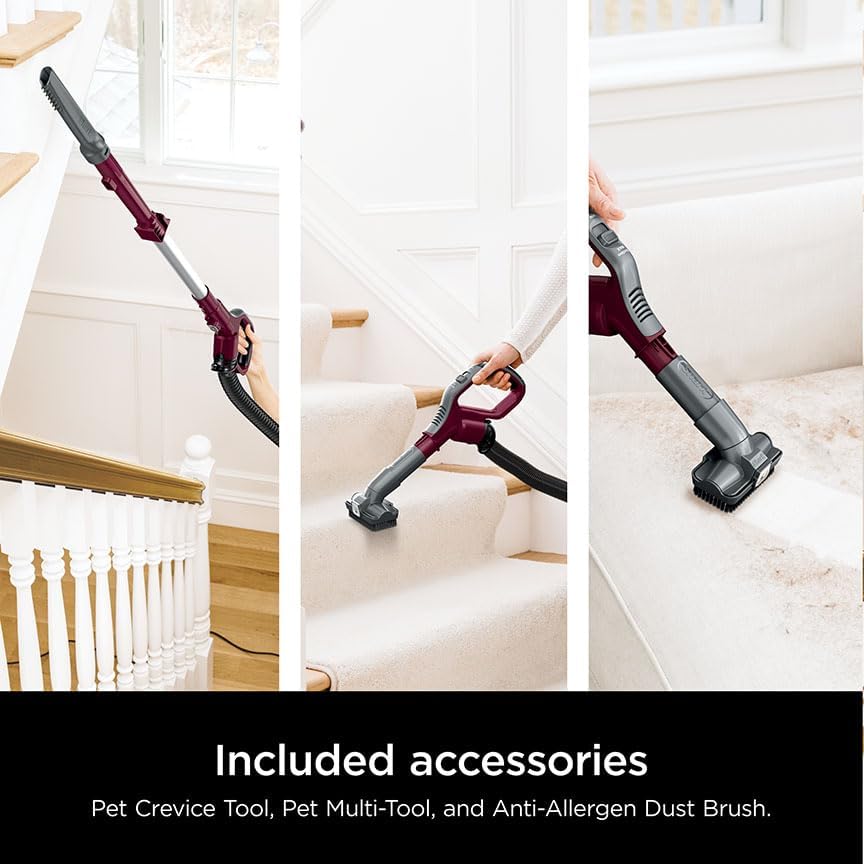
Figure 6: Included accessories for enhanced cleaning versatility.
Odor Neutralizer Technology
The integrated Odor Neutralizer Technology guards against unpleasant odors inside your vacuum, helping to keep your home smelling fresh. Adjust the dial on the nozzle to control the scent intensity.

Figure 7: Adjust the Odor Neutralizer dial for desired freshness.
Video Demonstration: Hard Floor and Carpet Cleaning
Video 1: Watch a demonstration of the Shark DETECT Lift-Away Pro effectively cleaning both hard floors and carpets, showcasing its adaptive technology.
Maintenance
Emptying the Dust Cup
Regularly empty the dust cup to maintain optimal suction. Press the dust cup release button and empty contents into a trash receptacle.
Self-Cleaning Brushroll
The self-cleaning brushroll is designed to prevent hair wrap, ensuring consistent performance. Periodically check the brushroll for any debris and remove if necessary.
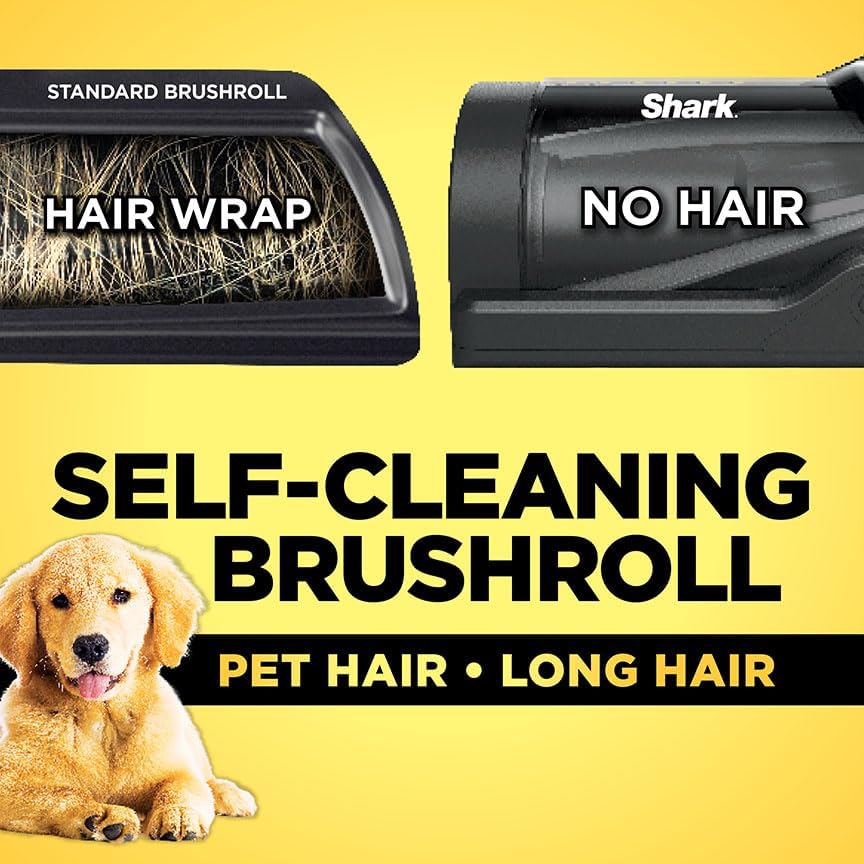
Figure 8: The PowerFins Detect brushroll is engineered for no hair wrap.
Anti-Allergen Complete Seal with HEPA Filtration
The Anti-Allergen Complete Seal system, combined with a HEPA filter, traps 99.99% of dust and allergens inside the vacuum. Refer to the owner's manual for instructions on cleaning and replacing filters to maintain filtration efficiency.
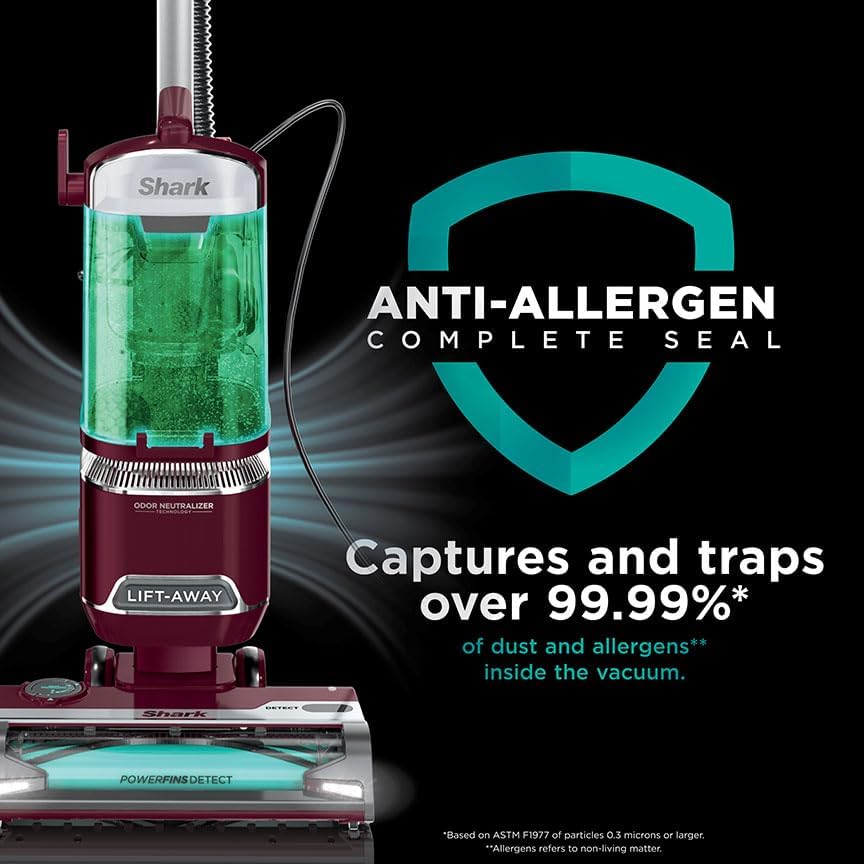
Figure 9: Anti-Allergen Complete Seal captures and traps allergens for cleaner air.
Troubleshooting
If you encounter any issues with your Shark DETECT Lift-Away vacuum, please refer to the full owner's manual for detailed troubleshooting steps. Common issues may include:
- Loss of suction
- Brushroll not spinning
- Unusual noises
- Vacuum not turning on
Ensure the dust cup is empty, filters are clean, and there are no blockages in the hose or nozzle.
Specifications
| Feature | Detail |
|---|---|
| Brand | Shark |
| Model Number | LA492 |
| Power Source | Corded Electric |
| Voltage | 120 Volts |
| Wattage | 960 watts |
| Amperage | 8 Amps |
| Filter Type | HEPA Filter |
| Capacity | 0.74 Quarts |
| Item Weight | 13.1 Pounds |
| Dimensions (L x W x H) | 12"L x 9.75"W x 45.55"H |
| Special Features | Compact, HEPA, Headlight, Lightweight, Portable |
| Surface Recommendation | Carpets & Hardfloors |
Warranty & Support
For warranty information, product registration, or customer support, please visit the official Shark website or refer to the full owner's manual included with your product. You can also find additional resources, FAQs, and troubleshooting guides online.


