
Introduction
Thank you for choosing the AWESAFE GPS Navigator with Reversing Camera. This device is designed to provide reliable navigation and enhanced safety with its integrated reversing camera. It features a 7-inch LCD touchscreen and comes pre-loaded with UK and EU maps. This manual will guide you through the setup, operation, maintenance, and troubleshooting of your new device.
Package Contents
Please verify that all items are present in your package:
- GPS Navigation Unit (with sunshade)
- Reversing Camera
- Car Charger
- USB Cable
- Suction Cup Mount
- Clip Holder
- User Manual

Image: Contents of the AWESAFE GPS Navigator package, including the GPS unit, camera, cables, and mounts.
Setup
1. Mounting the GPS Unit
Attach the suction cup mount to your vehicle's windshield or dashboard. Ensure the surface is clean and dry for a secure hold. Connect the GPS unit to the mount. Plug the car charger into your vehicle's cigarette lighter socket and connect it to the GPS unit.
2. Installing the Reversing Camera
The reversing camera is designed for easy installation. Connect the 2.5mm jack of the camera cable to the "AV-IN" port on the GPS navigator. For power, connect the red cable to the positive ("+") pole of your vehicle's reverse light and the black cable to the negative ("-") pole of the reverse light. This ensures the camera activates when the vehicle is in reverse.

Image: Diagram illustrating the connection of the reversing camera to the GPS unit's AV-IN port and to the vehicle's reverse light wiring.
Note on Camera Functionality: Some newer vehicle models may have complex electrical systems that can interfere with the camera's power supply when the engine is running. If the camera only works when the ignition is on but the engine is off, consult a professional auto electrician for installation to ensure proper functionality.
3. Initial GPS Signal Acquisition
Upon first use, the GPS unit requires time to acquire satellite signals. This process can take approximately 5-30 minutes. Ensure the device has a clear view of the sky. Without a stable GPS signal, navigation may be inaccurate or unavailable.
Operating Instructions
1. Powering the Device
The GPS navigator is designed to be continuously powered by the car charger during use. The internal battery does not store electricity for extended periods to prolong its lifespan. Always keep the device connected to the car charger while navigating to prevent unexpected shutdowns.

Image: The GPS navigator connected to a car's cigarette lighter socket for continuous power during operation.
2. Navigation and Route Planning
The device provides voice guidance, speed camera alerts, speed limit warnings, and active lane assistance. To plan a route, select "Destination" and then "Find Address." For more accurate results, you can often search by postcode by entering it in the "City" field.
The navigator supports 2D and 3D map views, multi-language options, and day/night modes for optimal visibility.
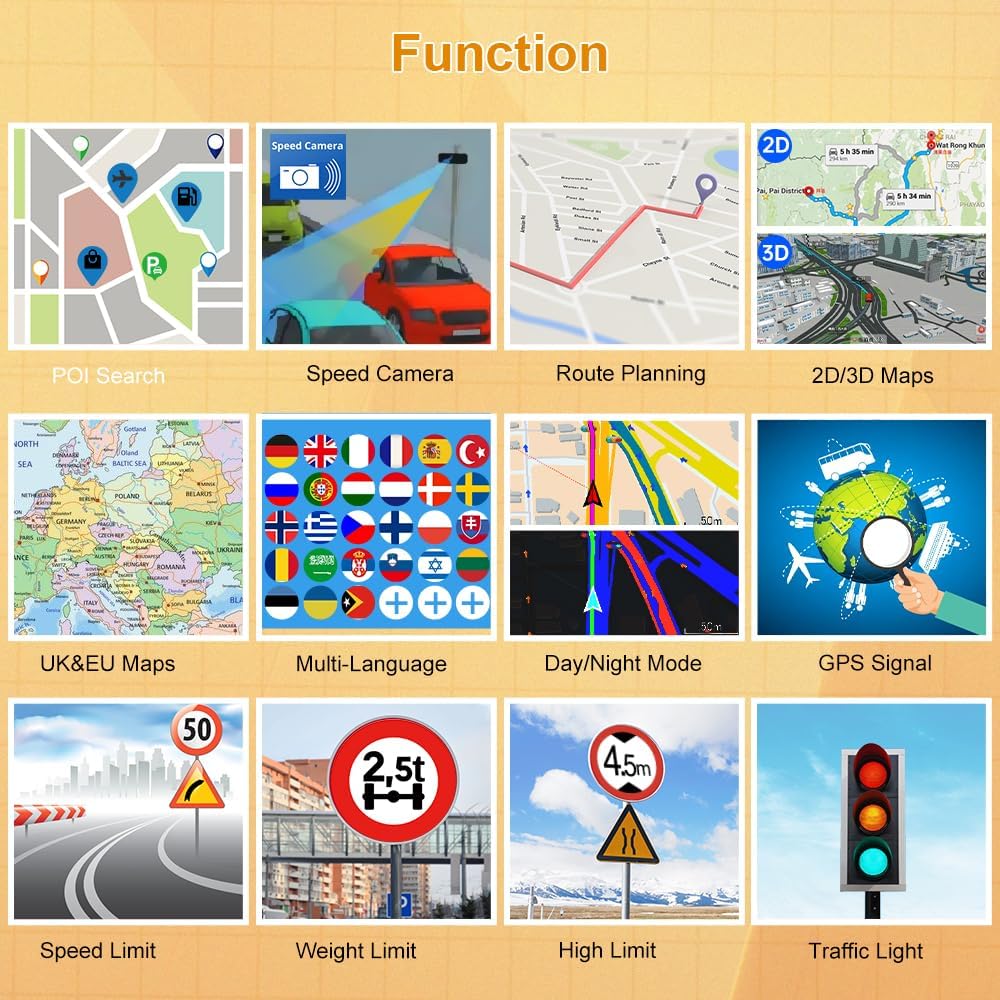
Image: A grid displaying various functions of the GPS navigator, including POI search, speed camera alerts, route planning, 2D/3D maps, UK&EU maps, multi-language support, day/night mode, GPS signal indicator, speed limit, weight limit, height limit, and traffic light warnings.
3. Vehicle Modes
The navigator offers 7 vehicle modes: Car, Truck, Pedestrian, Bicycle, Emergency, Bus, and Taxi. Select the appropriate mode to customize routes and avoid restrictions such as width, height, or weight limits. While the device has a truck mode, its effectiveness in avoiding all truck-specific restrictions may vary.
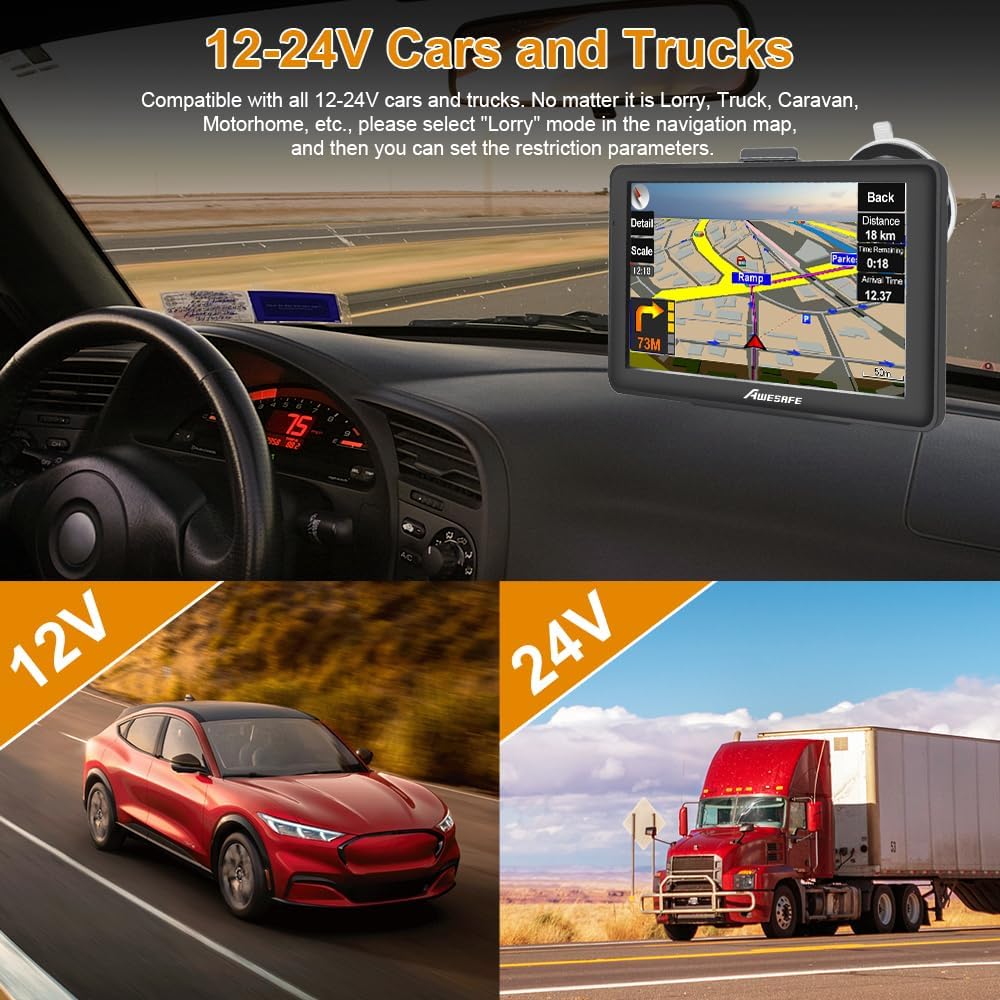
Image: The GPS navigator displaying a map, with text indicating compatibility with 12-24V cars and trucks, and the option to set restriction parameters in 'Lorry' mode.
4. Map Updates
Your AWESAFE GPS navigator includes pre-installed UK and EU maps. Free lifetime map updates are available, typically updated 1-2 times per year. These updates cover 47 EU countries, excluding USA, AU, and African maps. Refer to the manufacturer's website for instructions on how to download and install map updates.

Image: The GPS navigator screen showing a map update interface, with a computer screen in the background indicating a map update process.
Maintenance
Keep the device clean by wiping it with a soft, dry cloth. Avoid using abrasive cleaners or solvents. Ensure all ports are free from dust and debris. Store the device in a cool, dry place when not in use.
Troubleshooting
- No GPS Signal or Inaccurate Navigation: Ensure the device has a clear view of the sky. Initial signal acquisition can take 5-30 minutes. If the issue persists, try resetting the device.
- No Sound from Navigation: If there is no sound, check the device's audio settings. Ensure "Use FM" is turned off. Alternatively, if "Use FM" is enabled, adjust the FM frequency on the navigator to match your car radio's FM frequency to output sound through the car speakers.
- Device Shuts Down Unexpectedly: The device's internal battery is not designed for prolonged standalone use. Always keep the navigator connected to the car charger during operation to ensure continuous power.
- Reversing Camera Not Working with Engine On: If the reversing camera only functions when the ignition is on but the engine is off, this may be due to the vehicle's electrical system. Professional installation by an auto electrician is recommended for newer car models to ensure consistent power to the camera.
- Map Update Issues: If you encounter difficulties downloading or installing map updates, refer to the AWESAFE support website or contact customer service for assistance.

Image: The GPS navigator screen showing settings to resolve "No sound in navigation" by adjusting FM transmission.
Specifications
| Brand | AWESAFE |
| Model Number | B0DDXYSKRL |
| Screen Size | 7 Inches |
| Special Feature | Touchscreen |
| Map Type | Europe (UK & EU pre-loaded) |
| User Interface Input | Touchscreen |
| Batteries Included | Yes |
| GTIN/UPC | 759973853518 |
Warranty and Support
For warranty information, technical support, or further assistance, please refer to the official AWESAFE website or contact their customer service department. Contact details are typically provided on the product packaging or the manufacturer's website.