
ELEHEAR Alpha Pro
ELEHEAR Alpha Pro Hearing Aids User Manual
Model: Alpha Pro
Introduction
Welcome to the ELEHEAR Alpha Pro Hearing Aids user manual. This guide provides comprehensive instructions for setting up, operating, maintaining, and troubleshooting your new hearing aids. Designed for individuals with mild to moderate hearing loss, the Alpha Pro features advanced AI noise cancellation, Bluetooth connectivity, and app control for a personalized listening experience.
What's in the Box
Please check the contents of your ELEHEAR Alpha Pro package. If any items are missing or damaged, please contact customer support.

Figure 1: Package Contents - The image displays the charging case, ear caps (6 pairs), a pair of hearing aids, a multifunction tool, a USB cable, the user manual, and a quick start guide.
- 1 x Charging Case
- 6 pairs of Ear Caps (various sizes)
- 1 pair of Hearing Aids (Left and Right)
- 1 x Multifunction Tool
- 1 x USB Cable (Type-C)
- 1 x User Manual
- 1 x Quick Start Guide
Product Overview
The ELEHEAR Alpha Pro hearing aids are designed for comfort and superior sound clarity. They feature a lightweight, receiver-in-canal design that is barely noticeable when worn.

Figure 2: Product Components - The image shows the compact charging case, the two hearing aids, and a smartphone screen illustrating the accompanying control application.
Key Features:
- Super Clear Sound: Powered by VocClear AI Technology, offering noise reduction and feedback control with up to 37dB gain.
- Customizable Smart Features: Adjust volume, frequency, directionality, and environment settings via the ELEHEAR app.
- Extended Battery Life: Up to 20 hours on a single charge for the hearing aids, with the charging case providing an additional seven full charges (total 160 hours).
- Easy Operation & Comfortable Fit: Auto-On/Off feature, lightweight receiver-in-canal design, and multiple dome sizes for optimal comfort.
- Sweatproof Design: Advanced vacuum coating on PCBA and batteries ensures durability.
Setup
1. Initial Charge
Before first use, fully charge your ELEHEAR Alpha Pro hearing aids and their charging case. Connect the provided USB Type-C cable to the charging case and a power source.

Figure 3: Charging the Device - The image shows the charging case connected to a power source via its USB-C port, highlighting its long battery life.
2. Download the ELEHEAR App
For full control and customization, download the official ELEHEAR app from the App Store (iOS) or Google Play Store (Android). Search for "ELEHEAR" to find the application.

Figure 4: App Download and Control - This image illustrates the ELEHEAR app interface on a smartphone, showing options for customization and connection via Bluetooth 5.3.
3. Pairing with Your Device
- Open the ELEHEAR app and create an account.
- Remove the hearing aids from the charging case. They will automatically enter pairing mode.
- Follow the in-app instructions to connect your hearing aids via Bluetooth. Select "ELEHEAR Alpha Pro" from your device's Bluetooth settings if prompted.
Operating Instructions
Wearing the Hearing Aids
The ELEHEAR Alpha Pro hearing aids are designed for a comfortable and discreet fit. Choose the ear dome size that best fits your ear canal for optimal sound quality and comfort.

Figure 5: Comfortable Fit - The image shows a user wearing the hearing aid, highlighting its lightweight and discreet design behind the ear.
Basic Controls (On-Device)
- Power On/Off: The hearing aids automatically turn on when removed from the charging case and turn off when placed back in.
- Volume Adjustment: Use the physical buttons on the hearing aid to adjust the volume up or down.
App Control and Customization
The ELEHEAR app provides extensive control over your hearing experience. You can fine-tune settings to match your specific needs and environment.

Figure 6: AI Noise Reduction - This diagram visually explains how VocClear AI Technology enhances speech comprehension by filtering background noise and controlling feedback.
- Volume Control: Adjust the volume for each hearing aid independently.
- Sound Modes: Switch between 4 preset modes for different listening scenarios:
- General Mode
- Restaurant Mode
- TV Mode
- Outdoor Mode
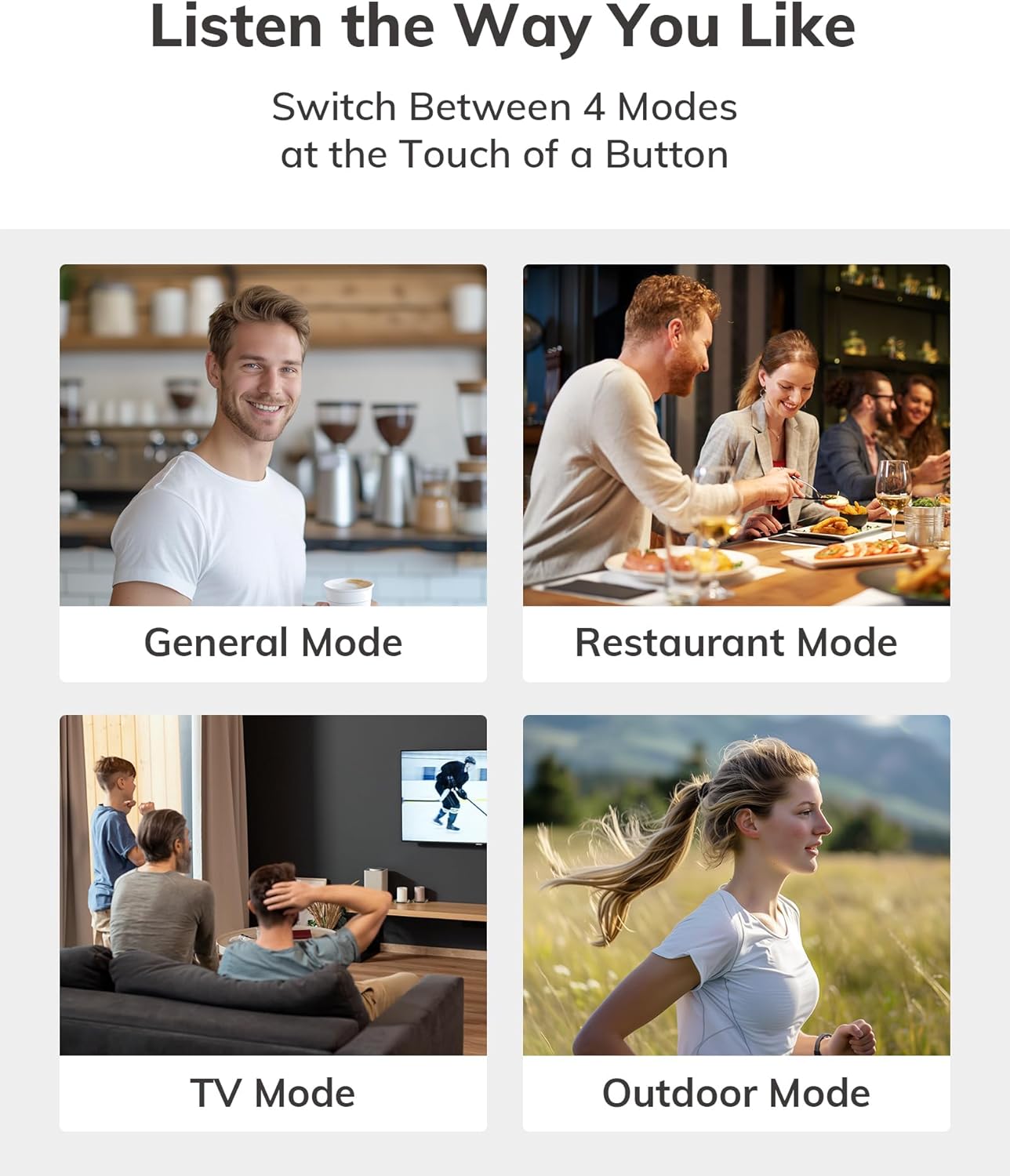
Figure 7: Adaptive Sound Modes - Visual representation of the four distinct sound modes available for various environments.
- Speech Enhancement: Optimize clarity for conversations.
- Tuning: Fine-tune frequency settings for a personalized auditory experience.
- Bluetooth Streaming: Stream audio from your phone, TV, or other Bluetooth-enabled devices directly to your hearing aids.
Charging and Battery Life
The ELEHEAR Alpha Pro offers impressive battery life for extended use.
- Hearing Aids: Up to 20 hours of continuous use on a single charge.
- Charging Case: Provides an additional 7 full charges, extending total usage time to approximately 160 hours.
Charging Process:
- Place the hearing aids securely into their respective slots in the charging case.
- Close the charging case. The indicator lights on the case will show the charging status.
- To charge the case itself, connect it to a USB power adapter using the provided USB Type-C cable.

Figure 8: Extended Battery Life - The image highlights the impressive 160-hour total battery life provided by the hearing aids and their charging case.
Maintenance and Care
Proper maintenance ensures the longevity and optimal performance of your hearing aids.
- Daily Cleaning: Gently wipe the hearing aids and ear domes with a soft, dry cloth to remove any earwax or debris. Use the provided multifunction tool for hard-to-reach areas.
- Ear Dome Replacement: Replace ear domes regularly (e.g., every 1-3 months, or as needed) to maintain hygiene and sound quality.
- Storage: Store the hearing aids in their charging case when not in use to protect them from dust, moisture, and physical damage.
- Avoid Moisture: Although sweatproof, avoid prolonged exposure to excessive moisture. Do not submerge the devices in water.
- Temperature: Store and operate the hearing aids within recommended temperature ranges to prevent damage to the battery and internal components.

Figure 9: Sweatproof Design - The image emphasizes the durable, sweatproof construction of the hearing aids, suitable for active lifestyles.
Troubleshooting
If you encounter any issues with your ELEHEAR Alpha Pro hearing aids, please refer to the following common solutions:
| Problem | Possible Cause | Solution |
|---|---|---|
| No Sound/Low Volume | Low battery; clogged ear dome; incorrect volume setting. | Charge hearing aids/case; clean or replace ear dome; adjust volume via app or on-device. |
| Feedback/Whistling | Improper fit; earwax buildup; ear dome too small. | Re-insert hearing aid for a snug fit; clean ear canal; try a larger ear dome. |
| Cannot Connect to App/Bluetooth | Bluetooth off; hearing aids not in pairing mode; app issue. | Ensure Bluetooth is on; remove/re-insert aids to re-enter pairing mode; restart app/phone. |
| Short Battery Life | Aging battery; frequent streaming; extreme temperatures. | Ensure full charge; reduce streaming time; avoid extreme temperatures. |
If the issue persists after trying these solutions, please contact ELEHEAR customer support.
Specifications
- Model Number: Alpha Pro
- Product Dimensions: 1.29 x 0.35 x 0.6 inches
- Item Weight: 5.78 ounces
- Batteries: 2 Lithium Ion batteries required (included)
- Manufacturer: ELEHEAR
- ASIN: B0DDXYB7CP
- Connectivity: Bluetooth 5.3
- Gain: Up to 37dB
Important Safety Information
Please read and understand all safety information before using your ELEHEAR Alpha Pro hearing aids.
- This device is intended for adults 18 years and older with mild to moderate hearing loss.
- Do not attempt to self-diagnose or treat severe hearing loss. Consult a healthcare professional if you experience sudden or significant hearing changes.
- Keep out of reach of children and pets. Small parts may pose a choking hazard.
- Avoid exposing the device to extreme temperatures, direct sunlight, or high humidity.
- Do not use if the device appears damaged.
- Statements regarding dietary supplements have not been evaluated by the FDA and are not intended to diagnose, treat, cure, or prevent any disease or health condition. (Note: This disclaimer is from the original product data and is included as per instructions to use provided information.)
Warranty and Support
ELEHEAR provides professional local support to ensure your satisfaction.
- Support Period: 12-month support is provided.
- Contact: For any questions, technical assistance, or warranty claims, please contact ELEHEAR customer support. Refer to the contact information provided in your Quick Start Guide or on the official ELEHEAR website.

Figure 10: Dedicated Support - The image represents the 12-month professional support offered by ELEHEAR for their products.
Related documentsAlpha Pro


Ask a question about this manual
Ask about setup, troubleshooting, compatibility, parts, safety, or missing instructions. Manuals+ will review the question and use this page’s manual context to help answer it.