
Fila SW51-Red
Fila Smart Watch SW51-Red User Manual
Model: SW51-Red | Brand: Fila
Introduction
This manual provides comprehensive instructions for the setup, operation, and maintenance of your Fila Smart Watch SW51-Red. Designed for fitness tracking and smart connectivity, this device offers a 1.43-inch AMOLED display, 130+ sport modes, 24/7 health monitoring, and IP68 water resistance. Please read this manual thoroughly to ensure proper use and to maximize your experience with the watch.
What's in the Box

The Fila Smart Watch SW51-Red package includes the following components:
- Fila Smart Watch (SW51-Red)
- Charging Cable
- User Manual (this document)
- Watch Band
This image displays the Fila Smart Watch SW51-Red, which is the primary item included in the package. The watch features a red silicone band and a silver-colored case with a dark blue watch face.
Setup
1. Charging the Device
Before initial use, fully charge your Fila Smart Watch. Connect the magnetic charging cable to the charging points on the back of the watch and plug the USB end into a compatible power adapter (not included) or a computer USB port.

This image shows the Fila Smart Watch packaging, including the watch, user manual, and the magnetic charging cable. The charging cable is essential for powering the device.
2. Downloading the App
To unlock the full functionality of your Fila Smart Watch, download the "FILA S-WATCH" application from your smartphone's app store (available for Android and iOS). Search for "FILA S-WATCH" and install the application.
3. Pairing the Watch with Your Smartphone
- Ensure Bluetooth is enabled on your smartphone.
- Open the "FILA S-WATCH" app on your smartphone.
- Follow the on-screen instructions within the app to search for and connect to your Fila Smart Watch. The app will guide you through the pairing process.
- Confirm the pairing request on both your watch and smartphone.
A successful connection will allow the watch to synchronize data and receive notifications from your phone.
Operating the Device
Basic Navigation
The Fila Smart Watch features a 1.43-inch full-touch AMOLED screen for intuitive navigation. Swipe left, right, up, or down to access different functions and menus. Press the side button to return to the home screen or to power on/off the device.

This image showcases the watch's vibrant display with three different customizable watch faces, demonstrating the visual clarity and touch responsiveness.
Bluetooth Call Functionality
Once paired with your smartphone, the watch allows you to make and receive calls directly from your wrist. Ensure your watch is within Bluetooth range of your phone for this feature to work.
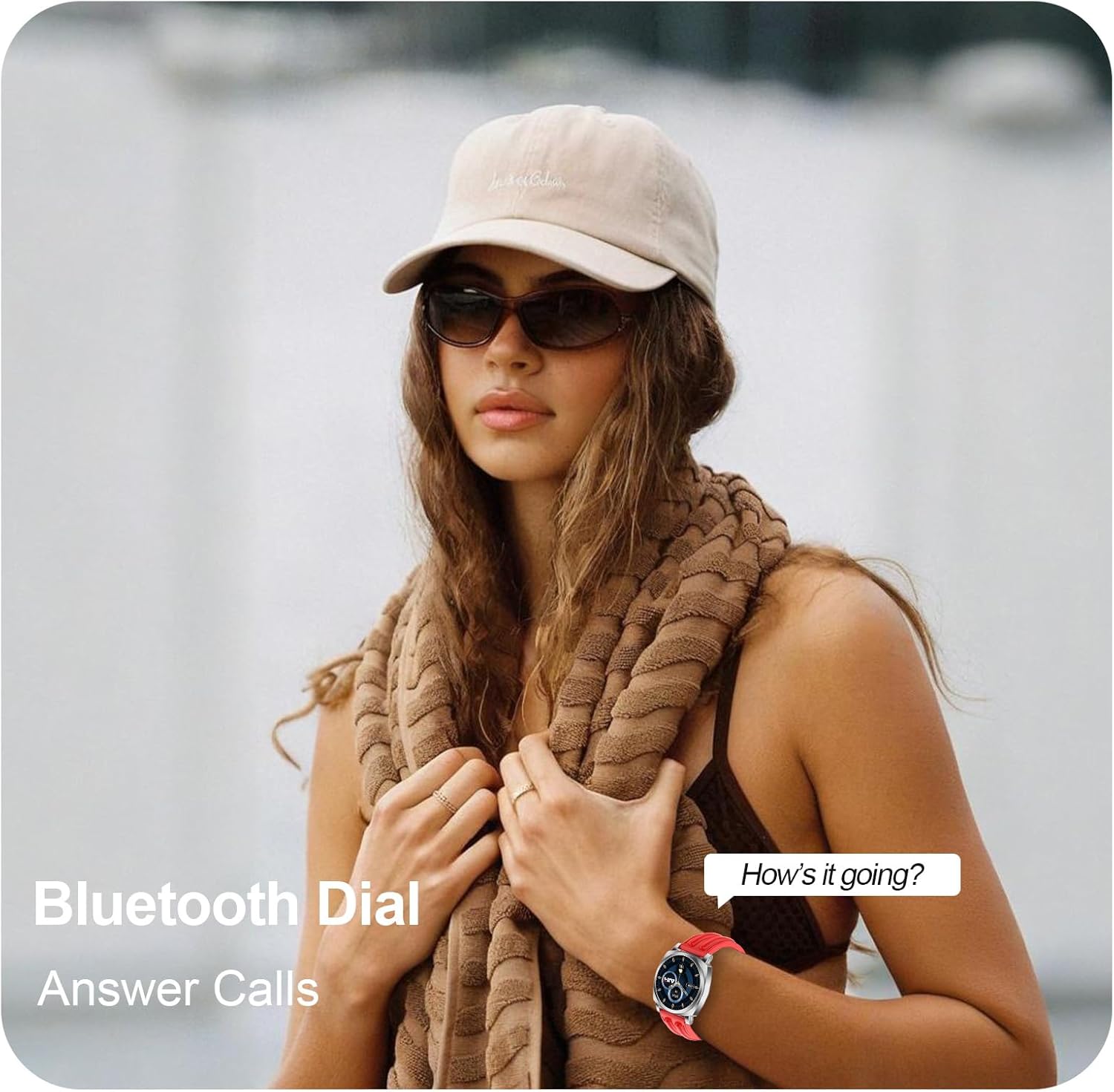
This image illustrates the Bluetooth call feature, showing a person wearing the watch and interacting with an incoming call notification on the watch face.
Message Notifications
Receive notifications for SMS, emails, and various social media applications (e.g., Facebook, Twitter, WhatsApp) directly on your watch. Configure which app notifications you wish to receive through the "FILA S-WATCH" app settings.

This image shows the watch displaying a Facebook message notification, demonstrating how messages appear on the screen.
Music Control
Control music playback on your smartphone directly from your watch. This includes playing, pausing, skipping tracks, and adjusting volume.

This image shows the watch's music control interface, allowing users to manage audio playback from their wrist, accompanied by wireless earbuds.
AI Voice Assistant
Utilize the integrated AI voice assistant for hands-free commands and easy operation. Activate the voice assistant by tapping the designated icon on the watch screen.

This image displays the AI Voice Assistant interface on the Fila Smart Watch, indicating its readiness for voice commands.
Customizable Watch Faces
Personalize your watch by choosing from a variety of customizable watch faces available through the "FILA S-WATCH" app. This allows you to match your watch's appearance to your style or preference.

This image showcases several Fila Smart Watches, each displaying a different customizable watch face, highlighting the personalization options available.
Find My Phone
If your paired smartphone is misplaced, use the "Find My Phone" feature on your watch to make your phone ring, helping you locate it quickly.

This image illustrates the "Find My Phone" feature on the watch, showing a map with a location pin, indicating its function to help locate a misplaced phone.
BLE Camera Control
Remotely control your smartphone's camera using the watch. This feature is useful for taking group photos or selfies from a distance.

This image shows the watch's interface for BLE Camera Control, with icons for shutter and video recording, indicating its remote camera functionality.
Weather Updates
Receive real-time weather forecasts directly on your watch, helping you plan your day effectively.

This image displays three watches showing different weather interfaces, including current conditions and multi-day forecasts.
Multiple Timers and Alarms
Set countdown timers, multiple alarms, and use the stopwatch feature for precise time management during workouts or daily activities.

This image shows a person on a running track, with the Fila Smart Watch displaying its stopwatch function, illustrating its utility for tracking exercise times.
Health and Fitness Tracking
100+ Exercise Modes
The Fila Smart Watch supports over 100 exercise modes, including yoga, running, and more. It accurately records your steps, distance, and calories burned for each activity, helping you monitor your fitness progress.

This image highlights the watch's fitness tracking capabilities, showing the steps counter and indicating support for over 123 exercise modes, music controls, and 24/7 monitoring.
Comprehensive Health Monitoring
The watch provides 24/7 monitoring of key health metrics, including heart rate and sleep status. Data is synchronized with the "FILA S-WATCH" app for detailed analysis.
- Heart Rate Monitoring: Real-time heart rate tracking throughout the day.
- Sleep Monitoring: Automatically monitors your sleep status and analyzes sleep quality.
- Blood Oxygen Level (SpO2) Monitoring: Measures your blood oxygen saturation levels.

This image shows the watch displaying heart rate data and indicates its capability for blood oxygen level (SpO2) monitoring and heart rate notifications, along with other health metrics.
Battery Life
The Fila Smart Watch is equipped with a 250 Milliamp Hours battery, providing up to 7 days of battery life with typical usage. Actual battery life may vary based on usage patterns and enabled features.

This image shows the Fila Smart Watch displaying a battery icon, indicating its ability to stay charged for up to a week, and its compatibility with Android and iOS devices.
Water Resistance
The Fila Smart Watch has an IP68 water resistance rating, meaning it is protected against dust ingress and can withstand immersion in water up to 1.5 meters for 30 minutes. It is suitable for daily use, including hand washing and light rain exposure. However, it is not recommended for swimming, diving, or high-pressure water activities.
Maintenance
Cleaning the Watch
- Wipe the watch screen and body with a soft, lint-free cloth.
- For stubborn stains, dampen the cloth slightly with water. Avoid using harsh chemicals or abrasive materials.
Care for the Watch Band
- Regularly clean the watch band, especially if it's silicone, to prevent skin irritation and maintain its appearance.
- Allow the band to air dry completely after cleaning or exposure to moisture.
Troubleshooting
| Issue | Possible Solution |
|---|---|
| Watch not turning on | Ensure the watch is fully charged. If it still doesn't turn on, try a hard reset by pressing and holding the side button for 10-15 seconds. |
| Cannot pair with smartphone |
|
| Notifications not received |
|
| Inaccurate health data | Ensure the watch is worn snugly on your wrist, about one finger's width above the wrist bone. Clean the sensor on the back of the watch. |
| Short battery life | Reduce screen brightness, disable unnecessary notifications, limit continuous heart rate monitoring, and close background apps on the watch if applicable. |
Specifications
| Feature | Detail |
|---|---|
| Model Number | SW51-Red |
| Screen Size | 1.43 Inches AMOLED |
| Product Dimensions | 6.1 x 4.33 x 1.69 inches |
| Item Weight | 0.634 ounces |
| Battery Capacity | 250 Milliamp Hours |
| Battery Type | 1 C batteries required (included) |
| Connectivity Technology | Bluetooth |
| Operating System | Wear OS 3.0 |
| Memory Storage Capacity | 128 MB |
| RAM Memory Installed Size | 128 MB |
| Special Features | Activity Tracker, Multisport Tracker, Notifications, Phone Call, Touchscreen |
| Water Resistance | IP68 |
| GPS | No GPS |
| Shape | Round |
| Supported Languages | English, French, German, Italian, Spanish |
Warranty and Support
Your Fila Smart Watch SW51-Red comes with a manufacturer's warranty. For detailed warranty information, including terms and conditions, please refer to the warranty card included in your product packaging or visit the official Fila support website. For technical assistance, troubleshooting, or any other inquiries, please contact Fila customer support through their official channels.
Manufacturer: FILA
Related documentsSW51-Red


Ask a question about this manual
Ask about setup, troubleshooting, compatibility, parts, safety, or missing instructions. Manuals+ will review the question and use this page’s manual context to help answer it.