
Introduction
The AWEI H28 Smart Watch is a versatile fitness tracker and smartwatch designed for daily use. It features a 1.57-inch display, Bluetooth calling capabilities, and multiple health monitoring functions. This manual provides essential information for setting up, operating, maintaining, and troubleshooting your device.
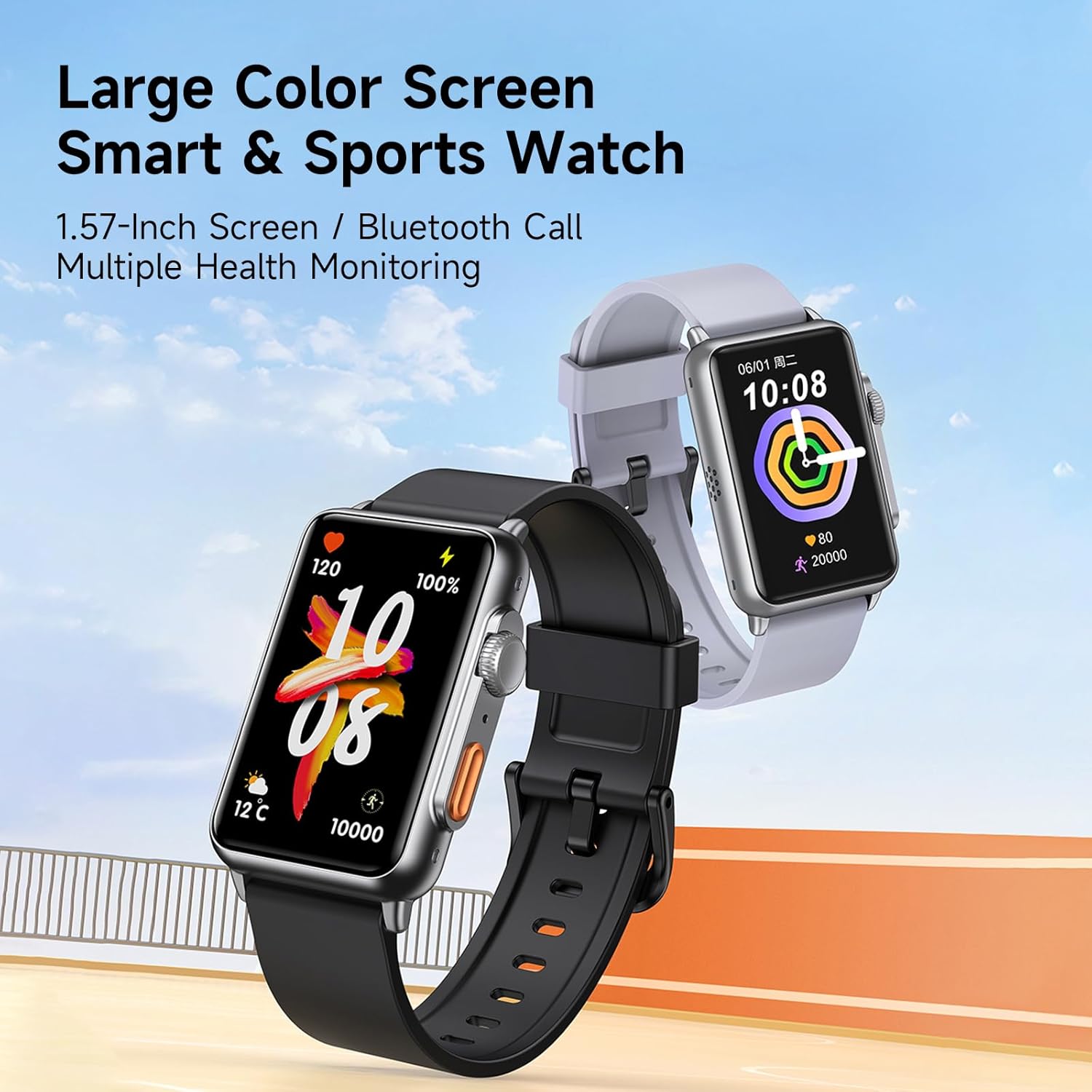
Image: The AWEI H28 Smart Watch displaying its large color screen with various health and activity metrics, highlighting its smart and sports features.
Setup
1. Charging the Device
Before initial use, fully charge your AWEI H28 Smart Watch. The device is equipped with a 200mAh battery. A full charge typically takes 2-3 hours. Use the provided charging cable and connect it to a standard USB power source.
2. App Installation and Pairing
- Download the compatible application for your smartphone. The AWEI H28 Smart Watch supports both iOS and Android devices. Search for the official AWEI app in your device's app store.
- Ensure Bluetooth is enabled on your smartphone.
- Open the AWEI app and follow the on-screen instructions to pair your H28 Smart Watch. The app will guide you through the connection process.
- Once paired, the watch will synchronize time and data with your phone.
Operating Instructions
Basic Navigation
- Touchscreen: Swipe left, right, up, or down to navigate through menus and functions. Tap to select an option.
- Side Button(s): Typically used for returning to the home screen, powering on/off, or accessing specific functions. Refer to the on-screen prompts for specific button actions.
- Wrist Flip Screen: Enable this feature in the app settings to automatically wake the screen when you raise your wrist.
Bluetooth Calling
The AWEI H28 supports one-touch Bluetooth calling. Once paired with your smartphone, you can answer or make calls directly from your watch using its built-in microphone and speaker.
Multi-Sport Modes
The watch offers various sports modes to track your physical activity. These include Running, Walking, Hiking, Climbing, Fitness, Cycling, Basketball, Badminton, Boating, Football, Yoga, and more. Select the desired mode before starting your activity to accurately record exercise time and calories burned.

Image: The AWEI H28 Smart Watch showing an active sports tracking screen, indicating its multiple sports modes feature.
Health Monitoring
The AWEI H28 monitors several health metrics:
- Heart Rate Monitor: Continuously tracks your heart rate.
- Blood Oxygen Monitor: Measures your blood oxygen levels.
- Sleep Duration: Analyzes your sleep patterns.
- Calories Burned: Estimates calorie expenditure based on activity.
- Sedentary Reminder: Alerts you to move after periods of inactivity.
Customization
Personalize your watch experience:
- Watch Faces: Choose from multiple cloud-based watch faces or upload your own photos via the app to create a personalized display.
- Music Control: Control music playback on your smartphone directly from the watch.
- Remote Photography: Use the watch as a remote shutter for your phone's camera.
- Alarm Clock: Set alarms directly on the watch or through the app.

Image: The AWEI H28 Smart Watch showcasing different dynamic and customizable watch faces, demonstrating personalization options.
Maintenance
Water Resistance
The AWEI H28 Smart Watch has an IP67 waterproof rating, meaning it is resistant to dust and can withstand immersion in water up to 1 meter for 30 minutes. This allows for worry-free use during hand washing, face washing, and light rain or sweat.
Important: The watch is not recommended for use in hot water (e.g., hot showers, saunas) or seawater, as these conditions can compromise the waterproof seals.

Image: The AWEI H28 Smart Watch being splashed with water, demonstrating its IP67 waterproof capability.
Cleaning
To clean your watch, gently wipe the screen and band with a soft, damp cloth. Avoid using harsh chemicals or abrasive materials, which can damage the device.
Battery Care
To prolong battery life, avoid extreme temperatures. The average battery life is approximately 4 days, but this can vary based on usage frequency and features enabled.
Troubleshooting
- Watch not turning on: Ensure the watch is fully charged. Connect it to the charger for at least 30 minutes.
- Cannot pair with smartphone:
- Ensure Bluetooth is enabled on your phone and the watch.
- Make sure the watch is within range of your phone.
- Restart both your watch and smartphone.
- Try unpairing and re-pairing the device through the app.
- Inaccurate health data:
- Ensure the watch is worn snugly on your wrist, not too loose or too tight.
- Clean the sensor on the back of the watch.
- Note that health monitoring data is for reference only and not for medical diagnosis.
- Notifications not appearing:
- Check app permissions on your smartphone to ensure the AWEI app has access to notifications.
- Verify that notifications are enabled within the AWEI app settings.
- Ensure the watch is connected via Bluetooth.
Specifications
| Feature | Detail |
|---|---|
| Model Name | H28 |
| Screen Size | 1.57 Inches |
| Display Type | LCD |
| Connectivity Technology | Bluetooth |
| Wireless Communication Standard | Bluetooth |
| Battery Capacity | 200 Milliamp Hours |
| Battery Average Life | 4 days |
| Battery Charge Time | 2-3 Hours |
| Waterproof Rating | IP67 (1 Meter depth) |
| Supported Application | iOS and Android compatible apps |
| Metrics Measured | Heart Rate Monitor, Sleep Duration, Calories Burned, Blood Oxygen Monitor |
| Special Features | Multi-sport mode, One-touch Bluetooth calling |
| Human Interface Input | Microphone, Touchscreen |
| Band Material Type | Silicone |
| GPS Geotagging Functionality | GPS Via Smartphone |
| Manufacturer | AWEI |
| Country of Origin | China |

Image: The AWEI H28 Smart Watch highlighting its 1.57-inch screen size and 11.45mm thickness.
Warranty and Support
Warranty Information
The AWEI H28 Smart Watch comes with a 1-year limited warranty from the date of purchase. This warranty covers manufacturing defects. Please retain your proof of purchase for warranty claims.
Customer Support
For any questions, technical assistance, or warranty inquiries, please contact AWEI customer support. The manufacturer aims to respond and assist within 24 hours. Refer to your purchase documentation or the official AWEI website for specific contact details.
