
LTC NB981
LTC Nimbleback NB981 Wireless Mechanical Keyboard User Manual
Model: NB981
Brand: LTC
Introduction
Welcome to the user manual for your LTC Nimbleback NB981 95% Wireless Mechanical Keyboard. This manual provides detailed instructions for setting up, operating, maintaining, and troubleshooting your new keyboard.
The NB981 keyboard offers versatile connectivity options (2.4GHz, Bluetooth, USB-C wired), a comfortable typing experience with its 3-layer silicone dampening, and extensive customization through hot-swappable switches and dynamic RGB lighting.
Package Contents
Please verify that all items are present in your package:
- LTC Nimbleback NB981 Wireless Mechanical Keyboard
- USB-C to USB-A Cable
- Keycap Puller
- Switch Puller (often combined with keycap puller)
- Spare Switches
- User Manual
Unboxing Video
This video demonstrates the unboxing process and shows the contents typically included with the LTC Nimbleback NB981 keyboard.
Product Overview
The LTC Nimbleback NB981 is a high-performance mechanical keyboard designed for both gaming and everyday use. It features a 95% layout, combining functionality with a compact design.
Key Features
- Flexible Tri-Mode Connectivity: Bluetooth, wired, and 2.4GHz options.
- Excellent Silicone Sound Dampening: Triple-layer silicone structure for reduced hollow sounds and quiet typing.
- Customizable Hot-Swap Design: Supports most 3-pin and 5-pin MX-style switches without soldering.
- Powerful Software Support: Key remapping, macro assignments, and personalized lighting effects for Windows, Android, iOS, and macOS.
- Dynamic RGB Illumination: 18 vibrant backlight modes with adjustable speed and brightness.
- Long-lasting 4000mAh Battery: Extended usage with battery status monitoring (FN+backspace).
Keyboard Layout and Components
Refer to the images below for a visual guide to the keyboard's layout and internal structure.
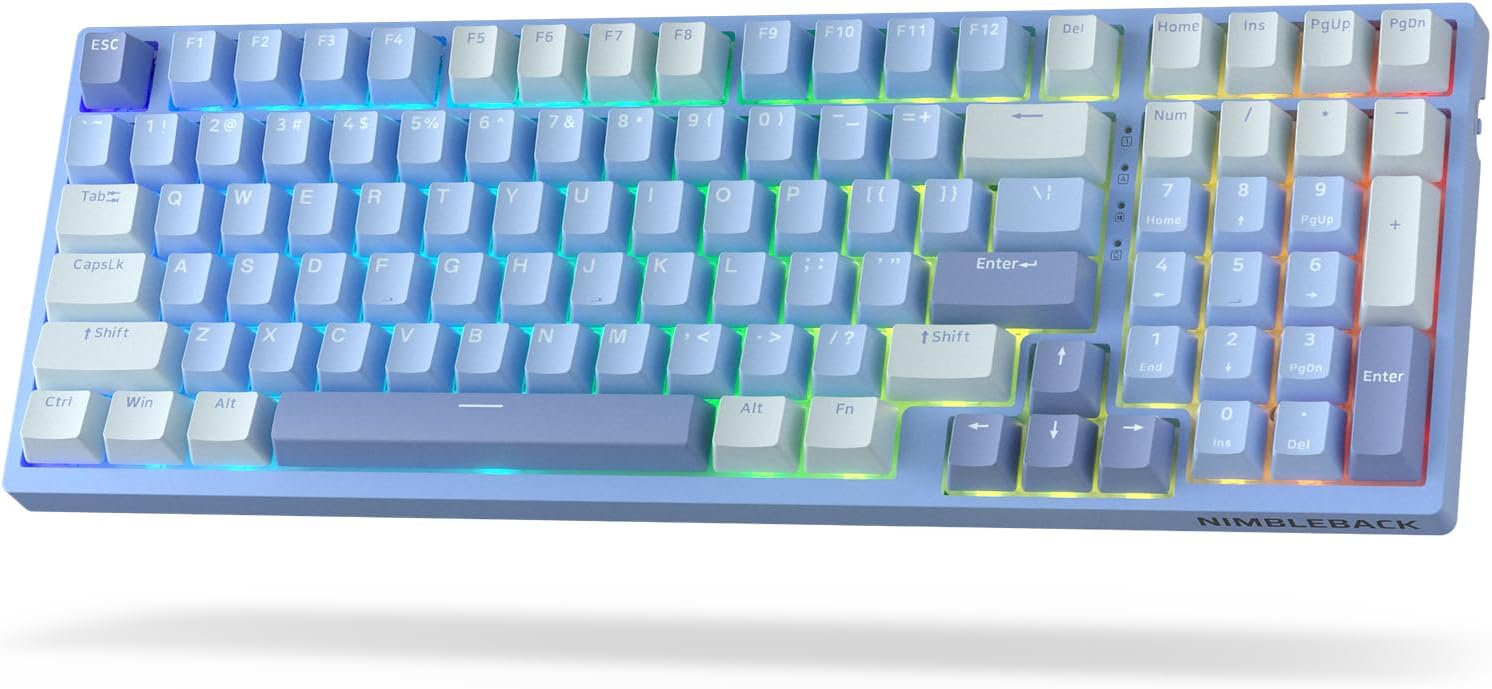
Image: Top-down view of the LTC Nimbleback NB981 keyboard in Sky Blue, showcasing its 95% layout with RGB backlighting.

Image: Diagram highlighting key features of the NB981 keyboard, including 3-layer silicone padding, 98-key layout, tri-mode connection, 4000mAh battery, hot-swap PCB, PBT keycaps, dynamic RGB, and software support.
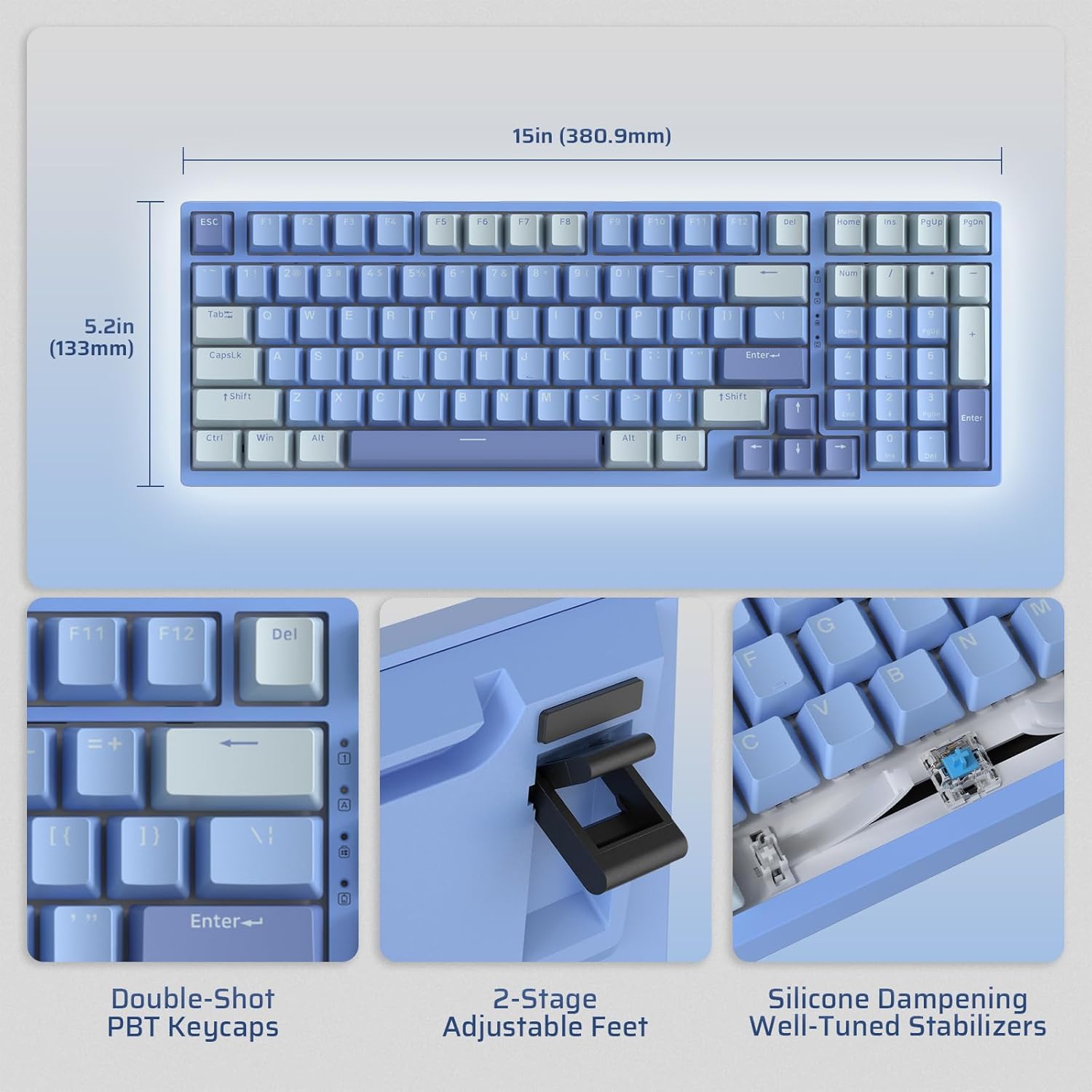
Image: Illustrates the dimensions of the keyboard (15 inches / 380.9mm length, 5.2 inches / 133mm width), double-shot PBT keycaps, 2-stage adjustable feet, and silicone dampening with well-tuned stabilizers.
Setup
Before first use, it is recommended to fully charge the keyboard using the provided USB-C cable.
Initial Connection
The keyboard supports three connection modes: 2.4GHz wireless, Bluetooth, and USB-C wired.

Image: Visual representation of the tri-mode connectivity options: Bluetooth 5.0 (up to 3 devices), 2.4GHz fast-response wireless, and USB-C stable wired mode.
Connectivity Modes
2.4GHz Wireless Mode
- Locate the 2.4GHz USB dongle, typically stored in a compartment on the back of the keyboard.
- Plug the dongle into an available USB-A port on your computer.
- Turn on the keyboard using the ON/OFF switch located on the side.
- The keyboard should automatically connect. If not, press Fn + 4 for 3 seconds to initiate pairing.
Bluetooth Mode
- Turn on the keyboard using the ON/OFF switch.
- Press Fn + 1, Fn + 2, or Fn + 3 to select a Bluetooth channel. The corresponding key will flash rapidly, indicating pairing mode.
- On your device (computer, tablet, smartphone), enable Bluetooth and search for "LTC NB981".
- Select the keyboard to pair. The key will stop flashing once connected.
- You can store up to three Bluetooth devices.
USB-C Wired Mode
- Connect the provided USB-C cable to the keyboard's USB-C port.
- Connect the other end of the cable (USB-A) to your computer's USB port.
- The keyboard will automatically switch to wired mode and begin charging.
Operating Instructions
Backlight Control
The NB981 features dynamic RGB illumination with 18 modes.
- Fn + |: Backlight On/Off
- Fn + ↑: Backlight Modes Switch (Cycle through 18 modes)
- Fn + ↓: Backlight Colors Switch (Change color in static modes)
- Fn + ←: Backlight Speed -
- Fn + →: Backlight Speed +
- Fn + F5: Backlight Brightness -
- Fn + F6: Backlight Brightness +
To restore factory settings for backlight, long press Fn + Space.
Multimedia Keys (Windows System)
Use the Fn key in combination with the F-keys for multimedia functions:
- Fn + F1: Display Brightness -
- Fn + F2: Display Brightness +
- Fn + F3: Back to Desktop
- Fn + F4: Mission Control
- Fn + F7: Last Song
- Fn + F8: Play/Pause
- Fn + F9: Next Song
- Fn + F10: Mute
- Fn + F11: Volume -
- Fn + F12: Volume +
Software Support
The keyboard supports powerful software for full customization. This software allows for key remapping, macro assignments, and advanced lighting effects.
The software is compatible with Windows (7, 8, 10, 11), Android, iOS, and macOS. Please visit the official LTC website for software download and detailed instructions.

Image: Screenshot of the LTC keyboard customization software, showing options for key remapping, macro creation, and RGB lighting control.
Hot-Swap Switch Replacement
The NB981 features a hot-swappable PCB, allowing you to change switches without soldering.
- Use the provided switch puller tool to gently remove the desired switch.
- Align the pins of the new 3-pin or 5-pin MX-style switch with the holes on the PCB.
- Press the new switch firmly into place until it clicks. Ensure the pins are straight to avoid bending.

Image: Detailed view of the hot-swap PCB, illustrating pre-lubed linear switches, hot-swap sockets, and well-lubed stabilizers.
Sound Profile
The keyboard's 3-layer silicone dampening structure significantly minimizes hollow sounds and cavity noise, providing a smooth and quiet typing experience.
This video provides a sound test of the LTC Nimbleback NB981 keyboard, demonstrating its typing acoustics with the integrated sound dampening.
Maintenance
- Cleaning: Use a soft, dry cloth to wipe the keyboard surface. For deeper cleaning, use the keycap puller to remove keycaps and clean dust or debris with compressed air or a small brush.
- Battery Care: To prolong battery life, avoid fully discharging the keyboard frequently. Charge it when the battery indicator (FN+backspace) shows low power.
- Storage: Store the keyboard in a cool, dry place away from direct sunlight and extreme temperatures.
Troubleshooting
Keyboard not responding:
- Ensure the keyboard is turned ON.
- Check the battery level (FN+backspace). Recharge if low.
- For wired mode, ensure the USB-C cable is securely connected to both the keyboard and the computer. Try a different USB port.
- For 2.4GHz mode, ensure the dongle is properly inserted and try re-pairing (Fn + 4 for 3 seconds).
- For Bluetooth mode, ensure Bluetooth is enabled on your device and try re-pairing (Fn + 1/2/3 for 3 seconds).
- Try restarting your computer.
Keys not registering or double-typing:
- This could indicate a faulty switch. Use the switch puller to replace the affected switch with a spare one.
- Ensure the switch is fully seated in the PCB.
Backlight issues:
- Ensure backlight is turned on (Fn + |).
- Adjust brightness (Fn + F5/F6).
- Cycle through modes (Fn + ↑) or colors (Fn + ↓).
- Reset backlight to factory settings (Long press Fn + Space).
Bluetooth connection unstable:
- Ensure no other devices are causing interference.
- Move the keyboard closer to your device.
- Try forgetting the device on your computer's Bluetooth settings and re-pairing.
Specifications
| Feature | Detail |
|---|---|
| Brand | LTC |
| Model | NB981 |
| Connectivity | Bluetooth, RF (2.4GHz), USB-C |
| Keyboard Type | Mechanical |
| Number of Keys | 98 |
| Backlighting | RGB |
| Battery Capacity | 4000mAh |
| Item Weight | 3.3 pounds |
| Package Dimensions | 16.45 x 6.93 x 2.01 inches |
| Compatible Devices | PC (Windows, Android, iOS, macOS via software) |
| Special Features | Backlit, Hotkeys and Media Keys, Programmable Keys, Hot-Swappable |
| Country of Origin | China |
What's in the Box
- Keycap Puller
- USB Cable
Warranty and Support
For warranty information and technical support, please refer to the official LTC website or contact their customer service. Keep your purchase receipt for warranty claims.
Visit the LTC Official Store for more products and support.
Related documentsNB981


Ask a question about this manual
Ask about setup, troubleshooting, compatibility, parts, safety, or missing instructions. Manuals+ will review the question and use this page’s manual context to help answer it.