
Product Overview
This RECCAZR Wireless Keyboard and Mouse Combo (Model HS8100) provides a stable and reliable 2.4GHz wireless connection for seamless operation across various devices. Designed for comfort and efficiency, it features a full-sized keyboard with multimedia keys and an adjustable DPI mouse, making it suitable for office, home, and portable use.
Key Features:
- 2.4GHz Wireless Connection: Stable and reliable connection up to 10m (33ft) with a single nano USB receiver for both keyboard and mouse.
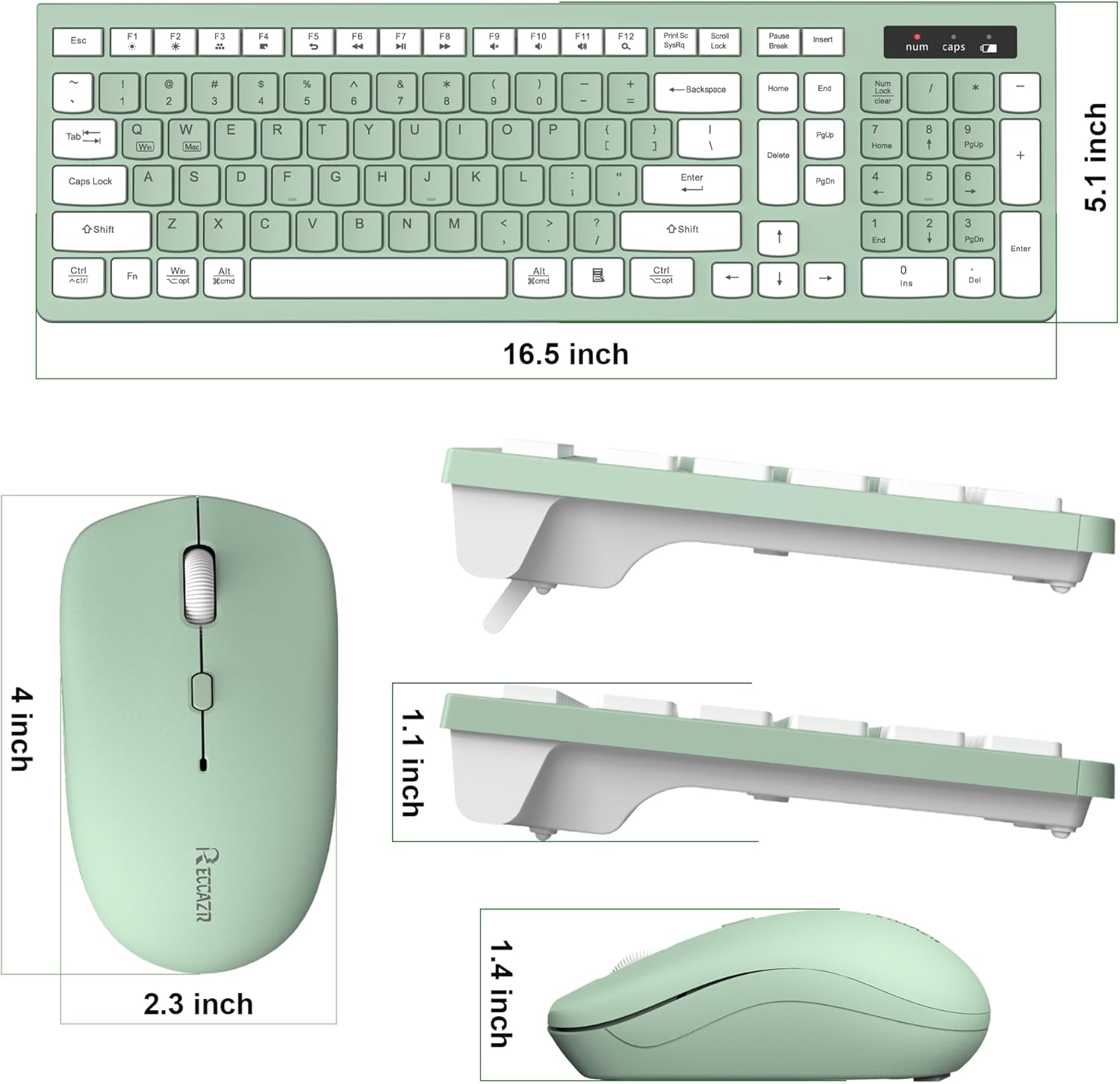
- Full-Sized Keyboard: Designed for comfortable and efficient typing, saving desk space.
- 12 Multimedia Function Keys: Quick access to multimedia player, volume, email, and more.
- Auto Power Saving: Smart sleep mode for both keyboard and mouse to conserve battery life.
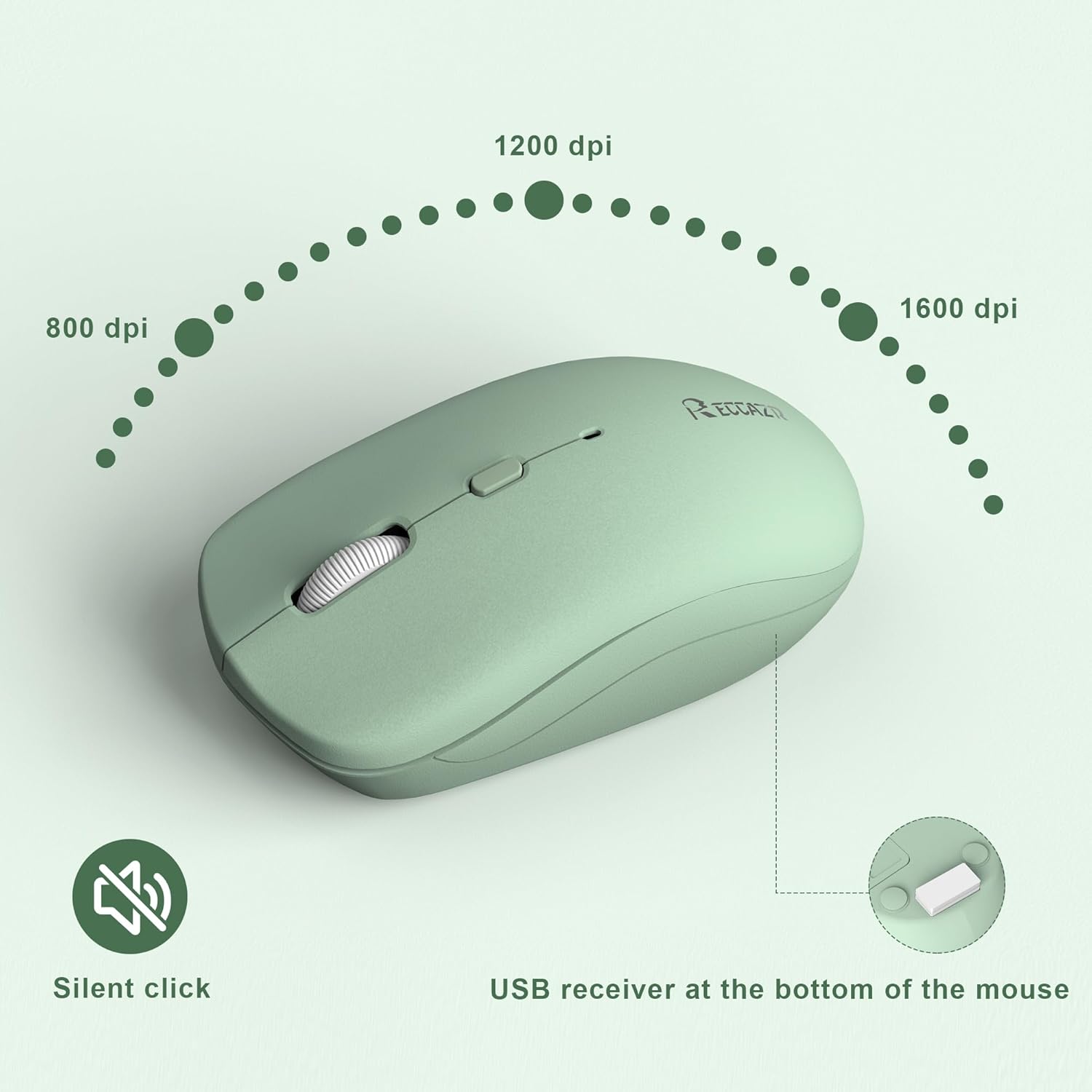
- 3 Adjustable DPI Levels: Mouse sensitivity can be adjusted between 800-1200-1600 DPI.
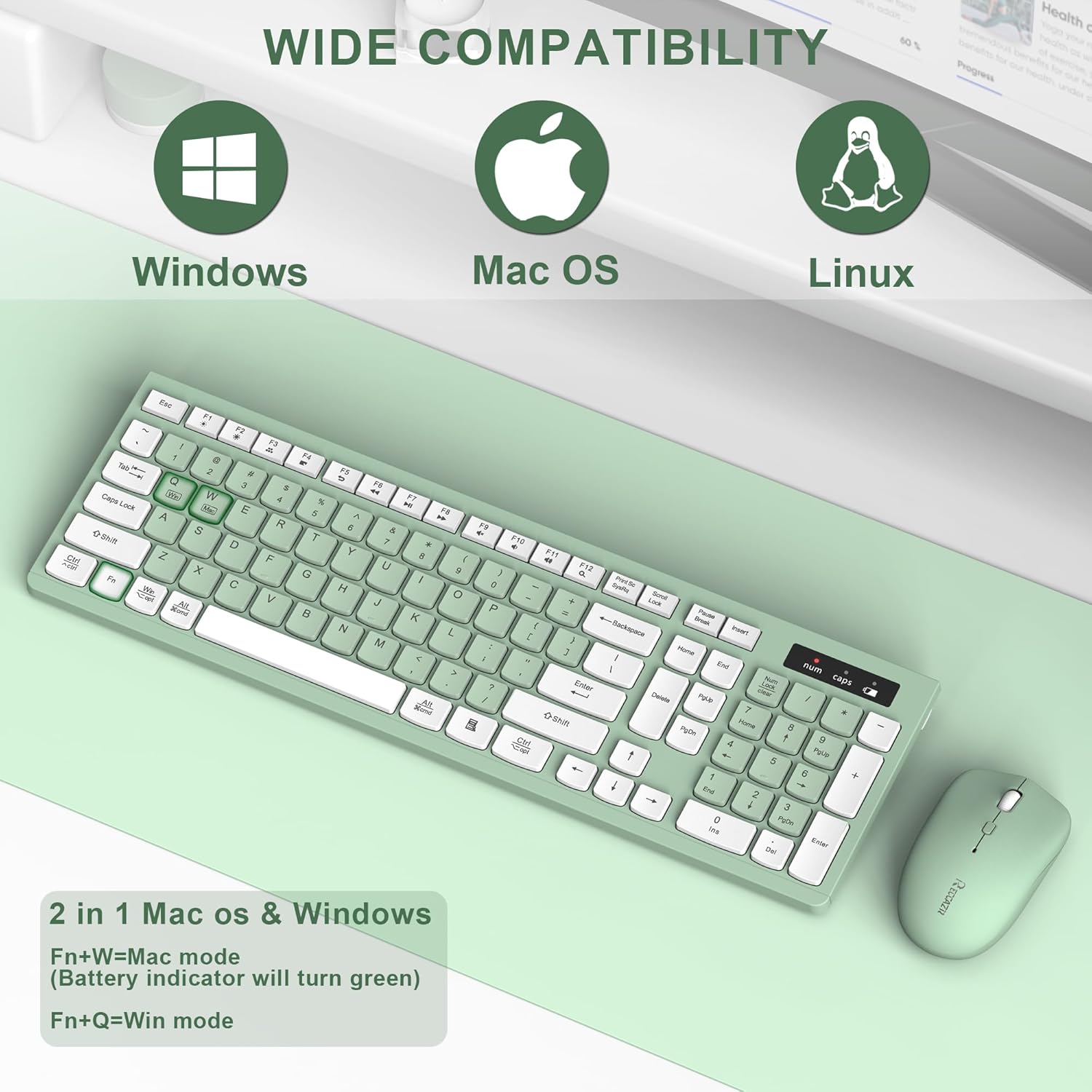
- Wide Compatibility: Compatible with Windows 2000/XP/2003/2007/Vista/Win7/Win8/Win10, and Apple systems.
Setup Instructions
Follow these steps to set up your RECCAZR Wireless Keyboard and Mouse Combo:
- Install Batteries:
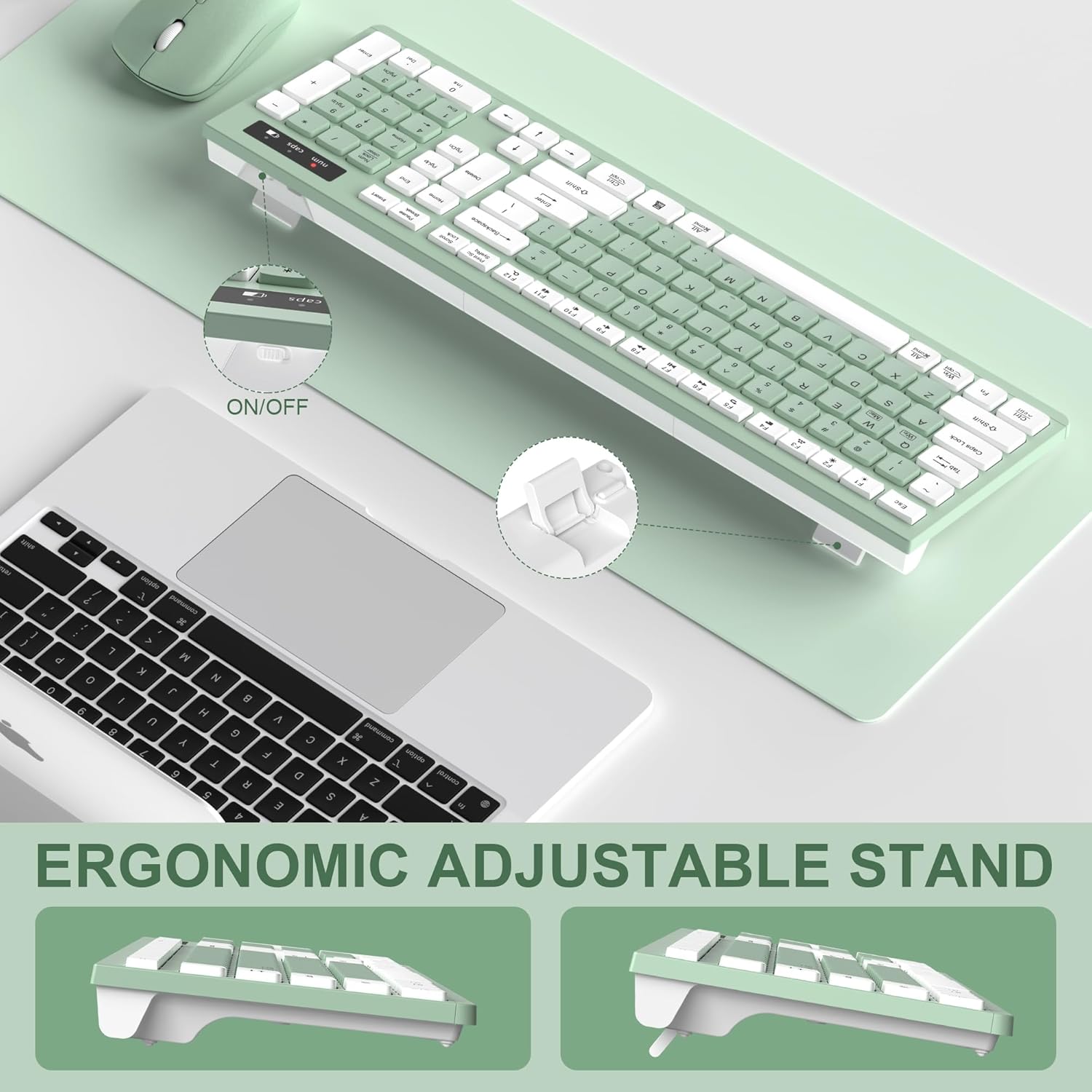
- For the keyboard: Open the battery compartment on the back and insert two AAA batteries (not included).
- For the mouse: Open the battery compartment on the bottom and insert one AA battery (not included).
- Locate USB Receiver: The nano USB receiver is conveniently stored in the battery compartment of the mouse. Carefully remove it.
- Connect Receiver: Plug the USB receiver into an available USB port on your computer (PC, laptop, desktop).
- Power On: Turn on the keyboard and mouse using their respective ON/OFF switches. The devices are plug-and-play and should connect automatically.

Setup Demonstration Video:
Video: A comprehensive overview of the Full-Size Wireless Keyboard and Mouse, demonstrating its smooth, silent, and reliable 2.4GHz connection, including setup and usage.
Operating Instructions
Once set up, your keyboard and mouse are ready for use. Here are some key operational features:
- Multimedia Keys: The keyboard features 12 multimedia function keys (F1-F12) for quick access to common functions like media playback, volume control, email, and web browser. Refer to the key labels for specific functions.
- Adjusting Mouse DPI: The mouse has 3 adjustable DPI levels (800-1200-1600). Press the DPI button located near the scroll wheel to cycle through the sensitivity settings to match your preference.
- Operating System Mode Switching: For optimal compatibility, switch between Windows and Mac OS modes using the function keys:
- Press Fn + Q for Windows mode.
- Press Fn + W for Mac mode.
- Auto-Sleep Function: Both the keyboard and mouse enter a smart auto-sleep mode after a period of inactivity to save power. Press any key on the keyboard or click any button on the mouse to wake them up.
Maintenance
To ensure the longevity and optimal performance of your RECCAZR Wireless Keyboard and Mouse Combo, follow these maintenance guidelines:
- Cleaning: Use a soft, dry cloth to wipe down the surfaces of the keyboard and mouse. For stubborn dirt, a slightly damp cloth can be used, but ensure no moisture enters the internal components.
- Spill-Proof Design: The keyboard features a splash-proof design, offering some protection against accidental spills. However, it is not waterproof. In case of a spill, immediately disconnect the device, remove batteries, and allow it to dry completely before re-use.
- Battery Replacement: Replace batteries when the low battery indicator light appears (on the keyboard) or when performance degrades. Always use fresh, high-quality batteries of the correct type (AAA for keyboard, AA for mouse).
Troubleshooting
If you encounter any issues with your RECCAZR Wireless Keyboard and Mouse Combo, try the following solutions:
- No Connection/Lag:
- Ensure batteries are correctly installed and not depleted. Replace if necessary.
- Verify the USB receiver is securely plugged into a working USB port on your computer.
- Move the keyboard and mouse closer to the USB receiver (within 10m/33ft) to ensure optimal signal strength.
- Try plugging the USB receiver into a different USB port on your computer.
- Keys/Mouse Not Responding:
- Check if the keyboard/mouse is powered on.
- Wake the devices from auto-sleep mode by pressing any key/button.
- Re-establish connection by unplugging and re-plugging the USB receiver.
- Incorrect Key Functions (Mac/Windows): Ensure the correct operating system mode is selected (Fn+Q for Windows, Fn+W for Mac).
Specifications
| Brand | RECCAZR |
| Model | HS8100 |
| Color | Avocado Green |
| Connectivity Technology | 2.4GHz Wireless (USB Receiver) |
| Keyboard Battery | 2 x AAA batteries (not included) |
| Mouse Battery | 1 x AA battery (not included) |
| Mouse DPI Levels | 800-1200-1600 adjustable DPI |
| Wireless Range | Up to 10m (33ft) |
| Special Features | Lightweight, Spillproof, Multimedia Keys, Auto-Sleep |
| Compatible Devices | Laptop, Personal Computer (Windows, Mac OS, Linux) |
| Item Weight | 1.34 pounds |
| Package Dimensions | 17.17 x 7.99 x 1.77 inches |
Warranty and Support
RECCAZR offers a 1-year worry-free warranty and a 30-day no-reason refund for this product. For any questions, technical assistance, or warranty claims, please contact RECCAZR customer service. We are dedicated to providing 24/7 support to ensure your satisfaction.


