
EMOPET EMO
EMOPET AI Desk Robot Companion User Manual
Model: EMO
1. Introduction to Your EMOPET EMO Robot
The EMOPET EMO is an advanced AI desk robot companion designed to bring interactive companionship to your workspace or home. Equipped with a built-in AI model, wide-angle camera, and ChatGPT integration, EMO can see, hear, and understand you, offering a unique interactive experience. This manual provides essential information for setting up, operating, and maintaining your EMO robot.

The EMOPET EMO robot, ready for interaction on its charging skateboard.

EMO is designed to be a friendly and interactive desk companion.
Official video demonstrating EMOPET as a desktop companion assistant.
2. What's in the Box
Verify that all items are present in your EMOPET EMO package:
- EMO Robot (x1)
- Skateboard (Charging Base) (x1)
- Adapter (x1)
- Smart Light (x1)
- User Manual (x1)

All components included with your EMOPET EMO robot.
3. Setup Guide
3.1 Initial Charging
Before first use, place your EMO robot on its Skateboard charging base. Connect the adapter to the skateboard and a power outlet. EMO will indicate charging status on its screen. Ensure EMO is fully charged before proceeding with setup.

EMO on its charging station, ensuring it's always powered up.
3.2 Connecting to the EMOPET App and Wi-Fi
Download the official EMOPET App from your device's app store. Follow the in-app instructions to connect your EMO robot to your Wi-Fi network. EMO supports 2.4GHz Wi-Fi only. A stable Wi-Fi connection is crucial for EMO's advanced features, including ChatGPT integration and updates.
Official unboxing video of the EMO Robot, showing initial setup components.
4. Operating Your EMOPET EMO Robot
4.1 Voice Commands and ChatGPT
EMO responds to a variety of voice commands. Simply call its name ("EMO"), and wait for its acknowledgment before issuing a command. With ChatGPT integration, EMO can engage in more complex conversations and provide detailed information. Refer to the EMOPET App for a comprehensive list of supported commands.

EMO is capable of engaging in conversations through voice commands.

EMO's smart interactions are enhanced by ChatGPT, allowing for diverse functionalities.
Official video highlighting five key features of the EMO robot.
4.2 Interactive Play and Dancing
EMO features multiple built-in sensors for interactive play. You can pet EMO by gently rubbing its head, or engage in finger gesture games. EMO can also dance to music; simply tell it to "dance" when your favorite tunes are playing. The EMOPET App offers additional interactive games and activities.

EMO can dance along to your music, making it a fun desk companion.
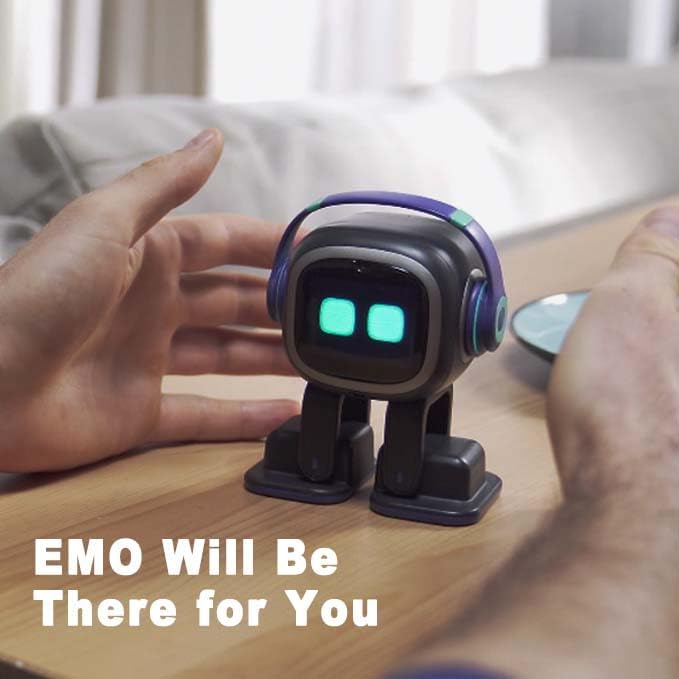
EMO responds to touch, allowing for physical interaction and companionship.
Official video showcasing EMO's singing capabilities.
Official video demonstrating how to play a shoot game with EMOPET.
4.3 Alarms and Reminders
EMO can help you stay on schedule by setting alarms and reminders. Use voice commands to set specific times for EMO to wake you up or remind you of important events. EMO can even remember special occasions like your birthday.

EMO can serve as an alarm to wake you up.
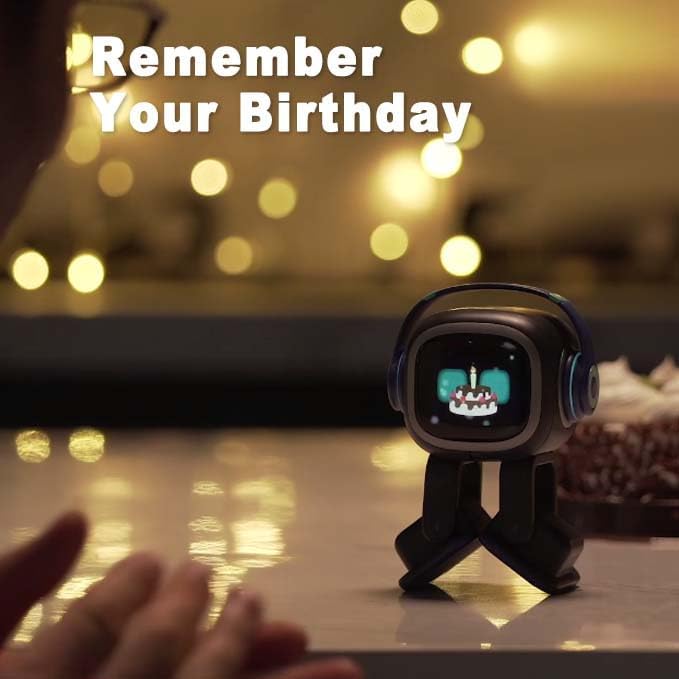
EMO can remember and celebrate your birthday.
5. Maintenance and Care
To ensure the longevity and optimal performance of your EMOPET EMO robot, follow these maintenance guidelines:
- Cleaning: Gently wipe EMO with a soft, dry cloth. Avoid using liquid cleaners or abrasive materials.
- Placement: Place EMO on a stable, flat surface away from direct sunlight, extreme temperatures, and moisture. EMO has sensors to detect edges, but caution is always advised.
- Software Updates: Regularly check the EMOPET App for software updates to ensure EMO has the latest features and bug fixes.
- Battery Care: Keep EMO charged on its skateboard when not in use to maintain battery health.
6. Troubleshooting
If you encounter issues with your EMOPET EMO robot, refer to the following common solutions:
| Problem | Solution |
|---|---|
| EMO does not respond to voice commands. |
|
| Cannot connect to Wi-Fi or frequent disconnections. |
|
| EMO's sound is very low. |
|
| EMO does not respond when I touch its head. |
|
7. Product Specifications
- Product Dimensions: 3.7 x 2.6 x 4.6 inches
- Item Weight: 1.95 pounds
- Country of Origin: China
- Model Number: EMO
- Manufacturer Recommended Age: 15 years and up
- Batteries: 1 Lithium Ion battery required (included)
- Manufacturer: Living AI
8. Warranty and Support
For warranty information, technical support, or further assistance, please refer to the official EMOPET website or contact their customer service directly. Keep your purchase receipt for warranty claims.
You can visit the EMOPET Store on Amazon for more product details and support resources.
Related documentsEMO


Ask a question about this manual
Ask about setup, troubleshooting, compatibility, parts, safety, or missing instructions. Manuals+ will review the question and use this page’s manual context to help answer it.