
ExtreLife Magnetic Wallet for iPhone 12-16 Series
ExtreLife Magsafe Wallet with Find My User Manual
Model: Magnetic Wallet for iPhone 12-16 Series
Introduction
Thank you for choosing the ExtreLife Magsafe Wallet. This innovative accessory combines the convenience of a slim wallet with the advanced tracking capabilities of Apple Find My, an adjustable stand, and robust magnetic attachment. This manual provides essential information for setting up, operating, and maintaining your new wallet.

Image: The ExtreLife Magsafe Wallet in grey, attached to an iPhone, demonstrating its stand function and the Apple Find My app interface on a separate phone.
Key Features
- Works with Apple Find My App: Offers real-time Bluetooth tracking, Play Sound Alert, Left Behind notifications, and Lost Mode.
- Max 8 Cards Smart Storage: Crafted from luxurious vegan leather with 3 individual card slots and RFID-blocking technology.
- Adjustable Magnetic Wallet Stand: Robust hinge allows for flexible viewing angles in both portrait and landscape modes.
- Stronger Magnetic Force: Up to 4200 Gauss, 6X stronger than official magnetic wallets, ensuring a secure hold.
- More Convenient Charging Choice: Easy to charge using MagSafe or wireless charger, with a battery designed to last for 4 months on a single charge.
- Mag-safe Compatibility: Designed for iPhone 16/15/14/13/12 series (Pro Max/Pro/Plus/standard) and official MagSafe or magnetic cases.
Setup
Pairing with Apple Find My
To utilize the Apple Find My feature, follow these steps:
- Turn on Two-Factor Authentication for your Apple ID in your iPhone settings.
- Ensure 'Find My' app and Bluetooth are turned on on your iPhone.
- Short press the wallet's power button once to turn it on.
- In the 'Find My' app, tap 'Add Item' located at the bottom of the 'Items' menu, then select 'Other Supported Item'. Follow the on-screen prompts to complete pairing.

Image: Visual guide for pairing the wallet with the Apple Find My app.
Initial Charge
Before first use, it is recommended to fully charge your ExtreLife Magsafe Wallet. Place the wallet on a MagSafe or compatible wireless charger. The battery is designed to last up to 4 months on a single charge.
Operating Instructions
Card Storage
The wallet features 3 individual card slots designed to comfortably hold up to 8 cards. To access cards, gently push them out from the bottom opening. The RFID-blocking technology helps protect your card information.

Image: Demonstrating the smart card storage and easy access features of the wallet.
Adjustable Stand Function
The integrated stand allows for versatile viewing. Simply unfold the wallet to create a stable stand for your iPhone. It supports both portrait and landscape orientations, providing optimal viewing angles for various activities.

Image: The wallet functioning as a hands-free stand for an iPhone, shown in both vertical and horizontal positions.
Magnetic Attachment
The wallet features an exceptionally strong magnetic force (up to 4200 Gauss) for a secure and reliable hold to your MagSafe-compatible iPhone or case. Align the wallet with the MagSafe ring on your device until it snaps into place.

Image: Illustration highlighting the enhanced magnetic strength of the ExtreLife wallet.
Charging
The ExtreLife Magsafe Wallet supports wireless charging. Simply place the wallet on any MagSafe charger or Qi-compatible wireless charging pad. No special cables are required for charging the wallet itself.
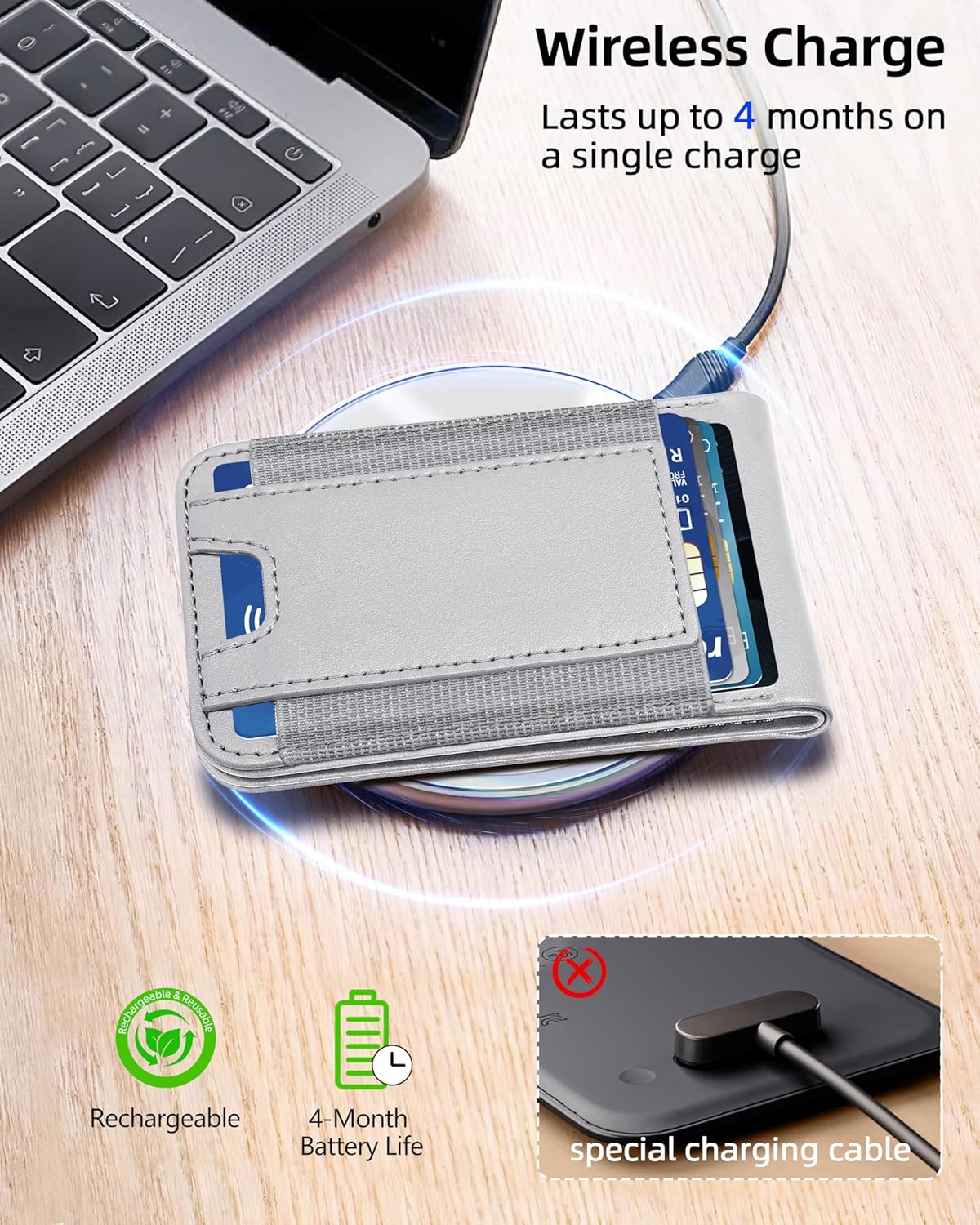
Image: The wallet charging wirelessly, with indicators for its rechargeable nature and 4-month battery life.
Compatibility
This wallet is designed for use with:
- iPhone 16/16 Plus/16 Pro/16 Pro Max
- iPhone 15/15 Pro/15 Plus/15 Pro Max
- iPhone 14/14 Pro/14 Plus/14 Pro Max
- iPhone 13 Pro Max/13 Pro/13
- iPhone 12/12 Pro/12 Max
- Official MagSafe Cases or other magnetic cases.
Note: Not compatible with iPhone 13/12 mini models or non-magnetic cases.

Image: A visual guide to the wallet's compatibility with various iPhone models and case types.
Maintenance
To ensure the longevity and appearance of your ExtreLife Magsafe Wallet, follow these simple maintenance guidelines:
- Wipe clean with a soft, damp cloth. Avoid harsh chemicals or abrasive cleaners.
- Keep away from extreme temperatures and direct sunlight to prevent material degradation.
- Avoid overstuffing the card slots, as this can stretch the material and affect its shape over time.
- Ensure the magnetic surface is clean and free of debris for optimal attachment to your device.
Troubleshooting
Find My Connectivity Issues
- Wallet Not Appearing in Find My: Ensure the wallet's power button has been short-pressed to turn it on. Verify Bluetooth is enabled on your iPhone and that you are within range. Re-attempt the pairing process as described in the Setup section.
- Inaccurate Location: Ensure your iPhone's location services are enabled for the Find My app. The accuracy can vary based on environmental factors and Bluetooth signal strength.
Magnetic Attachment Weakness
- Wallet Detaching Easily: Ensure your iPhone or case is MagSafe compatible. Clean the magnetic surfaces on both the wallet and your device/case to remove any dust or debris that might interfere with the magnetic connection.
- Using a Non-MagSafe Case: If you are using a non-MagSafe case, the magnetic connection will be significantly weaker or non-existent. Consider using an official MagSafe case or a case with integrated magnetic capabilities.
Card Access Difficulty
- Cards Stuck or Hard to Remove: Avoid overstuffing the wallet beyond its recommended 8-card capacity. If cards are difficult to remove, gently push from the bottom opening. The material may loosen slightly with regular use.
Specifications
| Feature | Detail |
|---|---|
| Product Dimensions | 3.93 x 3.94 x 3.94 inches |
| Item Weight | 10.6 ounces (300 Grams) |
| Batteries | 1 Lithium Ion battery required (included) |
| Special Features | Stronger Magnetic Force, More Convenient Charging Choice, Adjustable Phone Stand, Max 8+ Cards Storage, Works with Apple Find My |
| Form Factor | Wallet |
| Color | Grey |
| Material | Faux Leather |
| Manufacturer | ExtreLife |
| Country of Origin | China |
| Date First Available | August 20, 2024 |
| What's in the Box | Magnetic Wallet with Find My |
Warranty and Support
ExtreLife offers a 365-day warranty from the date of purchase for your Magsafe Wallet. This warranty covers manufacturing defects and issues arising from normal use.
For any issues, questions, or support needs, please contact ExtreLife customer service via the Amazon message center. Our customer service team aims to respond within 24 hours to assist you.
We are committed to providing high-quality products and excellent customer service. Your satisfaction is our priority.
Related documentsMagnetic Wallet for iPhone 12-16 Series

Ask a question about this manual
Ask about setup, troubleshooting, compatibility, parts, safety, or missing instructions. Manuals+ will review the question and use this page’s manual context to help answer it.