
Introduction
Thank you for choosing the FLEXISPOT Electric Height Adjustable Standing Desk. This manual provides detailed instructions for assembly, operation, maintenance, and troubleshooting to ensure safe and efficient use of your new desk. Please read this manual thoroughly before beginning assembly or operation and retain it for future reference.
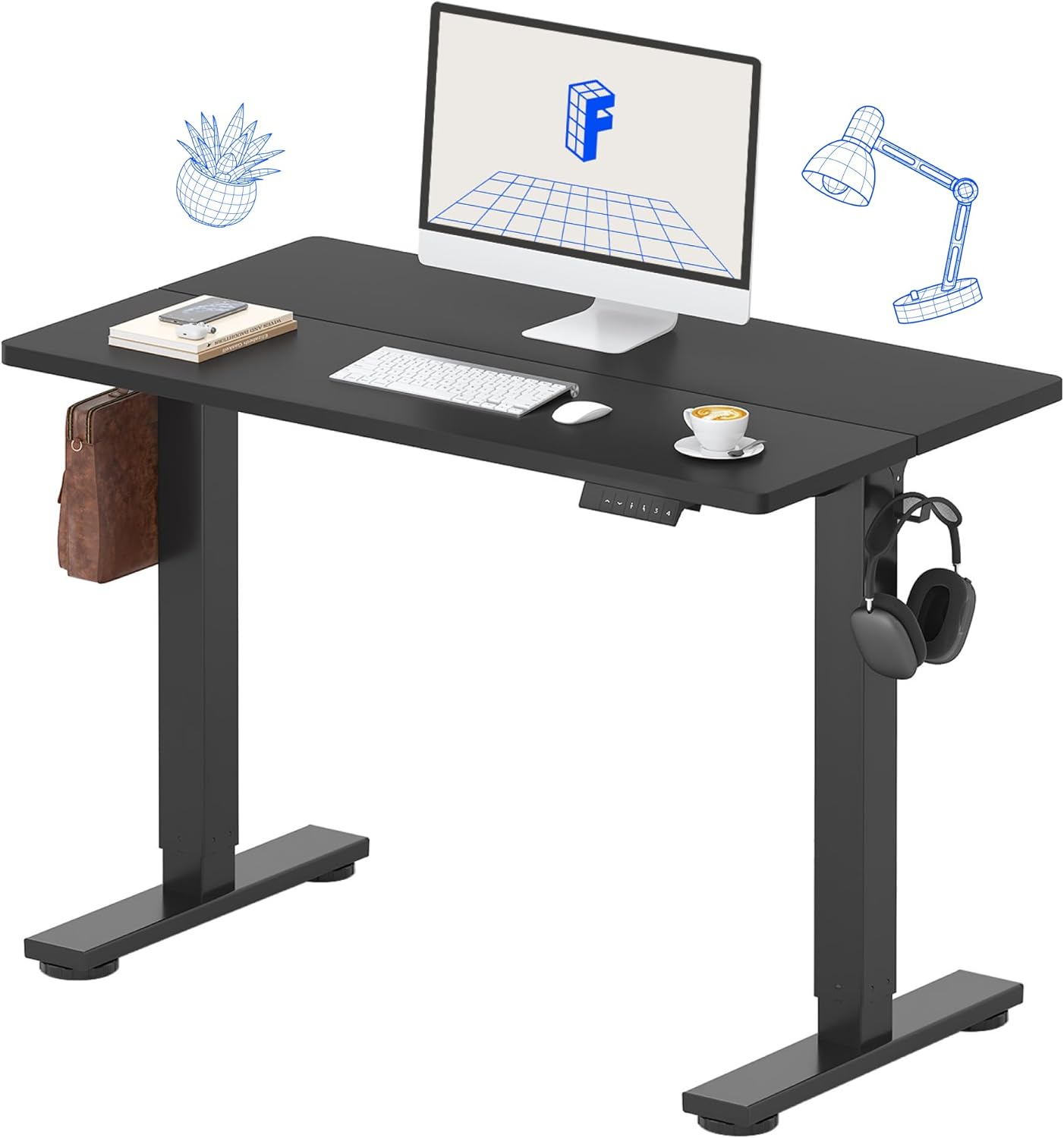
Image: The FLEXISPOT Electric Height Adjustable Standing Desk in a home office setting.
Safety Information
To prevent injury or damage, always adhere to the following safety guidelines:
- Do not exceed the maximum weight limit of 154 pounds (70 kg) on the desktop.
- Ensure the desk is placed on a level surface and is stable before use.
- Keep hands and objects clear of moving parts during height adjustment.
- Do not allow children to operate the desk without adult supervision.
- Disconnect power before cleaning or performing any maintenance.
- Use only the provided power adapter and components.
- Avoid spilling liquids on the control panel or motor components.
Package Contents
Verify that all components are present and undamaged upon opening the package. If any parts are missing or damaged, please contact customer support.
- Desktop (40" x 24" Splice Board)
- Desk Frame (Legs and Beams)
- Electric Motor and Control Box
- Control Panel with Memory Presets
- Power Adapter and Cable
- Assembly Tools (Allen wrench, screwdriver)
- Desk Organizer Hooks (2)
- Instruction Manual (this document)

Image: The desk components are efficiently packed in a single box for shipping.
Setup and Assembly
Follow these steps carefully for proper assembly. An installation video is also provided for visual guidance.
Assembly Video Guide
Video: Official FLEXISPOT 40/48 inch Standing Desk Installation Guide. This video provides a step-by-step visual walkthrough of the assembly process, including attaching the motor, beams, legs, and desktop, and connecting the control panel.
Step-by-Step Assembly Overview
- Assemble the Crossbeam: Attach the side brackets to the main crossbeam using the provided screws. Ensure all connections are secure.
- Install the Motor and Drive Rod: Carefully insert the drive rod into the motor and then attach the motor assembly to the crossbeam. Ensure the drive rod is properly aligned.
- Attach the Legs: Securely fasten the desk legs to the assembled crossbeam and side brackets.
- Attach the Desktop: Place the desktop upside down on a soft, clean surface. Carefully align the assembled frame with the pre-drilled holes on the desktop. Use the provided screws to attach the frame to the desktop.
- Install Control Panel and Hooks: Mount the control panel to the underside of the desktop in the designated area. Attach the side storage hooks to the desk frame as desired.
- Connect Wiring: Connect the motor cable and control panel cable to the control box. Plug the power adapter into the control box and then into a power outlet.
- Flip the Desk: With assistance, carefully flip the assembled desk upright.

Image: Close-up view of the convenient side storage hooks for headphones or bags.
Operating Instructions
Your FLEXISPOT standing desk features an intuitive control panel for easy height adjustments and memory presets.
Control Panel Functions

Image: Overview of the multi-function keypad with LED display, up/down keys, and memory function buttons.
- Up/Down Arrows: Press and hold to continuously adjust the desk height. Release to stop at your desired height. The desk adjusts from 28.9 inches (minimum) to 46.5 inches (maximum).
- Memory Presets (1, 2, 3, 4):
- Adjust the desk to your desired height.
- Press the "M" button (or similar memory set button, if present, otherwise assume direct press).
- Press the desired number button (1, 2, 3, or 4) within 3 seconds to save the current height to that preset.
- To recall a saved height, simply press the corresponding number button. The desk will automatically move to the saved position.

Image: Visual representation of the desk's wide height adjustment range from 29 inches to 46.5 inches.
Maintenance
Regular maintenance ensures the longevity and optimal performance of your FLEXISPOT standing desk.
- Cleaning: Wipe the desktop and frame with a soft, damp cloth. Avoid abrasive cleaners or harsh chemicals. The desktop is designed to be waterproof and scratch-resistant.
- Check Connections: Periodically inspect all screws and electrical connections to ensure they are secure. Tighten any loose screws.
- Weight Distribution: Distribute weight evenly across the desktop to prevent strain on the motor and frame.
- Cable Management: Utilize the included desk organizer hooks or other cable management solutions to keep cables tidy and prevent them from interfering with desk movement.

Image: The high-quality desktop is waterproof, scratch-resistant, and smooth for durability and easy cleaning.
Troubleshooting
If you encounter any issues with your desk, refer to the common problems and solutions below. If the problem persists, contact FLEXISPOT customer support.
| Problem | Possible Cause | Solution |
|---|---|---|
| Desk does not move. | Power cable disconnected, motor cable loose, control box error. | Check all cable connections. Unplug and replug the power cable. Refer to the installation video for proper wiring. |
| Desk moves unevenly or makes unusual noise. | Overload, loose screws, obstruction. | Reduce weight on the desk. Check and tighten all assembly screws. Ensure no objects are obstructing the desk's movement. The motor is designed to be whisper-quiet (<50dB). |
| Memory presets not working. | Incorrect programming. | Re-program the memory presets following the operating instructions. |

Image: Comparison showing the desk's motor operates at less than 50dB, ensuring a quiet workspace.
Specifications
- Brand: FLEXISPOT
- Model: B0DDL2S5BL
- Desktop Dimensions: 40 inches (Width) x 24 inches (Depth)
- Height Adjustment Range: 28.9 inches to 46.5 inches
- Weight Capacity: 154 pounds (70 kg)
- Material: Engineered Wood (Desktop), Alloy Steel (Base)
- Color: Black Top + Black Frame
- Motor Noise Level: <50dB
- Assembly Required: Yes (Tools included)
- UPC: 840460403771

Image: Detailed dimensions of the desktop (40"x24") and the adjustable height range of the desk frame.
Warranty and Support
FLEXISPOT provides a limited warranty for this product. For specific warranty terms and conditions, please refer to the warranty card included with your purchase or visit the official FLEXISPOT website.
If you require assistance with assembly, operation, or troubleshooting, or if you have any questions regarding your product, please contact FLEXISPOT customer support through their official channels. Contact information can typically be found on the product packaging or the FLEXISPOT website.
For more information, visit the official FLEXISPOT Store.


