
1. Introduction
This manual provides essential information for the safe and efficient use of your Blackview Tab 60 WiFi Android Tablet. Please read this manual thoroughly before operating the device and retain it for future reference.

Image 1.1: Blackview Tab 60 WiFi Android Tablet overview, highlighting Android 15 and AI capabilities.
2. Setup
2.1. What's in the Box
Verify that all items are present in the packaging:
- Blackview Tab 60 WiFi Tablet
- 10W Power Adapter
- USB-C Cable
- User Manual

Image 2.1: Illustration of the Blackview Tab 60 WiFi tablet and its included accessories.
2.2. Initial Power On and Configuration
- Press and hold the Power Button located on the side of the tablet until the Blackview logo appears.
- Follow the on-screen prompts to select your language, connect to a Wi-Fi network, and set up your Google account.
- Review and accept the terms and conditions to complete the initial setup.
2.3. Memory Expansion
The tablet supports memory expansion to enhance performance. To expand the virtual RAM:
- Navigate to Settings.
- Select About Tablet.
- Tap on Memory.
- Adjust the memory bar to the desired expansion level, up to 12GB (4GB real + 8GB virtual).

Image 2.2: Visual representation of the tablet's storage and memory capabilities, including RAM, ROM, and expandable storage.
3. Operating the Tablet
3.1. Android 15 and Doke OS 4.0 Features
Your Blackview Tab 60 WiFi runs on Android 15 with the Doke OS 4.0 interface, offering enhanced features and privacy controls.
- Privacy Protection: Manage app permissions and data sharing from a centralized privacy dashboard.
- Parental Screen Usage Restrictions: Utilize parental controls to manage screen time and content access.
- Three-finger Screenshots: Capture screenshots quickly by swiping down with three fingers.
- Split Screen with App Pairing: Run two applications simultaneously side-by-side for improved multitasking.
- Atomized Memory 2.0: Optimizes RAM allocation for smoother performance and efficient background app management.
- Workspace App: Create separate profiles for work and personal use to maintain data privacy and organization.

Image 3.1: Key features of the Android 15 operating system on the Blackview Tab 60 WiFi.

Image 3.2: Demonstrating the multitasking split screen functionality for enhanced productivity.
3.2. Display and Media
The 10.1-inch HD display provides a clear visual experience. The tablet supports Widevine L1, enabling high-definition streaming from platforms like Netflix, Disney+, and Hulu.
- Read Mode: Adjusts the screen for a more comfortable reading experience.
- Eye Protection Mode (Night Mode): Reduces blue light emission to minimize eye strain, especially in low-light conditions.
- Dark Mode: Changes the system's color scheme to a darker palette, which can save battery and reduce glare.

Image 3.3: Highlighting the 10.1-inch HD display and Widevine L1 support for streaming.

Image 3.4: Various display modes available on the tablet for different usage scenarios.
3.3. AI Features with Google Gemini
The Blackview Tab 60 WiFi integrates Google Gemini AI for enhanced interaction and productivity.
- AI Smart Chats: Engage in intelligent conversations and receive assistance.
- AI Voice-enabled Intelligent Q&A: Ask questions and get answers using voice commands.
- AI Smart Control: Use AI to manage various tablet functions and applications.
- AI Real-time Conversation: Facilitates natural and continuous dialogue.
- AI Voice Activation: Unlock and control your tablet using your voice.
- Smart AI Assistance: Provides real-time answers and insights based on your screen content.

Image 3.5: Example of AI Smart Chats and AI Text-to-Image Generation.

Image 3.6: Overview of AI Voice-enabled Intelligent Q&A and AI Real-time Conversation.
3.4. Camera Functionality
The tablet is equipped with an 8MP rear camera and a 5MP front camera for capturing photos and videos.

Image 3.7: Details of the tablet's front and rear cameras.
3.5. Audio and Connectivity
- Dual Smart Box Speakers: Enjoy stereo sound quality for media consumption.
- 3.5mm Headphone Jack: Connect wired headphones for private listening.
- WiFi 6 (802.11ax): Provides faster, more reliable wireless internet connectivity, especially in crowded network environments.
- Bluetooth 5.3: Offers improved transmission speed and lower latency for connecting wireless accessories.
- Wireless Casting Screen: Share your tablet's display to a larger screen wirelessly.

Image 3.8: Audio features including dual speakers and headphone jack.

Image 3.9: Information on the tablet's wireless connectivity options.
4. Maintenance
4.1. Battery Management
The tablet is equipped with a 5100mAh battery and supports 10W fast charging via its Type-C port.
- To prolong battery life, avoid extreme temperatures and fully discharging the battery frequently.
- Use the provided 10W power adapter and USB-C cable for optimal charging.

Image 4.1: Battery capacity and charging information for the tablet.
4.2. General Care
- Clean the screen with a soft, lint-free cloth. Avoid abrasive materials or harsh chemicals.
- Protect the tablet from drops and impacts. Consider using a protective case.
- Keep the tablet away from water and excessive moisture.
5. Troubleshooting
If you encounter issues with your Blackview Tab 60 WiFi, try the following steps:
- Restart the Tablet: A simple restart can resolve many minor software glitches.
- Check for Software Updates: Ensure your tablet's operating system is up to date by going to Settings > System > System update.
- Clear App Cache: If an app is misbehaving, try clearing its cache via Settings > Apps > [App Name] > Storage > Clear cache.
- Factory Reset (Last Resort): If problems persist, you may need to perform a factory reset. Back up all important data before proceeding, as this will erase all data on the tablet. Go to Settings > System > Reset options > Erase all data (factory reset).
- Contact Support: If the issue cannot be resolved, refer to the Warranty and Support section for contact information.
6. Specifications
| Feature | Specification |
|---|---|
| Brand | Blackview |
| Model Name | Tab60WiFi |
| Item Model Number | A523 |
| Operating System | Android 15 |
| Processor | 1.8 GHz Octa-Core (Allwinner A523) |
| RAM | 12GB (4GB real + 8GB virtual) |
| Internal Storage | 128 GB |
| Expandable Storage | Up to 2 TB (Micro TF) |
| Screen Size | 10.1 Inches |
| Display Resolution | 1280 x 800 pixels (HD) |
| Wireless Standard | 802.11ax (WiFi 6) |
| Bluetooth | Bluetooth 5.3 |
| Battery Capacity | 5100mAh |
| Charging | 10W Fast-Charging, Type-C Port |
| Rear Camera | 8MP |
| Front Camera | 5MP |
| Product Dimensions | 24.38 x 17.02 x 0.76 cm |
| Item Weight | 960 g |
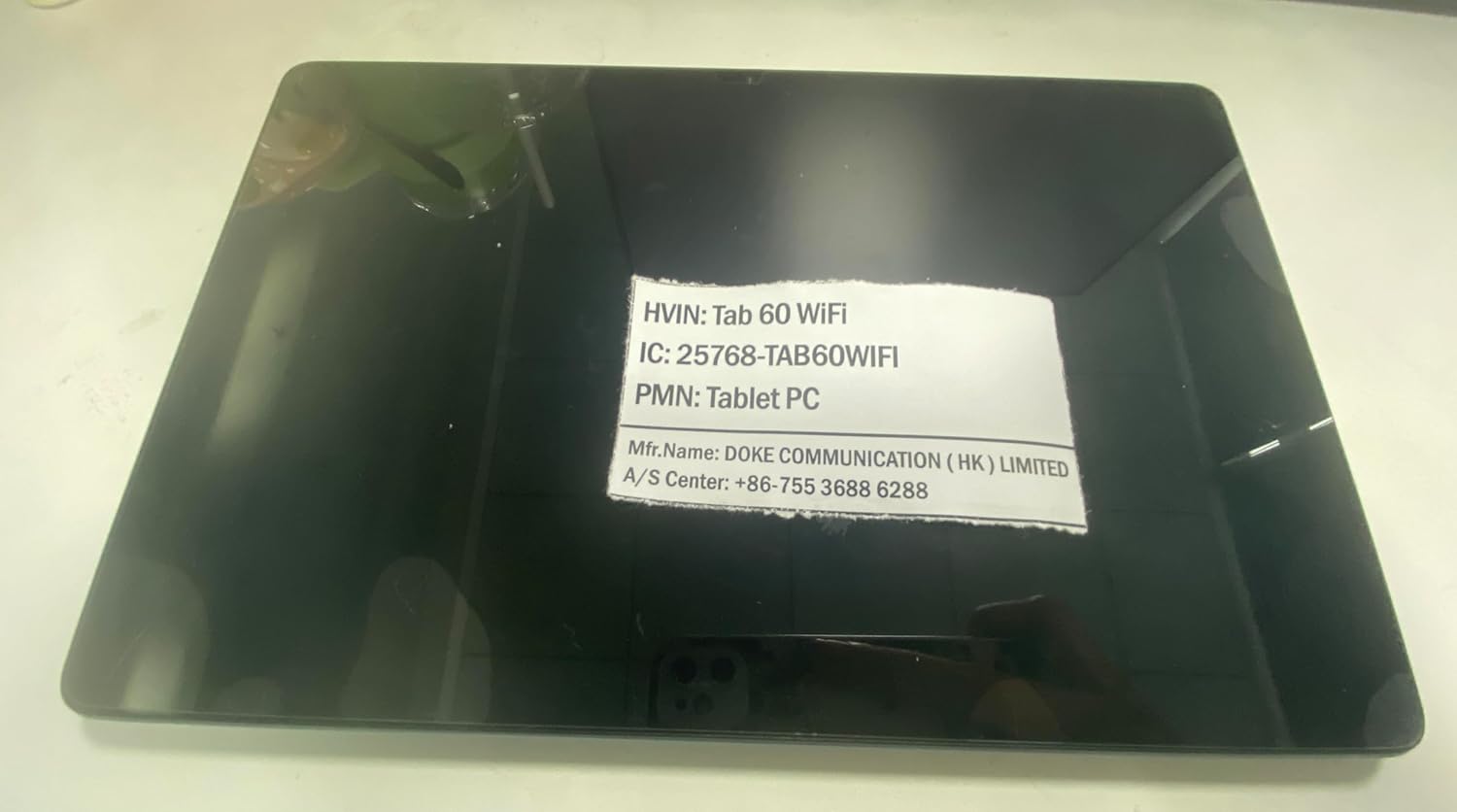
Image 6.1: Product identification label with model and manufacturer details.
7. Warranty and Support
7.1. Warranty Information
The Blackview Tab 60 WiFi comes with a 720-day worry-free warranty from the date of purchase. This warranty covers manufacturing defects and ensures product reliability.
7.2. Customer Support
For any questions, technical assistance, or warranty claims, please contact Blackview customer service:
- Email Support: Aftersales-us@blackview.hk
- Online Support: Contact us through the Amazon order page for your purchase.
- Service Center: +86-755 3688 6288
Please have your purchase details and product model number (Tab60WiFi) ready when contacting support to expedite the service process.


