
1. Product Overview
The Combuh T070 Rechargeable Motion Sensor Ceiling Light is a versatile, battery-powered lighting solution designed for various indoor spaces. Featuring motion sensing capabilities, adjustable color temperatures, dimming functions, and remote control, this light provides convenient and efficient illumination without the need for complex wiring.
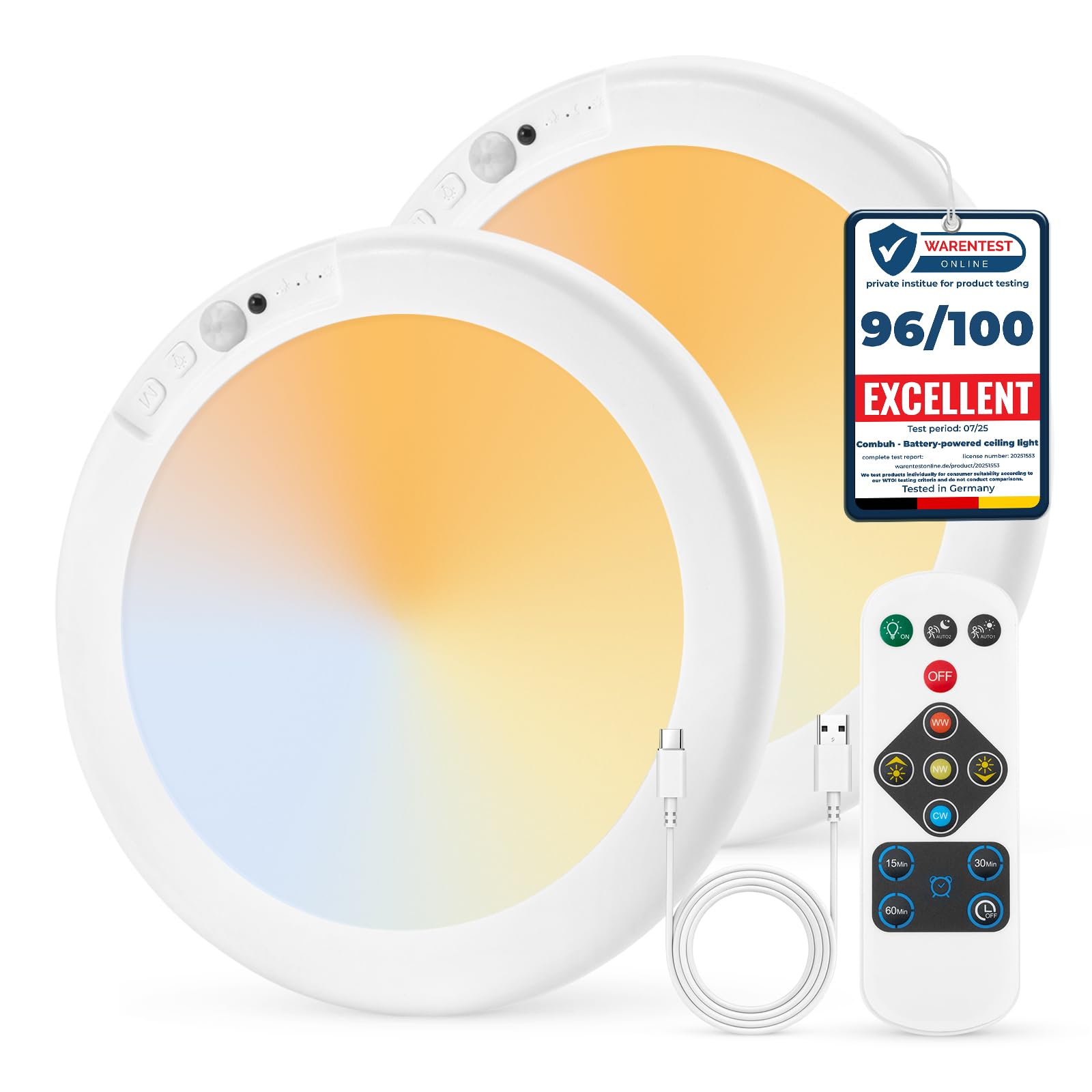
Image: The Combuh T070 Rechargeable Motion Sensor Ceiling Light, a round, white fixture with integrated motion sensor and control buttons.
2. Safety Information
- Ensure the product is fully charged before first use to optimize battery life.
- Do not expose the charging port to excessive moisture or water when charging.
- Keep out of reach of children.
- Use only the provided USB-C cable for charging.
3. Included Components
- 2 x Rechargeable Motion Sensor Ceiling Lights
- 2 x Remote Controls
- 2 x USB-C Cables
- 2 x Iron Sheets
- 4 x Screws
- 4 x Rubber Caps
- 2 x Double-Sided Tapes
- 1 x Instruction Manual
4. Setup and Installation
The Combuh T070 light offers a cordless and easy installation process, requiring no drilling for most surfaces.
- Magnetic Mounting: For ferrous or metal surfaces, the built-in magnets allow for instant attachment.
- Adhesive Mounting: For non-metal surfaces, use the provided 3M double-sided adhesive tape to attach the iron sheet to your desired location (ceiling or wall). Ensure the surface is clean and dry before application.
- Screw Mounting: For a more secure and permanent installation on non-adhesive surfaces, use the included screws and rubber caps to mount the iron sheet.
- Once the iron sheet is securely in place, simply attach the light fixture to the magnetic sheet. The light can be easily removed for charging.

Image: A person demonstrating the magnetic installation of the Combuh T070 light onto a ceiling-mounted metal strip.

Image: A visual guide showing three installation methods: peel & stick, screw-mount, and magnetic snap.
Installation Video Guide
Video: A demonstration of installing the Combuh Wireless Ceiling Light using the magnetic mounting method.
5. Operating Instructions
Operating Modes
The light features three distinct operating modes, selectable via the remote control or the buttons on the fixture:
- Night Sensor (AUTO1): The light automatically turns on in darkness when motion is detected, conserving power during daylight hours.
- Day Sensor (AUTO2): The light activates when motion is detected, regardless of ambient light conditions, providing full security day and night.
- ON Mode: The light remains continuously on. In this mode, you can manually turn it off or set an auto-off timer using the remote control.

Image: Visual representation of the three operating modes: Night Sensor Only, Day/Night Sensor, and Constant Lighting.
Adjustable Color Temperature and Dimming
Customize your lighting experience with adjustable color temperatures and brightness levels:
- 3 Color Options: Choose between warm white, neutral white, and cool white to suit your mood or activity.
- Dimmable (5%-100%): Adjust the brightness from a soft glow to full illumination.

Image: A remote control displaying options for adjusting color temperature (Natural, Warm, Cool white) and brightness levels (20%, 50%, 100%).

Image: Examples of the three adjustable color temperatures: Warm White, Natural White, and Cold White, shown in different room settings.

Image: A visual slider demonstrating smooth dimming from 30% (Soft Nighttime) to 100% (Crisp & Clear) brightness.
Timer Function
In ON mode, you can set an auto-off timer for 15, 30, or 60 minutes using the remote control. This feature is ideal for bedtime or temporary lighting needs.

Image: A child sleeping in a bedroom with two lights on the wall, illustrating the bedtime wind-down timer feature with 15, 30, and 60-minute options.
Operating Modes and Remote Control Video Guide
Video: A demonstration of the Combuh Rechargeable Ceiling Lamp's various operating modes and remote control functions, including color temperature and dimming adjustments.
6. Maintenance
Charging the Battery
The light features a long-lasting 6000mAh rechargeable battery. To charge, simply detach the light from its magnetic mount and connect the provided USB-C cable. A full charge takes approximately 5 hours and provides up to 13 hours in ON mode or up to 85 days in night sensor mode (actual runtime may vary based on usage and traffic in sensor areas).

Image: A close-up of the Combuh T070 light showing the USB-C charging port and a visual representation of its 6000mAh battery capacity.
Cleaning
Wipe the light fixture with a soft, dry cloth. Avoid using abrasive cleaners or solvents that may damage the surface.
7. Troubleshooting
- Light not turning on: Ensure the battery is charged. Check the selected operating mode (AUTO1, AUTO2, or ON).
- Motion sensor not working: Verify the light is in AUTO1 or AUTO2 mode. Ensure the sensor is not obstructed.
- Battery life shorter than expected: High-traffic areas in sensor modes or continuous use in ON mode will deplete the battery faster. Ensure the light is fully charged (5 hours).
- Remote control not responding: Ensure there are no obstructions between the remote and the light. Check if the remote's battery needs replacement.
8. Specifications
| Feature | Detail |
|---|---|
| Brand | Combuh |
| Model Number | T070 |
| Color | 3CCT-Round (White) |
| Material | Acrylonitrile Butadiene Styrene, Polycarbonate |
| Power Source | Battery Powered (6000mAh) |
| Light Source | LED |
| Wattage | 5 watts |
| Brightness | 250 Lumen |
| Efficiency | 100LM/W |
| Light Color | Warm White/Natural White/Cool White (3CCT) |
| Control Method | Push Button, Remote Control |
| Special Features | Adjustable Color Temperature, Dimmable, Motion Sensor, Portable, Timer |
| Mounting Type | Ceiling/Wall Mount (Magnetic) |
| Water Resistance Level | Waterproof |
| Item Dimensions (L x W x H) | 7.48"L x 0.59"W x 7.48"H |
9. Warranty and Support
The Combuh T070 Rechargeable Motion Sensor Ceiling Light comes with a 2-year manufacturer's warranty. For any product inquiries, technical support, or warranty claims, please contact Combuh customer service through your retailer's support channels.