
WLIVE 59 Inch (Black)
WLIVE Farmhouse TV Stand User Manual
Model: 59 Inch (Black)
Brand: WLIVE
1. Introduction
Thank you for choosing the WLIVE Farmhouse TV Stand. This entertainment center is designed to accommodate TVs up to 65 inches, featuring a farmhouse style with glass cabinet doors, open shelving, and customizable LED lighting. This manual provides essential information for safe assembly, operation, maintenance, and troubleshooting to ensure optimal use and longevity of your product.
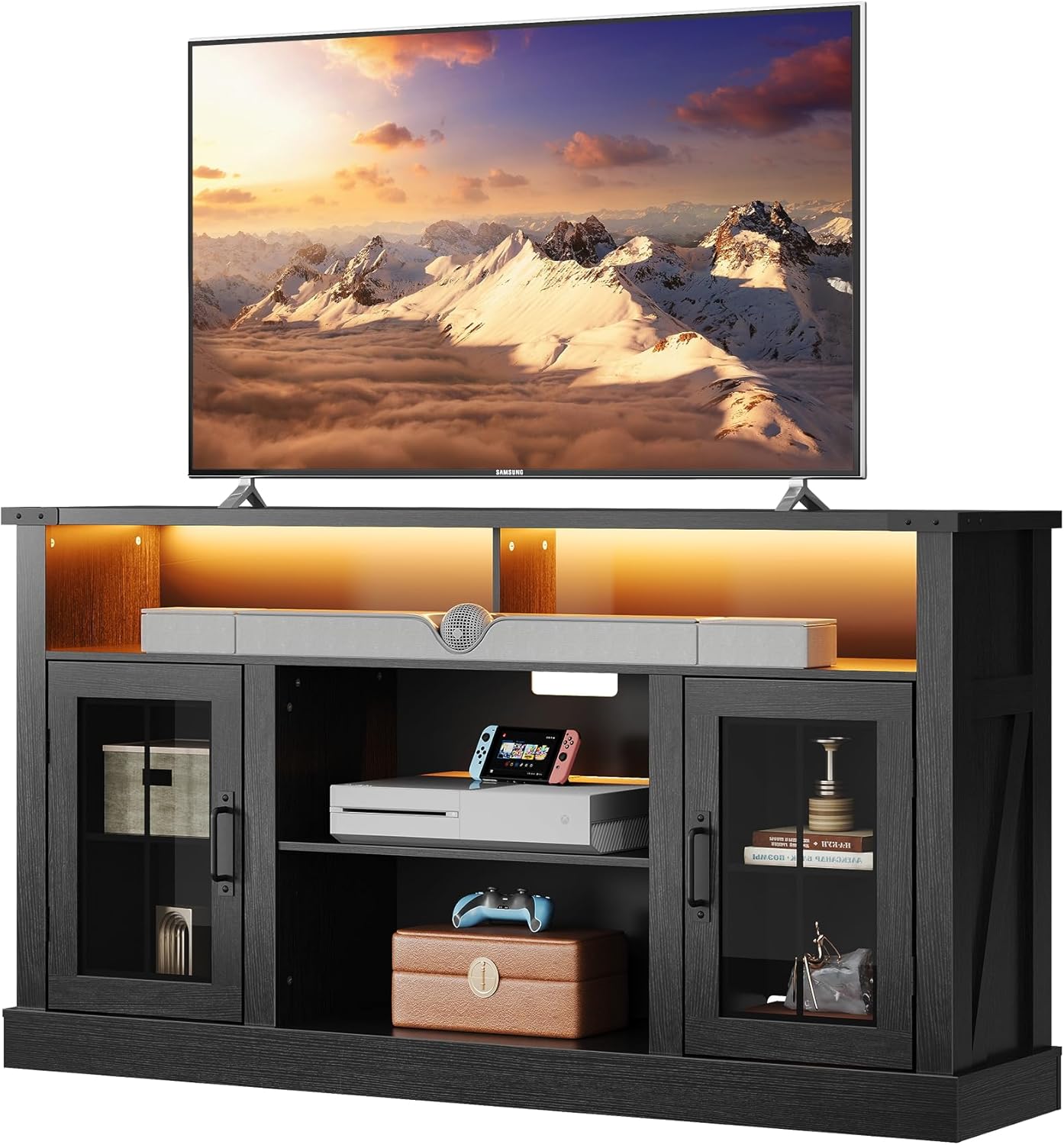
Image: The WLIVE Farmhouse TV Stand in black, featuring a large television on its top surface, showcasing its design and functionality.
Video: An overview of the WLIVE TV Stand, highlighting its features and appearance in a home setting.
2. Important Safety Information
Please read and understand all instructions before assembly and use. Failure to follow these instructions may result in injury or damage to the product.
- Weight Capacity: The desktop can support up to 300 pounds. Each middle shelf can bear up to 50 pounds. Do not exceed these weight limits.
- Tipping Hazard: To prevent tipping, always place the TV stand on a flat, level surface. Secure the unit to a wall using anti-tip hardware (if included) to prevent serious injury from tipping furniture.
- Electrical Safety: Ensure all LED light connections are secure and properly installed. Do not overload electrical outlets. Keep liquids away from electrical components.
- Glass Handling: Handle glass doors with care to avoid breakage and injury.
- Assembly: Assembly requires two adults. Do not attempt to assemble alone.
3. Package Contents
Verify that all components are present before beginning assembly. If any parts are missing or damaged, please contact customer support.
- Top Panel
- Side Panels (Left & Right)
- Bottom Base
- Middle Shelves (Adjustable)
- Glass Cabinet Doors
- Back Panels
- Hardware Pack (screws, cam locks, dowels, hinges, handles, shelf pins)
- LED Light Strips
- LED Remote Control
- Assembly Tools (Hex Key, Screwdriver - may not be included, user-provided)
4. Assembly Instructions
Follow the step-by-step instructions provided in the included assembly manual. It is highly recommended to have two people for assembly due to the weight and size of the components.
- Prepare Workspace: Clear a spacious area and lay out all components on a soft, clean surface to prevent scratches.
- Assemble Frame: Attach side panels to the bottom base and internal support structures using the provided hardware.
- Install Shelves: Insert shelf pins into desired height positions for adjustable shelves. Place shelves securely.
- Attach Back Panels: Secure the back panels, ensuring proper alignment for cable management holes.
- Mount Top Panel: Carefully place and secure the top panel to the assembled frame.
- Install Doors: Attach hinges to the glass cabinet doors and then to the main frame. Adjust hinges for proper alignment.
- Install LED Lights: Adhere the LED light strips to the designated areas (e.g., under the top shelf, within open compartments). Connect the LED strips to the power supply and remote receiver.
- Final Checks: Ensure all connections are tight and the unit is stable.

Image: Detailed dimensions of the WLIVE Farmhouse TV Stand, including overall height, width, depth, and internal shelf measurements.

Image: Illustration showing the 3-level adjustable shelves and integrated cable management holes for organized wiring.
Video: A demonstration of the TV stand's features, including its design and practical elements.
5. Operating Instructions
5.1 LED Mood Lighting
The TV stand is equipped with LED light strips to enhance your viewing experience. Use the provided remote control to customize the lighting.
- Power On/Off: Press the power button on the remote to turn the lights on or off.
- Color Selection: Choose from 20 vibrant colors using the color buttons on the remote.
- Brightness Adjustment: Adjust the brightness level (5 levels available) to suit your preference.
- Dynamic Modes: Select from multiple dynamic flashing modes for various effects.

Image: Visual representation of the LED light features, including brightness adjustment, 20 color options, and control distance, along with the remote control.
Video: A short video demonstrating the LED lighting features of the WLIVE TV stand, showing various colors and modes.
5.2 Storage and Organization
Utilize the open top shelf for soundbars or media devices, and the two storage cabinets with glass doors for displaying decor or organizing media equipment. The adjustable shelves allow for flexible storage configurations.
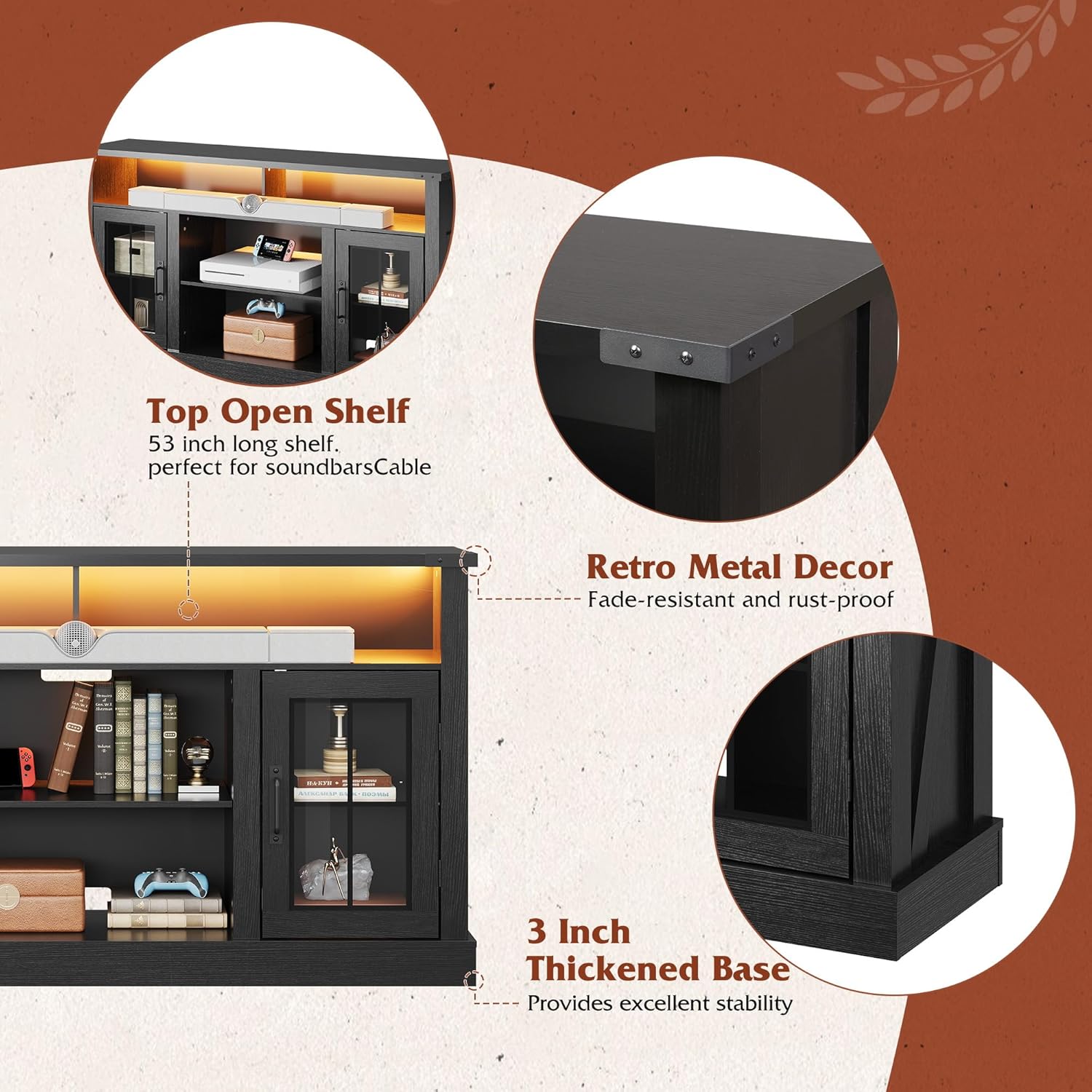
Image: Close-up views highlighting the top open shelf, retro metal decor accents, and the 3-inch thickened base for stability.

Image: A detailed view of the high-transparency glass cabinet door, designed for unobstructed signal reception for remote-controlled devices.
6. Maintenance
Regular maintenance will help preserve the appearance and functionality of your TV stand.
- Cleaning: Wipe surfaces with a soft, damp cloth. Avoid using harsh chemicals, abrasive cleaners, or polishes that may damage the finish.
- Glass Care: Clean glass doors with a standard glass cleaner and a soft cloth.
- Hardware: Periodically check all screws and connections to ensure they remain tight. Retighten if necessary.
- LED Lights: If LED lights dim or stop working, check the power connection and replace the remote control battery if needed.
7. Troubleshooting
| Problem | Possible Cause | Solution |
|---|---|---|
| Unit is wobbly or unstable. | Loose hardware; uneven floor. | Ensure all screws are tightened. Move to a level surface or use shims to stabilize. |
| LED lights are not working. | Loose connection; dead remote battery; faulty LED strip. | Check all power connections. Replace the remote control battery. Contact customer support if lights still do not function. |
| Doors do not align properly. | Hinges not adjusted correctly. | Adjust the screws on the hinges to align the doors. Refer to the assembly manual for detailed hinge adjustment instructions. |
| Missing or damaged parts. | Shipping damage or packaging error. | Do not proceed with assembly. Contact WLIVE customer support immediately for replacement parts. |
8. Specifications
| Feature | Detail |
|---|---|
| Brand | WLIVE |
| Model | 59 Inch (Black) |
| Color | Black |
| Recommended Use | Entertainment Center |
| Product Dimensions (D x W x H) | 13.78" x 59.06" x 31.85" |
| Special Feature | Adjustable Shelf, LED Lighting |
| Mounting Type | Floor Mount |
| Door Style | Slab (with glass inserts) |
| Finish Type | Painted |
| Number of Shelves | 3 |
| Base Type | Legs |
| Installation Type | Freestanding |
| Top Material Type | Composite |
| Assembly Required | Yes |
| Frame Material | Wood |
| Number of Compartments | 3 |
| Item Weight | 92.4 pounds |
| Country of Origin | China |
9. Warranty and Customer Support
WLIVE is committed to providing high-quality products and excellent customer service. For any questions regarding assembly, missing parts, product defects, or warranty claims, please contact WLIVE customer support.
Please refer to your purchase documentation or the WLIVE official website for specific warranty terms and contact information.
Our responsive customer support team is available for assistance.
Related documents59 Inch (Black)

Ask a question about this manual
Ask about setup, troubleshooting, compatibility, parts, safety, or missing instructions. Manuals+ will review the question and use this page’s manual context to help answer it.