
ieGeek ZY-G3
ieGeek 4G LTE Cellular Security Camera
Model: ZY-G3 | User Manual
1. Introduction
Thank you for choosing the ieGeek 4G LTE Cellular Security Camera. This camera is designed for outdoor surveillance in areas without Wi-Fi access, utilizing 4G LTE cellular connectivity and solar power for continuous operation. It features 2K color night vision, 360° pan-tilt-zoom (PTZ) capabilities, two-way audio, and PIR motion detection for comprehensive security.

The ieGeek 4G LTE Cellular Security Camera, featuring a solar panel for power and a SIM card for cellular connectivity.
What's in the Box:
- 1 x 4G LTE Cellular Security Camera
- 1 x 5W Solar Panel
- 1 x USB-C Cable
- 1 x User Manual
2. Setup and Installation
2.1 Initial Setup and App Connection
Before installation, ensure the camera is fully charged using the provided USB-C cable. The camera comes with a pre-installed SIM card. Download the ieGeek Cam App from your device's app store (iOS & Android compatible).
- Register an account and log in to the ieGeek Cam App.
- Click "Add" to add a new device.
- Select "4G camera (battery)" from the device list.
- Scan the QR code located on the camera body using the app.
- Follow the on-screen prompts. The connection is successful when the indicator light on the camera changes from red to blue.
Official video demonstrating the ieGeek ZY-G3 4G camera installation and connection process.
2.2 Camera Installation
The camera can be installed using either a wall mount or a ceiling mount. Choose a location with good 4G signal strength and sufficient sunlight for the solar panel.

Visual guide for camera installation: Step 1: Attach the base to the desired surface. Step 2: Press and hold the clips on the camera. Step 3: Attach the camera to the base from top to bottom until you hear a "click" sound.
Wall Mount:
Secure the camera base to a wall using screws. Ensure it is firmly attached.
Ceiling Mount:
Secure the camera base to a ceiling or overhang using screws. Ensure it is firmly attached.
2.3 Solar Panel Installation
Install the 5W solar panel in a location that receives direct sunlight for most of the day to ensure optimal charging. The solar panel comes with a 3-meter cable for flexible placement.

The 5W solar panel, designed to provide continuous power to the camera for 365 days.
2.4 Connecting the Solar Panel
Connect the solar panel's cable to the small waterproof port on the camera. To maintain the best waterproof performance, avoid opening the large waterproof port on the camera unless absolutely necessary for maintenance or SIM card access.
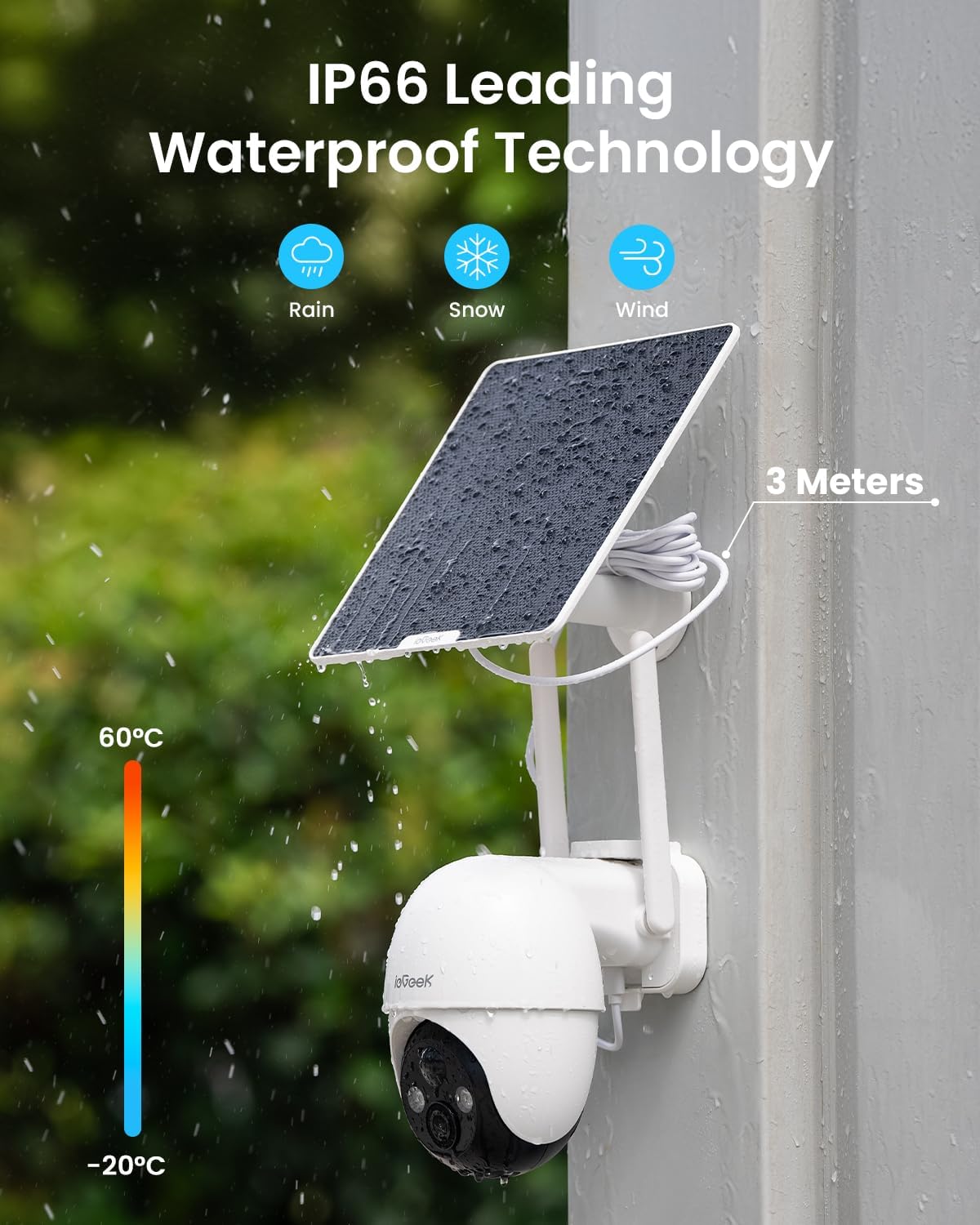
The camera and solar panel are designed with IP66 waterproof technology to withstand various weather conditions including rain, snow, and wind.
3. Operation
3.1 PTZ Remote Control
The ieGeek camera offers extensive pan, tilt, and digital zoom capabilities, allowing you to monitor a wide area remotely through the app.
- Pan: 355° horizontal rotation.
- Tilt: 90° vertical tilt.
- Digital Zoom: 4x digital zoom to view details.

The camera provides 360° all-round protection with 4x digital zoom, 355° pan, and 120° tilt.
3.2 2K Color Night Vision
Equipped with a 2K Ultra HD resolution lens and built-in strong lights, the camera provides clear color night vision up to 15 meters, allowing for detailed surveillance even in low-light conditions.

The camera features a new upgraded 2K COMS lens with 3MP sensor and 15M color night vision.
3.3 PIR Motion Detection & Alerts
The Passive Infrared (PIR) motion sensor accurately detects human movement, triggering real-time alerts and pushing notifications to your phone via the app. This helps in monitoring suspicious activity effectively.

The camera's PIR human detection feature sends instant alerts to your phone when motion is detected.
3.4 Two-Way Audio
Communicate directly through the camera using the two-way audio feature. This allows you to speak to visitors or deter intruders from your smartphone.
3.5 Storage Options
The camera supports local storage via a memory card (up to 128GB, not included) and offers free 7-day lifetime cloud storage for recorded events.

Supports up to 128GB memory card (not included) and offers free forever cloud storage for 6-second clips.
4. Maintenance
4.1 Solar Charging
The 5W solar panel is designed to keep the built-in 9600mAh rechargeable battery powered continuously. Ensure the solar panel is clean and free from obstructions to maximize charging efficiency. With one full charge, the camera can operate for up to 3 months, depending on usage and sunlight exposure.
4.2 Weather Resistance
The camera boasts an IP66 international protection rating, making it highly resistant to dust and water. This ensures reliable performance in various outdoor weather conditions.
5. Troubleshooting
5.1 Connection Issues
- Ensure the SIM card is properly inserted and activated.
- Check for 4G signal strength in the camera's location using the app's network diagnostic tool. A weak signal may prevent connection.
- Reboot the camera by pressing the power button.
5.2 Power Issues
- Verify the solar panel is receiving adequate direct sunlight.
- Ensure the solar panel cable is securely connected to the camera's small waterproof port.
- If the battery is critically low, charge the camera directly using the USB-C cable.
5.3 Image/Video Quality
- Clean the camera lens regularly to ensure clear images.
- Ensure sufficient lighting for optimal night vision performance.
6. Specifications
| Feature | Detail |
|---|---|
| Model Name | ieGeek ZY-G3 (White) |
| Connectivity Technology | 3G/4G LTE Cellular (No Wi-Fi) |
| Power Source | Solar & Battery Powered (9600mAh) |
| Video Capture Resolution | 3MP (2K Ultra HD) |
| Viewing Angle | 355° Pan, 90° Tilt |
| Night Vision | Color Night Vision, 15M Range |
| Motion Detection | PIR Motion Sensor |
| Audio | 2-Way Audio |
| Storage | Cloud Storage (7-day free trial, 6s lifetime free) & MicroSD (up to 128GB) |
| Water Resistance Level | IP66 |
| Dimensions | 6.3 x 5.9 x 3.54 inches |
| Item Weight | 2.59 pounds |
7. Warranty and Support
ieGeek provides a two-year warranty for this 4G LTE Cellular Security Camera. For any inquiries, technical assistance, or warranty claims, please contact our professional after-sales team.

Our commitment to quality includes a 2-year warranty and dedicated customer support.
After-Sales Email: service@iegeek.com
Related documentsZY-G3


Ask a question about this manual
Ask about setup, troubleshooting, compatibility, parts, safety, or missing instructions. Manuals+ will review the question and use this page’s manual context to help answer it.