
Mibro Lite3 Pro
Mibro Lite3 Pro Smartwatch User Manual
Model: Lite3 Pro | Brand: Mibro
Introduction
The Mibro Lite3 Pro Smartwatch is designed to integrate advanced technology with elegant style, offering comprehensive features for both sports and daily life. It features a 1.32-inch color touchscreen, supports over 150 sports modes, and includes health monitoring capabilities such as heart rate, REM, and sleep pattern tracking. With built-in GPS, Bluetooth calling, and 5ATM water resistance, this smartwatch is a versatile companion for various activities. Its intelligent power management ensures extended battery life, making it suitable for prolonged use.

Image: The Mibro Lite3 Pro Smartwatch in dark green, displaying its main interface and a simulated incoming call screen.
What's in the Box
Upon unboxing your Mibro Lite3 Pro Smartwatch, please ensure all the following components are present:
- Mibro Lite3 Pro Smartwatch
- Charging Cable
- Watch Band
- User Manual (this document)
Setup
1. Initial Charging
Before first use, fully charge your Mibro Lite3 Pro Smartwatch. Connect the provided charging cable to the charging port on the back of the watch and plug the USB end into a compatible power adapter (not included) or a computer's USB port. The watch display will indicate charging status.

Image: The Mibro Lite3 Pro Smartwatch connected to its charging cable, highlighting its extended battery life capabilities.
2. App Installation and Pairing
To unlock the full potential of your smartwatch, download the official Mibro app on your smartphone. The app is compatible with both Android and iOS devices. Once installed, open the app and follow the on-screen instructions to pair your smartwatch via Bluetooth. Ensure Bluetooth is enabled on your phone.
- Scan the QR code in the manual or search for "Mibro" in your phone's app store.
- Install and open the Mibro app.
- Create an account or log in.
- Follow the app's prompts to add a new device and select your Mibro Lite3 Pro.
- Confirm the pairing request on both your phone and smartwatch.
Operating Instructions
Display and Navigation
The Mibro Lite3 Pro features a vibrant 1.32-inch AMOLED UHD touchscreen for intuitive interaction. Swipe across the screen to navigate through menus, notifications, and widgets. Press the side button to return to the home screen or access the app list.

Image: Close-up of the Mibro Lite3 Pro Smartwatch screen, highlighting its AMOLED UHD display features such as resolution, PPI, color gamut, brightness, refresh rate, and anti-fingerprint coating.
Bluetooth Calling and Notifications
Once paired with your smartphone, the smartwatch allows you to manage calls and receive notifications directly on your wrist. You can answer, reject, or make calls using the integrated microphone and HD speakers. Notifications from various apps (e.g., SMS, Facebook, WhatsApp) will be displayed in real-time.

Image: The Mibro Lite3 Pro Smartwatch showing its Bluetooth calling functionality and various app icons for message notifications.
Sports Modes and GPS Tracking
The Mibro Lite3 Pro supports over 150 professional sports modes. Select your desired activity from the watch's menu to track your performance, including duration, calories burned, and heart rate. The integrated GNSS positioning chip provides accurate GPS tracking for outdoor activities, mapping your routes and distances.

Image: The Mibro Lite3 Pro Smartwatch overlaid on a world map, illustrating its global satellite positioning system capabilities with multiple pin locations.
Health Monitoring
The smartwatch continuously monitors your health metrics, including heart rate, blood oxygen, and sleep patterns (REM, sporadic naps, night sleep). Access detailed reports and historical data through the Mibro app to gain insights into your well-being. It also includes features like female cycle tracking, breath guide, and sedentary reminders.
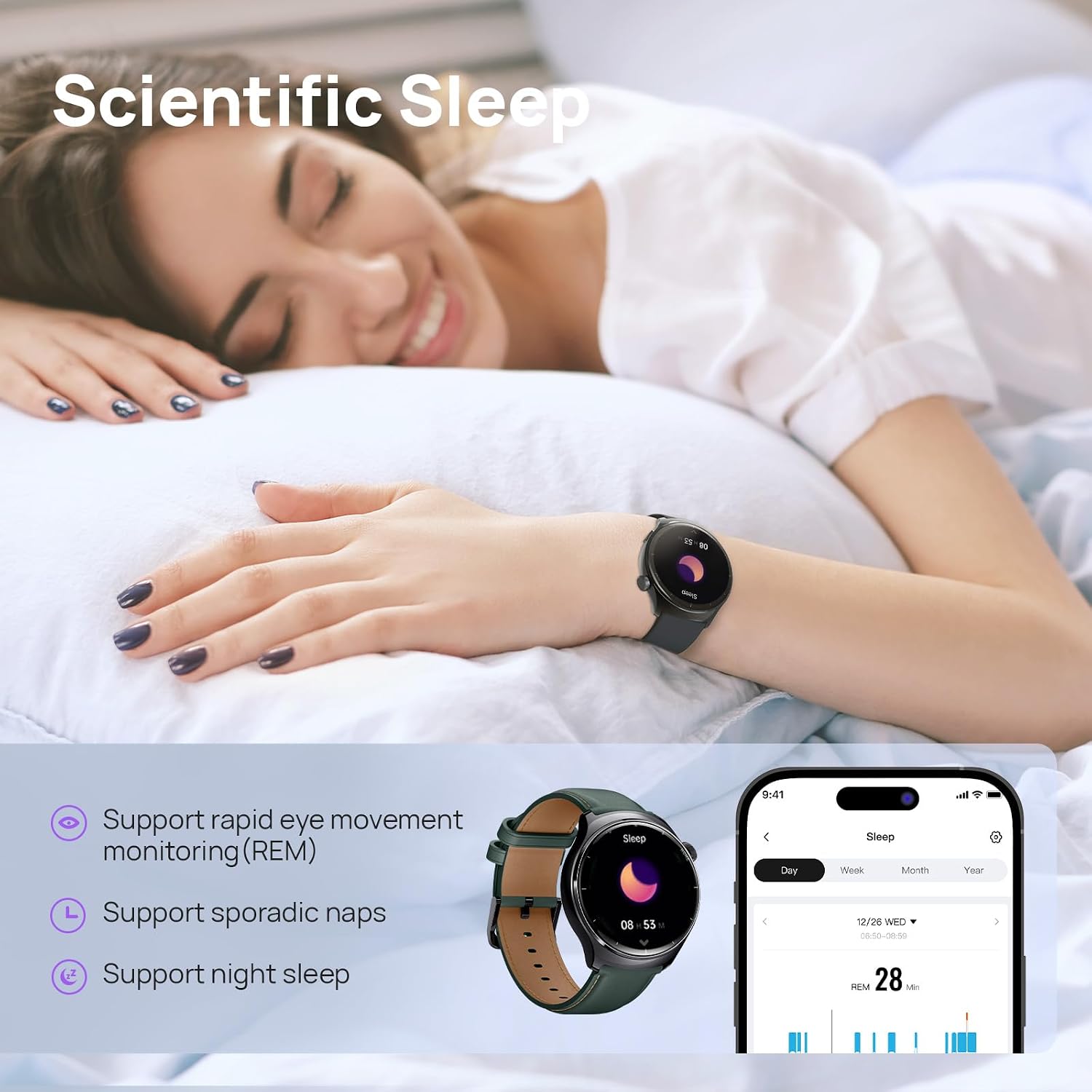
Image: A person sleeping with the Mibro Lite3 Pro Smartwatch on their wrist, demonstrating its scientific sleep monitoring features and app interface for sleep data.

Image: The Mibro Lite3 Pro Smartwatch showing its female cycle tracking interface, including period, estimated period, and fertile window.
Water Resistance (5ATM)
The Mibro Lite3 Pro is water-resistant up to 5 ATM, meaning it can withstand splashes, rain, and even swimming sessions. It is not suitable for diving or high-pressure water activities.

Image: A swimmer wearing the Mibro Lite3 Pro Smartwatch, demonstrating its 5ATM water resistance for activities like swimming, handwashing, and rain exposure.
Other Features
The smartwatch includes additional practical features such as an always-on display (AOD), customizable watch faces, game mode, Do Not Disturb mode, find phone, flashlight, and SOS emergency contacts. Explore these features through the watch's settings and the Mibro app.
Maintenance
- Cleaning: Regularly wipe the watch and strap with a soft, dry cloth. For stubborn dirt, use a slightly damp cloth and then dry thoroughly. Avoid harsh chemicals or abrasive materials.
- Charging: Use only the provided charging cable. Ensure the charging contacts on the watch and cable are clean and dry before charging.
- Water Exposure: While 5ATM water-resistant, avoid exposing the watch to hot water, steam, or high-velocity water jets. Dry the watch thoroughly after exposure to water.
- Storage: Store the watch in a cool, dry place when not in use. Avoid extreme temperatures.
Troubleshooting
| Problem | Possible Solution |
|---|---|
| Watch not turning on | Ensure the watch is fully charged. Press and hold the side button for several seconds. |
| Cannot pair with phone | Ensure Bluetooth is enabled on your phone and the watch. Restart both devices. Check if the Mibro app is updated. Forget the device in your phone's Bluetooth settings and try pairing again. |
| Notifications not received | Check notification permissions in the Mibro app and your phone's settings. Ensure the watch is connected via Bluetooth. Disable "Do Not Disturb" mode on the watch. |
| Inaccurate health data | Ensure the watch is worn snugly on your wrist, about one finger's width above the wrist bone. Clean the sensor on the back of the watch. |
| Short battery life | Disable Always-On Display (AOD) if not needed. Reduce screen brightness. Limit background app refresh. Ensure GPS is only active when needed. |
Specifications
| Feature | Detail |
|---|---|
| Model Number | Lite3 Pro |
| Screen Size | 1.32 Inches |
| Display Type | AMOLED UHD |
| Water Resistance | 5 ATM |
| GPS | Built-in GPS (GNSS positioning chip) |
| Connectivity | Bluetooth |
| Battery Capacity | 350 Milliamp Hours |
| Battery Life (Daily Use) | Up to 15 days |
| Battery Life (Standby) | Up to 50 days |
| Operating System | Android (compatible with iOS) |
| Special Features | Touchscreen, Cycle Tracking, Always On Display, GPS, Heart Rate Monitor, 150+ Sports Modes, Bluetooth Calling |
| Dimensions | 44.7mm (diameter), 11.9mm (thickness), 246mm (total length with strap) |

Image: Technical diagram illustrating the dimensions of the Mibro Lite3 Pro Smartwatch, including its diameter, thickness, and total length with the strap.
Warranty and Support
Mibro products come with a standard manufacturer's warranty. For specific warranty terms and conditions, please refer to the warranty card included with your product or visit the official Mibro website. For technical support, troubleshooting assistance, or service inquiries, please contact Mibro customer support through their official channels. Keep your purchase receipt as proof of purchase for warranty claims.
Official Mibro Website: www.mibro.com (Note: This is a placeholder URL. Please refer to your product packaging for the actual official website.)
Related documentsLite3 Pro


Ask a question about this manual
Ask about setup, troubleshooting, compatibility, parts, safety, or missing instructions. Manuals+ will review the question and use this page’s manual context to help answer it.