
1. Introduction and Overview
The IMOU Cruiser SE 5MP is an advanced outdoor Wi-Fi security camera designed to provide comprehensive surveillance for your property. Featuring a 5-megapixel sensor, it delivers clear, high-resolution video. Its 360-degree pan and tilt capabilities ensure wide area coverage, while smart tracking and active deterrence features enhance security. This manual provides essential information for the proper installation, operation, and maintenance of your camera.
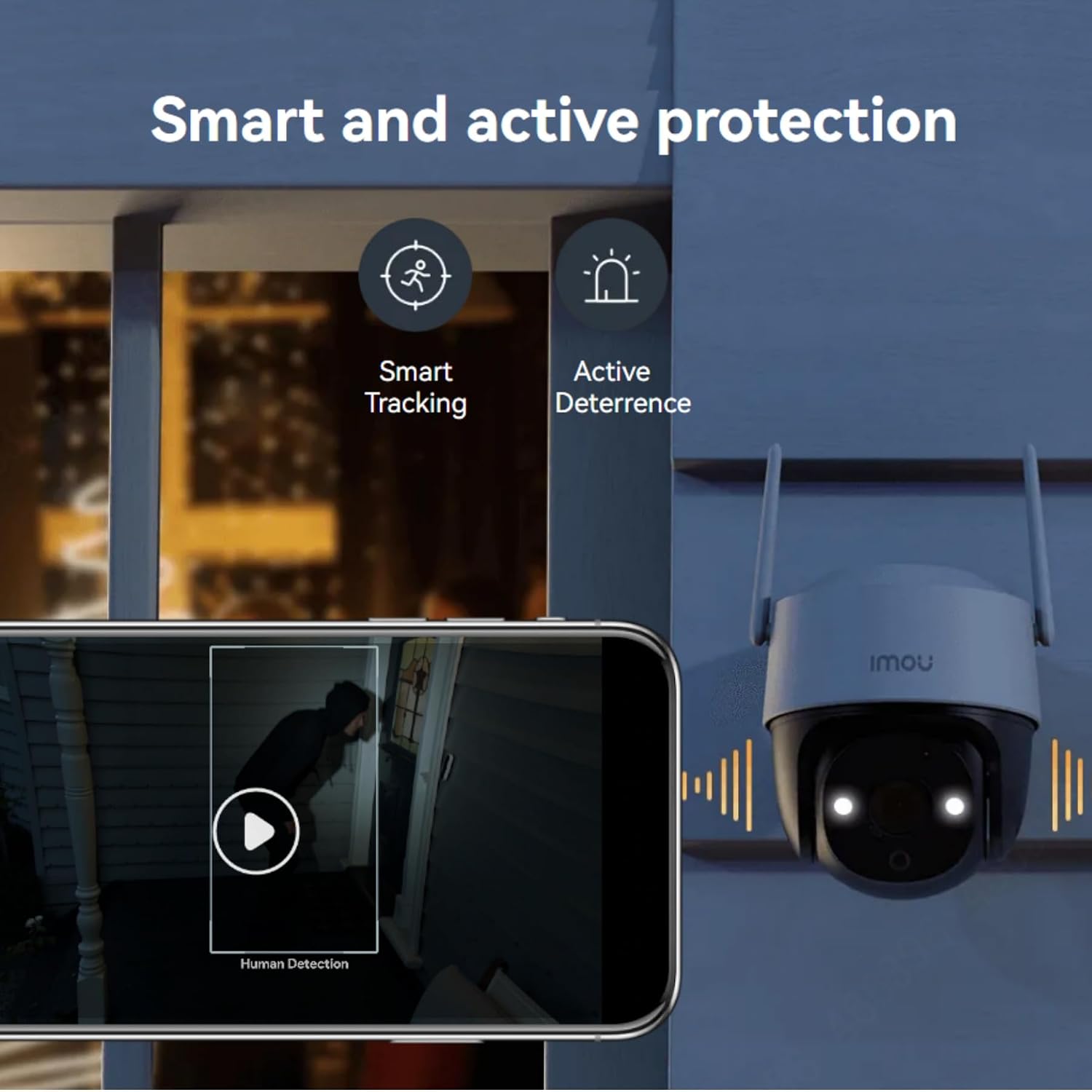
Figure 1: Front view of the IMOU Cruiser SE 5MP Outdoor Wi-Fi Camera.
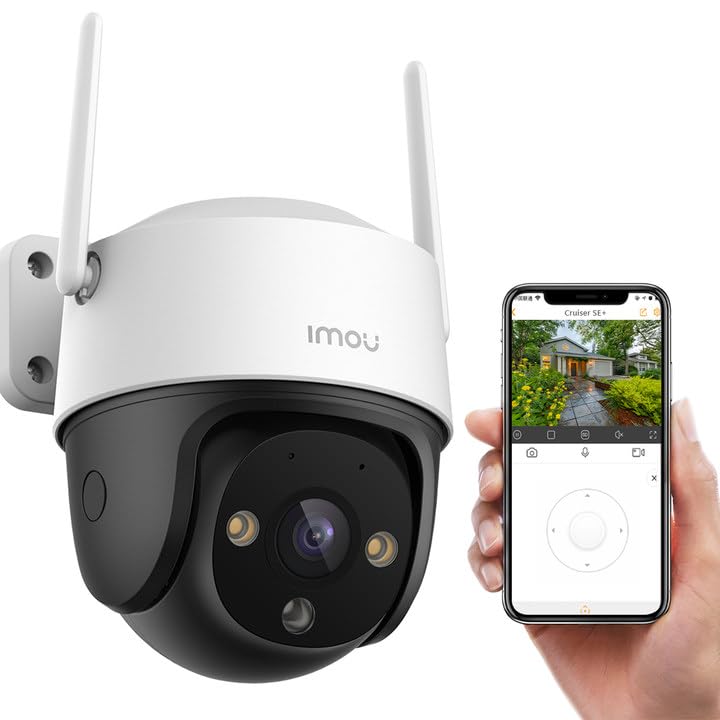
Figure 2: The camera's smart tracking and active deterrence features in action, showing human detection and an active deterrent light.
2. What's in the Box
Please check the package contents upon unboxing. If any items are missing or damaged, contact your retailer or Imou support.
- 1 x IMOU Cruiser SE 5MP Camera
- 1 x Power Adapter
- 1 x Mounting Template
- 1 x Screw Package
- 1 x Waterproof Connector
- 1 x Quick Start Guide
3. Setup
3.1 Physical Installation
- Choose a Mounting Location: Select an outdoor location with a clear view of the area you wish to monitor. The camera is designed for ceiling mounting. Ensure the Wi-Fi signal is strong at the chosen location.
- Mount the Camera: Use the provided mounting template to mark drill holes on the ceiling. Drill the holes, insert the wall anchors, and secure the camera base using the screws. Ensure the camera is firmly attached.
- Connect Power: Connect the power adapter to the camera and plug it into a suitable outdoor power outlet. Ensure the connection is waterproof using the provided connector.
3.2 App and Network Configuration
- Download the Imou Life App: Search for "Imou Life" in your smartphone's app store (iOS or Android) and download it.
- Create an Account: Open the app and follow the on-screen instructions to create a new Imou account or log in if you already have one.
- Add the Camera: Tap the "+" icon in the app to add a new device. Scan the QR code located on the camera or its packaging. Follow the app's prompts to connect the camera to your 2.4 GHz Wi-Fi network.
- Initial Setup: Once connected, the app will guide you through initial settings such as naming the camera, setting the time zone, and configuring basic motion detection preferences.

Figure 3: Side view of the camera, highlighting the dual antennas for stable Wi-Fi connectivity.
4. Operating the Camera
4.1 Live View and Playback
- Live View: Open the Imou Life app and select your camera to view the live feed. You can pan and tilt the camera remotely using the controls in the app to achieve 360-degree coverage.
- Playback: Access recorded footage from the app. The camera supports Micro SD card storage (up to 256GB), Network Video Recorder (NVR), and cloud storage options.
4.2 Key Features
- Smart Auto Tracking: The camera can automatically track moving objects, keeping them in the frame.
- Human Detection: Advanced algorithms detect human shapes, reducing false alarms from pets or inanimate objects.
- Active Deterrence: Upon detecting an intruder, the camera can activate its integrated spotlight and siren to deter unwanted visitors.
- Two-Way Audio: Use the built-in microphone and speaker to communicate with people near the camera.
- Smart Color Night Vision: Provides clear, full-color video even in low-light conditions.
- Real-time Notifications: Receive instant alerts on your smartphone when motion or human detection is triggered.
- 8x Digital Zoom: Zoom in on details within the live or recorded video.

Figure 4: Visual representation of key features including Smart Auto Tracking, 360° Coverage, Smart Color Night Vision, Human Detection, Two-way Talk, 2.4 GHz Wi-Fi, Dual Antennas, Diversified Storage, IP66 Weather-resistant, and 8x Digital Zoom.

Figure 5: Diversified storage options including Micro SD card, NVR, and cloud storage, with estimated recording durations for different SD card capacities.
5. Maintenance
- Cleaning: Regularly clean the camera lens with a soft, dry cloth to ensure optimal image clarity. Do not use harsh chemicals.
- Firmware Updates: Keep your camera's firmware updated through the Imou Life app to ensure the latest features and security enhancements.
- Power Supply: Ensure the power connection remains secure and protected from environmental elements.
- Environmental Protection: The camera is IP66 weather-resistant, designed to withstand rain and dust. However, avoid directing high-pressure water jets directly at the camera.
6. Troubleshooting
- Camera Offline: Check the power connection and ensure your Wi-Fi network is operational. Restart the camera and your router. If the issue persists, try re-pairing the camera with the app.
- Poor Image Quality: Ensure the lens is clean and free from obstructions. Check your network speed; a slow connection can affect streaming quality.
- Motion Detection Not Working: Verify that motion detection is enabled in the app settings. Adjust sensitivity levels if necessary.
- No Audio: Check the audio settings in the app. Ensure the microphone and speaker are not blocked.
- SD Card Not Recording: Ensure the Micro SD card is correctly inserted and formatted within the app. Check if the card is full or corrupted.
For further assistance, refer to the FAQ section within the Imou Life app or visit the official Imou support website.
7. Specifications
| Feature | Specification |
|---|---|
| Model Number | IPC-K7CP-5H1WE |
| Video Recording Resolution | 5 Megapixels |
| Viewing Angle | 360 Degrees (Pan/Tilt) |
| Night Vision Range | Up to 98 feet (30 meters) |
| Frame Rate | 20 frames per second |
| Connectivity Technology | Wireless (Wi-Fi) |
| Wi-Fi Protocol | 2.4 GHz |
| Power Source | Mains Power (12 Volts, 6 Watts) |
| Indoor/Outdoor Use | Outdoor |
| Water Resistance Level | Waterproof (IP66) |
| Mounting Type | Ceiling Mount |
| Form Factor | Dome |
| Memory Card Type | Micro SD (up to 256GB) |
| Compatible Devices | Computer, Laptop, Smartphone, Tablet |
| Item Dimensions (L x W x H) | 12.1 x 13.6 x 18.3 cm |
| Material | Plastic |
| Color | Black |
8. Warranty and Support
8.1 Manufacturer Warranty
The IMOU Cruiser SE 5MP camera comes with a 2-year manufacturer's warranty. This warranty covers defects in materials and workmanship under normal use. Please retain your proof of purchase for warranty claims.
8.2 Customer Support
For technical support, troubleshooting assistance, or warranty inquiries, please visit the official Imou support website or contact their customer service through the Imou Life app. You can find detailed FAQs and contact information on their website.


