
LIGE FV4-D-WYF-WSD-CA-8
LIGE Smartwatch for Women - User Manual
Model: FV4-D-WYF-WSD-CA-8
1. Introduction
This manual provides detailed instructions for the LIGE Smartwatch for Women, designed to enhance your daily life with its advanced features and elegant design. It includes guidance on setup, operation, health monitoring, sports tracking, and troubleshooting to ensure optimal use of your device.

Image: The LIGE Smartwatch, showcasing its elegant silver metal band with crystal accents and an alternative beige silicone strap. The watch face displays time, date, and battery level, while an inset shows call and fitness tracking interfaces.
2. Setup Guide
2.1 Charging the Smartwatch
Before first use, fully charge your smartwatch. Connect the provided magnetic charging cable to the charging points on the back of the watch and a USB power source. The watch display will indicate charging status.
2.2 App Installation and Pairing
To unlock all features, download the 'FitCloudPro' application on your smartphone. The app is compatible with Android 4.4 and iOS 8.0 or higher.
- Turn on Bluetooth on your phone.
- Scan the QR code provided in the watch's packaging or search for 'FitCloudPro' in your phone's app store (Apple App Store or Google Play Store).
- Download and install the 'FitCloudPro' app.
- Open the app, navigate to the 'Device' section, and select 'Add Device'.
- Find and select 'NKL17 Pro' (or the specific model name displayed on your watch) from the list of available devices.
- Confirm the Bluetooth pairing request on both your phone and the smartwatch.
- Once connected, you can enable or disable the call function directly from the watch's settings.

Image: A visual guide demonstrating the process of connecting the smartwatch to a smartphone via the FitCloudPro application, including turning on Bluetooth, scanning a QR code, downloading the app, pairing, and enabling call functions.
3. Operating Instructions
3.1 Basic Navigation
The smartwatch features a 1.19-inch AMOLED touchscreen for intuitive navigation. Swipe left, right, up, or down to access different menus and functions. The side button typically serves as a power button or a return-to-home function.
3.2 Always-On Display
The AMOLED display offers an always-on feature, allowing you to view the time and essential information without needing to activate the screen. This feature provides excellent color reproduction and contrast, ensuring readability even in direct sunlight.

Image: A detailed view of the smartwatch's 1.19-inch AMOLED screen, emphasizing its high resolution (390*390 pixels) and clear visibility in outdoor daylight, along with its low power consumption.
3.3 Customizing Watch Dials
Personalize your smartwatch with over 200 unique watch dials available through the FitCloudPro app. You can also create custom dials using your own photos.

Image: A display of various pre-designed watch faces and a demonstration of how users can create their own custom watch dials using personal images through the companion app.
4. Key Features
4.1 Bluetooth Call & Message Notification
The smartwatch allows you to make, answer, and reject calls directly from your wrist, thanks to its built-in microphone and hi-fi speaker. It supports dual-mode Bluetooth 5.0 for stable connections and low power consumption. You can sync your phone's call logs and contacts, and use the voice assistant for hands-free dialing. The watch also displays incoming messages, emails, and app notifications.

Image: The smartwatch screen showing options for dial keypad, contact lists, call records, and voice assistant. Surrounding the watch are icons representing various social media and messaging applications, indicating notification support.
4.2 Multifunctional Assistant
Your smartwatch serves as a daily assistant with various mini-functions:
- Weather Forecast: Get real-time weather updates.
- Stopwatch & Timer: For precise timekeeping.
- Alarm Clock: Set alarms for reminders.
- Flashlight: A convenient light source.
- Find Your Phone: Locate your misplaced phone.
- Camera Remote Control: Control your phone's camera remotely.
- Sedentary Reminder: Prompts you to move after periods of inactivity.
- Drinking Water Reminder: Helps you stay hydrated.

Image: A collage showcasing the smartwatch's diverse functionalities, including music control, alarm settings, weather display, a suite of multifunctional tools (Find Phone, Calculator, Women's Health, Brightness Adjustment, Message Alerts, Stopwatch, Timer, Password, Calendar), voice assistant, and remote camera control.
5. Health Monitoring
The smartwatch is equipped with an advanced optical PPG sensor to continuously monitor your health metrics.
- Heart Rate Monitoring: Tracks your heart rate throughout the day.
- Blood Pressure Monitoring: Provides estimated blood pressure readings.
- Blood Oxygen (SpO2) Monitoring: Measures your blood oxygen levels.
- Sleep Tracking: Analyzes your sleep patterns and quality.
Note: This device is not a medical device, and the data provided is for reference only and should not be used for medical diagnosis.
5.1 Female Health Assistant
The smartwatch includes a dedicated feature for women's health, scientifically recording and predicting menstrual cycles, ovulation periods, and preparation for pregnancy. This helps users better understand and manage their physiological cycles.

Image: A composite image illustrating the smartwatch's female health monitoring capabilities, showing a woman checking her watch, a calendar highlighting menstrual cycle tracking, and a couple, with the watch displaying ovulation period and pregnancy rate.
6. Sports Modes
The smartwatch offers over 100 professional sports modes, including cycling, running, hiking, and many more. During workouts, it tracks essential data such as distance, duration, heart rate, and calories burned. You can view detailed sports data and set workout plans within the FitCloudPro app.
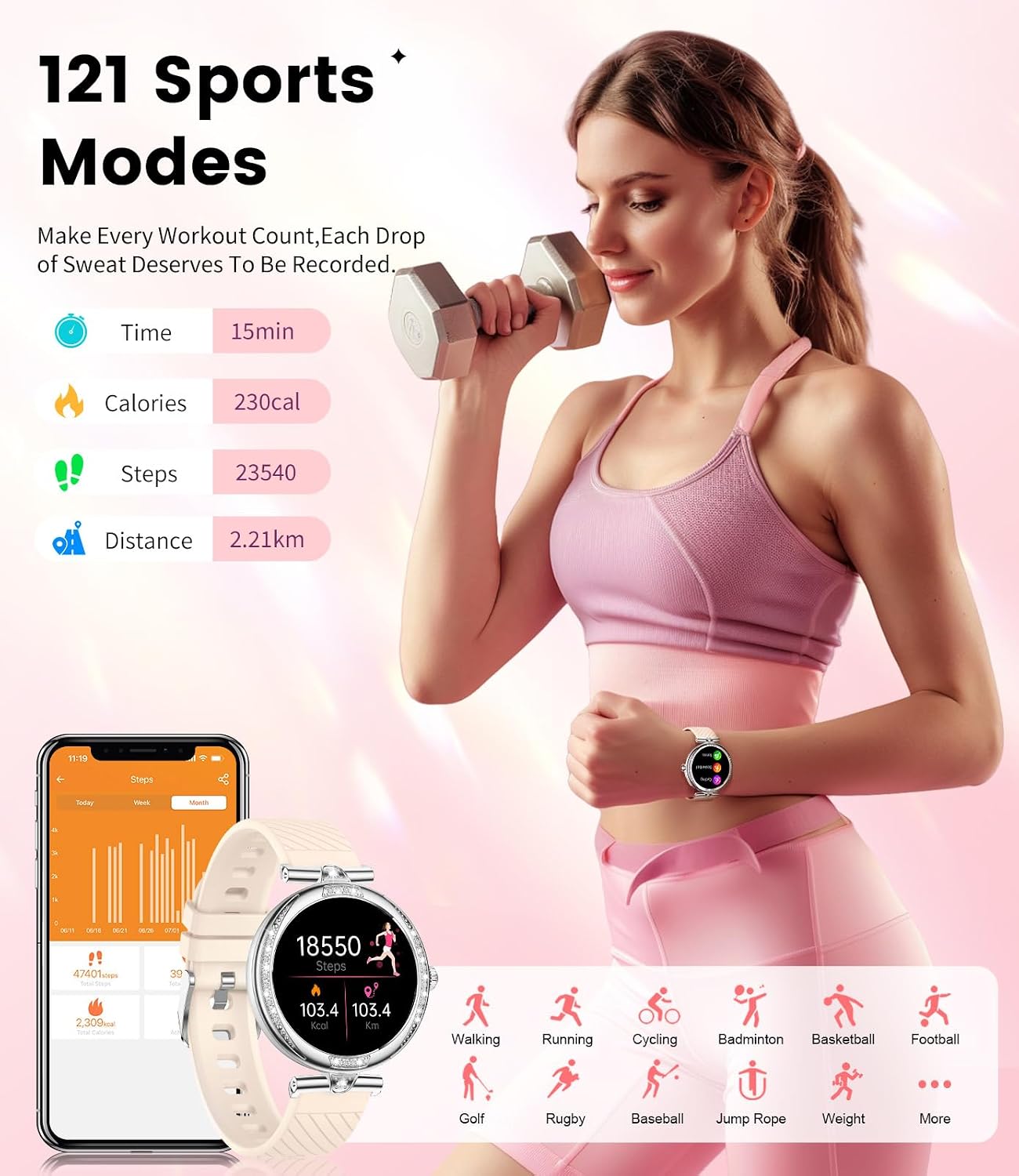
Image: A woman lifting weights while wearing the smartwatch, with an overlay showing tracked metrics like time, calories, steps, and distance. Below, icons represent various sports modes such as walking, running, cycling, badminton, and football.
7. Maintenance
7.1 IP68 Waterproof Rating
The smartwatch is IP68 waterproof, meaning it is resistant to dust and can withstand immersion in water up to 1.5 meters for 30 minutes. It is suitable for daily activities like hand washing and light rain exposure.
Important Note: The smartwatch is not suitable for swimming, showering with hot water, or prolonged sauna use. Exposure to hot water or steam can damage the device.
Image: A close-up of a hand wearing the smartwatch under running water, illustrating its IP68 waterproof capability for activities like hand washing, but also noting limitations for swimming and showering.
7.2 Cleaning and Care
To maintain your smartwatch, regularly wipe the screen and straps with a soft, dry cloth. Avoid using harsh chemicals or abrasive materials. Ensure the charging contacts are clean and dry before charging.
8. Troubleshooting
If you encounter issues with your smartwatch, please refer to the following common solutions:
- Connectivity Issues: Ensure Bluetooth is enabled on your phone and the watch is within range. Restart both the watch and your phone, then try pairing again. Check if the 'FitCloudPro' app is running in the background.
- Battery Draining Quickly: Reduce screen brightness, disable unnecessary notifications, and limit continuous heart rate monitoring. Ensure the always-on display is used judiciously.
- Inaccurate Data: Ensure the watch is worn snugly on your wrist, about one finger's width above the wrist bone. Clean the sensor on the back of the watch.
- Notifications Not Appearing: Check app permissions in your phone's settings to ensure 'FitCloudPro' has access to notifications. Verify notification settings within the 'FitCloudPro' app.
- Watch Not Turning On: Ensure the watch is fully charged. If it still doesn't turn on, try a hard reset (refer to the app for specific instructions if available).
For more detailed troubleshooting or persistent issues, please contact customer support.
9. Specifications
| Feature | Specification |
|---|---|
| Brand | LIGE |
| Model | FV4-D-WYF-WSD-CA-8 |
| Display Type | AMOLED |
| Screen Size | 1.19 Inches |
| Operating System | Android iOS Compatible |
| Memory Storage Capacity | 128 MB |
| Connectivity Technology | Wireless (Bluetooth 5.0) |
| Battery Capacity | 200 Milliamp Hours |
| Battery Cell Composition | Lithium Polymer |
| Water Resistance | IP68 |
| Material Type | Metal |
| Product Dimensions | 3.9 x 3.9 x 1.1 cm; 200 g |
10. Warranty and Support
LIGE is committed to providing excellent customer service. Your smartwatch comes with the following support:
- 24-Hour Online Service: Assistance is available around the clock for any queries or issues.
- 6 Months Returns Service: For eligible returns within six months of purchase.
- 2 Years Guarantee: A comprehensive two-year guarantee covers manufacturing defects.
- 365 Days Service: Dedicated support for a full year to help you with your product.
Please send us messages if you have any questions or require assistance. We are here to help you solve your questions.
Related documentsFV4-D-WYF-WSD-CA-8


Ask a question about this manual
Ask about setup, troubleshooting, compatibility, parts, safety, or missing instructions. Manuals+ will review the question and use this page’s manual context to help answer it.