
1. Introduction
Welcome to the CARPURIDE C98 Portable Car Stereo User Manual. This guide provides comprehensive instructions for setting up, operating, maintaining, and troubleshooting your new car stereo. Please read this manual thoroughly before using the device to ensure optimal performance and safety.
2. Product Overview
2.1 Key Features
- 9-inch HD IPS+2.5D Curved Touchscreen: Provides a clear, high-resolution display with a full viewing angle. Features a unique light sensor for automatic brightness adjustment.
- Wireless/Wired CarPlay & Android Auto: Seamlessly integrates your smartphone for navigation, music, calls, and messaging.
- Multiple Sound Output Modes: Supports Bluetooth audio, built-in speakers, TF card, USB connection, AUX cable, and FM transmission to your car's stereo system.
- Smart Voice Control: Built-in clear microphone for hands-free calls and voice commands via Siri or Google Assistant. Supports external microphone (3.5mm jack).
- Multimedia Playback: Play audio and video files directly from TF cards and USB drives.
- EQ Effect: Adjust sound equalization for various music genres.
- Steering Wheel Controls: Connects to your car's audio system via Bluetooth for convenient control of volume, playback, and calls.
2.2 Package Contents
- CARPURIDE C98 Main Unit
- Power Cable
- Self-adhesive Bracket
- Suction Mount Bracket
- User Manual
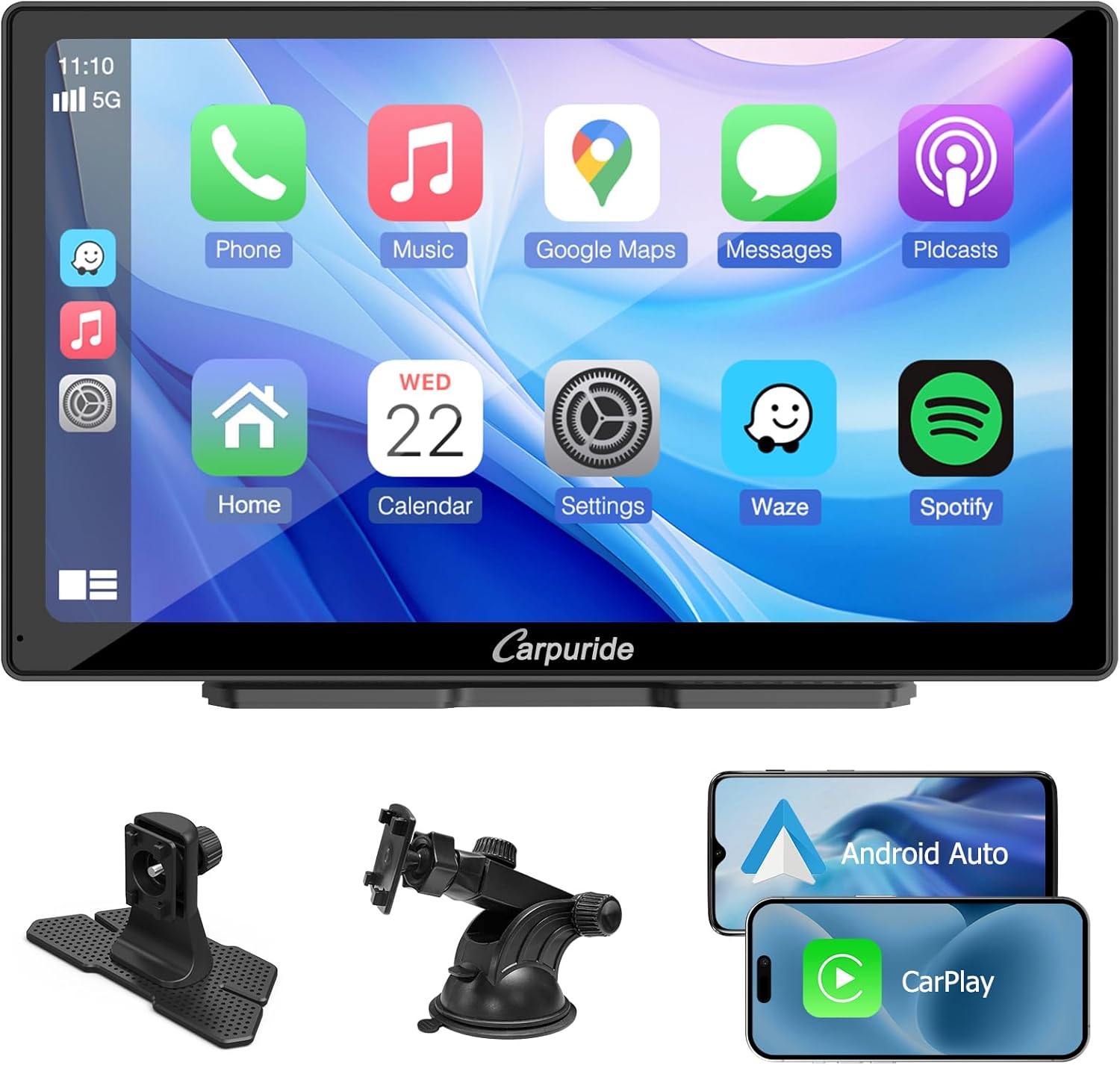
Figure 2.1: The CARPURIDE C98 main unit, showcasing its display and included mounting accessories, along with visual representations of Android Auto and Apple CarPlay compatibility.

Figure 2.2: Detailed view of the CARPURIDE C98's HD IPS+2.5D Curved Touchscreen, highlighting its high resolution, curved design, and wide viewing angles, along with the integrated light sensor for automatic brightness adjustment.
3. Setup and Installation
3.1 Mounting Options
The CARPURIDE C98 offers two primary mounting methods:
- Self-adhesive Bracket: Ideal for flat, stable surfaces on your dashboard. Ensure the surface is clean and dry before applying.
- Suction Mount Bracket: Provides a strong, temporary hold on smooth surfaces like your windshield or dashboard. Features 360-degree angle adjustment for optimal viewing.
Choose the bracket that best suits your vehicle and desired viewing angle. Securely attach the C98 unit to the chosen bracket.

Figure 3.1: Illustration of the two available installation methods: the self-adhesive bracket and the suction mount bracket, demonstrating their application in a vehicle interior.
3.2 Power Connection
Connect the provided power cable to the CARPURIDE C98 unit and then to your car's 12V power outlet (cigarette lighter socket). Ensure the connection is secure.
3.3 Audio Output Connection
The C98 offers several ways to output audio to your car's sound system:
- Bluetooth Audio: The primary method for connecting to your car's Bluetooth system for calls and music.
- AUX Connection: Use a 3.5mm AUX cable to connect the C98's audio output to your car's AUX input.
- FM Transmit: Tune the C98 to an unused FM frequency, then tune your car's radio to the same frequency to receive audio.
- Built-in Speaker: The C98 has an integrated speaker for direct audio output.

Figure 3.2: Various audio output methods for the CARPURIDE C98, including Bluetooth connection to car speakers, AUX cable connection, FM transmission, and the use of the built-in speaker.
4. Operating Instructions
4.1 Initial Power On
Once connected to power, the CARPURIDE C98 will automatically power on. Follow the on-screen prompts for initial setup, including language selection and time zone.
4.2 Wireless/Wired CarPlay & Android Auto
The C98 supports both wireless and wired connections for Apple CarPlay and Android Auto.
- For Wireless Connection: Enable Bluetooth and Wi-Fi on your smartphone. On the C98, select the CarPlay or Android Auto icon. Follow the on-screen instructions to pair your phone.
- For Wired Connection: Connect your smartphone to the C98 using a USB cable. The system will automatically detect and launch CarPlay or Android Auto.
Once connected, you can access navigation, make calls, send messages, and play music directly from your phone's interface on the C98 screen.

Figure 4.1: Demonstrates the seamless integration of Apple CarPlay and Android Auto with the CARPURIDE C98, showing both wired and wireless connection options for smartphones.
4.3 Multimedia Playback
The C98 allows playback of audio and video files from a TF card or USB drive.
- Insert a TF card into the designated slot or a USB drive into the USB port.
- Navigate to the 'Multimedia' or 'Player' application on the C98.
- Select the desired audio or video file for playback.

Figure 4.2: The CARPURIDE C98's multimedia playback capabilities, illustrating support for TF cards and USB drives to play audio and video content directly on the screen.
4.4 Online GPS Navigation
Utilize your smartphone's navigation apps through CarPlay or Android Auto for real-time GPS guidance. Compatible apps include Apple Maps, Google Maps, Waze, HERE maps, and Sygic.

Figure 4.3: The CARPURIDE C98 displaying online GPS navigation, showing compatibility with popular mapping applications like Apple Maps, Google Maps, Waze, HERE maps, and Sygic.
4.5 Smart Voice Control
The C98 features a built-in microphone for clear voice commands. Activate Siri or Google Assistant by saying the wake word or pressing the voice command button on the screen. You can also connect an external 3.5mm microphone for enhanced audio quality.
Figure 4.4: Illustration of the CARPURIDE C98's microphone port, designed for improved sound collection and clearer calls, with an option to connect an external microphone.
4.6 Sound Settings (EQ Effect)
Adjust the audio output to your preference using the built-in equalizer. Access the EQ settings from the main menu to select preset modes (e.g., Jazz, Classic, Rock, Pop) or customize the bass effect.

Figure 4.5: The CARPURIDE C98's equalizer interface, allowing users to adjust sound frequencies and select various audio presets like Jazz, Classic, Rock, and Pop.
4.7 Steering Wheel Controls
If your car's audio system supports Bluetooth steering wheel controls, you can pair them with the C98. This allows you to control volume, play/pause music, make phone calls, and skip tracks directly from your steering wheel.

Figure 4.6: Depiction of the CARPURIDE C98's compatibility with steering wheel controls, enabling convenient management of audio and calls without diverting attention from the road.
5. Maintenance
5.1 Cleaning the Screen
To clean the touchscreen, use a soft, lint-free cloth. For stubborn smudges, slightly dampen the cloth with water or a screen-safe cleaning solution. Avoid abrasive materials or harsh chemicals.
5.2 General Care
- Avoid exposing the device to extreme temperatures, direct sunlight for prolonged periods, or excessive moisture.
- Do not attempt to disassemble the unit. Refer all servicing to qualified personnel.
- Ensure all cables are securely connected and not pinched.
6. Troubleshooting
| Problem | Possible Cause | Solution |
|---|---|---|
| No power | Power cable not connected; Car's 12V outlet not working. | Check power cable connection; Test car's 12V outlet with another device. |
| No sound | Volume too low; Incorrect audio output mode selected; Car stereo not tuned to C98 (FM mode). | Increase volume; Select correct output (Bluetooth, AUX, FM); Tune car radio to C98's FM frequency. |
| CarPlay/Android Auto not connecting | Bluetooth/Wi-Fi off on phone; Incorrect pairing; USB cable issue. | Ensure Bluetooth/Wi-Fi is on; Re-pair device; Try a different USB cable. |
| Screen flickering | Light sensor interference; Extreme temperature. | Adjust light sensor sensitivity in settings; Ensure stable operating temperature. |
7. Specifications
- Brand: CARPURIDE
- Model Number: C98
- Screen Size: 9 Inches
- Display Type: HD IPS+2.5D Curved Touchscreen
- Connectivity Technology: Bluetooth
- Connections: Bluetooth, 3.5mm Jack (AUX), USB, TF Card Slot
- Special Features: Android Auto, Apple CarPlay, Built-in Bluetooth, GPS Navigation, Equalizer, Light Sensor
- Compatible Devices: Smartphone
- Audio Output Mode: Stereo
- Video Encoding: H.264, H.265/HEVC, VP9, AV1, MPEG-4
- Product Dimensions: 2.6D x 22.1W x 13.6H centimeters
8. Warranty and Support
The CARPURIDE C98 Portable Car Stereo comes with a standard manufacturer's warranty. Please refer to the product packaging or the seller's information for specific warranty terms and conditions.
For technical support, troubleshooting assistance beyond this manual, or warranty claims, please contact CARPURIDE customer service or your authorized retailer. Contact information can typically be found on the product packaging or the official CARPURIDE website.


