
1. Introduction
Thank you for choosing the ODK Electric L-Shaped Standing Desk. This manual provides essential information for the safe assembly, operation, and maintenance of your new desk. Please read it thoroughly before use and keep it for future reference.

Figure 1: ODK L-Shaped Electric Standing Desk in a modern office setup.
2. Safety Information
- This desk features electric height adjustment. Always ensure children and pets are not caught or injured during operation.
- When changing the desk height, confirm there are no obstacles around the desk that could impede its movement.
- Do not overload the desk. Refer to the specifications for maximum weight capacity.
- Ensure all cables are properly managed to prevent tripping hazards or damage during height adjustments.
- Only use the provided power adapter and cables.
3. Product Features
- Stepless Height Adjustment: The desk height can be adjusted steplessly from 72 to 120cm, accommodating both children and adults. This allows for comfortable sitting or standing work positions. The main desktop can be configured for left or right-hand use to suit your space.
- Memory Function & Electric Operation: Save up to 3 preferred height presets. Pressing a memory button automatically adjusts the desk to the set height, allowing for easy transitions between sitting and standing.
- Anti-Collision System: Equipped with an anti-collision motor for quiet, safe, and powerful lifting. If an obstacle is detected during height adjustment, the desk automatically stops, preventing injury or equipment damage.
- Integrated Power Outlets: Features two AC outlets and USB ports for convenient charging of laptops, smartphones, and other devices.
- Monitor Stand: Includes a monitor stand to improve posture and reduce strain on the neck and shoulders, enhancing comfort during long work or gaming sessions.
- Sturdy & Durable Design: The L-shaped desktop has a load capacity of over 50kg. Constructed with high-strength melamine laminated board, it resists dirt, scratches, heat, and moisture. Reinforcement pipes, leg adjusters, and a durable steel frame ensure stability and a wobble-free experience.
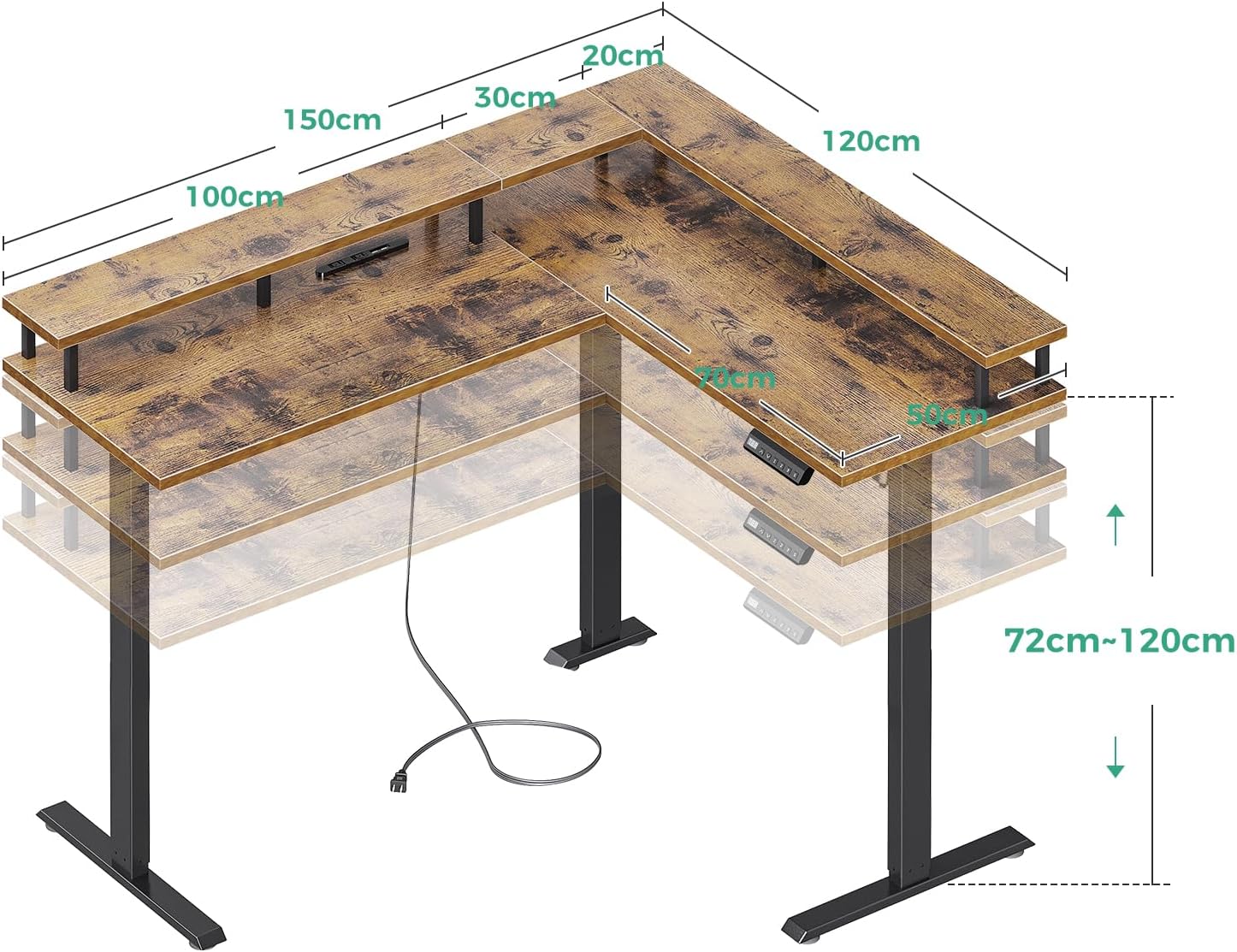
Figure 2: Desk Dimensions and Height Adjustment Range.

Figure 3: Control Panel with Memory Presets and Power Outlets.
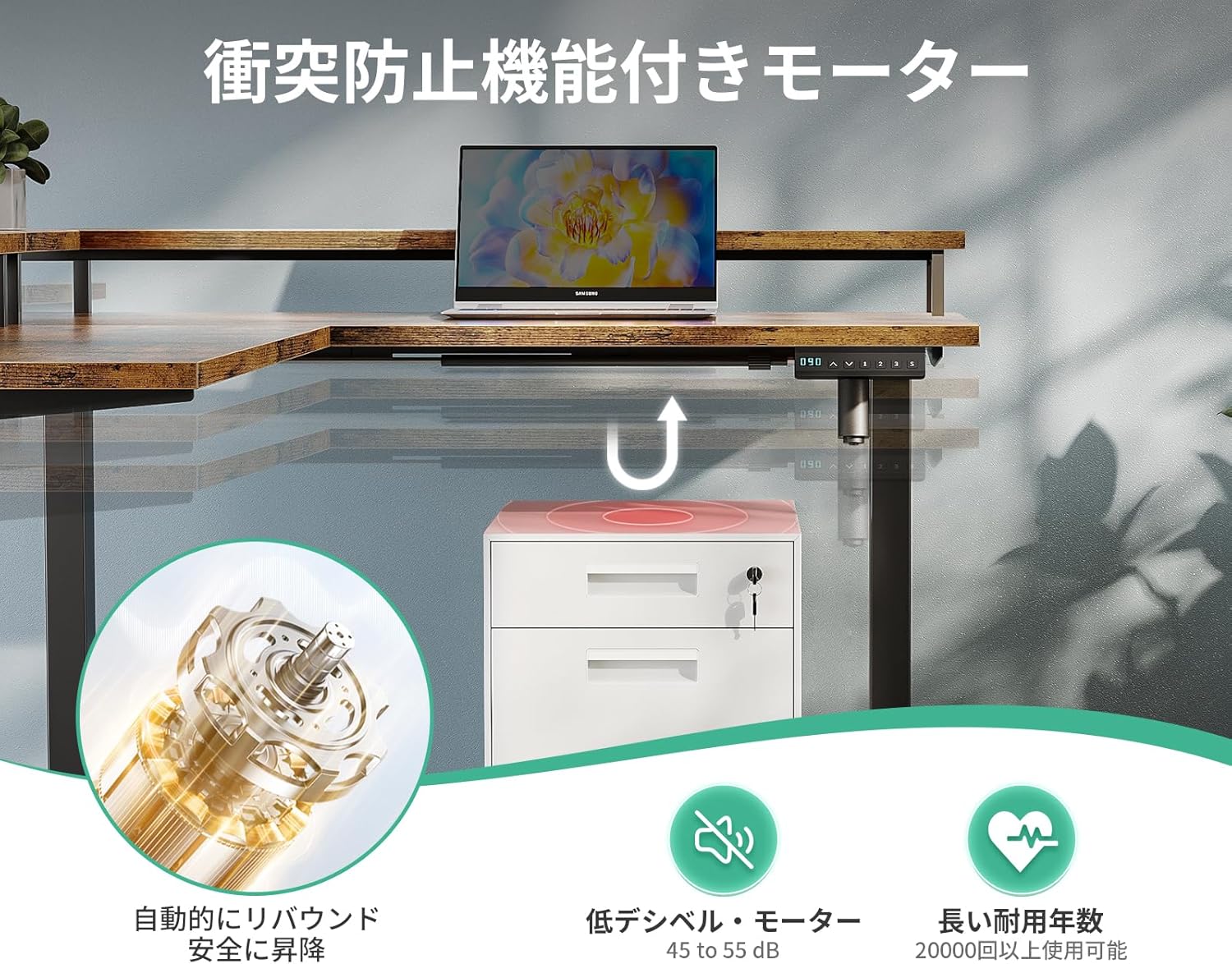
Figure 4: Anti-Collision Motor and Safety Features.
4. Assembly Instructions
Please follow the steps outlined in the video below for detailed assembly. Ensure you have all components before starting. A wrench is included for assembly, but a screwdriver or drill may be helpful (not included).
Video 1: Acrolix Reversible L-shaped Electric Standing Desk Assembly. This video demonstrates the step-by-step assembly process for an L-shaped electric standing desk, including attaching the frame, connecting components, and initial setup.
Key Assembly Steps:
- Unpack and Verify: Carefully unpack all components and verify against the parts list in your included manual.
- Assemble the Frame: Attach the crossbars to the lifting columns using the provided screws. Ensure all connections are secure.
- Attach Desktop Panels: Secure the desktop panels to the assembled frame. The L-shaped configuration can be reversed to suit your preference.
- Connect Electronics: Connect the motor cables and control panel to the main control box. Ensure all connections are firm.
- Install Accessories: Attach cable management hooks, power strip, and monitor stand as desired.
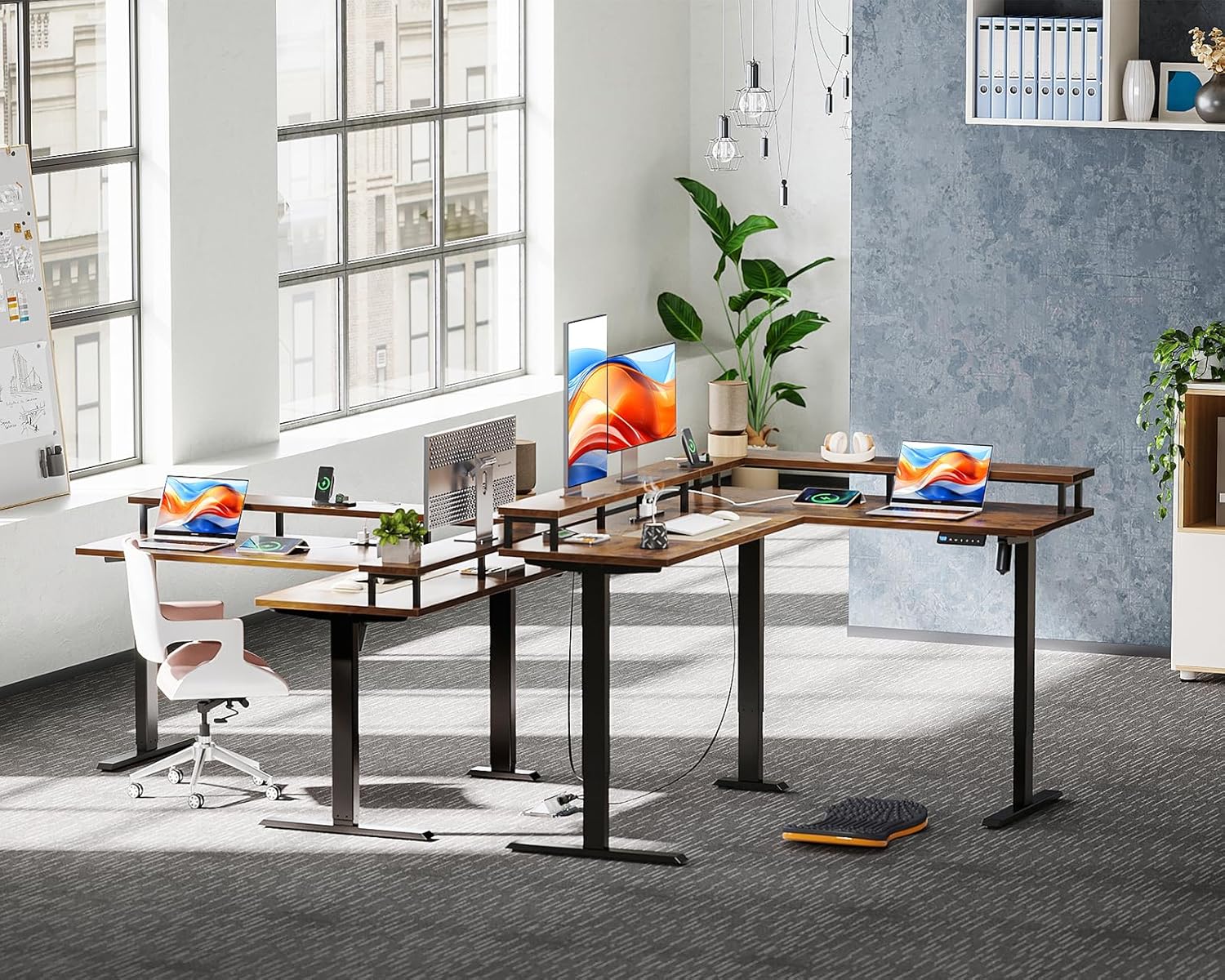
Figure 5: Desk Frame Components.
5. Operating Instructions
Height Adjustment:
- Use the Up (↑) and Down (↓) arrows on the control panel to adjust the desk height.
- The digital display will show the current height.
Memory Presets:
- To save a height: Adjust the desk to your desired height. Press the "M" button, then press one of the number buttons (1, 2, or 3) within 3 seconds. The height is now saved to that preset.
- To use a saved height: Press the corresponding number button (1, 2, or 3). The desk will automatically move to the saved height.
Anti-Collision Feature:
The desk is equipped with an anti-collision system. If the desk encounters an obstacle during height adjustment, it will automatically stop and slightly reverse direction to prevent damage or injury.
Using Integrated Outlets:
Plug your devices into the AC outlets or USB ports located on the desk for convenient power access.
6. Specifications
| Feature | Detail |
|---|---|
| Brand | ODK |
| Model | L-Shaped Electric Standing Desk |
| Product Dimensions | 150cm (Depth) x 120cm (Width) x 72-120cm (Height) |
| Height Adjustment Range | 72cm - 120cm (Stepless) |
| Desktop Load Capacity | Over 50kg |
| Material | High-strength Melamine Laminated Board, Steel Frame |
| Color | Vintage |
| Special Features | USB Outlets, AC Outlets, Memory Function, Anti-Collision, Monitor Stand |
| Desk Type | Computer Desk, Standing Desk |
| Package Weight | Approx. 39.2 kg |
7. Maintenance
- Cleaning: Wipe the desk surface with a soft, damp cloth. Avoid harsh chemicals that may damage the finish.
- Check Connections: Periodically check all screws and electrical connections to ensure they are secure.
- Cable Management: Keep cables tidy using the provided cable management solutions to prevent interference with desk movement.
8. Troubleshooting
Desk Not Moving / Error Codes:
- Check Power: Ensure the desk is properly plugged into a working power outlet.
- Reset Procedure: If the display shows an error or the desk is unresponsive, perform a reset: Press and hold the "Reset" button (often marked with a circle or 'R') for 3 seconds. The display will flash "---". Wait for the reset mode to be released. The desktop will automatically rebound 3-5mm, and after the reset program is complete, it will move to the lowest position. Once this process is finished, you can begin using the lifting function freely.
- Obstacle Check: Verify there are no obstacles beneath or around the desk preventing movement.
Wobbling:
- Ensure all assembly screws are tightened.
- Adjust the leg levelers at the bottom of the desk feet to stabilize it on uneven floors.
9. Warranty and Support
For any product defects or issues, please feel free to contact ODK customer support at any time. Refer to your purchase documentation for specific warranty terms and contact information.