
Introduction
This manual provides detailed instructions for the setup, operation, and maintenance of your JALL 16-inch Large Digital Wall Mount Clock. Please read this manual thoroughly before using the product to ensure proper functionality and longevity.
Key Features
- 16-Inch Large Vibrant Display: Measures 15.35 inches wide and 5.11 inches high, offering up to 8 vivid colors (4 solid and 4 RGB) for easy readability from a distance.
- Cozy Night Light: Equipped with a night light at the base for ambient illumination.
- Versatile Wall-Mount and Desktop Design: Can be mounted on a wall or placed on a desk/table.
- Automatic DST and Brightness Adjustment: Automatically updates for Daylight Saving Time and adjusts display brightness via a built-in light sensor.
- Countdown Timer: Features a countdown function suitable for various activities (0 to 99 minutes).
- Internal Memory Battery: Retains settings during power outages (requires plug-in power for operation).
Package Contents
- JALL 16" Large Digital Wall Mount Clock (Model: PH01-B)
- 5V/2A Power Adapter
- 11.5-foot Power Cord
- User Manual (this document)
Setup
1. Power Connection
Connect the provided 5V/2A power adapter to the clock's power input port and then plug it into a standard electrical outlet. The clock is not battery-operated for its main functions and requires continuous power.

Image: Rear view of the JALL digital clock, highlighting the power input (5V/2A) and the internal CR2032 backup battery compartment. The backup battery is for timekeeping memory during power outages, not for powering the display.
2. Backup Battery (Internal)
The clock contains an internal CR2032 battery. This battery is pre-installed and serves to retain time and settings in case of a power outage. It does not power the LED display.
3. Placement Options
The clock can be placed on a desk or table, or mounted on a wall using the integrated hanging holes. A paper hanging assistant is included to aid in wall mounting.
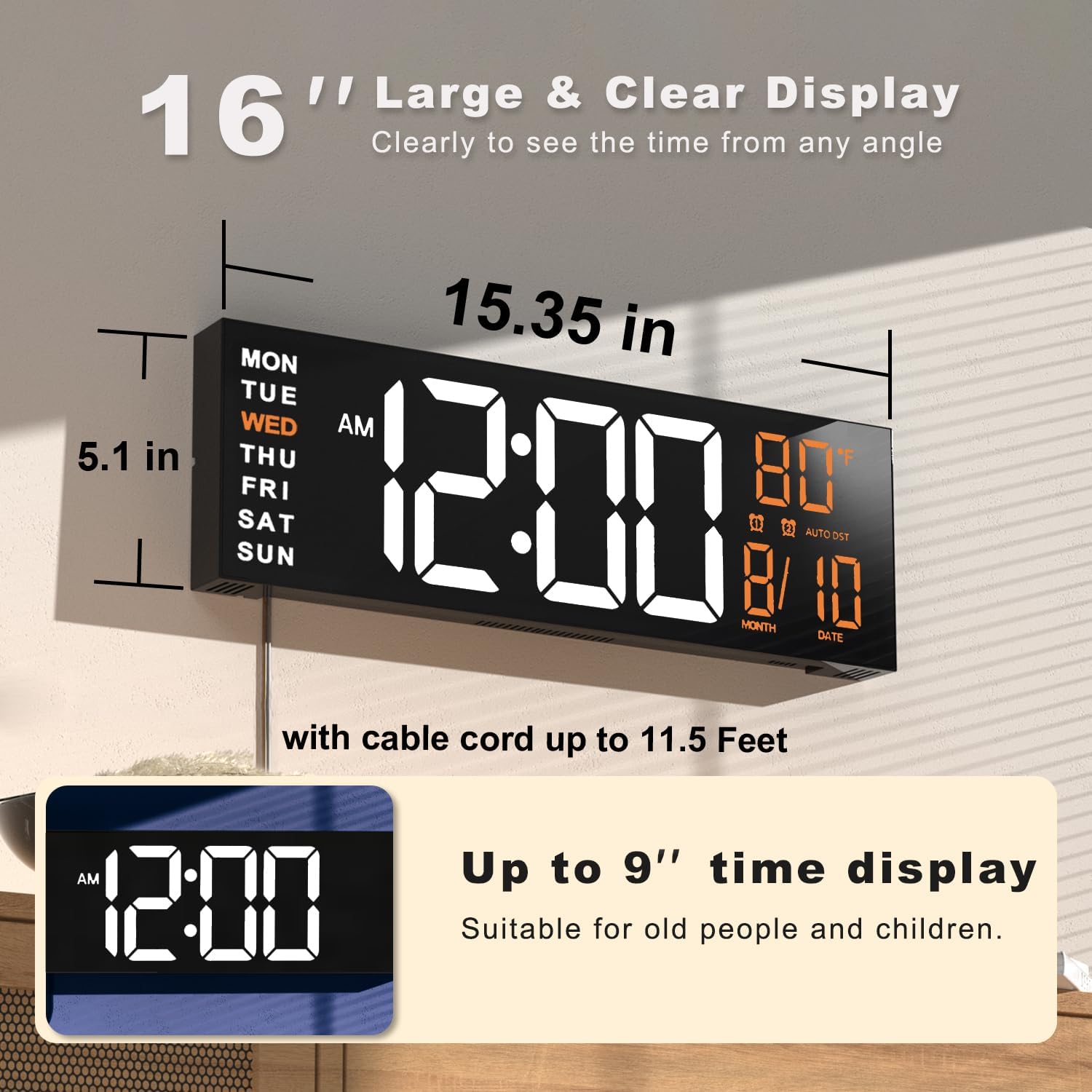
Image: The JALL digital clock displaying its large size (15.35 inches wide by 5.1 inches high) and illustrating its suitability for both wall mounting and desktop placement.
Operating Instructions
1. Initial Power On
Once connected to power, the clock will automatically turn on. The display will show the current time, day, month, date, and temperature.

Image: The JALL 16-inch digital clock showcasing its clear display with time, day, date, and temperature, illuminated by a warm orange backlight.
2. Setting Time and Date
Refer to the specific buttons on the clock or the included remote control (if applicable) for time and date adjustment. Typically, a 'MODE' button is used to cycle through settings (Time, Date, Alarm), and 'UP'/'DOWN' buttons are used to adjust values. The clock supports 12H/24H format.
3. Color Modes Display
The clock offers 8 vibrant color modes, including 4 solid colors and 4 RGB changing colors. Use the designated button (e.g., 'COLOR' or 'RGB') to cycle through these options and select your preferred display color.

Image: A collage showing the JALL digital clock display in eight different color variations, illustrating the multiple solid and RGB color modes available.
4. Alarm Function
The clock includes an alarm function. To set the alarm, press the 'MODE' button until the alarm setting appears. Use the 'UP'/'DOWN' buttons to set the desired alarm time. Follow the instructions to enable or disable the alarm. The clock supports dual alarms.
5. Countdown Timer
Activate the countdown timer function to set a duration from 0 to 99 minutes. This feature is useful for various activities such as yoga, gym workouts, office tasks, or classroom activities. Consult the manual or product interface for specific steps to initiate and manage the countdown.

Image: A visual representation of the clock's countdown timer feature, showing its application in activities like yoga, with an indication of its 0 to 99-minute range.
6. Automatic DST and Brightness Adjustment
The clock is designed to automatically update for Daylight Saving Time in March and November, eliminating the need for manual adjustments. Additionally, a built-in light sensor automatically adjusts the display brightness for optimal viewing in different lighting conditions. This auto-dimming feature helps protect your eyes.

Image: The clock's automatic DST feature is depicted, showing how it adjusts for Spring Forward (+1 hour) and Fall Back (-1 hour) without user intervention.

Image: This image demonstrates the auto-dimming capability of the clock, showing how its display brightness adapts to ambient light conditions for comfortable viewing day or night.
7. Warm Night Light
The integrated night light at the base of the clock provides a cozy ambiance and sufficient illumination for navigating in low-light conditions without needing brighter lights. The night light typically has adjustable brightness levels.

Image: The JALL clock on a desk, showcasing its warm night light feature which casts a soft glow, enhancing the room's ambiance.
8. Temperature Display
The clock displays the ambient temperature. You can typically switch between Fahrenheit (°F) and Celsius (°C) units using a dedicated button or through the settings menu.
Maintenance
To maintain your JALL Digital Wall Mount Clock, regularly wipe the display and casing with a soft, dry cloth. Avoid using abrasive cleaners, solvents, or strong chemicals, as these can damage the surface. Ensure the power cord is not kinked or damaged.
Troubleshooting
| Problem | Possible Cause | Solution |
|---|---|---|
| Clock does not power on. | No power supply or loose connection. | Ensure the power adapter is securely plugged into the clock and the wall outlet. Verify the outlet has power. |
| Display is too dim or too bright. | Auto-dimming feature adjusting to ambient light, or manual brightness setting. | The clock automatically adjusts brightness. If manual adjustment is desired, refer to the specific controls for brightness levels. Ensure the light sensor is not obstructed. |
| Time is incorrect. | Time not set correctly or power interruption. | Manually set the time using the control buttons. The internal backup battery should maintain time during brief power outages. |
| DST did not update automatically. | Feature may be disabled or a rare software issue. | Ensure the automatic DST feature is enabled in settings (if applicable). If the issue persists, manually adjust the time. |
Specifications
- Brand: JALL
- Model Number: PH01-B
- Display Type: Digital LED
- Dimensions: 15.35"W x 5.1"H
- Power Source: Corded Electric (5V/2A adapter included)
- Material: Acrylic, Plastic
- Color Options: 8 (4 solid, 4 RGB)
- Special Features: Adjustable Brightness, Automatic DST, Countdown Timer, Alarm Clock, Temperature Display, Night Light
- Mounting Type: Wall Mount, Desktop
- Item Weight: 1.68 pounds
Warranty and Support
JALL products are designed for quality and reliability. For any questions, technical support, or warranty inquiries regarding your JALL 16" Large Digital Wall Mount Clock, please contact JALL customer service through the retailer's platform or the official JALL website. Please retain your proof of purchase for warranty claims.
