
ieGeek S1
ieGeek Solar Camera S1 User Manual
Model: S1
Brand: ieGeek
Introduction
The ieGeek Solar Camera S1 is an advanced 2K wireless outdoor security camera designed for comprehensive home surveillance. Featuring an integrated solar panel, this camera offers continuous power without the need for external wiring, simplifying installation and ensuring uninterrupted operation. It provides high-resolution video, intelligent motion detection, and flexible storage options to keep your property secure.
Key Features:
- All-in-One Design: Eliminates the need for power cables and separate solar cables, allowing for flexible and effortless installation.
- Integrated Solar Panel: Continuously charges the built-in battery, providing endless power with just 2 hours of direct sunlight per day.
- 2K Full-Color Day & Night Vision: Captures clear, high-resolution video (2304 x 1296) with a 1/2.9" 3MP color CMOS sensor. Bright spotlights enable full-color vision even in total darkness up to 50 feet.
- Intelligent Motion Detection: Equipped with an advanced PIR motion sensor and AI human shape detection to accurately distinguish people from other objects, sending instant notifications. Supports optional AI analysis for pets, vehicles, and packages.
- Two-Way Audio: Allows for real-time communication with visitors or to deter intruders.
- Flexible Storage Options: Supports local storage via Micro SD card (up to 128GB, not included) and offers complimentary lifetime access to ieGeek cloud storage basic service (6-second records with 7-day looping coverage).
- Privacy First: Utilizes AES128 encryption to ensure your data remains secure and accessible only by you.
- Weatherproof Design: IP66 rated, designed to withstand various outdoor conditions from -20°C to 60°C (-4°F to 140°F).
What's in the Box
Before beginning installation, please verify that all components are present in the package:
- ieGeek Solar Security Camera S1
- Type-C Charging Cable
- Wall/Ceiling Mount
- Instruction Manual
- Mounting Screws
- Wall Plugs

Image: Contents of the ieGeek Solar Camera S1 package.
Setup
1. Initial Charging
It is recommended to fully charge the camera using the provided Type-C cable before the first installation. This ensures optimal battery performance from the start.
2. App Installation and Account Creation
Download the "ieGeek Cam" app from your smartphone's app store (available on Android and iOS). Follow the on-screen instructions to create an account and log in.

Image: The ieGeek Cam mobile application interface.
3. Camera Pairing and Wi-Fi Connection
Within the ieGeek Cam app, select the option to add a new device. Follow the guided steps to connect your camera to your 2.4GHz Wi-Fi network. The camera supports one-touch pairing for a faster connection process. Ensure your camera is within range of your Wi-Fi router.
4. Micro SD Card Installation (Optional)
If you plan to use local storage, insert a Micro SD card (up to 128GB, not included) into the designated slot on the camera. Ensure the camera is powered off before inserting or removing the card.
5. Mounting the Camera
Choose a suitable outdoor location for mounting. The camera can be mounted on a wall or ceiling using the provided mount, screws, and wall plugs. Use the included sticker guide for accurate drilling. Ensure the integrated solar panel receives direct sunlight for optimal charging.

Image: Installation of the ieGeek Solar Camera S1 on an exterior wall.


Image: Three steps for securing the camera: placement, app connection, and activation.
Operating the Camera
Live View
Open the ieGeek Cam app and select your camera from the device list to access the live video feed. This allows you to monitor your property in real-time from anywhere.
Motion Detection and Alerts
The camera is equipped with a PIR motion sensor and AI human shape detection. When motion is detected, you will receive instant notifications on your smartphone. You can configure the sensitivity of motion detection and set specific motion zones within the app to reduce false alarms.

Image: AI motion detection identifying people, pets, vehicles, and packages.

Image: Advanced AI detection capabilities of the camera.
Night Vision and Spotlight
The camera provides 2K full-color night vision. As ambient light decreases, the camera automatically activates its infrared LEDs. The built-in spotlights can be configured to illuminate upon motion detection, providing clear color video even in complete darkness and acting as a deterrent.

Image: Comparison of day and 2K QHD color night vision.

Image: Spotlight functionality for enhanced night visibility.
Two-Way Audio
Utilize the two-way audio feature to speak through the camera's built-in speaker and listen through its microphone. This is useful for communicating with delivery personnel or warning unwanted visitors.

Image: Two-way audio feature allowing communication via the camera.
Storage Options
The ieGeek Solar Camera S1 offers two storage methods:
- Micro SD Card: Supports up to 128GB for local storage of recorded footage.
- Cloud Storage: Provides complimentary lifetime access to the ieGeek cloud storage basic service, which records 6-second clips with a 7-day looping coverage.

Image: Multi-secure storage options including Micro SD card and cloud storage.
Smart Playback
Review recorded events easily through the app's smart playback feature. You can view online, take snapshots, record video, utilize loop recording, and share clips.

Image: Smart playback interface for reviewing recorded footage.
Customization
The ieGeek Cam app allows for flexible customization of settings such as motion zones, working times, and detection sensitivity to match your specific home environment and preferences.

Image: Flexible customization options for motion detection zones.
Maintenance
Solar Panel Efficiency
To ensure continuous power, periodically check that the integrated solar panel is clean and free from obstructions (e.g., leaves, dirt, snow) that might block direct sunlight. Position the camera in an area that receives maximum sunlight exposure throughout the day.
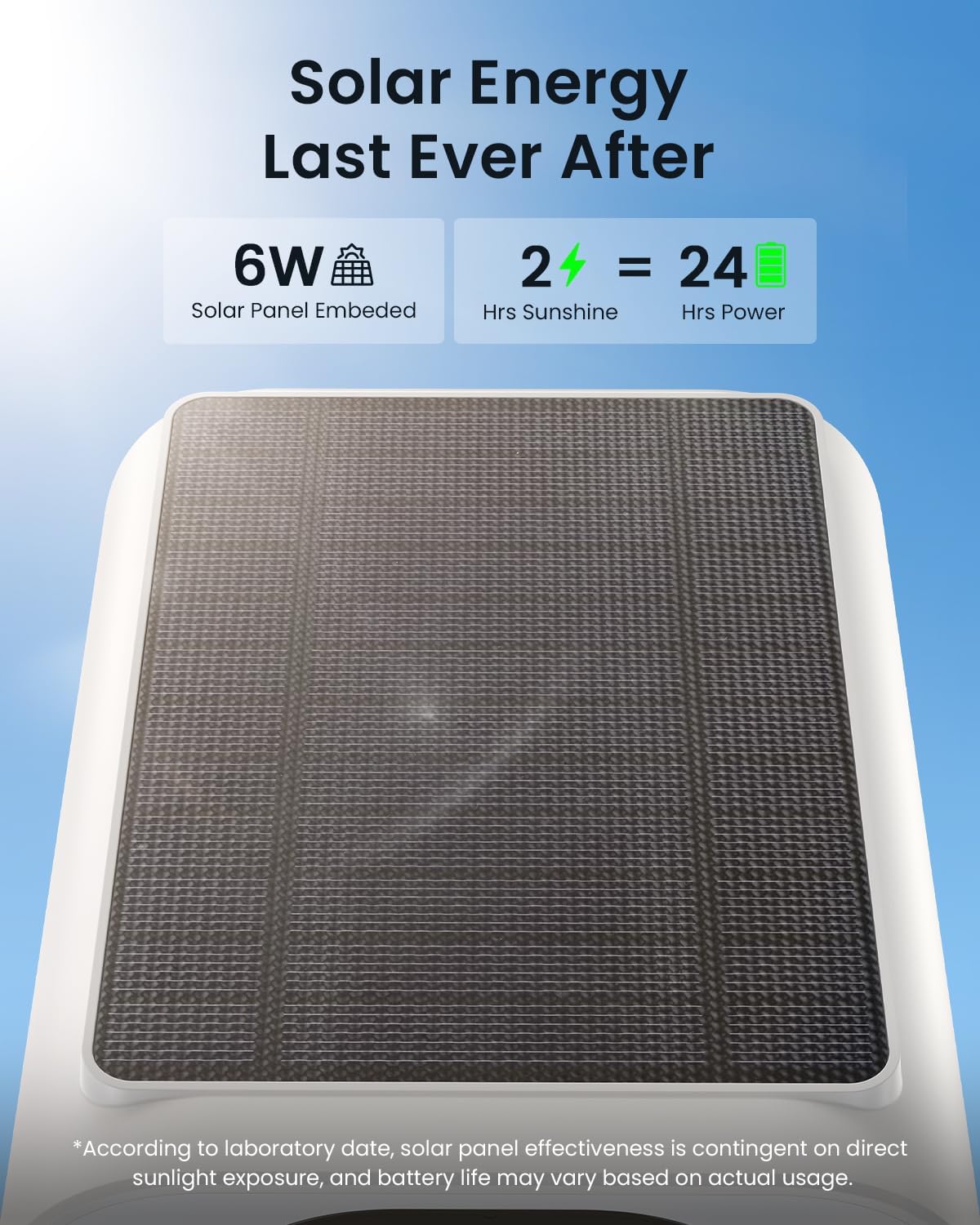
Image: Integrated solar panel for continuous power.
Weather Resistance
The camera is IP66 rated for outdoor use, meaning it is protected against dust and powerful water jets. While designed to withstand rain and snow, extreme weather conditions may temporarily affect performance. Ensure the camera is securely mounted to prevent damage from strong winds.

Image: The camera's durability in various weather conditions.

Image: The camera is ready for any weather, including rain and snow.
Cleaning
Gently wipe the camera lens and body with a soft, damp cloth to remove dust or smudges. Avoid using harsh chemicals or abrasive materials that could damage the camera's surface or lens.
Troubleshooting
Connectivity Issues
- Unstable Wi-Fi Signal: Ensure the camera is within optimal range of your 2.4GHz Wi-Fi router. Walls, large appliances, and other wireless interference can affect signal stability. Consider relocating the camera or router.
- Failed Pairing: Double-check your Wi-Fi password. Ensure your router is broadcasting a 2.4GHz network. Reset the camera and try the pairing process again.
Battery Drain
- Insufficient Sunlight: Ensure the solar panel receives at least 2 hours of direct, unobstructed sunlight daily. Shaded areas will reduce charging efficiency.
- Frequent Activations: High traffic areas leading to constant motion detection and recording will consume more battery. Adjust motion sensitivity or define specific motion zones to reduce unnecessary activations.
False Alarms
- Environmental Factors: Strong winds, moving branches, or reflections can trigger motion detection. Adjust the motion sensitivity settings in the app.
- Motion Zone Configuration: Utilize the motion zone feature to exclude areas with frequent irrelevant movement.
Image Quality Issues
- Blurry Image: Clean the camera lens with a soft cloth.
- Poor Night Vision: Ensure the spotlights and infrared LEDs are not obstructed. Check for reflective surfaces near the camera that might cause glare.
For any issues not covered here, please contact ieGeek customer support for assistance.
Specifications
| Feature | Detail |
|---|---|
| Model Name | ieGeek Solar Cam S1 |
| Indoor/Outdoor Usage | Outdoor |
| Power Source | Battery & Solar Powered |
| Connectivity Technology | Wi-Fi 6 Technology (2.4GHz Wi-Fi only) |
| Video Capture Resolution | 2K (2304 x 1296) |
| Effective Still Resolution | 3 MP |
| Viewing Angle | 130 Degrees |
| Night Vision Range | 50 Feet |
| Low Light Technology | Color Night Vision |
| Digital Zoom | 4X |
| International Protection Rating | IP66 |
| Storage Options | Micro SD (up to 128GB), Free Cloud Storage |
| Compatible Devices | Alexa, Tablet, Smartphone, Smartwatch |
| Controller Type | CloudEdge, Amazon Alexa, ieGeek Cam |
| Item Dimensions (L x W x H) | 2.24 x 4.53 x 3.74 inches |
| Item Weight | 1.15 pounds |
| UPC | 734931732678 |
Warranty and Support
ieGeek is committed to providing high-quality products and excellent customer service.
Warranty Information
The ieGeek Solar Camera S1 comes with a 2-year warranty from the date of purchase, ensuring peace of mind regarding product quality and performance.
Returns Policy
ieGeek offers a 30-day free returns policy. If you are not satisfied with your purchase within 30 days, you may return it for a refund.
Customer Support
For any questions, technical assistance, or warranty claims, please do not hesitate to contact our professional after-sales team. We are ready to provide you with the best solution.
After-Sales Email: service@iegeek.com

Image: ieGeek After-Sales Warranty and Support Information.
Related documentsS1


Ask a question about this manual
Ask about setup, troubleshooting, compatibility, parts, safety, or missing instructions. Manuals+ will review the question and use this page’s manual context to help answer it.