1. Introduction
This manual provides essential instructions for the safe and efficient use of your eeTao PD18W+USBC AC/DC Adapter Charger. Please read this manual thoroughly before using the product and retain it for future reference. This adapter is designed to provide reliable power for compatible car jump starter battery packs.
2. Product Overview
The eeTao PD18W+USBC AC/DC Adapter Charger is a versatile power supply designed for charging various portable devices, specifically compatible with HPBS H2000, H2500, H5000, 2000A, 4000A, and 5000A Car Jump Starter Battery Packs. It features both USB-A and USB-C outputs, supporting 5V, 9V, and 12V charging.
2.1 Package Contents
- 1 x eeTao PD18W+USBC AC/DC Adapter Charger
- 1 x USB-A to USB-C Charging Cable
2.2 Product Components
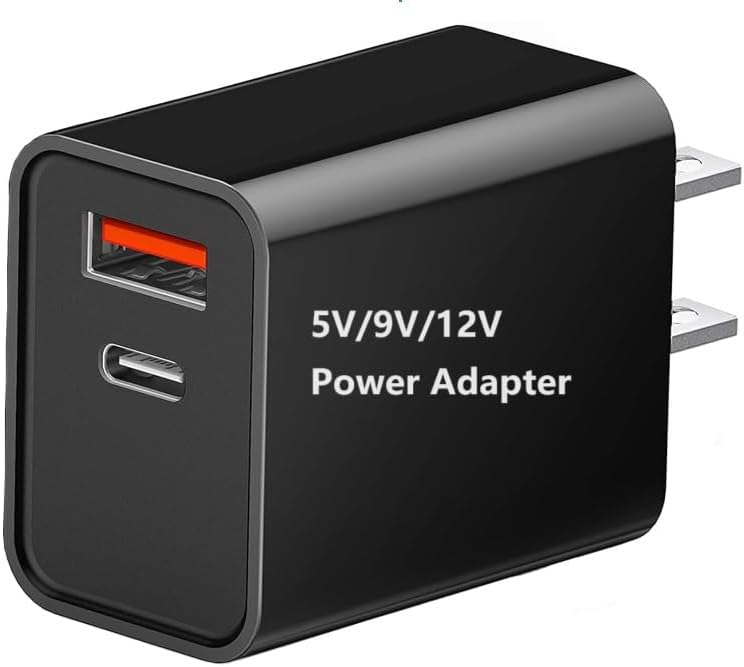
Image 2.2.1: Front view of the eeTao PD18W+USBC AC/DC Adapter Charger, showing the USB-A and USB-C output ports and voltage ratings (5V/9V/12V).
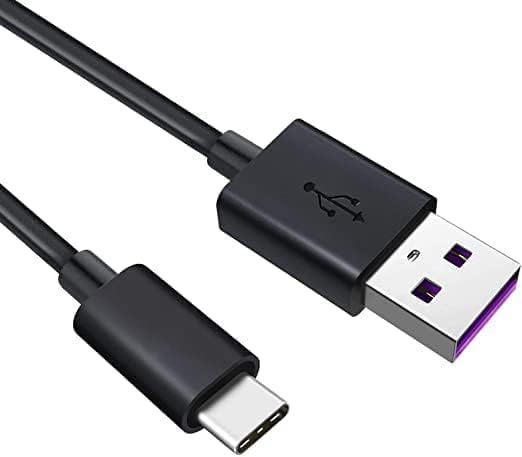
Image 2.2.2: Included USB-A to USB-C charging cable, featuring a standard USB-A connector on one end and a USB-C connector on the other.

Image 2.2.3: The eeTao power supply adapter shown alongside two compatible HPBS car jump starters (H2000 and H5000 models), illustrating its intended use. Note: Jump starters are not included with the adapter.
3. Setup
Follow these steps to set up your eeTao AC/DC Adapter Charger:
- Connect to Power Outlet: Plug the AC/DC adapter into a standard wall power outlet (100-240VAC, 50/60Hz). Ensure the outlet is easily accessible.
- Connect Charging Cable: Insert the USB-A end of the provided charging cable into the USB-A port on the adapter, or the USB-C end into the USB-C port on the adapter.
- Connect to Device: Insert the other end of the charging cable (USB-C) into the charging port of your compatible HPBS Car Jump Starter Battery Pack.
The adapter is designed for worldwide input voltage, but ensure the local voltage is within the specified range.
4. Operating Instructions
Once connected, the adapter will begin charging your compatible device. Observe the charging indicator on your jump starter (if available) to monitor the charging status.
4.1 Charging Process
- Ensure all connections are secure before initiating charging.
- The adapter automatically detects the required voltage (5V, 9V, or 12V) for compatible devices.
- Charging time will vary depending on the capacity and current charge level of your jump starter battery pack.
- Disconnect the adapter from the power outlet and the device once charging is complete or when the device is not in use.
4.2 Safety Precautions
Your eeTao adapter is equipped with multiple safety features:
- OVP (Over Voltage Output Protection): Protects against excessive output voltage.
- OCP (Over Current Output Protection): Safeguards against excessive output current.
- SCP (Short Circuit Output Protection): Prevents damage from short circuits.
Always use the adapter in a well-ventilated area and avoid covering it during operation. Do not expose the adapter to water, moisture, or extreme temperatures.
5. Maintenance
Proper maintenance ensures the longevity and optimal performance of your adapter.
- Cleaning: Disconnect the adapter from all power sources before cleaning. Use a soft, dry cloth to wipe the surface. Do not use liquid cleaners or solvents.
- Storage: Store the adapter in a cool, dry place away from direct sunlight and extreme temperatures when not in use.
- Cable Care: Avoid bending or crimping the charging cable excessively. Do not pull the cable to disconnect; always grasp the plug.
6. Troubleshooting
If you encounter issues with your adapter, refer to the following common troubleshooting steps:
- Device Not Charging:
- Ensure the adapter is securely plugged into a working wall outlet.
- Verify that the charging cable is firmly connected to both the adapter and the jump starter.
- Try using a different wall outlet.
- Inspect the charging cable for any visible damage. Replace if necessary.
- Important Note: Rechargeable batteries have a limited lifespan (typically 1 to 3 years). If the jump starter's internal battery is damaged or has reached the end of its life, it may not accept a charge. This is a characteristic of the battery itself and not an issue with the charger.
- Slow Charging:
- Ensure you are using the provided cable or a high-quality, compatible charging cable.
- Verify that the jump starter is not being used simultaneously for other functions that draw power.
- Adapter is Hot:
- It is normal for the adapter to become warm during operation. If it becomes excessively hot, disconnect it immediately and allow it to cool. Ensure it is in a well-ventilated area.
If problems persist after following these steps, please contact eeTao customer support.
7. Specifications
| Feature | Specification |
|---|---|
| Input Voltage | 100-240VAC, 50/60Hz |
| Output Voltage | 5V, 9V, 12V (DC) |
| Product Dimensions | Approximately 4 x 3 x 2 inches |
| Item Weight | Approximately 3 ounces |
| Color | Black |
| Protection Features | OVP, OCP, SCP |
8. Warranty and Support
eeTao stands behind the quality of its products.
- Refund Policy: 30 days refund period from the date of purchase.
- Exchange Policy: 24 months exchange period for defective units from the date of purchase.
For warranty claims, technical support, or any inquiries, please contact eeTao customer service through the retailer where the product was purchased or visit the official eeTao store page on Amazon: eeTao Store.


