
ieGeek S1
ieGeek S1 Solar Security Camera User Manual
Model: S1
1. Product Overview
The ieGeek S1 Solar Security Camera is an advanced outdoor surveillance solution designed for ease of use and reliable performance. Featuring an integrated solar panel, this 2K WiFi battery-powered camera offers continuous power, eliminating the need for frequent recharging. It includes AI motion detection, color night vision, two-way audio, and flexible storage options to keep your property secure.
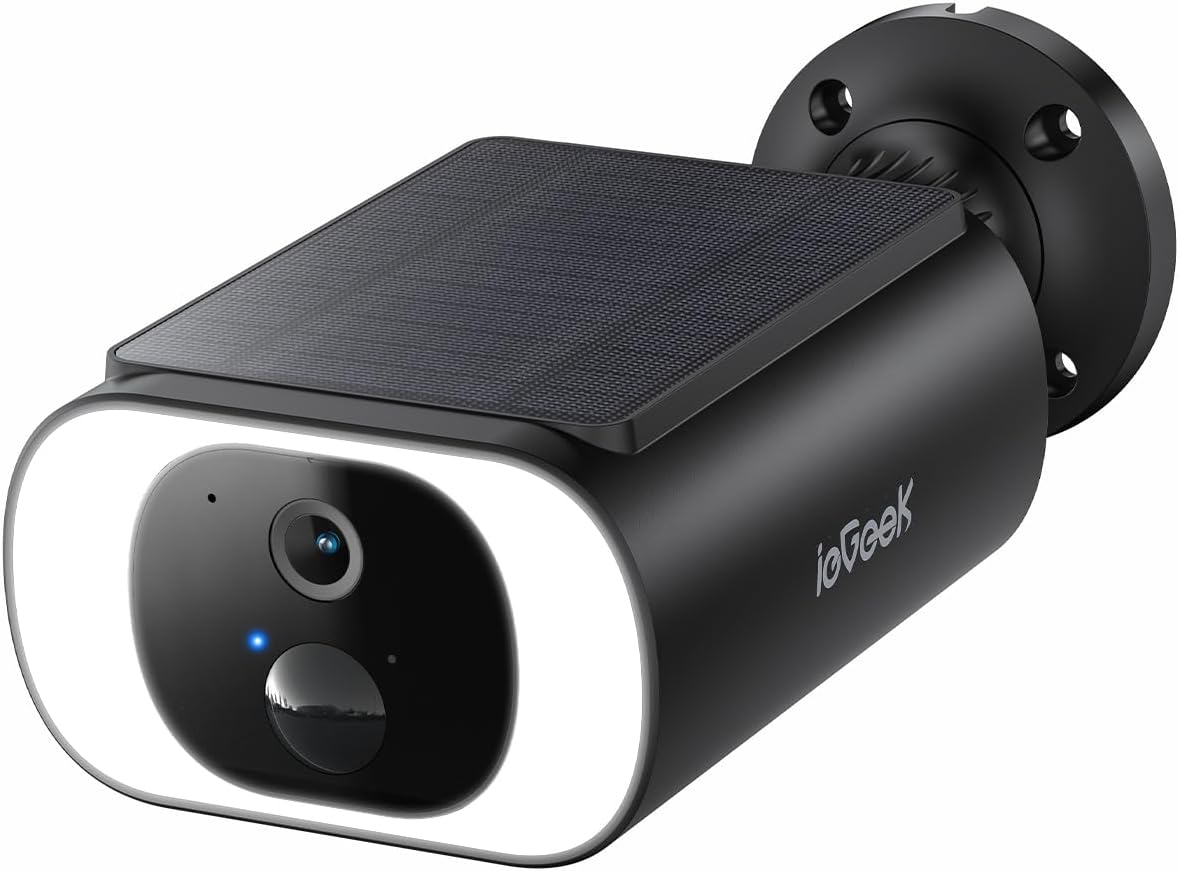
Image: The ieGeek S1 Solar Security Camera, a compact and integrated unit.
2. What's in the Box
Upon unboxing your ieGeek S1 Solar Security Camera, verify that all components are present:
- Solar security camera
- Type-C cable
- Mount
- Instruction manual
- Screws
- Plugs

Image: All components included in the ieGeek S1 Solar Security Camera package.
Unboxing Video Guide
Video: An official ieGeek video demonstrating the contents of the ieGeek S1 Solar Security Camera box.
3. Safety Information
To ensure safe operation and prolong the lifespan of your ieGeek S1 camera, please adhere to the following safety guidelines:
- Do not disassemble or modify the camera. Unauthorized modifications can void the warranty and pose safety risks.
- Ensure the camera is securely mounted to prevent accidental falls.
- Avoid placing the camera near heat sources or in direct contact with corrosive substances.
- Keep the solar panel clean and free from obstructions to ensure optimal charging efficiency.
- Operate the camera within the specified temperature range (-20°C to 60°C).
- Use only the provided Type-C cable for charging if direct charging is necessary.
4. Setup Guide
4.1 Initial Charging
Although the camera features an integrated solar panel, it is recommended to fully charge the camera using the provided Type-C cable before the first use. This ensures the battery has sufficient power for initial setup and operation.
4.2 App Installation
Download the 'ieGeek Cam' app from your smartphone's app store (available on Google Play and the App Store). Create an account or log in if you already have one.
4.3 Mounting the Camera
The ieGeek S1 features an all-in-one design with an embedded solar panel, simplifying installation. Choose a location that receives ample direct sunlight for optimal solar charging and provides the desired viewing angle for surveillance.
- Position the camera on a flat surface or wall.
- Use the provided mounting template to mark drill holes.
- Drill the holes and insert the wall plugs.
- Secure the mount to the wall using the screws.
- Attach the camera to the mount, ensuring it is firmly in place.

Image: A person demonstrating the easy, wire-free installation of the ieGeek S1 camera on a wall.
4.4 Connecting to Wi-Fi
The camera connects via 2.4GHz Wi-Fi. Ensure your smartphone is connected to a 2.4GHz network during the pairing process.
- Open the ieGeek Cam app and tap the '+' icon to add a new device.
- Follow the on-screen instructions to select your camera model.
- The app will generate a QR code. Position your camera to scan this QR code from your phone screen.
- Once the camera successfully scans the code, it will connect to your Wi-Fi network.

Image: Visual guide showing the three-step setup process: placement, app connection, and activation.
Connection Guide Video
Video: An official ieGeek video demonstrating two quick methods to connect the camera.
5. Operating the Camera
5.1 Live View and Playback
Access the ieGeek Cam app to view live footage from your camera at any time. You can also review recorded events from the playback section.

Image: The ieGeek Cam app interface, illustrating live view and cloud storage access.
5.2 Motion Detection and Alerts
The camera is equipped with an advanced PIR motion sensor and AI human shape detection to accurately distinguish people from other objects. When motion is detected, you will receive instant notifications on your smartphone.
- Instant Notifications: Receive alerts directly to your phone.
- Two-Way Audio: Communicate with visitors or deter intruders using the built-in microphone and speaker.
- Siren and Spotlight: Activate a siren and bright spotlights remotely to deter unwanted visitors.
- AI Analysis (Paid Feature): Further discern between people, pets, vehicles, and packages for more precise alerts.

Image: The camera's AI motion detection capabilities, highlighting its ability to identify people, pets, and vehicles.

Image: The camera's active deterrence features, including a bright spotlight and siren warning.
5.3 Night Vision
The ieGeek S1 provides 2K QHD color night vision, ensuring clear and detailed images even in total darkness. Bright spotlights illuminate the area, revealing details in color.

Image: A side-by-side comparison demonstrating the camera's clear daytime and vibrant 2K QHD color night vision.
5.4 Storage Options
The camera supports two storage methods:
- Micro SD Card: Supports up to 128GB (not included) for local storage.
- Cloud Storage: Complimentary lifetime access to ieGeek cloud storage basic service, recording 6-second clips with a 7-day looping coverage. No hidden fees.
6. Maintenance
Regular maintenance ensures optimal performance and longevity of your ieGeek S1 camera:
- Cleaning: Periodically wipe the camera lens and solar panel with a soft, damp cloth to remove dust, dirt, or debris. A clean solar panel ensures efficient power generation.
- Solar Panel Exposure: Ensure the solar panel remains unobstructed and receives direct sunlight for at least 2 hours daily to maintain battery charge.
- Weather Resistance: The camera is IP66 waterproof, designed to withstand various weather conditions including rain, snow, and wind. However, extreme conditions may temporarily affect performance.

Image: The ieGeek S1 camera demonstrating its readiness for various weather conditions, including rain, snow, and hurricane-force winds.
7. Troubleshooting
If you encounter issues with your ieGeek S1 camera, refer to the following common problems and solutions:
| Problem | Possible Solution |
|---|---|
| Camera not connecting to Wi-Fi | Ensure your Wi-Fi is 2.4GHz. Check signal strength at the camera's location. Avoid installing near large appliances or thick walls that may interfere with the signal. Try moving the camera closer to the router or using a Wi-Fi extender. |
| Battery not charging via solar panel | Ensure the solar panel is clean and receives direct sunlight for several hours daily. Check for any obstructions blocking sunlight. |
| Frequent false motion alerts | Adjust motion detection sensitivity in the app. Define specific motion zones to exclude high-traffic areas or swaying branches. |
| Poor image quality at night | Ensure the camera lens is clean. Check if the spotlights are enabled in the app. Ensure there are no reflective surfaces close to the camera that could cause glare. |
| Two-way audio not working | Check microphone and speaker settings in the app. Ensure volume is not muted on your device or in the app. Verify stable network connection. |
If issues persist, please contact ieGeek customer support for further assistance.
8. Specifications
| Feature | Detail |
|---|---|
| Model Name | ieGeek Solar Cam S1 |
| Indoor/Outdoor Usage | Outdoor |
| Power Source | Battery & Solar Powered |
| Video Capture Resolution | 2K (3MP, 2304 x 1296) |
| Connectivity Technology | Wi-Fi 6 Technology (2.4GHz Wi-Fi only) |
| Viewing Angle | 130 Degrees |
| Night Vision Range | 50 Feet (Color Night Vision) |
| Water Resistance Level | IP66 Waterproof |
| Storage Options | Micro SD (up to 128GB), Cloud Storage |
| Alert Type | Audio and Motion |
| Compatible Devices | Alexa, Tablet, Smartphone, Smartwatch |
| Dimensions (L x W x H) | 4.53 x 3.74 x 2.24 inches |
| Item Weight | 1.15 pounds |
| UPC | 734931732586 |
9. Warranty and Support
ieGeek offers a 2-year warranty on the ieGeek S1 Solar Security Camera, ensuring peace of mind with your purchase. We are committed to providing excellent customer service.
- 24/7 Professional After-sales Team: Assistance is available around the clock.
- 30-Day Free Returns Policy: For your convenience.
- Quality Guarantee: Backed by our 2-year warranty.
For any inquiries or support, please contact us at: service@iegeek.com

Image: Details on ieGeek's after-sales support, including 24/7 team, 30-day returns, and a 2-year quality guarantee.
Related documentsS1


Ask a question about this manual
Ask about setup, troubleshooting, compatibility, parts, safety, or missing instructions. Manuals+ will review the question and use this page’s manual context to help answer it.