
1. Introduction
This manual provides essential information for setting up, operating, maintaining, and troubleshooting your Maxtang MTN-6900HX Mini PC. Please read this manual thoroughly before using the product to ensure proper and safe operation.
The Maxtang MTN-6900HX is a high-performance mini PC equipped with an AMD Ryzen 9 6900HX processor, designed for a wide range of applications including office work, multimedia, and light gaming. Its compact design and robust features make it a versatile computing solution.
2. Package Contents
Carefully unpack the box and ensure all items listed below are present and in good condition. If any items are missing or damaged, please contact your retailer.
- 1x Maxtang MTN-6900HX Mini PC
- 1x HDMI Cable
- 1x Power Adapter
- 1x Power Cord
- 1x VESA Mount
- 4x Mounting Screws
- 1x Product Manual (this document)

Figure 2.1: Maxtang MTN-6900HX Mini PC and Included Accessories
3. Product Overview
The Maxtang MTN-6900HX Mini PC features a comprehensive set of ports and internal components designed for high performance and connectivity.
3.1 Front and Rear Panels
Familiarize yourself with the input/output ports on your Mini PC:
- Front Panel: Power Button, USB 3.2 Gen2 ports, USB 2.0 port, Audio Jack.
- Rear Panel: 2x USB-C (USB4) ports, 2x USB 3.2 Gen2 ports, 1x 2.5GbE LAN port, 1x HDMI port, 1x DisplayPort (DP), DC-in power port.

Figure 3.1: Front and Rear Panel Ports
3.2 Internal Components
The Mini PC supports upgrades for memory and storage:
- Memory: Dual channel SO-DIMM DDR5 memory slots, supporting up to 64GB.
- Storage: Two PCIe Gen4 2280 M.2 slots for NVMe SSDs, supporting up to 4TB each, for a total of up to 8TB.
- Wireless: One M.2 slot for Wi-Fi and Bluetooth modules.

Figure 3.2: Internal Memory and Storage Expansion
4. Setup
Follow these steps to set up your Maxtang MTN-6900HX Mini PC.
4.1 Initial Connection
- Connect Display: Connect your monitor to the Mini PC using an HDMI, DisplayPort, or USB4 cable. The Mini PC supports up to three displays simultaneously.
- Connect Peripherals: Plug in your keyboard, mouse, and other USB devices into the available USB ports.
- Connect Network (Optional): For a wired connection, connect an Ethernet cable from your router or modem to the 2.5GbE LAN port on the Mini PC. For wireless, ensure the Wi-Fi antenna (if external) is connected or the internal module is installed.
- Connect Power: Connect the power adapter to the DC-in port on the Mini PC, then plug the power cord into an electrical outlet.
4.2 VESA Mount Installation
The included VESA mount allows you to attach the Mini PC to the back of a compatible monitor or to a wall, saving desk space.
- Attach the VESA bracket to the back of your monitor or desired surface using the provided mounting screws. Ensure it is securely fastened.
- Slide the Mini PC onto the VESA bracket until it clicks into place.
5. Operating Instructions
5.1 Powering On/Off
- Power On: Press the power button located on the front panel. The power indicator light will illuminate.
- Power Off: From the Windows 11 Pro operating system, click the Start button, then Power > Shut down. Alternatively, you can press and hold the power button for 4-6 seconds to force a shutdown (use only when necessary).
5.2 Operating System
Your Maxtang MTN-6900HX Mini PC comes pre-installed with Windows 11 Pro (64-bit). Follow the on-screen instructions for initial setup, including language, region, and user account creation.
5.3 Multi-Display Setup
The Mini PC supports up to three independent displays via HDMI, DisplayPort, and USB4. Connect your monitors to the respective ports. Windows 11 Pro will automatically detect the displays. You can configure display settings (resolution, orientation, extension/duplication) through the Display Settings in Windows.
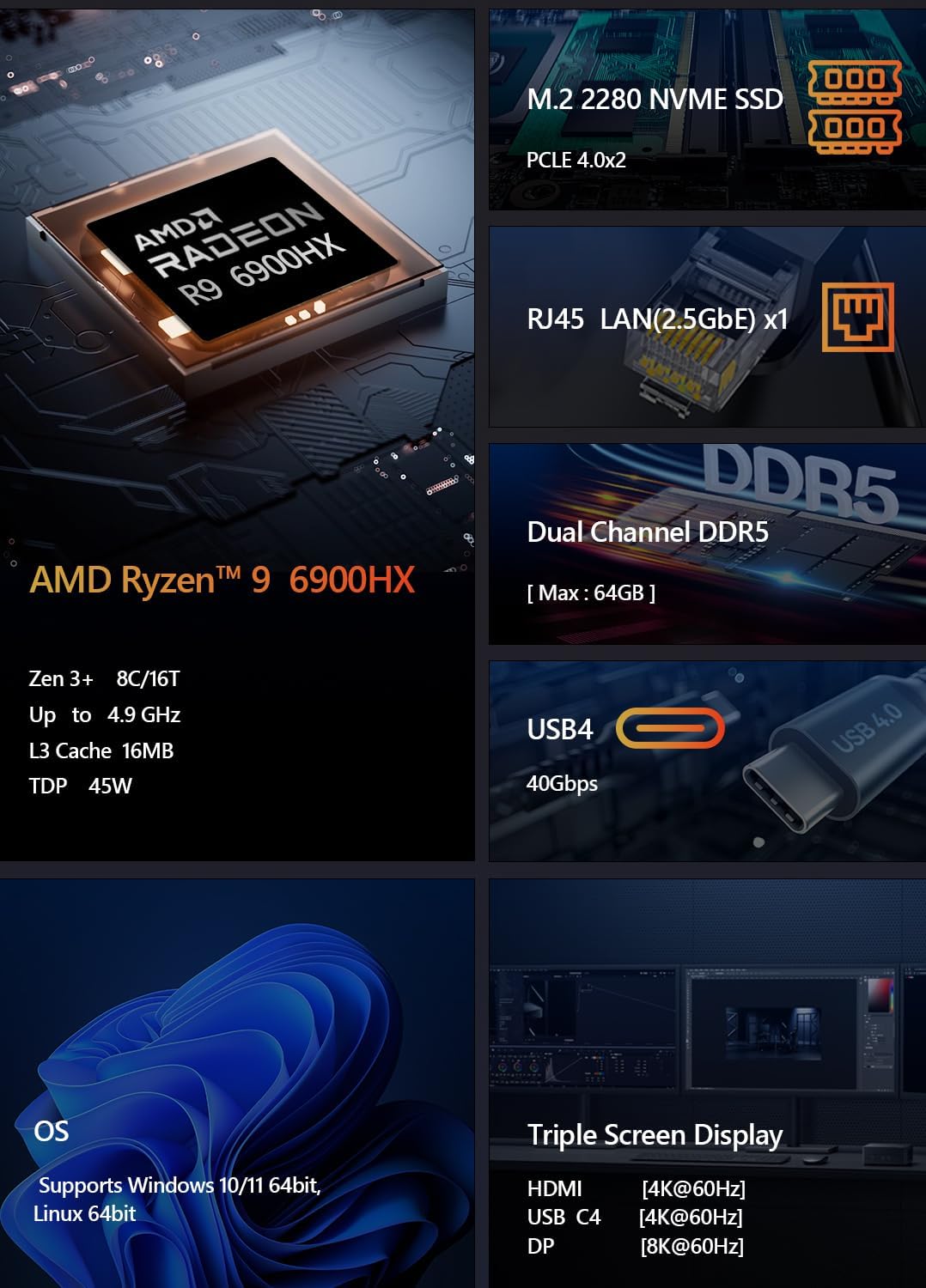
Figure 5.1: Triple Screen Display Setup
5.4 USB4 Functionality
The USB4 ports offer versatile connectivity, supporting:
- Power Delivery (PD 3.0): Up to 100W power input.
- Data Transfer: Up to 40Gbps, compatible with Thunderbolt 3.
- Video Output: Up to 8K resolution via DisplayPort 1.4 Alt Mode.

Figure 5.2: USB4 All-in-One Connection
5.5 Network Connectivity
- Wired LAN: Connect an Ethernet cable to the 2.5GbE LAN port for high-speed wired internet access.
- Wi-Fi: The Mini PC supports Wi-Fi 6 for fast and stable wireless connectivity. Configure Wi-Fi settings through Windows Network & Internet settings.
- Bluetooth: Integrated Bluetooth 5.2 allows you to connect wireless peripherals such as keyboards, mice, and headphones.

Figure 5.3: LAN, Wi-Fi, and Bluetooth Connectivity
6. Maintenance
Proper maintenance ensures the longevity and optimal performance of your Mini PC.
6.1 Cleaning
- Regularly clean the exterior of the Mini PC with a soft, dry cloth.
- Use compressed air to clear dust from ventilation openings and ports to prevent overheating. Ensure the PC is powered off and unplugged before cleaning.
6.2 Component Upgrades
The Maxtang MTN-6900HX is designed for easy upgrades:
- Memory: You can upgrade the DDR5 SO-DIMM memory up to a maximum of 64GB by replacing or adding modules in the two available slots.
- Storage: The two M.2 2280 NVMe SSD slots allow for storage expansion up to 8TB (2x 4TB).
Note: Always power off and unplug the Mini PC before opening the chassis for upgrades. Refer to online resources or professional assistance if you are unsure about the upgrade process.
7. Troubleshooting
If you encounter issues with your Mini PC, refer to the following common troubleshooting steps.
7.1 No Power
- Ensure the power adapter is securely connected to both the Mini PC and a working electrical outlet.
- Verify the power outlet is functional by plugging in another device.
- Check the power adapter for any visible damage.
7.2 No Display Output
- Confirm that the display cable (HDMI, DP, or USB4) is securely connected to both the Mini PC and the monitor.
- Ensure the monitor is powered on and set to the correct input source.
- Try a different display cable or monitor if available.
7.3 Network Connectivity Issues
- Wired: Check if the Ethernet cable is properly connected and if the router/modem is working.
- Wireless: Ensure Wi-Fi is enabled in Windows settings and you are connected to the correct network with the correct password. Restart your router/modem.
7.4 System Performance Issues
- Close unnecessary applications running in the background.
- Ensure Windows and drivers are up to date.
- Check for sufficient free storage space on your SSD.
- Monitor system temperatures to ensure proper cooling.
8. Specifications
Detailed technical specifications for the Maxtang MTN-6900HX Mini PC:
| Component | Specification |
|---|---|
| Model Number | MTN-6900HX |
| Processor | AMD Ryzen 9 6900HX (8 Cores/16 Threads, up to 4.9GHz) |
| Graphics | AMD Radeon 680M (Integrated) |
| Operating System | Windows 11 Pro (64-bit) |
| Memory | Dual Channel DDR5 SO-DIMM, up to 64GB (2x slots) |
| Storage | 2x M.2 2280 NVMe PCIe Gen4 SSD slots (up to 4TB each) |
| I/O Ports | 2x USB-C (USB4), 4x USB 3.2 Gen2, 1x USB 2.0, 1x HDMI, 1x DisplayPort, 1x 2.5GbE LAN, Audio Jack |
| Wireless Connectivity | Wi-Fi 6, Bluetooth 5.2 |
| Power Input | 19V/20V DC-in |
| Cooling Method | Air Cooling |
| Dimensions | 127 mm x 135 mm x 55 mm (approximate) |

Figure 8.1: AMD Ryzen 9 6900HX Processor Details

Figure 8.2: AMD Radeon 680M Graphics Details
9. Warranty and Support
9.1 Product Warranty
The Maxtang MTN-6900HX Mini PC comes with a 12-month product warranty from the date of purchase. This warranty covers manufacturing defects and ensures the product meets its specified performance. Please retain your proof of purchase for warranty claims.
9.2 Customer Service
For technical support, warranty inquiries, or any questions regarding your Maxtang Mini PC, please contact our customer service team. Refer to the contact information provided with your purchase or visit the official Maxtang website for support resources.
Manufacturer Contact Information: 6/F, Bldg 3, Honghui Industrial Park, Liuxian 2nd Road, Bao'an Dist, Shenzhen, China 518101


