
QCY Crossky C30
Contents
QCY Crossky C30 Open Ear Headphones User Manual
Model: Crossky C30
Introduction
Thank you for choosing the QCY Crossky C30 Open Ear Headphones. These wireless Bluetooth earbuds are designed to provide a comfortable and stable listening experience while keeping you aware of your surroundings. Featuring a C-shape open-ear design, 10.8mm dual-magnet drivers, and Bluetooth 5.4 with dual connection capabilities, the Crossky C30 offers superior sound quality and clear calls. This manual provides detailed instructions on how to set up, operate, maintain, and troubleshoot your new headphones to ensure optimal performance.
What's in the Box
- QCY Crossky C30 Open Ear Headphones (1 pair)
- Charging Case (1)
- Type-C Charging Cable (1)
- User Manual (1)

Image: The QCY Crossky C30 packaging, showing the headphones, charging case, Type-C cable, and user manual laid out.
Product Overview
The QCY Crossky C30 headphones feature a sleek, ergonomic design for comfortable and secure wear. Each earbud is lightweight and designed to clip onto the ear, providing stability without sealing the ear canal. The charging case is compact and houses the earbuds for charging and storage.

Image: The QCY Crossky C30 earbuds in their open charging case, with a close-up of a single earbud highlighting its C-shape design.
Setup
1. Charging the Headphones
Before first use, fully charge the headphones and the charging case. Place the earbuds into the charging case. Connect the Type-C charging cable to the charging port on the case and plug the other end into a USB power source. The indicator light on the case will show charging status. A full charge provides up to 5.5 hours of listening time on a single charge, and up to 25 hours with the charging case.

Image: The QCY Crossky C30 earbuds and their charging case, with text indicating 5.5 hours of battery life per earbud and 25 hours total with the case.
2. Bluetooth Pairing and Dual Connection
- Initial Pairing: Open the charging case, and the earbuds will automatically enter pairing mode. On your device (smartphone, tablet, laptop), enable Bluetooth and search for "QCY Crossky C30" in the list of available devices. Select it to connect.
- Dual Connection: The Crossky C30 supports connecting to two devices simultaneously. After connecting to the first device, disable Bluetooth on the first device. The earbuds will re-enter pairing mode. Connect to the second device. Once connected, re-enable Bluetooth on the first device. The earbuds will automatically connect to both devices, allowing seamless switching between them.

Image: The QCY Crossky C30 earbuds and their charging case positioned between a smartphone and a tablet, illustrating the dual connection feature.
3. QCY App Customization
For enhanced functionality and personalization, download the official QCY app from the App Store (iOS) or Google Play Store (Android). The app allows you to:
- Personalize EQ modes to tailor your audio experience.
- Customize touch button functions.
- Access real-time battery power information.
- Receive firmware updates for improved performance.

Image: Multiple smartphone screens displaying the QCY application, highlighting features like EQ customization, touch control settings, and battery level display.
Operating Instructions
1. Wearing and Secure Fit
The QCY Crossky C30 earbuds feature an innovative C-shape open-ear design that clips securely onto your ear. This design ensures stability during movement and allows you to remain aware of your surroundings. Gently place the earbud onto your ear, ensuring the acoustic ball is positioned correctly for optimal sound and comfort.

Image: A person wearing the QCY Crossky C30 earbuds, showcasing their ultimate fit and comfort with an innovative C-shape bridge.
2. Touch Controls
The QCY Crossky C30 earbuds are equipped with intuitive touch controls on each earbud. The following table outlines the default touch functions:
| Action | Function |
|---|---|
| L/R x2 (Double Tap) | Play/Pause |
| R x3 (Triple Tap) | Next Track |
| L x3 (Triple Tap) | Activate Voice Assistant |
| L/R 1.5s (Press and Hold) | Reject Call |
| L/R x2 (Double Tap) | Answer / End Call |
You can customize these controls further using the QCY app.

Image: A visual guide to the touch controls on the QCY Crossky C30 earbuds, showing actions for play/pause, next track, voice assistant, and call management.
3. Superior Sound Quality and Minimized Sound Leakage
The Crossky C30 earbuds are equipped with 10.8mm dual-magnet high-sensitivity driver units, delivering clear and rich audio. Advanced directional audio technology and auto sound beam adjustment ensure that sound is transmitted precisely into your ear canal, minimizing sound leakage for a private listening experience.

Image: An exploded diagram showing the internal components of the QCY Crossky C30 earbud, highlighting the 10.8mm dual-magnet driver.

Image: A diagram demonstrating the minimized sound leakage feature of the QCY Crossky C30, showing sound being directed into the ear canal.
The dynamic EQ algorithm further enhances bass performance and reduces high-frequency distortion, providing balanced sound even at higher volumes.

Image: A user listening to music with the earbuds, accompanied by a graph illustrating the frequency response curve and the effect of the bass enhance algorithm.
4. Crystal Clear Calls
Equipped with 4 built-in microphones and an intelligent algorithm, the Crossky C30 earbuds effectively pick up and amplify your voice, even in noisy environments, ensuring crystal clear calls.

Image: A person using the QCY Crossky C30 earbuds for a phone call, with an overlay showing the AI Noise Reduction Algorithm and 4 microphones at work.
5. Situation Awareness
The open-ear design of the Crossky C30 allows you to stay connected to your surroundings while enjoying your audio. This feature is particularly beneficial for outdoor activities, commuting, or when you need to be aware of ambient sounds for safety or convenience.
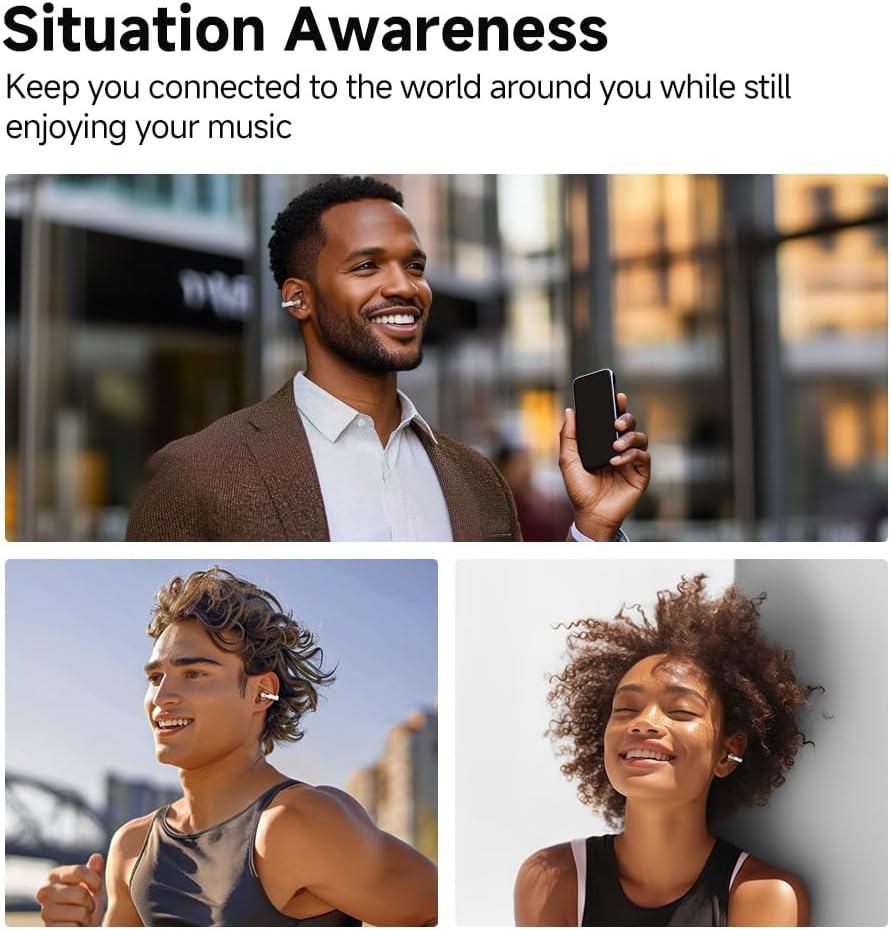
Image: A collage of three individuals in different outdoor scenarios (walking, running, relaxing), all wearing the QCY Crossky C30 earbuds, emphasizing their ability to maintain situation awareness.
Maintenance
1. Water Resistance (IPX4)
The QCY Crossky C30 earbuds are IPX4 water-resistant, meaning they are protected against splashing water from any direction. This makes them suitable for workouts, running, and other outdoor activities where they might be exposed to sweat or light rain. Do not submerge the earbuds in water or expose them to heavy rain.

Image: A person engaged in outdoor exercise, with text indicating the IPX4 water resistance feature of the earbuds, preventing sweat penetration.
2. Cleaning and Storage
- Cleaning: Regularly wipe the earbuds and charging case with a soft, dry, lint-free cloth. Avoid using abrasive materials, alcohol, or chemical cleaners.
- Storage: When not in use, store the earbuds in their charging case to protect them from dust and damage. Store in a cool, dry place away from extreme temperatures.
Troubleshooting
| Problem | Possible Solution |
|---|---|
| Earbuds do not power on. | Ensure the charging case and earbuds are fully charged. Place earbuds in the case and close the lid, then open again. |
| Earbuds do not pair with device. | Make sure Bluetooth is enabled on your device. Ensure earbuds are in pairing mode (indicator light flashing). Forget the device in your phone's Bluetooth settings and try pairing again. |
| Only one earbud is working. | Place both earbuds back into the charging case, close the lid, wait a few seconds, then open the lid. This often re-syncs them. If the issue persists, try resetting the earbuds (refer to the QCY app or full user manual for specific reset instructions). |
| Low volume or poor sound quality. | Adjust the volume on both your device and the earbuds. Ensure earbuds are clean and free of debris. Check EQ settings in the QCY app. |
| Connection drops frequently. | Ensure your device is within the 15-meter Bluetooth range. Avoid obstacles between the earbuds and your device. Reduce interference from other wireless devices. |
Specifications
| Feature | Detail |
|---|---|
| Model Name | Crossky C30 |
| Brand | QCY |
| Connectivity Technology | Wireless (Bluetooth 5.4) |
| Bluetooth Range | 15 Meters |
| Audio Driver Size | 10.8 Millimeters |
| Audio Driver Type | Dynamic Driver |
| Audio Latency | 80 Milliseconds |
| Noise Control | Sound Isolation (via design, not active noise cancellation) |
| Microphones | 4 (with intelligent algorithm for clear calls) |
| Earbud Weight | Approx. 1.52 ounces (per pair) |
| Earpiece Shape | Clip On (Open Ear) |
| Control Type | Touch Control, App Control |
| Water Resistance Level | IPX4 (Water Resistant) |
| Battery Life (Earbuds) | Up to 5.5 hours (single charge) |
| Battery Life (with Case) | Up to 25 hours |
| Charging Case Battery Capacity | 400 Milliamp Hours |
| Charging Case Dimensions | 2.6 x 1.01 x 1.93 inches (66 x 25.6 x 49 mm) |
| Charging Case Weight | 42.5 Grams |
| Material | Silicone, Plastic |
| Compatible Devices | Cellphones, Tablets, Laptops, Desktops, Car Audio Systems |
Warranty and Support
For detailed warranty information and customer support, please refer to the official QCY website or contact your retailer. You can also find additional resources and the full user manual in PDF format:
Download Full User Manual (PDF)
For further assistance, please visit the QCY Official Store on Amazon.
Ask a question about this manual
Ask about setup, troubleshooting, compatibility, parts, safety, or missing instructions. Manuals+ will review the question and use this page’s manual context to help answer it.