
1. Product Overview
The Pxwaxpy 40,800mAh Portable Power Bank (Model HX160Q1) is a high-capacity, fast-charging solution designed to keep your electronic devices powered on the go. Featuring 25W Power Delivery (PD) and Quick Charge (QC) 4.0 technology, it offers rapid charging for a wide range of smartphones, tablets, and other USB-powered devices. Its integrated cables and multiple output ports provide versatile charging options, while the intelligent control IC ensures safe and efficient operation.
2. Key Features
- High Capacity: 40,800mAh battery provides multiple charges for most smartphones.
- Fast Charging: Supports 25W Power Delivery (PD) and Quick Charge (QC) 4.0 for rapid device charging.
- Built-in Cables: Includes integrated iOS (Lightning) and USB-C cables for convenience, eliminating the need to carry extra cables.
- Multiple Outputs: Features 5 output ports (including built-in cables and USB-A/USB-C ports) to charge up to 5 devices simultaneously.
- Dual Inputs: Recharge the power bank via its USB-C port or the built-in USB-C cable.
- LCD Display: A clear digital display indicates the remaining battery percentage.
- Advanced Safety: Equipped with an Intelligent Controlling IC to protect against overcharge, overvoltage, overcurrent, and short circuits.

Image: The Pxwaxpy power bank demonstrating its ability to charge up to five devices concurrently using its various ports and built-in cables.

Image: Illustration highlighting the 25W high-speed charging capability of the power bank, showing a phone charging rapidly.

Image: A cutaway view of the power bank, illustrating the internal 40,800mAh battery and the Intelligent Controlling IC, along with icons for over-discharge, short-circuit, overvoltage, and overcurrent protection.
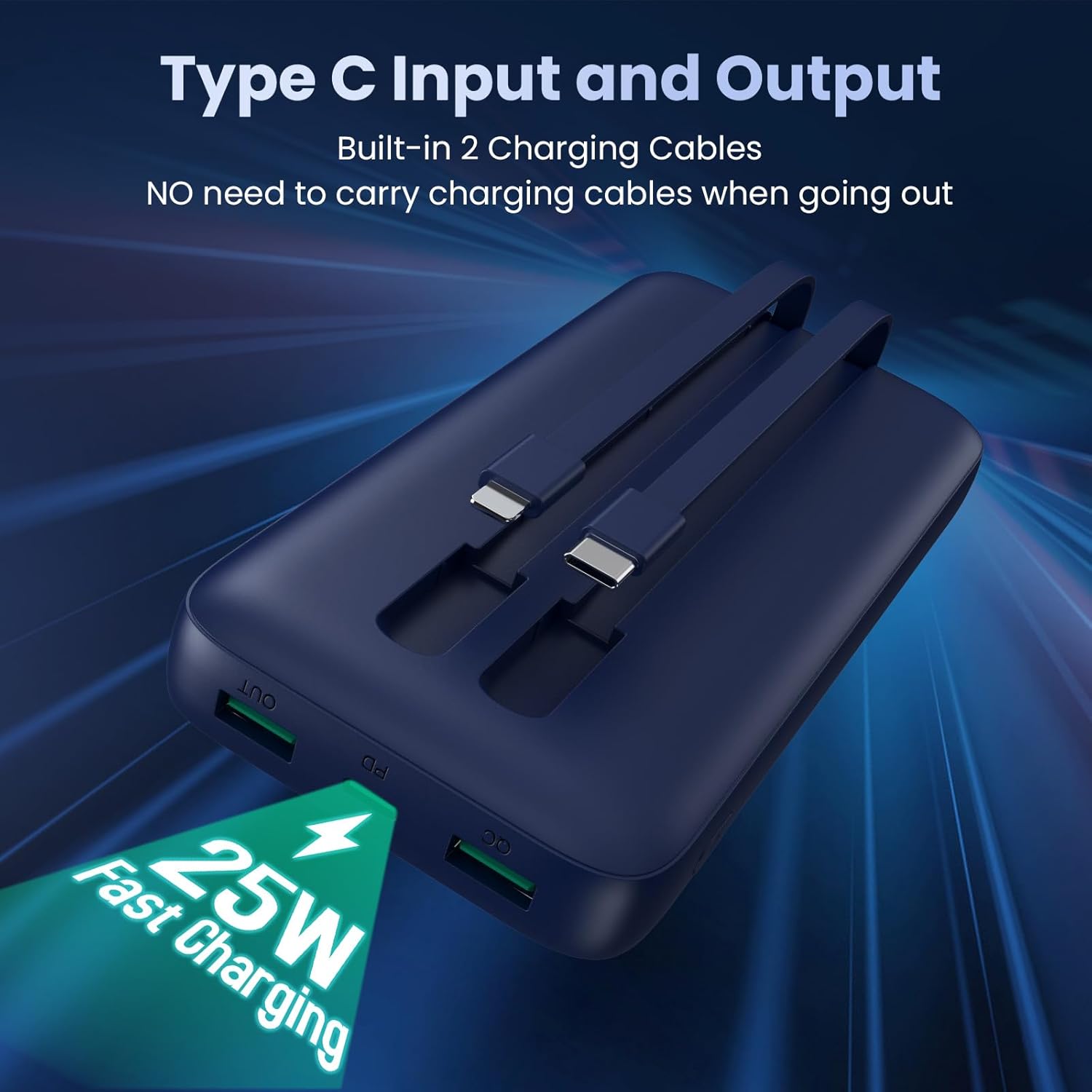
Image: The power bank displaying its built-in USB-C and iOS (Lightning) charging cables, emphasizing convenience and 25W fast charging.
3. Setup
3.1 Initial Charging of the Power Bank
Before first use, fully charge your Pxwaxpy power bank. This ensures optimal battery performance and longevity.
- Connect the power bank to a wall charger (not included) using either the built-in USB-C cable or an external USB-C to USB-C cable plugged into the USB-C input port.
- The LCD display will show the charging progress, indicating the battery percentage.
- Charging is complete when the display shows 100%.

Image: Demonstrates two methods for recharging the power bank: using an external USB-C cable connected to the input port, and using the built-in USB-C cable.
3.2 Checking Battery Level
To check the remaining battery level, briefly press the power button located on the side of the power bank. The LCD display will illuminate and show the current battery percentage.
4. Operating Instructions
4.1 Charging Devices
The power bank offers multiple ways to charge your devices:
- Using Built-in Cables: Pull out the appropriate built-in cable (iOS for Apple devices, USB-C for compatible Android/USB-C devices) and connect it directly to your device.
- Using USB-A Ports: Connect your device's charging cable to one of the two USB-A output ports on the power bank.
- Using USB-C Port: Connect your device's USB-C charging cable to the USB-C output port on the power bank.
Once connected, the power bank will automatically begin charging your device. The LCD display will show the power bank's remaining charge.
4.2 Simultaneous Charging
You can charge up to five devices simultaneously using a combination of the built-in cables and the available USB-A and USB-C output ports. The power bank's intelligent system will distribute power efficiently.
5. Maintenance
- Storage: Store the power bank in a cool, dry place away from direct sunlight and extreme temperatures.
- Cleaning: Use a soft, dry cloth to clean the exterior of the power bank. Avoid using harsh chemicals or abrasive materials.
- Battery Care: To prolong battery life, avoid fully discharging the power bank regularly. Recharge it when the battery level is low. Do not expose the power bank to water or excessive moisture.
- Safety: Do not disassemble, puncture, or modify the power bank. Keep it away from children and pets.
6. Troubleshooting
- Power Bank Not Charging:
Ensure the charging cable is securely connected to both the power bank's input and the wall charger. Verify that the wall charger is functioning correctly and providing adequate power (a 25W PD charger is recommended for fastest recharge). - Device Not Charging from Power Bank:
Check if the power bank has sufficient charge. Ensure the cable connecting your device to the power bank is securely plugged in and undamaged. Try a different cable or port. - Slow Charging:
Confirm that your device supports fast charging protocols (PD/QC 4.0) and that you are using a compatible cable. Charging multiple devices simultaneously may reduce the charging speed for individual devices. - LCD Display Not Working:
Press the power button to activate the display. If it remains off, the power bank might be completely discharged or require a reset by connecting it to a power source.
7. Specifications
| Feature | Specification |
|---|---|
| Model Number | HX160Q1 |
| Battery Capacity | 40,800mAh |
| Charging Technology | 25W Power Delivery (PD), Quick Charge (QC) 4.0 |
| Inputs | USB-C Port, Built-in USB-C Cable |
| Outputs | 2x USB-A Ports, 1x USB-C Port, Built-in iOS (Lightning) Cable, Built-in USB-C Cable |
| Product Dimensions | 5.91 x 2.95 x 0.59 inches |
| Item Weight | 1.12 pounds |
| Battery Type | Lithium Polymer |
8. Warranty and Support
8.1 Warranty Information
The Pxwaxpy 40,800mAh Portable Power Bank comes with a 3-year warranty from the date of purchase, covering manufacturing defects. Please retain your proof of purchase for warranty claims.

Image: The product package, including the power bank, a USB-C charging cable, and the user manual, clearly indicating a 3-year warranty.
8.2 Technical Support
Pxwaxpy offers lifetime technical support for this product. If you encounter any issues or have questions regarding your power bank, please contact our customer service team. Contact details can typically be found on the product packaging or the official Pxwaxpy website.


