
1. Important Safety Instructions
Before operating the UREVO Smart Treadmill, please read and understand all safety instructions. Keep this manual for future reference.
- Placement: Place the treadmill on a flat, stable surface with at least 2 meters (6.5 feet) of clear space behind it and 0.6 meters (2 feet) on each side. Ensure it is not placed on thick carpet that could obstruct ventilation.
- Power: Connect the treadmill to a properly grounded outlet. Do not use extension cords or adapters. Unplug the treadmill when not in use or before cleaning/maintenance.
- Children and Pets: Keep children and pets away from the treadmill, especially when it is in operation. This equipment is not intended for use by persons with reduced physical, sensory, or mental capabilities unless supervised.
- Medical Conditions: Consult a physician before starting any exercise program, especially if you have pre-existing medical conditions. Stop exercising immediately if you feel faint, dizzy, or experience pain.
- Emergency Stop: Always attach the safety key clip to your clothing before starting a workout. In case of an emergency, pulling the safety key will immediately stop the treadmill.
- Weight Limit: Do not exceed the maximum user weight capacity of the treadmill.
- Footwear: Always wear appropriate athletic footwear when using the treadmill.
2. Product Overview
The UREVO Smart Treadmill URTM036 is a versatile 3-in-1 fitness machine designed for both walking and running, suitable for home and office environments. It features an adjustable 9% auto incline, smart connectivity via the UREVO App, and an advanced 8-point shock absorption system for joint protection. The treadmill includes dual display screens, handrails, and an anti-slip holder for devices, enhancing user experience and safety.
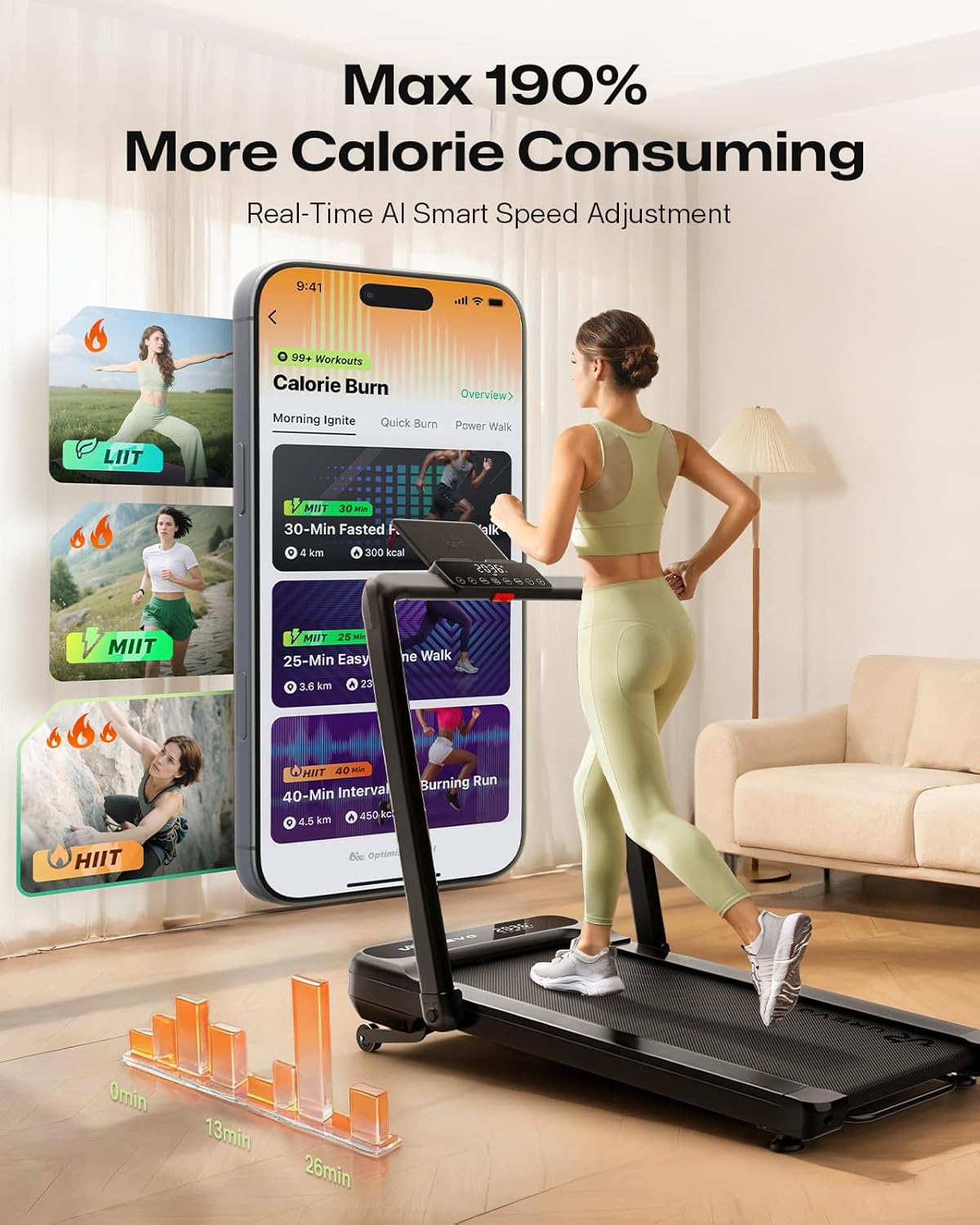
Figure 2.1: UREVO Smart Treadmill URTM036 in a home environment.

Figure 2.2: Dual-screen display and control panel for monitoring workout data.
3. Setup
The UREVO Smart Treadmill URTM036 is designed for quick and easy setup with no assembly required. Simply unpack, unfold, and plug in.
3.1 Unpacking and Placement
- Carefully remove the treadmill from its packaging.
- Place the treadmill on a firm, level surface, ensuring adequate clearance around the unit as described in the safety instructions.

Figure 3.1: The treadmill is ready to use directly from the box, requiring no assembly.
3.2 Unfolding the Treadmill
The treadmill can be used in two configurations: folded for walking under a desk or unfolded with handrails for running.
- To unfold the handrails for running mode, gently lift the handrail assembly until it locks into place.
- Ensure all locking mechanisms are securely engaged before use.
3.3 Power Connection
- Locate the power cord and plug it into a standard, grounded electrical outlet.
- Turn on the main power switch, usually located near the power cord inlet.
Video 3.1: This video demonstrates the unpacking, unfolding, and initial setup of the UREVO Smart Treadmill, including how to transition between walking and running modes.
4. Operating Instructions
The UREVO Smart Treadmill offers various modes and features to customize your workout.
4.1 Powering On and Off
- Ensure the treadmill is plugged in and the main power switch is on.
- Press the power button on the control panel or remote control to turn the treadmill on.
- To turn off, press and hold the power button or use the main power switch.
4.2 Using the Remote Control
The included remote control allows for convenient adjustment of speed and mode during your workout.
- Start/Stop: Press to begin or end a workout.
- Speed Adjustment: Use the '+' and '-' buttons to increase or decrease the belt speed.
- Mode: Cycle through different workout modes or programs.
4.3 Speed and Incline Adjustment
- Walking Mode: Speed range 0.6-4.0 mph. Ideal for casual strolls or under-desk use.
- Running Mode: Speed range 0.6-7.6 mph. For more intense cardio workouts.
- Auto Incline: The treadmill features a 9% adjustable incline. Use the dedicated incline controls on the panel or remote to adjust the gradient, increasing calorie burn and workout intensity.
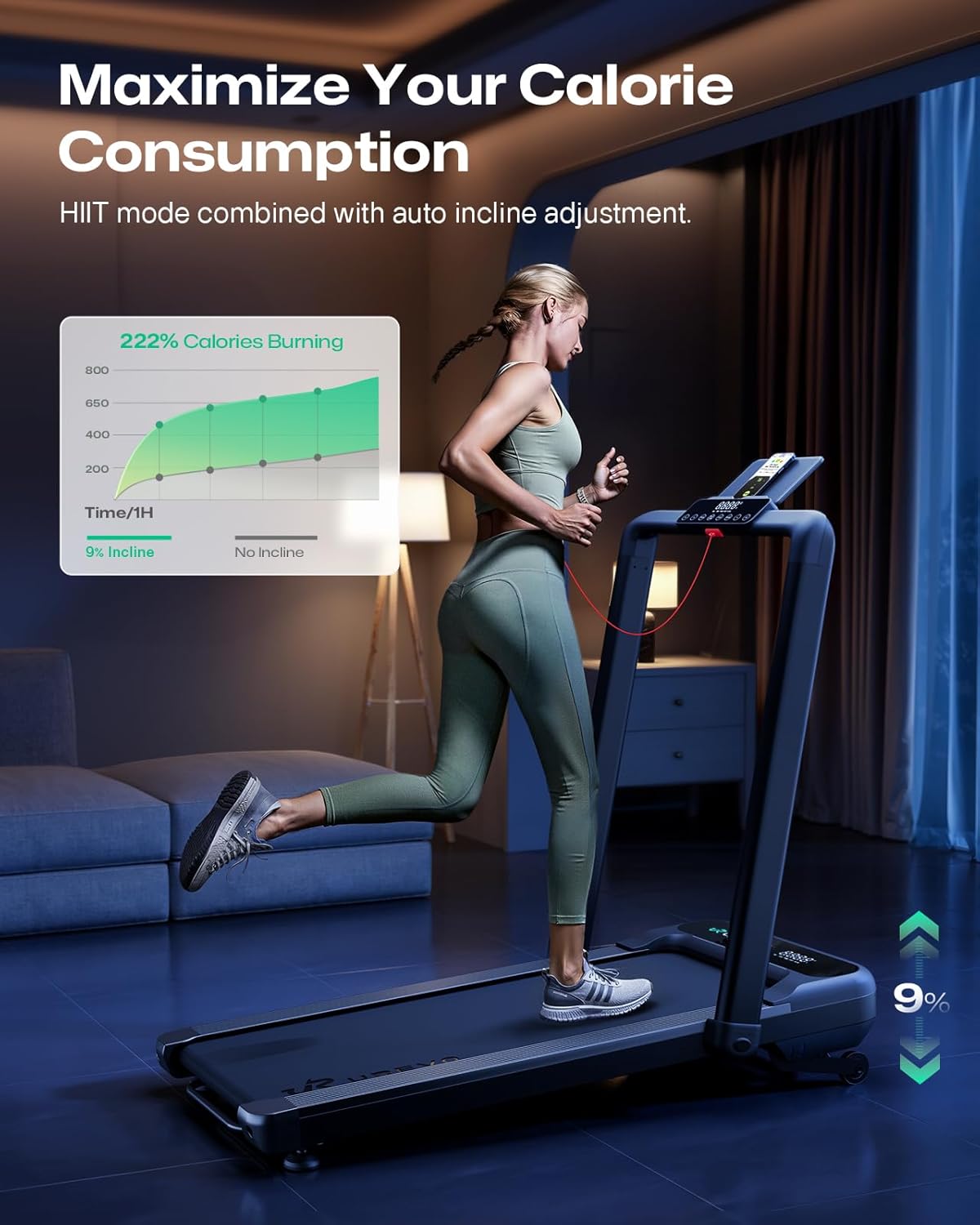
Figure 4.1: Utilizing the 9% auto incline feature to maximize calorie consumption.
4.4 Smart Connectivity and UREVO App
Enhance your fitness journey by connecting your treadmill to the UREVO App.
- Download the UREVO App from your device's app store.
- Follow the in-app instructions to pair your treadmill via Bluetooth.
- The app allows you to track workout details, participate in virtual city experiences, engage in challenge modes, and monitor your progress.

Figure 4.2: Explore virtual routes and track progress using the UREVO App.

Figure 4.3: Experience AI Rhythm Fit for an immersive running session.
4.5 Pre-set Programs
The treadmill includes 6 pre-set HIIT programs designed to provide varied and effective workouts. Refer to the display or app for program details and selection.
5. Maintenance
Regular maintenance ensures the longevity and optimal performance of your UREVO Smart Treadmill.
5.1 Cleaning
- Wipe down the treadmill surfaces with a damp cloth after each use to remove sweat and dust.
- Do not use abrasive cleaners or solvents.
5.2 Lubrication
The running belt requires periodic lubrication to reduce friction and extend its lifespan. Refer to the included user manual for specific lubrication instructions and recommended lubricant type.
5.3 Belt Tension and Alignment
Check the running belt tension and alignment regularly. If the belt feels loose or is drifting to one side, adjust it according to the instructions in the full user manual or contact customer support.
5.4 Storage
The UREVO Smart Treadmill is designed for easy storage due to its foldable design.
- To fold the treadmill, ensure it is powered off and unplugged.
- Gently lower the handrail assembly until it is flat against the running deck.
- The treadmill can then be easily moved using its built-in wheels and stored under a sofa or desk.

Figure 5.1: The treadmill's compact design allows for easy storage under furniture.
6. Troubleshooting
If you encounter issues with your UREVO Smart Treadmill, refer to the following common problems and solutions.
- Treadmill Not Starting: Ensure the power cord is securely plugged into a grounded outlet, the main power switch is on, and the safety key is correctly inserted.
- Belt Slipping or Hesitating: The running belt may require tension adjustment or lubrication. Refer to the maintenance section or the full user manual for detailed instructions.
- Unusual Noises: Check for loose parts or foreign objects under the belt. If the noise persists, contact customer support.
- Display Not Working: Ensure all connections are secure. If the issue continues, power cycle the treadmill.
- App Connectivity Issues: Ensure Bluetooth is enabled on your device and the treadmill. Try restarting both the app and the treadmill.
For problems not listed here or if solutions do not resolve the issue, please contact UREVO customer support.
7. Specifications
| Feature | Specification |
|---|---|
| Product Dimensions | 138.99 x 64.44 x 16.94 cm (54.72" x 25.39" x 6.69") |
| Item Model Number | URTM036 |
| Colour | Black |
| Material | Alloy Steel, Aluminum Frame |
| Item Weight | 39 kg (85.98 lbs) |
| Horsepower | 2.5 Horsepower |
| Maximum Speed | 7.6 Miles per Hour |
| Walking Speed Range | 0.6 - 4.0 mph |
| Running Speed Range | 0.6 - 7.6 mph |
| Incline | 9% Adjustable Auto Incline |
| Display Type | LED (Dual Screens) |
| Meter Displays | Distance, Speed |
| Number Of Programs | 6 HIIT Programs |
| Power Source | Corded Electric |
| Special Features | Auto Incline, Shock Absorbent (8-point system), Smart Connectivity |
| Included Components | Safety Key, Tool Kit, User Manual |
| Target Audience | Adult |
8. Warranty and Support
UREVO stands behind the quality of its products. This treadmill comes with a manufacturer's warranty covering defects in materials and workmanship. Please refer to the warranty card included with your product for specific terms, conditions, and duration.
8.1 Customer Support
If you have any questions, require technical assistance, or need to make a warranty claim, please contact UREVO customer support. Contact information can typically be found on the UREVO official website or on the warranty card provided with your product.
When contacting support, please have your model number (URTM036) and purchase information ready.


