
1. Introduction
Thank you for choosing the Redkey W12SE Cordless Wet Dry Vacuum Cleaner. This manual provides essential information for the safe and efficient operation, maintenance, and troubleshooting of your new appliance. Please read this manual thoroughly before first use and keep it for future reference.
2. Safety Instructions
To ensure safe operation, always follow these basic precautions:
- Read all instructions before using the appliance.
- Do not immerse the appliance, charging base, or adapter in water or other liquids.
- Keep hair, loose clothing, fingers, and all parts of the body away from openings and moving parts.
- Use only the charging adapter provided by the manufacturer.
- Do not use the appliance to pick up flammable or combustible liquids, or anything that is burning or smoking.
- Ensure the clean water tank and dirty water tank are correctly installed before operation.
- Store the appliance indoors in a dry place when not in use.
- This appliance is for household use only.
3. Package Contents
Verify that all items are present in the package:
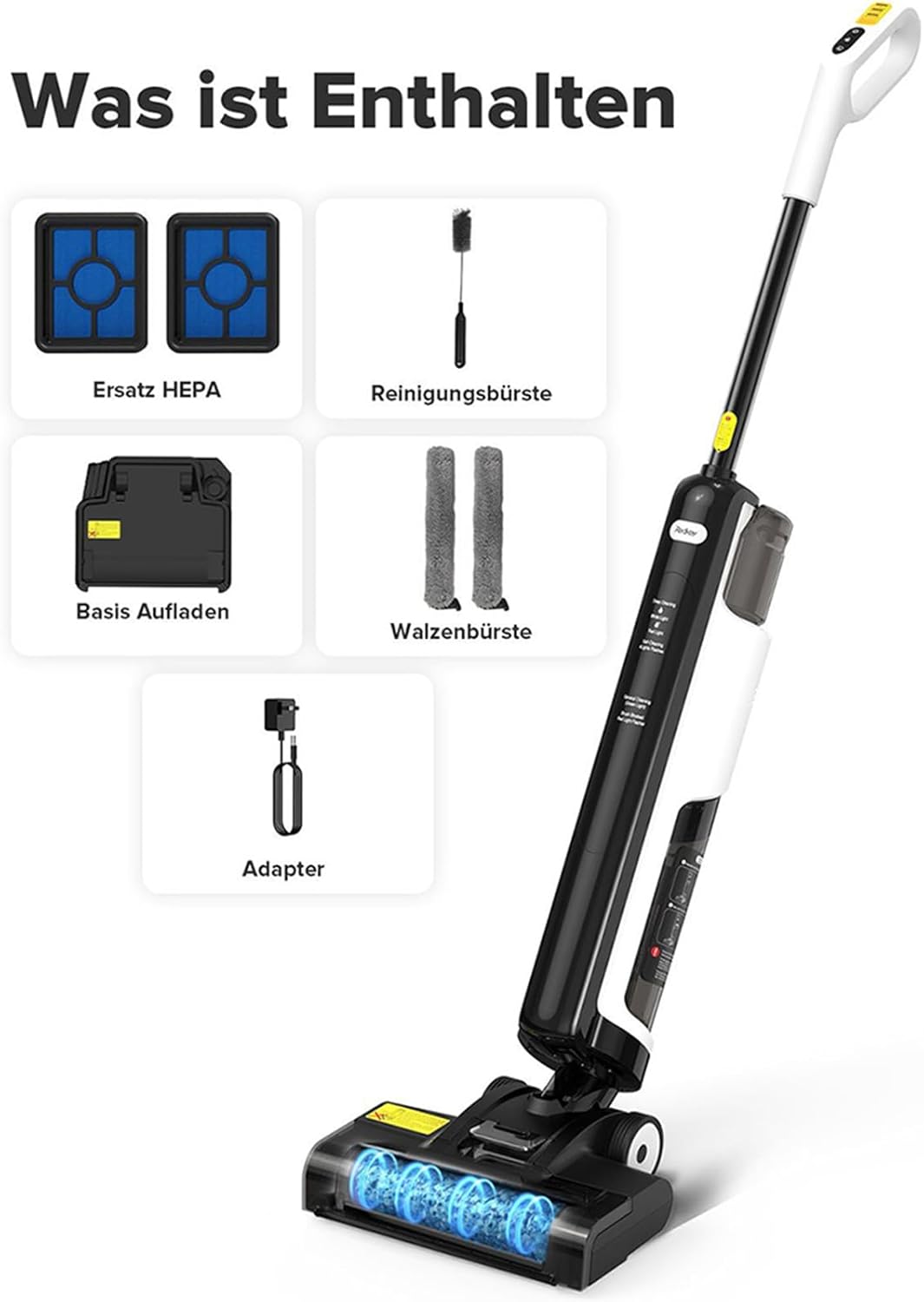
Image Description: An overhead view displaying the Redkey W12SE wet dry vacuum cleaner along with its accessories. These include the main vacuum unit, a charging base, two replacement HEPA filters, a cleaning brush, two roller brushes, and a power adapter.
- Redkey W12SE Main Unit
- Charging Base
- Power Adapter
- Roller Brush (2 included)
- HEPA Filter (2 included)
- Cleaning Brush
4. Product Overview
Familiarize yourself with the components of your Redkey W12SE.

Image Description: A detailed diagram of the Redkey W12SE vacuum cleaner, highlighting its main parts: the handle with control buttons (power, water spray, self-clean), the clean water tank, the dirty water tank, and the brush head with visible roller brushes. Indicators for deep cleaning and general cleaning are also shown.
- Handle: Ergonomic grip with control buttons.
- Clean Water Tank: Holds fresh water for cleaning (600ml capacity).
- Dirty Water Tank: Collects dirty water and debris (550ml capacity).
- Brush Head: Contains the roller brush for scrubbing and vacuuming.
- Display/Indicators: Shows cleaning modes (Deep Cleaning, General Cleaning) and status.
5. Setup
5.1 Assembly
- Insert the handle into the main unit until it clicks into place.
- Ensure the clean water tank and dirty water tank are securely installed.
5.2 Initial Charging
Before first use, fully charge the appliance.
- Place the main unit on the charging base.
- Connect the power adapter to the charging base and plug it into a wall outlet.
- The charging indicator lights will show the charging status. A full charge takes approximately 4-5 hours.
5.3 Filling the Clean Water Tank
The Redkey W12SE uses a dual-tank system to keep clean and dirty water separate.

Image Description: A transparent view of the Redkey W12SE, clearly showing the upper clean water tank (600ml) and the lower dirty water tank (550ml), illustrating the separation of water.
- Remove the clean water tank from the main unit.
- Open the tank cap and fill with clean tap water. You may add a small amount of non-foaming floor cleaning solution if desired. Do not exceed the MAX fill line.
- Close the cap securely and reinsert the tank into the main unit.
6. Operating Instructions
6.1 Powering On and Mode Selection

Image Description: A close-up view of the Redkey W12SE's handle, showing the three main control buttons: Power, Water Spray, and Self-Cleaning. The display panel indicates "Deep Cleaning" (white light), "General Cleaning" (green light), and "Self-Cleaning" (4 lights flashing).
- Press the Power button once to turn on the appliance in General Cleaning mode (green light).
- Press the Power button a second time to switch to Deep Cleaning mode (white light).
- Press the Power button a third time to turn off the appliance.
6.2 Cleaning Floors
The Redkey W12SE is designed for simultaneous vacuuming and washing of hard floors.

Image Description: The Redkey W12SE in action, cleaning a kitchen floor with spilled liquid and cereal. This image demonstrates its ability to vacuum and wash simultaneously.
- Tilt the appliance back to engage the brush head.
- Move the appliance forward and backward over the area to be cleaned.
- For stubborn messes, press the Water Spray button to dispense more water.
- The anti-tangle brush design helps prevent hair from wrapping around the roller.

Image Description: A composite image illustrating the Redkey W12SE's versatility on different hard floor surfaces, including hardwood (parquet), marble, and tile, showing its effectiveness in cleaning various types of spills and dirt.
The Redkey W12SE is suitable for various sealed hard floor types, including hardwood, tile, marble, and laminate.
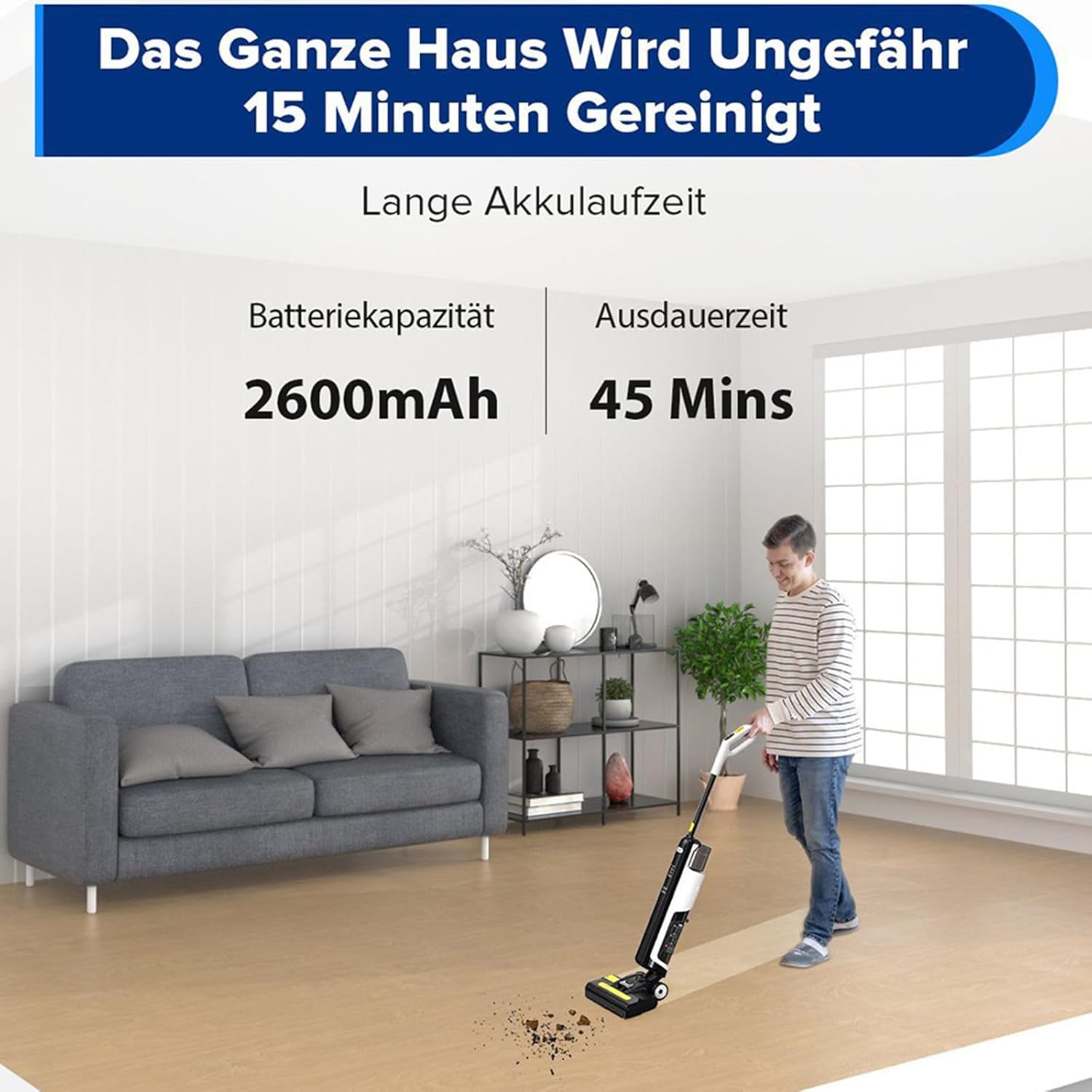
Image Description: A person is shown operating the Redkey W12SE in a modern living room, demonstrating its cordless operation and ease of use for cleaning large areas. The image also highlights the 2600mAh battery capacity and 45-minute runtime.
6.3 Electrolytic Disinfection
The appliance features an electrolytic disinfection function for enhanced hygiene.

Image Description: A cutaway diagram of the Redkey W12SE illustrating the electrolytic disinfection process. Water from the clean tank passes through an electrolysis unit, generating H2O2 (hydrogen peroxide) for 99.9% effective sterilization during cleaning.
When activated, the appliance rapidly produces disinfected water, ensuring a high rate of germ reduction during cleaning. This feature helps maintain a hygienic environment.
7. Maintenance
Regular maintenance ensures optimal performance and extends the lifespan of your Redkey W12SE.
7.1 Automatic Self-Cleaning
The appliance features a convenient self-cleaning function for the roller brush and internal tubing.
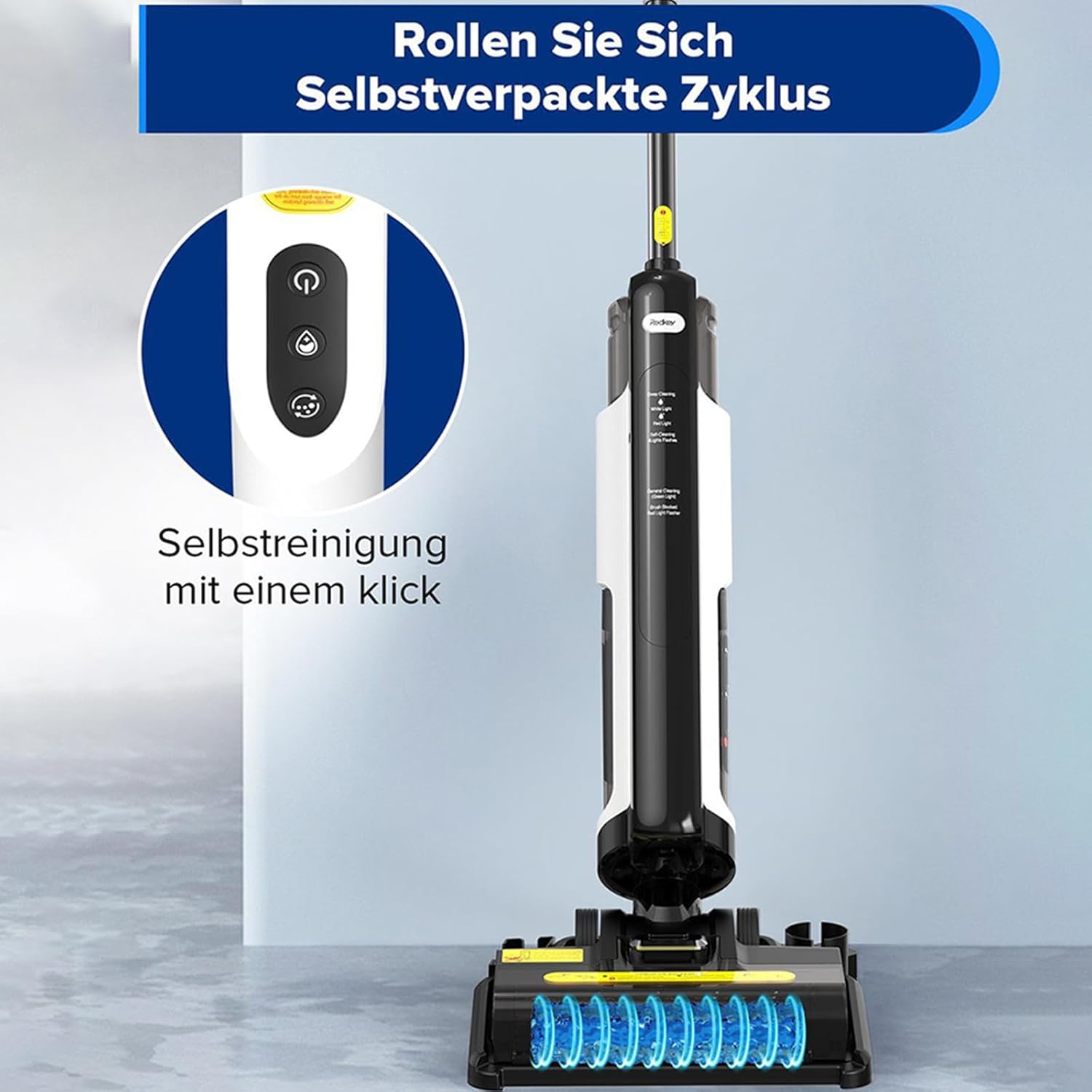
Image Description: The Redkey W12SE positioned on its charging base, with an animated representation of water flowing through the brush head, indicating the automatic self-cleaning cycle. The control panel shows the self-cleaning indicator.
- After cleaning, place the appliance on its charging base.
- Ensure there is sufficient clean water in the clean water tank.
- Press the Self-Cleaning button on the handle. The appliance will begin an automatic cleaning cycle.
- Once the cycle is complete, empty the dirty water tank.
7.2 Emptying the Dirty Water Tank
Empty the dirty water tank after each use or when the MAX fill line is reached.
- Remove the dirty water tank from the main unit.
- Open the tank and dispose of the dirty water and debris.
- Rinse the tank thoroughly with clean water.
- Reinstall the tank securely.
7.3 Cleaning the Roller Brush
Even with self-cleaning, occasional manual cleaning of the roller brush is recommended.
- Turn off the appliance and remove the brush head cover.
- Remove the roller brush. Use the provided cleaning brush to remove any tangled hair or debris.
- Rinse the roller brush under running water. Allow it to air dry completely before reinstalling.
7.4 Cleaning the HEPA Filter
The HEPA filter should be cleaned regularly and replaced every 3-6 months depending on usage.
- Remove the HEPA filter from the dirty water tank.
- Tap the filter gently to remove loose dust. You can rinse it under running water, but ensure it is completely dry before reinstallation.
- Replace the filter if it appears heavily soiled or damaged.
8. Troubleshooting
If you encounter issues with your Redkey W12SE, refer to the following table for common problems and solutions.
| Problem | Possible Cause | Solution |
|---|---|---|
| Appliance does not turn on. | Battery is low or depleted. | Charge the appliance fully. |
| No water dispensed. | Clean water tank is empty or not installed correctly. | Fill the clean water tank and ensure it is properly seated. |
| Poor suction or cleaning performance. | Dirty water tank is full, roller brush is tangled, or filter is clogged. | Empty the dirty water tank. Clean the roller brush and HEPA filter. |
| Water streaks on floor. | Dirty water tank is full or roller brush is excessively dirty. | Empty and clean the dirty water tank. Clean the roller brush thoroughly. |
| Unusual noise during operation. | Debris caught in brush head or motor. | Turn off the appliance and inspect the brush head for obstructions. |
9. Specifications
Key technical specifications for the Redkey W12SE:
| Feature | Specification |
|---|---|
| Brand | Redkey |
| Model | W12SE |
| Color | Black |
| Dimensions | 69.59 x 34.1 x 28.2 cm |
| Item Weight | 6.74 Kilograms |
| Clean Water Tank Capacity | 0.6 Liters (600ml) |
| Dirty Water Tank Capacity | 0.55 Liters (550ml) |
| Motor Speed | 2600 U/min (RPM) |
| Runtime | Up to 45 minutes |
| Noise Level | Below 80 dB |
| Filter Type | HEPA Filter |
| Special Features | Wet & Dry Function, Self-Cleaning, Anti-Tangle Technology, Electrolytic Disinfection |
10. Warranty and Support
For warranty information and customer support, please refer to the warranty card included with your product or visit the official Redkey website. Keep your purchase receipt as proof of purchase.
If you require further assistance or have questions not covered in this manual, please contact Redkey customer service.


