
Introduction
This manual provides comprehensive instructions for the proper use and care of your Citizen Eco-Drive Weekender Sport Chronograph Watch, Model CA0775-01E. Please read this manual thoroughly to ensure optimal performance and longevity of your timepiece. Keep this manual for future reference.
Product Overview
The Citizen Eco-Drive Weekender Sport Chronograph Watch (CA0775-01E) is a sophisticated timepiece featuring Citizen's proprietary Eco-Drive technology, which powers the watch using any light source. It includes a chronograph function, date display, and 12/24 hour time indication, all housed within a durable black stainless steel case with a mineral crystal and a black leather strap.

Front view of the Citizen Eco-Drive Weekender Sport Chronograph Watch, Model CA0775-01E. This image displays the watch's black dial, featuring three subdials for chronograph functions, a date window at the 3 o'clock position, and the main hour and minute hands. The watch is fitted with a black leather strap.
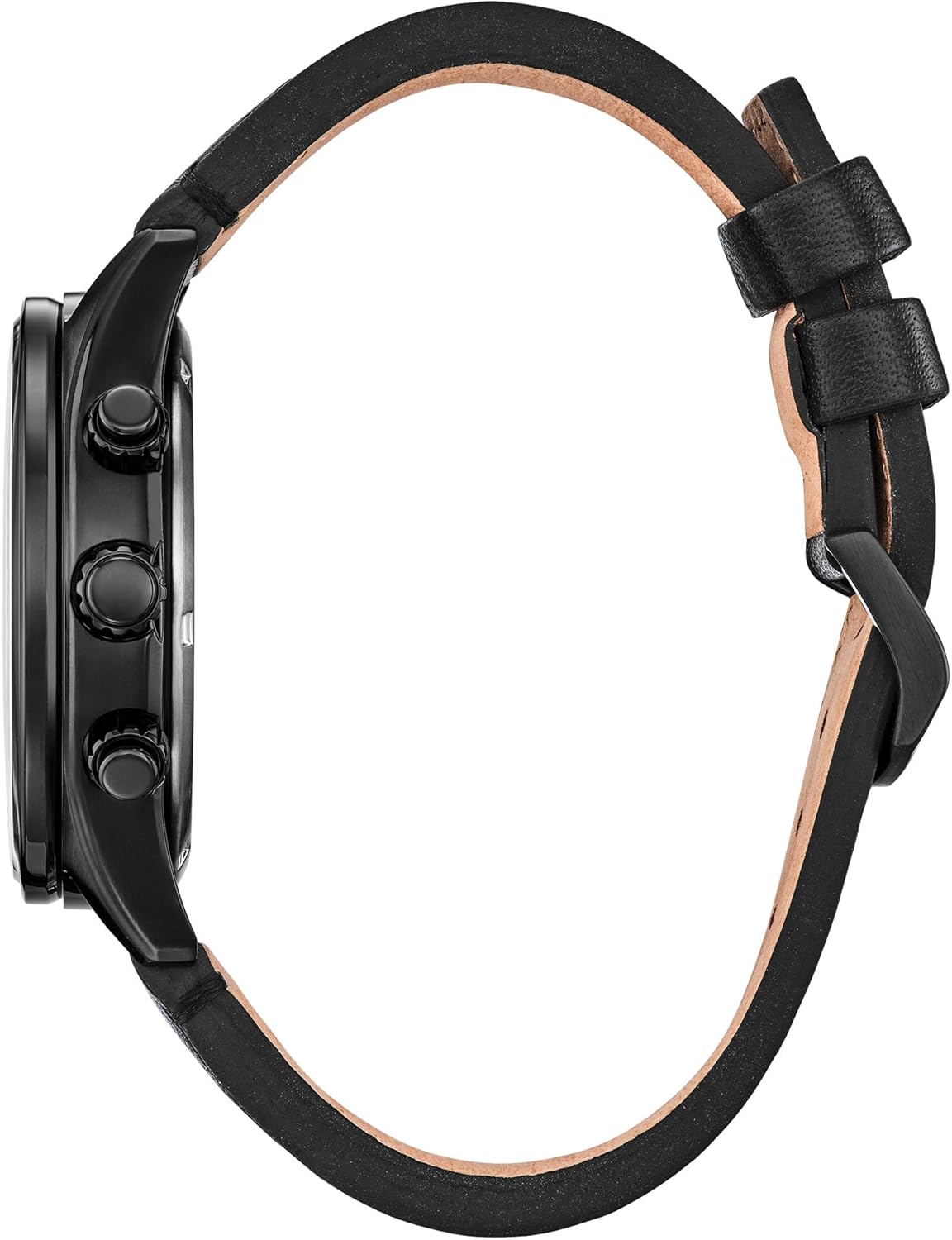
Side view of the Citizen Eco-Drive Weekender Sport Chronograph Watch, Model CA0775-01E. This perspective clearly shows the watch's crown, used for setting time and date, and the two pushers, which control the chronograph functions.

Back view of the Citizen Eco-Drive Weekender Sport Chronograph Watch, Model CA0775-01E. The image displays the stainless steel case back, engraved with model information and the Citizen logo, and the attachment points of the black leather strap.
Key Features:
- Eco-Drive Technology: Powered by light, eliminating the need for battery replacement.
- Chronograph: 1/5 second chronograph measures up to 60 minutes.
- Time Display: 12/24 hour time format.
- Date Display: Located at the 3 o'clock position.
- Water Resistance: 100 meters (330 feet), suitable for swimming and snorkeling.
- Material: Black stainless steel case, mineral crystal, black leather strap.
Setup
Initial Charging
Your Eco-Drive watch is powered by light. Before initial use, or if the watch has stopped, expose it to bright light (natural or artificial) for several hours to ensure a full charge. A full charge can last for months even in total darkness.

Diagram explaining the Eco-Drive technology. It illustrates how light is converted into energy by solar cells, stored in a power cell, and powers the watch. Key benefits like sustainability and long power reserve are highlighted.
Setting the Time and Date
- Pull out the crown: Gently pull the crown out to the second click position. The second hand will move to the 12 o'clock position.
- Set the time: Rotate the crown to set the hour and minute hands. Pay attention to the AM/PM indicator (if present on the subdial) to ensure the correct 12/24 hour setting for the date change.
- Set the date: Push the crown in to the first click position. Rotate the crown to adjust the date. Avoid setting the date between 9:00 PM and 1:00 AM, as this may interfere with the automatic date change mechanism.
- Push in the crown: Once the time and date are set, push the crown back into the normal position. The second hand will resume movement.
Operating Instructions
Using the Chronograph
The chronograph function allows you to measure elapsed time up to 60 minutes in 1/5 second increments.
- Start: Press the upper pusher (button A) to start the chronograph. The chronograph second hand will begin to move.
- Stop: Press the upper pusher (button A) again to stop the chronograph. The elapsed time will be indicated by the chronograph second hand and the minute subdial.
- Reset: After stopping the chronograph, press the lower pusher (button B) to reset it. All chronograph hands will return to their 0 (12 o'clock) positions.
- Split Time (if applicable): Some chronographs allow for split time measurement. Refer to the detailed movement guide on the Citizen website for specific instructions if your model supports this.
12/24 Hour Time Display
The watch features a subdial that indicates the time in a 24-hour format, often synchronized with the main hour hand to show AM/PM for accurate date changes.
Maintenance
Eco-Drive Charging Guidelines
To maintain optimal performance, ensure your Eco-Drive watch receives sufficient light exposure. Avoid prolonged storage in dark places. If the watch stops, expose it to bright light immediately. The power reserve indicator (if present) or the two-second interval movement of the second hand indicates a low charge.
Water Resistance
Your watch is water resistant to 100 meters (10 ATM). This means it is suitable for swimming, showering, and snorkeling. However, it is not recommended for scuba diving. Always ensure the crown is pushed in completely before exposing the watch to water. Do not operate the crown or pushers while the watch is wet or submerged.
Cleaning
Wipe the watch case and crystal with a soft, dry cloth. For the leather strap, avoid excessive moisture and harsh chemicals. If the strap becomes wet, allow it to air dry naturally away from direct heat.
Troubleshooting
- Watch has stopped: The watch may be insufficiently charged. Expose it to bright light for several hours.
- Second hand moves at two-second intervals: This indicates a low power reserve. Charge the watch by exposing it to light.
- Date changes at noon: The AM/PM setting is incorrect. Advance the time by 12 hours.
- Chronograph hands do not reset to zero: Pull the crown out to the second click position and use the pushers to align the chronograph hands to the 12 o'clock position. Refer to the full instruction manual on the Citizen website for detailed calibration steps.
Specifications
| Feature | Detail |
|---|---|
| Model Number | CA0775-01E |
| Movement | Eco-Drive (Solar Powered) |
| Case Material | Black Stainless Steel |
| Crystal | Mineral Crystal |
| Strap Material | Black Leather |
| Water Resistance | 100 Meters (10 ATM) |
| Chronograph | 1/5 Second, up to 60 Minutes |
| Functions | Date, 12/24 Hour Time |
| Manufacturer | Citizen |
Warranty and Support
Your Citizen Eco-Drive Weekender Sport Chronograph Watch is covered by a 5-Year Limited Warranty. This warranty covers manufacturing defects under normal use. For detailed warranty terms, service, or additional support, please visit the official Citizen website or contact Citizen customer service.
For further assistance or to download a complete movement-specific manual, please visit the Citizen Support Page.


