
Tymate TM3
Tymate TM3 RV Tire Pressure Monitoring System User Manual
Model: TM3 | Brand: Tymate
1. Introduction
The Tymate TM3 RV Tire Pressure Monitoring System (TPMS) is designed to enhance driving safety by providing real-time monitoring of your vehicle's tire pressure and temperature. This system helps prevent tire-related accidents, improves fuel efficiency, and extends tire lifespan by alerting you to potential issues.
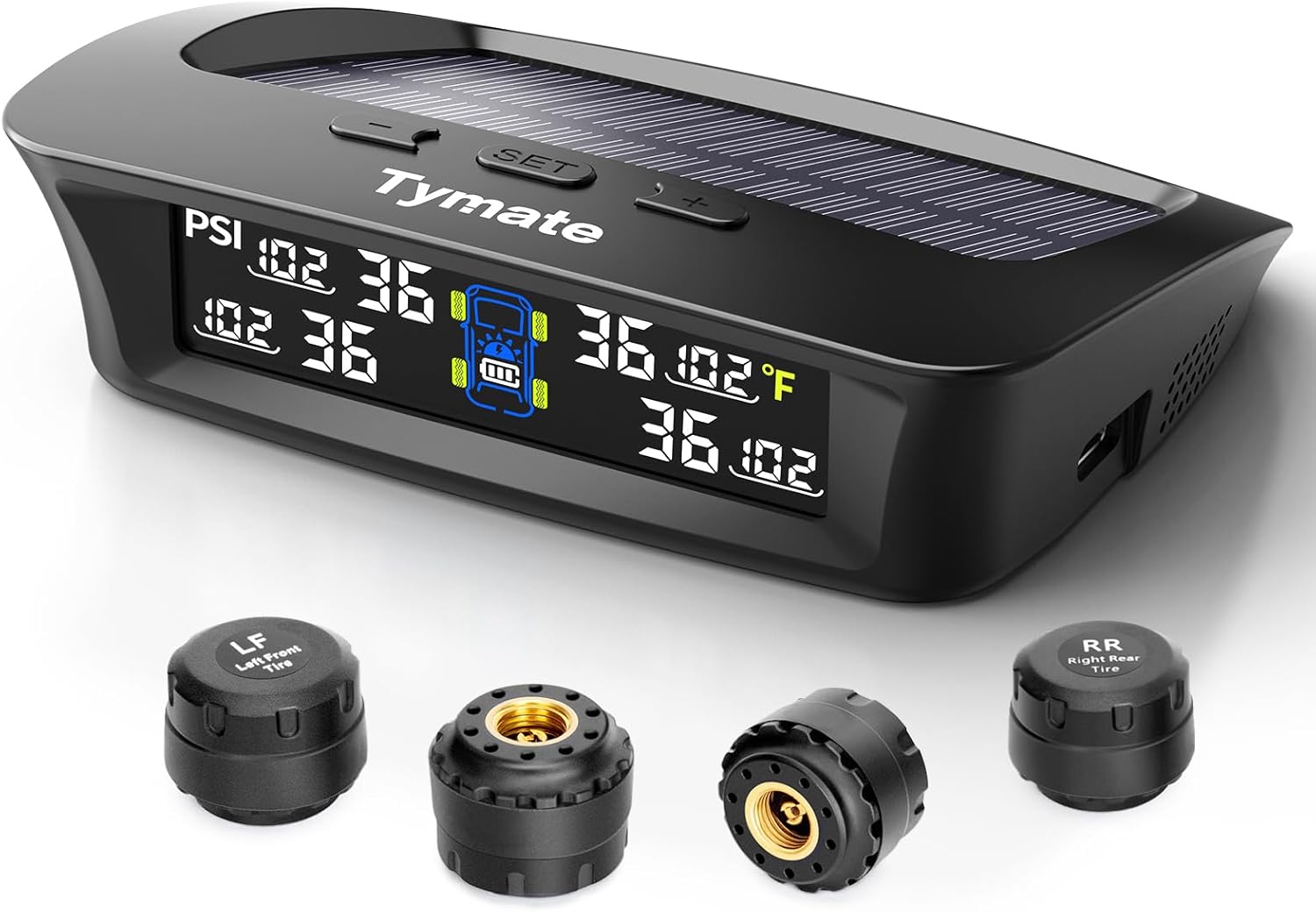
Figure 1: Tymate TM3 TPMS Display Unit and Sensors
Key Features:
- Six Alarm Modes: Includes rapid leak detection, high/low-pressure alerts, high-temperature warnings, and low sensor voltage/signal loss notifications.
- Effortless Setup: Sensors are factory-paired with the monitor for immediate use.
- Efficient Power Usage: Sensors operate for up to six months on a single CR1632 battery, with a lifespan of up to two years.
- Multiple Charging Options: Features solar automatic charging and USB-C port charging.
- Adaptive Backlight & Color LCD: Automatic backlight adjustment and a vibrant color display for clear readings in all lighting conditions.
- Real-time Monitoring: Precise tire pressure detection from 0 to 87 PSI, suitable for various vehicles including RVs, trailers, trucks, sedans, SUVs, and MPVs.

Figure 2: Overview of Tymate TPMS Features
2. Components
The Tymate TM3 RV Tire Pressure Monitoring System package includes the following components:
- 1 x TM3 Display Monitor
- 4 x External Tire Pressure Sensors (pre-labeled for LF, RF, LR, RR)
- 1 x USB Charging Cable
- 1 x Anti-theft Nut Wrench
- 4 x Anti-theft Nuts
- 1 x User Manual

Figure 3: Package Contents and Dimensions
3. Setup and Installation
The Tymate TM3 TPMS sensors are factory-paired with the monitor, simplifying the installation process. Follow these steps for quick setup:
- Charge the Monitor: Before first use, fully charge the display monitor using the provided USB cable. The monitor also features solar charging for continuous power.
- Install Sensors:
- Identify the correct sensor for each tire (LF: Left Front, RF: Right Front, LR: Left Rear, RR: Right Rear).
- Unscrew the original valve cap from the tire valve.
- Screw on an anti-theft nut onto the valve stem.
- Screw the corresponding sensor onto the valve stem until it is hand-tight.
- Use the anti-theft nut wrench to tighten the anti-theft nut against the sensor, securing it in place.
- Place the Monitor: Position the display monitor on your dashboard where it has clear visibility and can receive sunlight for solar charging. Ensure it does not obstruct your view or interfere with driving.
- Power On: The monitor will automatically power on when it detects vibration or when connected to power. It will begin receiving data from the sensors.

Figure 4: Installation Overview for Truck and Trailer

Figure 5: Sensor Installation Detail
Note: For longer trailers (exceeding 36 feet), a Tymate repeater (sold separately) is highly recommended to ensure robust signal transmission and consistent data reception.
4. Operating Instructions
The Tymate TM3 monitor provides clear, real-time information about your tires. Familiarize yourself with the display and alarm functions.
4.1 Display Overview
The color LCD display shows pressure (PSI), temperature (°F or °C), and battery status for each tire, along with the monitor's battery level.
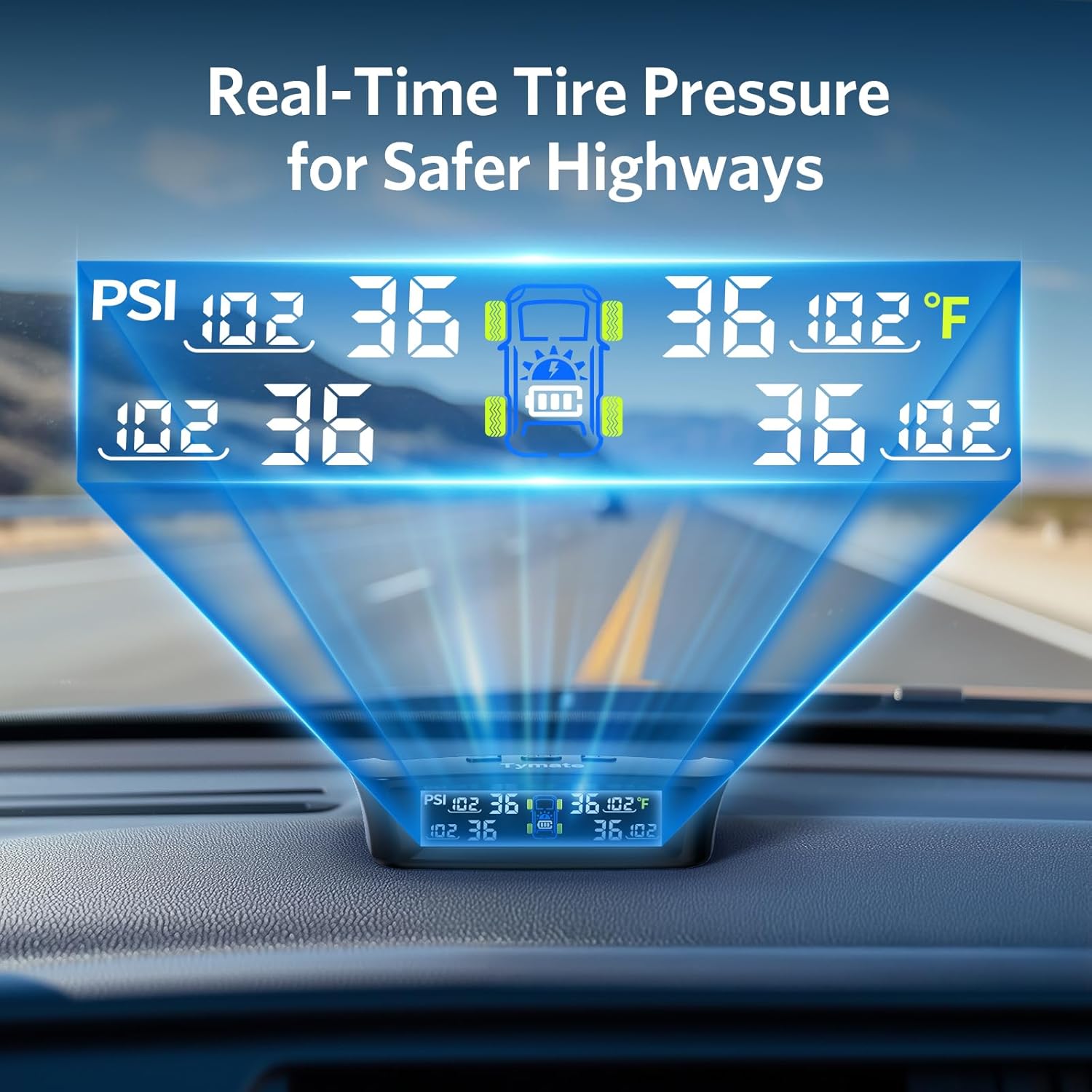
Figure 6: Real-Time Tire Pressure Display
4.2 Alarm Modes
The system is equipped with six alarm modes to alert you to critical tire conditions:
- Rapid Leak Detection: Alerts when a sudden, significant drop in pressure occurs.
- High Pressure Warning: Alerts when tire pressure exceeds the set high-pressure threshold.
- Low Pressure Warning: Alerts when tire pressure falls below the set low-pressure threshold.
- High Temperature Warning: Alerts when tire temperature exceeds the set high-temperature threshold.
- Low Sensor Voltage: Indicates a low battery level in a specific sensor.
- Signal Loss: Alerts if communication with a sensor is lost.

Figure 7: Multiple Monitoring Modes
4.3 Setting Alarm Thresholds
Upon initial pairing, the system automatically sets the current tire pressure as the reference point. Alarm thresholds are then set within an alarming range of +25% PSI to -15% PSI of this reference pressure. Refer to the detailed instructions in the included user manual for manual adjustment of these thresholds if needed.

Figure 8: Clear Vision at Night with Enhanced LCD

Figure 9: Adaptive Backlight for All Light Conditions
5. Power and Charging
The Tymate TM3 monitor offers flexible power solutions to ensure uninterrupted operation:
- Solar Charging: The integrated solar panel on the top of the monitor allows for automatic charging when exposed to sunlight, reducing the need for frequent manual charging.
- USB-C Charging: For situations with insufficient sunlight or for initial charging, the monitor can be charged via its USB-C port using the provided cable. A cigarette lighter adapter (not included) can also be used.

Figure 10: Dual Power Solutions for the Monitor

Figure 11: Solar vs. USB-C Charging Options
6. Maintenance
Proper maintenance ensures the longevity and accuracy of your Tymate TM3 TPMS.
- Sensor Battery Replacement: The external sensors use CR1632 batteries. When a low sensor voltage alarm is triggered, replace the battery by carefully unscrewing the sensor cap.
- Cleaning: Wipe the monitor and sensors with a soft, dry cloth. Avoid using abrasive cleaners or solvents. The sensors are IP67 waterproof, but avoid prolonged submersion.
- Storage: If storing the system for an extended period, ensure the monitor is fully charged and store it in a cool, dry place.

Figure 12: Sensors Built to Withstand Elements
7. Troubleshooting
If you encounter issues with your Tymate TM3 TPMS, refer to the common problems and solutions below:
| Problem | Possible Cause / Solution |
|---|---|
| Intermittent data display | Move the display away from potential interference sources. If the problem persists, especially with longer trailers, consider installing a signal repeater. |
| Tire blowout/puncture occurs | TPMS cannot prevent punctures from sharp objects or damaged tires, nor can it monitor instantaneous changes. It provides real-time data but is not a substitute for regular tire inspection. |
| No need for tire inspection after installation? | Regular tire inspection is still recommended. Perform a comprehensive tire inspection at least monthly and address any faulty tires promptly with a technician. |
| Sensors not connecting or flashing on display | Ensure sensors are correctly installed and tightened. Check sensor battery levels. If using with a long vehicle, a repeater may be necessary to bridge the signal gap. |
8. Specifications
| Specification | Detail |
|---|---|
| Model | TM3 |
| Brand | Tymate |
| Pressure Range | 0-87 PSI |
| Operating Frequency | 433.92 MHz |
| Sensor Battery Type | CR1632 (up to 2 years lifespan) |
| Sensor Durability | IP67 Waterproof |
| Monitor Charging | Solar / USB-C |
| Display Type | Color LCD with Adaptive Backlight |
| Item Weight | 10.8 ounces |
| Package Dimensions | 6.42 x 5 x 2.28 inches |
| Country of Origin | China |
9. Warranty and Support
Tymate products are designed for reliability and performance. For specific warranty information, please refer to the warranty card included with your product or visit the official Tymate website. If you require technical assistance or have questions regarding your TM3 TPMS, please contact Tymate customer support.
You can find more information and support resources on the official Tymate brand store:
Related documentsTM3


Ask a question about this manual
Ask about setup, troubleshooting, compatibility, parts, safety, or missing instructions. Manuals+ will review the question and use this page’s manual context to help answer it.