
1. Safety Information
Please read all instructions carefully before using the DeerRun Raceable Walking Pad. Retain this manual for future reference.
- Ensure the walking pad is placed on a flat, stable surface.
- Keep children and pets away from the device during operation.
- Do not operate the walking pad if it is damaged or malfunctioning.
- Wear appropriate athletic footwear during use.
- Always use the safety key during operation.
- Do not exceed the maximum weight capacity (implied from 136KG in image, but not explicitly stated in text, so will omit specific number to avoid misrepresentation).
- Unplug the device when not in use or before cleaning/maintenance.
2. Product Overview
The DeerRun Raceable Walking Pad is a smart fitness device designed for home use, offering a convenient way to integrate walking and light running into your daily routine. It features APP control, AI surveillance capabilities, and a quiet, powerful motor.
Key Features
- Smart APP Control: Connects to a dedicated application for tracking progress, participating in online competitions, and social interaction.
- High-Tech Device Compatibility: Designed to integrate with wearable high-tech devices for an immersive exercise experience.
- Powerful and Quiet Motor: Equipped with an 1800W motor (implied from image, product spec says 2.5 HP which is approx 1864W) operating at less than 55dB.
- Comfortable Running Belt: Features a five-layer running belt and four shock-absorbing cushions for joint protection.
- Effortless Mobility & Space-Saving Design: Integrated wheels and compact design allow for easy storage under furniture or vertically.
Package Contents
- DeerRun Raceable Walking Pad
- Remote Control
- Power Cord
- Safety Key
- User Manual
- Lubricant (may be included for maintenance)
3. Setup Guide
3.1 Unpacking
Carefully remove the walking pad from its packaging. Inspect all components for any signs of damage. If any parts are missing or damaged, contact customer support immediately.
3.2 Placement
Place the walking pad on a firm, level surface. Ensure there is adequate clear space around the device for safe operation, at least 0.6 meters (2 feet) from any obstacles.
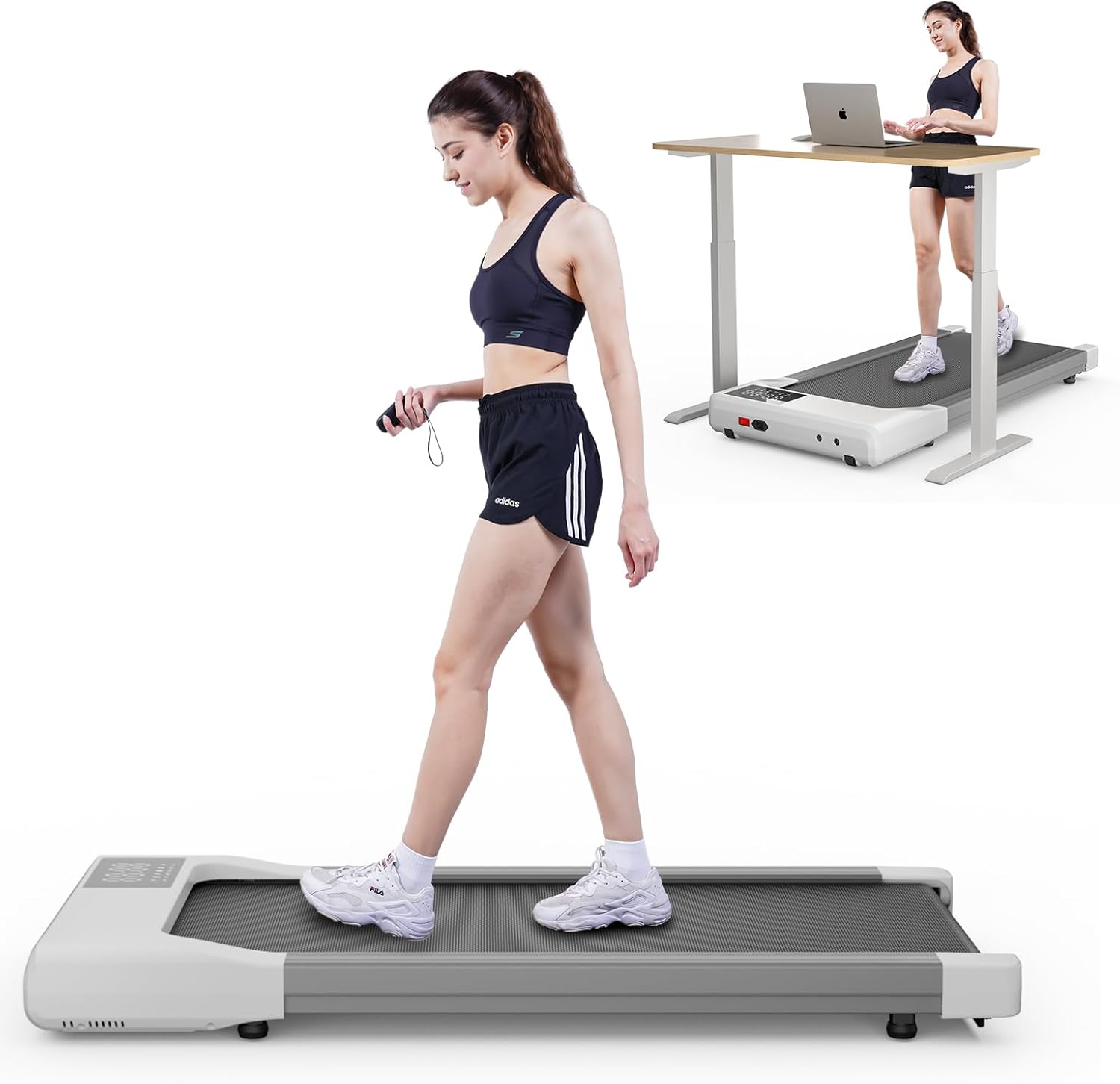
Image: The DeerRun Raceable Walking Pad shown in use, both as a standalone unit and integrated with a standing desk. This illustrates its compact design and versatility for various home environments.
3.3 Initial Power-Up
- Plug the power cord into a grounded electrical outlet.
- Locate the power switch, usually at the front or rear of the unit, and turn it ON.
- The LED display should illuminate, indicating the device is ready for use.
4. Operating Instructions
4.1 Control Panel and Remote Overview
The walking pad features an integrated LED display and comes with a remote control for convenient operation. The display shows essential workout data such as time, speed, distance, and calories burned.

Image: A close-up of the walking pad's LED display, showing Wi-Fi, Bluetooth, speed, time, distance, and calorie indicators. The remote control with speed adjustment buttons is also visible.
4.2 Using the Smart APP
Download the dedicated DeerRun Smart APP to unlock advanced features and enhance your fitness journey. The app allows you to:
- Track your workout data in detail.
- Participate in online competitions and challenges.
- Connect with a community of users.
- Benefit from AI surveillance for personalized guidance.

Image: Screenshots of the DeerRun Smart APP interface, displaying various workout modes like running and walking, detailed statistics, and social features for engaging with other users.
4.3 Starting a Workout
- Step onto the walking pad.
- Attach the safety key to your clothing and insert the other end into the designated slot on the console. The walking pad will not operate without the safety key.
- Use the remote control or the app to start the walking pad and adjust the speed.
4.4 Adjusting Speed
Use the '+' and '-' buttons on the remote control or within the app to increase or decrease the walking speed. Start at a slow pace and gradually increase to a comfortable level.
4.5 Stopping a Workout
To stop the walking pad, press the stop button on the remote control or in the app. Alternatively, pulling the safety key will immediately stop the belt for emergency situations.
4.6 Storage
The DeerRun Raceable Walking Pad is designed for easy storage. It can be folded or tilted and moved using its integrated wheels. Store it in a dry, safe place away from direct sunlight and extreme temperatures.

Image: The walking pad demonstrating its space-saving design, shown being slid under a sofa and stored upright against a wall, highlighting its portability and compact footprint.
5. Maintenance
Regular maintenance ensures the longevity and optimal performance of your DeerRun Raceable Walking Pad.
5.1 Cleaning
Wipe down the walking pad with a damp cloth after each use to remove sweat and dust. Do not use abrasive cleaners or solvents. Ensure the device is unplugged before cleaning.
5.2 Belt Lubrication
The running belt requires periodic lubrication to reduce friction and extend its lifespan. Refer to the specific instructions provided with your lubricant for frequency and application method. Typically, this involves applying silicone lubricant under the belt.
5.3 Belt Adjustment
If the running belt becomes misaligned or too loose/tight, it may need adjustment. Consult the detailed instructions in the full product manual or contact customer support for guidance. Incorrect adjustment can damage the belt or motor.

Image: An illustration highlighting the comfortable and healthy design of the walking pad, featuring a 5-layer running belt and 8 silicone shock absorbers for knee and ankle protection.
6. Troubleshooting
This section addresses common issues you might encounter with your DeerRun Raceable Walking Pad.
| Problem | Possible Cause | Solution |
|---|---|---|
| Walking pad does not power on. | Power cord not properly connected; Power switch is off; No power from outlet. | Check power cord connection; Ensure power switch is ON; Test outlet with another device. |
| Belt does not move. | Safety key not inserted; Device is in standby mode; Motor issue. | Insert safety key; Press start button; Contact customer support if issue persists. |
| Unusual noise during operation. | Belt requires lubrication; Loose components; Foreign object under belt. | Lubricate belt; Check for loose screws; Inspect under belt for obstructions. |
| APP connection issues. | Bluetooth/Wi-Fi off; App not updated; Device not paired. | Ensure Bluetooth/Wi-Fi is enabled on your device; Update the app; Follow app pairing instructions. |
If you encounter problems not listed here or if solutions do not resolve the issue, please contact DeerRun customer support.
7. Specifications
| Feature | Detail |
|---|---|
| Brand | DeerRun |
| Model | Raceable (B0FWBXK4ZJ) |
| Color | White |
| Dimensions (L x W x H) | 98.5 x 51.24 x 10.6 cm |
| Weight | 20.2 kilograms |
| Material | Stainless Steel |
| Power Source | Electric |
| Maximum Horsepower | 2.5 HP |
| Noise Level | Less than 55dB (during use) |
| Assembly Required | No |
8. Warranty and Support
DeerRun is committed to providing quality products and excellent customer service. Your Raceable Walking Pad comes with a 12-month product warranty.
For any questions, technical assistance, or warranty claims, please contact our customer service team. Our team is available 24/7 to assist you with returns, exchanges, and any product-related inquiries.
Contact Information: Please refer to the contact details provided on your purchase receipt or the official DeerRun website for the most up-to-date support information.