
1. Important Safety Information
Please read this manual carefully before assembly and use to ensure safe and correct operation of your MAIDeSITe EL2 Pro Art adjustable height desk frame.
- Overload Warning: Do not exceed the maximum load capacity of 180 kg (396 lbs). Overloading can cause damage to the frame and potential injury.
- Height Adjustment: Avoid adjusting the height while objects are unstable on the desktop or if there is a risk of collision with surrounding furniture or walls.
- Children and Pets: Keep children and pets away from the desk during operation. The anti-collision system helps prevent accidents, but supervision is recommended.
- Power Supply: Ensure the power cable is properly connected and not damaged. Do not operate the desk with a damaged cable or plug.
- Maintenance: Do not attempt to disassemble or repair the motor or control system yourself. Contact customer support for assistance.
2. Product Overview
The MAIDeSITe EL2 Pro Art is an electric adjustable height desk frame designed for ergonomic workspaces. It features a robust dual-motor system, a wide height adjustment range, and an elegant oval leg design.

The unique oval-shaped legs provide both stability and a distinctive aesthetic, setting it apart from conventional desk frames.

3. Package Contents
Before assembly, ensure all components are present and undamaged. Refer to the included assembly instructions for a detailed parts list.
- Desk Frame Components (legs, crossbars, feet)
- Control Panel with LCD Display
- Power Adapter and Cable
- Mounting Hardware (screws, Allen keys)
- Cable Management Tray (metal)
- 4 Lockable Universal Casters (optional installation)
- User Manual (this document)
4. Setup and Assembly
The MAIDeSITe EL2 Pro Art frame is designed for straightforward assembly, typically taking around 20 minutes. Detailed instructions are provided in a separate guide in 5 languages.

4.1 Assembly Steps (General Overview)
- Unpack Components: Carefully remove all parts from the packaging and lay them out on a clean, soft surface to prevent scratches.
- Assemble Legs and Crossbars: Follow the specific instructions to connect the lifting columns to the crossbars.
- Attach Feet: Secure the feet to the bottom of the lifting columns. You may choose to install the optional lockable casters at this stage for mobility.
- Install Control Panel: Mount the control panel to the underside of the desktop frame.
- Attach Desktop: Place your chosen desktop onto the assembled frame. The frame is extensible and supports tabletops from 100-220 cm (39.4-86.6 inches) in length and 60-100 cm (23.6-39.4 inches) in width. Secure the desktop using appropriate screws (not always included, depending on desktop purchase).
- Connect Cables: Connect the motor cables to the control box and then connect the control box to the power adapter.
- Cable Management: Utilize the included metal cable management tray (39 x 12 x 10 cm) to organize cables neatly.
4.2 Desktop Compatibility
The EL2 Pro Art frame features an extensible width from 100 cm to 180 cm (39.4 to 70.9 inches), accommodating a wide range of desktop sizes. Ensure your desktop meets the following dimensions:
- Desktop Length: 100 cm to 220 cm (39.4 to 86.6 inches)
- Desktop Width: 60 cm to 100 cm (23.6 to 39.4 inches)

5. Operating Instructions
The EL2 Pro Art features an intelligent control panel for easy height adjustment and personalized settings.

5.1 Control Panel Functions
- LCD Display: Shows the current desk height in centimeters.
- Up/Down Buttons (▲ / ▼): Press and hold to continuously adjust the desk height. Release to stop.
- Memory Presets (1, 2, 3, 4): Store and recall your preferred sitting and standing heights.
- SET Button: Used to save memory presets.
- Sit-Stand Reminder (0.5h, 1h, 2h): Set a timer to remind you to change your working posture.
- Child Safety Lock: Prevents unintentional adjustments.
- USB Charging Port: Conveniently charge your devices.
5.2 Setting Memory Presets
- Adjust the desk to your desired height using the Up/Down buttons.
- Press the SET button. The display will flash.
- Within 3 seconds, press one of the memory buttons (1, 2, 3, or 4) to save the current height to that position. The display will show 'S-' followed by the number to confirm.
5.3 Using Memory Presets
Simply press the desired memory button (1, 2, 3, or 4). The desk will automatically move to the saved height.
5.4 Sit-Stand Reminder
To activate the reminder, press the timer button (often labeled with a clock icon or 'M' for memory/mode, then cycle through 0.5h, 1h, 2h). The desk will beep or display a reminder after the set time to encourage posture changes.
5.5 Child Safety Lock
To engage or disengage the child safety lock, refer to the specific instructions in your detailed assembly guide. This feature prevents accidental height adjustments.
5.6 Anti-Collision System
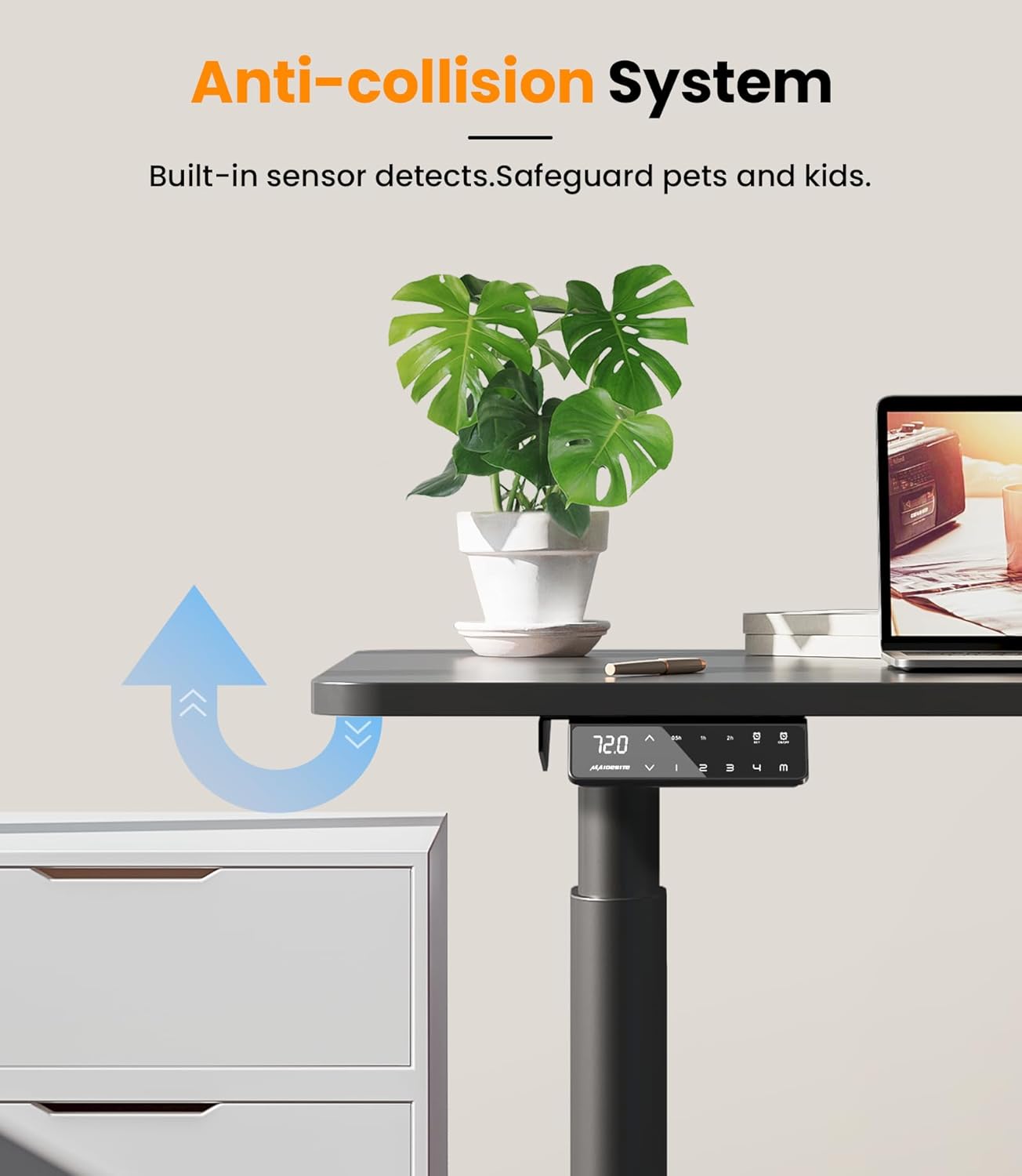
The EL2 Pro Art is equipped with a built-in anti-collision system. If the desk encounters an obstacle during height adjustment, it will automatically stop and reverse slightly to prevent damage or injury.
6. Maintenance
Regular maintenance ensures the longevity and optimal performance of your desk frame.
- Cleaning: Wipe the desk frame with a soft, damp cloth. Avoid using harsh chemicals or abrasive cleaners, which can damage the finish.
- Cable Management: Periodically check and reorganize cables to prevent tangles and ensure they do not interfere with the desk's movement.
- Fasteners: Occasionally check all screws and bolts to ensure they are tight. Retighten if necessary.
- Obstacle Clearance: Ensure the area around the desk is clear of obstacles before adjusting height to allow the anti-collision system to function effectively.
7. Troubleshooting
If you encounter issues with your desk frame, refer to the following common problems and solutions:
| Problem | Possible Cause | Solution |
|---|---|---|
| Desk does not move or respond to controls. | Power disconnected, cable loose, child lock engaged. | Check power cable connection. Ensure all motor cables are securely plugged into the control box. Disengage child safety lock if active. |
| Desk moves unevenly or makes unusual noise. | Overload, loose connections, uneven weight distribution. | Reduce load on the desk (ensure it's below 180 kg). Check all assembly screws for tightness. Redistribute weight evenly on the desktop. |
| Error code displayed on control panel. | Specific system fault. | Refer to the detailed assembly manual for specific error code meanings and troubleshooting steps. Often, a power cycle (unplug for 30 seconds, then replug) can resolve minor errors. |
| Anti-collision system triggers too easily or not at all. | Sensitivity setting, sensor obstruction. | Ensure no objects are near the sensors. Some models allow sensitivity adjustment; refer to your detailed manual. |
If the problem persists after attempting these solutions, please contact MAIDeSITe customer support.
8. Specifications
Key technical specifications for the MAIDeSITe EL2 Pro Art adjustable height desk frame:
| Feature | Specification |
|---|---|
| Brand | MAIDeSITe |
| Model Number | EL2 Pro Art |
| Color | Black |
| Motor Type | Dual Motor |
| Load Capacity (Max) | 180 kg (396 lbs) |
| Height Adjustment Range | 72 cm - 120 cm (28.3 inches - 47.2 inches) |
| Frame Width Adjustment Range | 100 cm - 180 cm (39.4 inches - 70.9 inches) |
| Compatible Desktop Length | 100 cm - 220 cm (39.4 inches - 86.6 inches) |
| Compatible Desktop Width | 60 cm - 100 cm (23.6 inches - 39.4 inches) |
| Lifting Speed | 35 mm/s |
| Noise Level | < 45 dB |
| Control Panel | Smart panel with LCD, 4 memory presets, sit-stand reminder, child safety lock, USB charging. |
| Product Dimensions (L x W x H) | 60 x 180 x 120 cm (approximate maximum extended dimensions) |
| Item Weight | 24 Kilograms |


9. Warranty and Support
MAIDeSITe is committed to providing high-quality products and excellent customer service.
9.1 Product Warranty
Your MAIDeSITe EL2 Pro Art desk frame comes with a 5-year warranty, ensuring peace of mind regarding its quality and durability. Please retain your proof of purchase for warranty claims.
9.2 Customer Support
For any questions, technical assistance, or warranty claims, please contact MAIDeSITe customer support. Our team is available to provide support and ensure your satisfaction.
You can find contact information on the official MAIDeSITe website or through your purchase platform.


