
Introduction
This manual provides comprehensive instructions for the Astarama RG40XX H Retro Portable Game Console. It covers product features, setup, operation, maintenance, and troubleshooting to ensure optimal use of your device. Please read this manual thoroughly before using the console.
Product Overview
The Astarama RG40XX H is a portable retro gaming console designed for an immersive gaming experience. It features a 4-inch IPS display, a powerful H700 quad-core processor, and 1GB LPDDR4 RAM, running on a Linux 64-bit system. The console includes dual high-precision joysticks with customizable RGB lighting effects and supports various connectivity options.
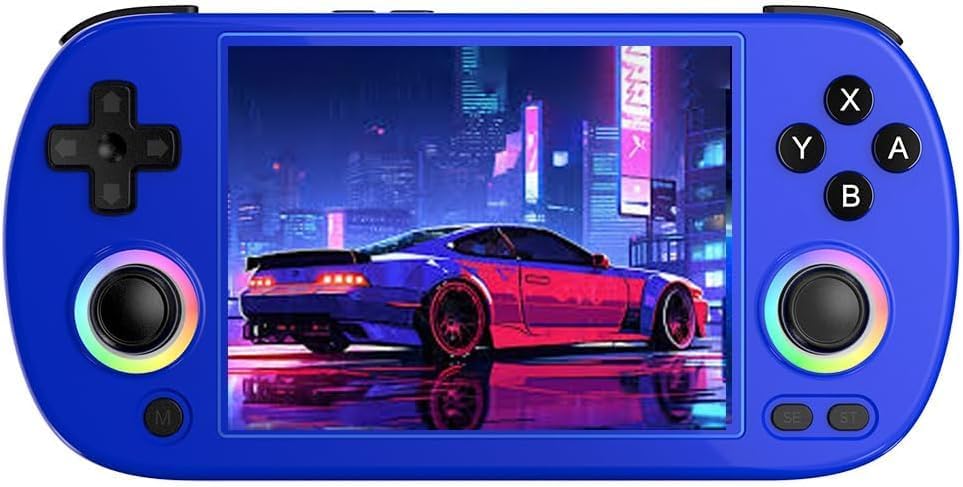
Image: The Astarama RG40XX H console, available in multiple colors, highlighting its compact design and illuminated joysticks.
Key Features:
- Display: 4.0-inch IPS full-view angle screen with 640x480 resolution.
- Processor: H700 quad-core ARM Cortex-A53, 1.5 GHz.
- Memory: 1GB LPDDR4 RAM, 64GB TF/microSD internal storage, expandable up to 512GB via dual TF card slots.
- Connectivity: 2.4/5G WiFi (802.11a/b/g/n/ac) and Bluetooth 4.2.
- Output: Supports HD TV output for an enhanced gaming experience on a larger screen.
- Controls: High-precision dual joysticks with 16 million colors RGB lighting effects (constant, breathing, rainbow, marquee, chasing, gaming).
- Battery: 3200mAh lithium battery providing up to 6 hours of gameplay, with 5V/1.5A Type-C charging support.
- Multimedia: Functions as a media player for videos, music, and e-books.
What's in the Box
Upon unboxing, please verify that all the following components are included:
- 1 x RG40XX H Game Console
- 1 x Type-C Charging Cable
- 1 x User Manual
- 1 x Gift Box (packaging)

Image: Contents of the RG40XX H package, including the console, charging cable, and manual.
Setup
1. Charging the Console
Before first use, fully charge the console. Connect the provided Type-C charging cable to the console's charging port and the other end to a 5V/1.5A power adapter (not included). The charging indicator will show the charging status. A full charge typically takes approximately 2-3 hours.
2. Inserting TF Cards
The RG40XX H features dual TF card slots. The primary slot typically contains the system and pre-loaded games (if applicable), while the secondary slot can be used for additional game storage, supporting up to 512GB. Gently insert the TF card(s) into the designated slot(s) until they click into place. Ensure the console is powered off before inserting or removing TF cards.
Note: If your console does not contain pre-loaded games, you will need to add game files to the TF card. Refer to the manufacturer's official website or support resources for detailed instructions on how to properly format and load games onto the TF card.
3. Powering On/Off
- To Power On: Press and hold the power button located on the console until the screen illuminates.
- To Power Off: Press and hold the power button until a power-off menu appears on the screen. Select "Power Off" to safely shut down the system. A short press will put the console into sleep mode.
Operating Instructions
Basic Controls
The RG40XX H features a standard layout for portable gaming, including a D-pad, action buttons (A, B, X, Y), start, select, and dual analog joysticks. Familiarize yourself with the button layout for optimal gameplay.

Image: The console's control layout, featuring the D-pad, action buttons, and illuminated joysticks.
Navigating the System
The console runs on a Linux 64-bit system. Use the D-pad or left analog joystick to navigate through menus and select options. The A button typically confirms selections, while the B button acts as a back or cancel function.
RGB Joystick Lighting
The joysticks feature customizable RGB lighting with 16 million colors. You can adjust the lighting effects to constant, breathing, rainbow, marquee, chasing, or gaming modes. Refer to the system settings for options to customize color and brightness.

Image: Visual representation of the various RGB lighting modes available for the joysticks.
Wireless Connectivity (WiFi & Bluetooth)
- WiFi: Access the system settings to connect to a 2.4G or 5G WiFi network (802.11a/b/g/n/ac). This enables online features, game streaming (e.g., Moonlight Streaming), and system updates.
- Bluetooth: Pair Bluetooth-enabled accessories, such as external controllers or headphones, through the system's Bluetooth settings (Bluetooth 4.2).
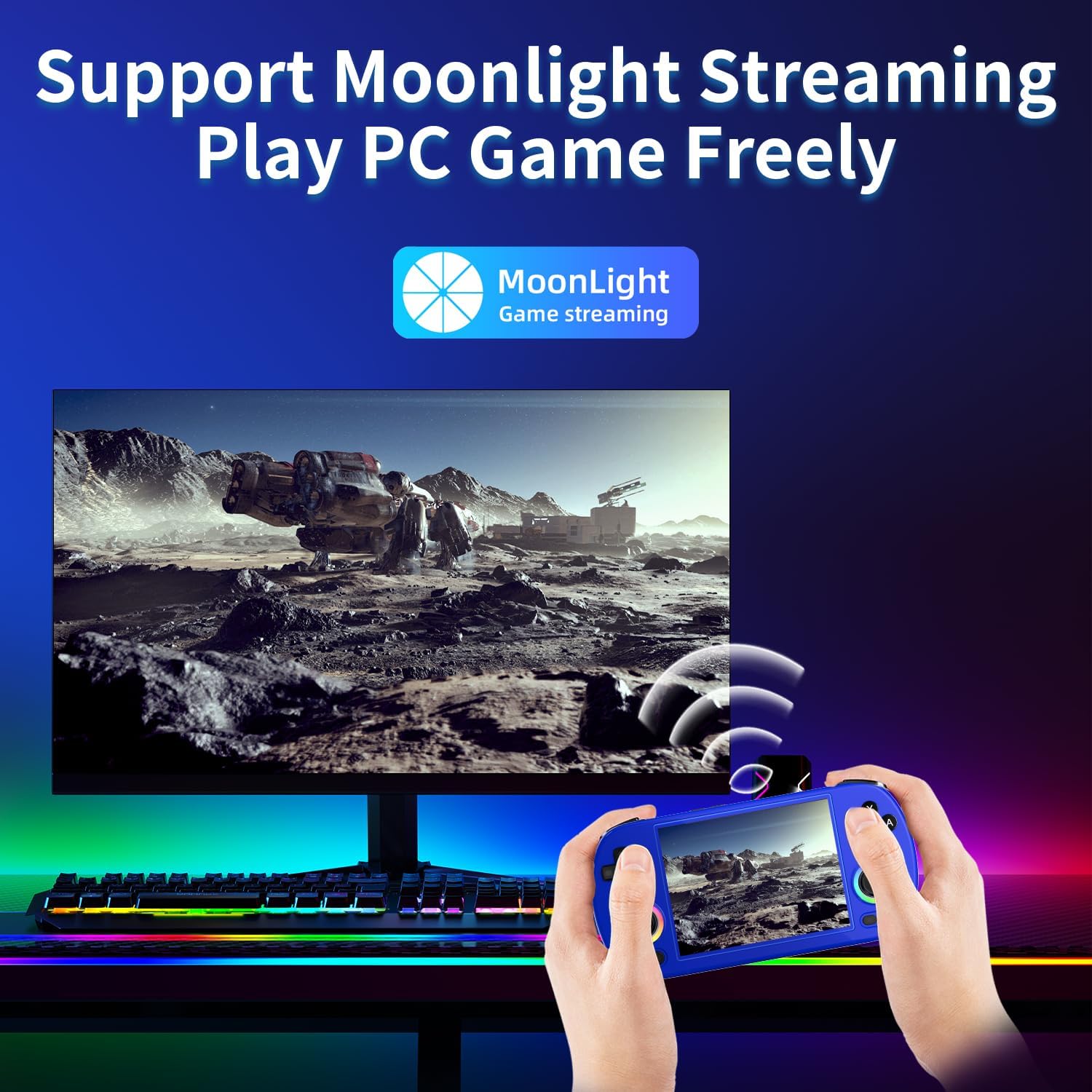
Image: The console demonstrating Moonlight Streaming functionality, allowing users to play PC games wirelessly.
HDTV Output
Connect the console to a television or monitor using an appropriate HDMI cable (not included) to enjoy games on a larger screen. The console supports HD TV output, providing a more immersive gaming experience. Ensure your TV is set to the correct HDMI input.
Multimedia Playback
The RG40XX H can play various media formats. Navigate to the multimedia section in the system menu to access video, music, and e-book playback features.
Maintenance
Cleaning the Console
Use a soft, dry, lint-free cloth to clean the console's exterior. For the screen, use a screen-specific cleaning solution and a microfiber cloth. Avoid using harsh chemicals, abrasive materials, or excessive moisture, as these can damage the device.
Battery Care
- To prolong battery life, avoid fully discharging the battery frequently.
- Store the console in a cool, dry place when not in use for extended periods.
- Use only the provided Type-C cable and a compatible 5V/1.5A charger.
Storage
Store the console away from direct sunlight, extreme temperatures, and high humidity. Keep it in a protective case to prevent scratches and physical damage.
Troubleshooting
If you encounter issues with your RG40XX H console, please refer to the following common solutions:
- Console Does Not Power On: Ensure the battery is sufficiently charged. Connect the console to a power source and try again. If the issue persists, perform a hard reset by holding the power button for 10-15 seconds.
- Games Not Loading or Missing: Verify that the TF card(s) are correctly inserted into their slots. If games are missing, it may be necessary to re-install game files. Consult the manufacturer's support resources for instructions on adding games to the TF card. Ensure the TF card is not corrupted.
- Screen Issues (No Display, Flickering): Check if the console is powered on. If connected to an external display, ensure the HDMI cable is secure and the TV input is correct. Try restarting the console.
- Connectivity Problems (WiFi/Bluetooth): Ensure WiFi and Bluetooth are enabled in the system settings. For WiFi, verify the network password and signal strength. For Bluetooth, ensure the accessory is in pairing mode and within range.
- Unresponsive Controls: Restart the console. If specific buttons or joysticks are unresponsive, ensure no debris is obstructing them.
For further assistance, please contact Astarama customer support.
Specifications
| Feature | Detail |
|---|---|
| Model Number | RG40XX H |
| Dimensions | 16.6 x 7.95 x 1.6 cm (6.54 x 3.13 x 0.63 inches) |
| Screen Size | 4.0 inches IPS |
| Screen Resolution | 640 x 480 |
| Processor | H700 Quad-core ARM Cortex-A53, 1.5 GHz |
| GPU | Dual Core G31 MP2 |
| RAM | 1GB LPDDR4 |
| Internal Storage | 64GB TF/microSD |
| Expandable Storage | Dual TF card slots, up to 512GB |
| Operating System | Linux 64-bit |
| Battery | 3200mAh Lithium-ion |
| Battery Life | Up to 6 hours |
| Charging | 5V/1.5A, Type-C support |
| WiFi | 2.4/5G 802.11a/b/g/n/ac |
| Bluetooth | 4.2 |
| Output | HD TV Output |
| Controller Type | Joystick |
| RGB Lighting | 16 million colors, 6 effects |
| Weight | 200g |
Warranty and Support
Manufacturer's Warranty
The Astarama RG40XX H console comes with a 2-year manufacturer's warranty. This warranty covers defects in materials and workmanship under normal use. Please retain your proof of purchase for warranty claims.
Customer Support
For technical support, warranty claims, or any questions regarding your Astarama RG40XX H console, please contact Astarama customer service. Refer to the contact information provided on the product packaging or the official Astarama website.