
1. Introduction
Thank you for choosing the Intenso Buds Plus TWS T313AE Wireless Earbuds. These earbuds are designed to provide a superior audio experience with advanced features such as Active Noise Cancellation (ANC), Environmental Noise Cancellation (ENC), and Bluetooth 5.4 connectivity. This manual provides essential information for setting up, operating, and maintaining your earbuds.
2. Package Contents
Please check the package for the following items:
- Intenso Buds Plus TWS Earbuds (Left and Right)
- Charging Case
- USB Charging Cable
- Multiple Sizes of Ear Tips
- User Manual
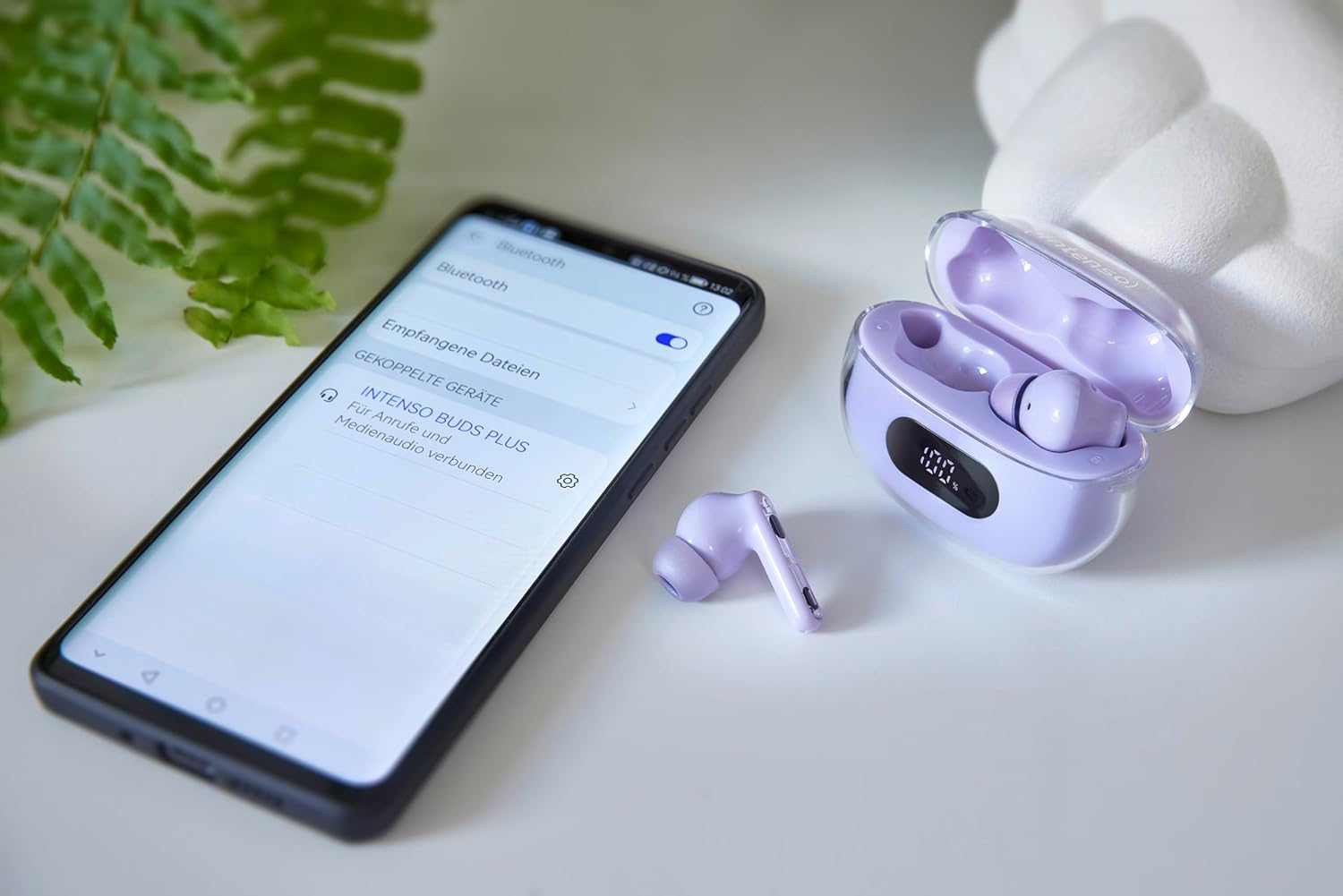
Image: Intenso Buds Plus TWS earbuds, charging case, and a smartphone displaying Bluetooth pairing settings.
3. Product Overview
The Intenso Buds Plus TWS earbuds feature a compact design with a transparent charging case. The earbuds are equipped with touch controls and integrated microphones for clear communication.

Image: Earbuds in open charging case with digital display.

Image: Features highlighted: ANC, ENC, and LED display.

Image: Charging case with 100% battery display.

Image: Close-up of individual earbuds.
4. Setup
4.1 Charging the Earbuds and Case
Before first use, fully charge the earbuds and the charging case. The charging case features an LED display to indicate the battery level.
- Place the earbuds into the charging case.
- Connect the charging case to a USB power source using the provided USB cable.
- The LED display on the case will show the charging status.
- A full charge typically takes approximately 1.5 to 2 hours for the case and earbuds.

Image: LED status display on the charging case.
4.2 Bluetooth Pairing
The Intenso Buds Plus earbuds utilize Bluetooth 5.4 for a stable and fast connection.
- Ensure the earbuds are charged and inside the charging case.
- Open the charging case. The earbuds will automatically enter pairing mode.
- On your device (smartphone, tablet, laptop), go to Bluetooth settings.
- Search for available devices and select "Intenso Buds Plus" from the list.
- Once connected, you will hear a confirmation tone, and the earbuds will be ready for use.

Image: Earbuds and case next to a smartphone.
5. Operating Instructions
5.1 Touch Controls
The earbuds feature intuitive touch controls for managing audio playback, calls, and noise cancellation modes.
- Play/Pause: Single tap on either earbud.
- Next Track: Double tap on the right earbud.
- Previous Track: Double tap on the left earbud.
- Answer/End Call: Single tap on either earbud.
- Reject Call: Press and hold either earbud for 2 seconds.
- Volume Up: Triple tap on the right earbud.
- Volume Down: Triple tap on the left earbud.
- Activate Voice Assistant: Press and hold either earbud for 3 seconds (when not on a call).
5.2 Noise Cancellation Modes (ANC, ENC, Transparency)
The earbuds offer various modes to control your listening environment:
- Active Noise Cancellation (ANC): Reduces ambient noise, allowing you to focus on your audio.
- Environmental Noise Cancellation (ENC): Enhances voice clarity during calls by filtering out background noise.
- Transparency Mode: Allows you to hear your surroundings while still enjoying your audio, useful for awareness in busy environments.
To switch between ANC, Transparency, and Normal modes, press and hold the touch area on the left earbud for 2 seconds. ENC is automatically active during calls.
5.3 Battery Life
The earbuds provide up to 7 hours of playback on a single charge. The charging case extends the total playtime to approximately 25 hours, allowing for multiple recharges on the go.

Image: Illustration of battery life with and without charging case.
6. Maintenance
To ensure the longevity and optimal performance of your Intenso Buds Plus earbuds, follow these maintenance guidelines:
- Cleaning: Regularly clean the earbuds and charging case with a soft, dry, lint-free cloth. Do not use abrasive cleaners or solvents.
- Ear Tips: Remove ear tips periodically and clean them with water and mild soap. Ensure they are completely dry before reattaching.
- Charging Contacts: Keep the charging contacts on both the earbuds and inside the case clean and free of debris to ensure proper charging.
- Storage: When not in use, store the earbuds in their charging case to protect them from dust and damage.
- Water Resistance: The earbuds are water-resistant. Avoid submerging them in water or exposing them to excessive moisture. Dry them thoroughly if they get wet.
7. Troubleshooting
If you encounter any issues with your earbuds, refer to the following common solutions:
| Problem | Possible Cause | Solution |
|---|---|---|
| Earbuds not pairing | Low battery; Bluetooth off; Earbuds not in pairing mode; Device already connected to another Bluetooth device. | Charge earbuds and case; Ensure Bluetooth is enabled on your device; Place earbuds in case, close, then open to re-enter pairing mode; Disconnect from other devices. |
| No sound | Volume too low; Earbuds not connected; Audio source paused. | Increase volume on earbuds and device; Reconnect earbuds; Check audio playback on your device. |
| Poor sound quality | Ear tips not properly sealed; Earbuds dirty; Interference. | Try different size ear tips for a better fit; Clean earbuds and ear tips; Move closer to your device or away from sources of interference. |
| Earbuds not charging | Charging cable faulty; Charging contacts dirty; Power source issue. | Try a different USB cable; Clean charging contacts; Use a different USB port or power adapter. |
8. Specifications
| Model Name | Buds Plus |
| Model Number | 3720313 |
| Brand | Intenso |
| Connectivity Technology | Wireless (Bluetooth 5.4) |
| Ear Placement | In-ear |
| Form Factor | In-Ear |
| Noise Cancellation | Active Noise Cancellation (ANC), Environmental Noise Cancellation (ENC) |
| Control Type | Touch Control |
| Special Features | Noise Cancellation, Volume Control, Touch Control, Noise Isolation, Lightweight |
| Battery Composition | Lithium-polymer |
| Rechargeable Battery | Yes |
| Playtime (Earbuds) | Up to 7 hours |
| Total Playtime (with Case) | Up to 25 hours |
| Water Resistance Level | Water-resistant |
| Material | Plastic |
| Compatible Devices | Mobile phone, Tablet, Laptop, Game console, Car audio system |
9. Warranty and Support
Intenso products are designed for reliability and performance. For warranty information, technical support, or customer service inquiries, please refer to the contact details provided on the Intenso official website or your purchase documentation.
Please retain your proof of purchase for any warranty claims.


