
1. Introduction
Thank you for choosing the Mellif Cordless DA Polisher MFPLS03. This manual provides essential information for the safe and effective operation, maintenance, and troubleshooting of your new tool. Please read this manual thoroughly before use and retain it for future reference.
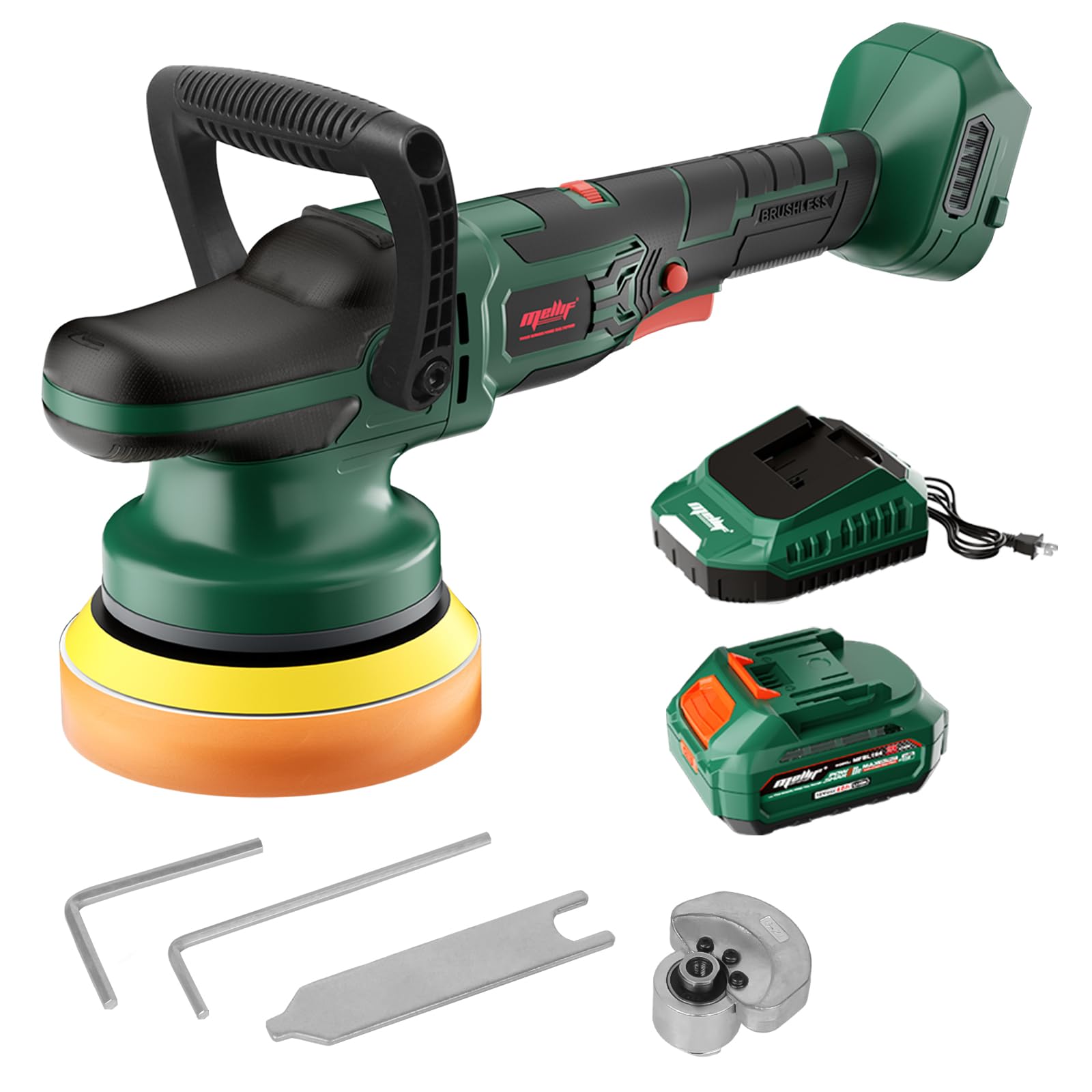
Image 1.1: Mellif Cordless DA Polisher, highlighting compatibility with Makita 18V and Mellif 18V batteries, and a 5-year warranty.
2. Safety Information
Always observe basic safety precautions to reduce the risk of fire, electric shock, and personal injury.
- Read all instructions: Familiarize yourself with the polisher's operation and safety guidelines.
- Wear appropriate safety gear: Always wear eye protection, gloves, and a dust mask when operating the polisher.
- Keep work area clean and well-lit: Cluttered or dark areas invite accidents.
- Avoid dangerous environments: Do not use power tools in damp or wet locations, or expose them to rain.
- Secure workpiece: Always secure the material being polished to prevent movement during operation.
- Maintain proper footing and balance: Do not overreach.
- Disconnect battery: Always remove the battery pack before making any adjustments, changing accessories, or storing the tool.
- Use correct accessories: Only use accessories recommended by the manufacturer.
- Over-low voltage protection: The machine will stop automatically when the voltage is below 14.4V to protect the battery.

Image 2.1: Illustration of the polisher's over-low voltage protection feature.
3. Package Contents
Verify that all items are present upon unpacking:
- Mellif Cordless DA Polisher Body
- 4.0 Ah Battery
- 2 Amp Charger
- Auxiliary Handle
- Polishing Pad (pre-installed or separate)
- Allen Key (for pad changes)
- Wrench (for pad changes)
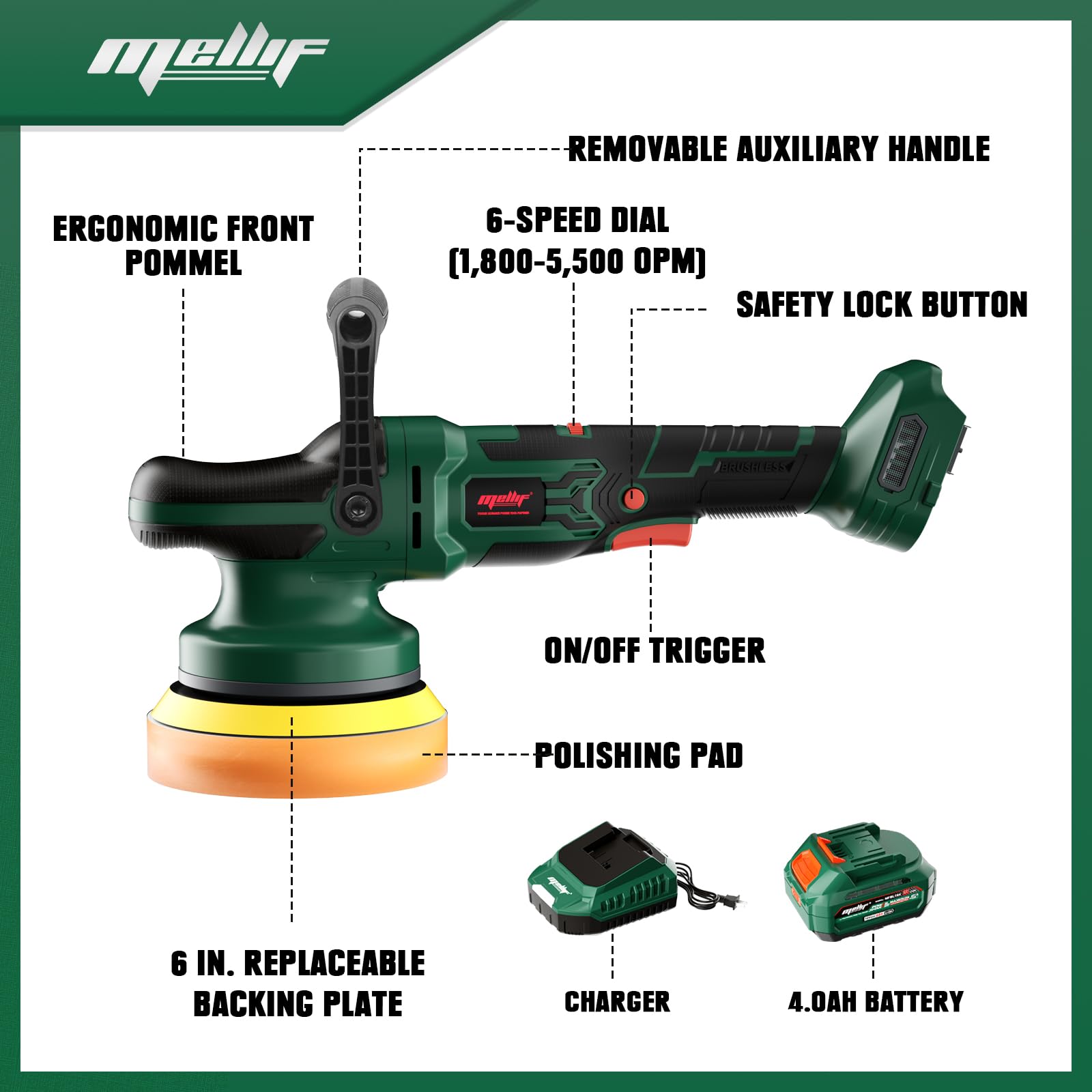
Image 3.1: Exploded view of the Mellif Cordless DA Polisher and its included components.
4. Setup
4.1 Charging the Battery
- Connect the 2 Amp charger to a standard power outlet.
- Slide the 4.0 Ah battery onto the charger until it clicks into place.
- Allow the battery to charge fully. The charger's indicator light will change to show a full charge.
- Once charged, remove the battery from the charger.

Image 4.1: The 18V 4.0Ah battery and 2.0Ah fast charging charger.
4.2 Attaching the Auxiliary Handle
The auxiliary handle can be attached to the front of the polisher for improved control and comfort during operation. Align the handle with the mounting points and secure it firmly.
4.3 Installing/Changing the Polishing Pad
The polisher features a 6-inch replaceable backing plate. Follow these steps to install or change the polishing pad:
- Step 1: Loosen the screw in the center of the polishing pad counterclockwise with the allen key.
- Step 2: Insert a wrench to secure the bottom and unscrew the eccentric gear counterclockwise.
- Step 3: Take out the eccentric gear and put the replacement one, screw it in clockwise.
- Step 4: Tighten the screw in the center of the polishing pad clockwise with the allen key.

Image 4.2: Step-by-step guide for changing the polishing pad.
5. Operating Instructions
5.1 Powering On/Off
To power on the polisher, press the ON/OFF trigger. For continuous operation, engage the lock-on switch. To turn off, release the trigger or disengage the lock-on switch.
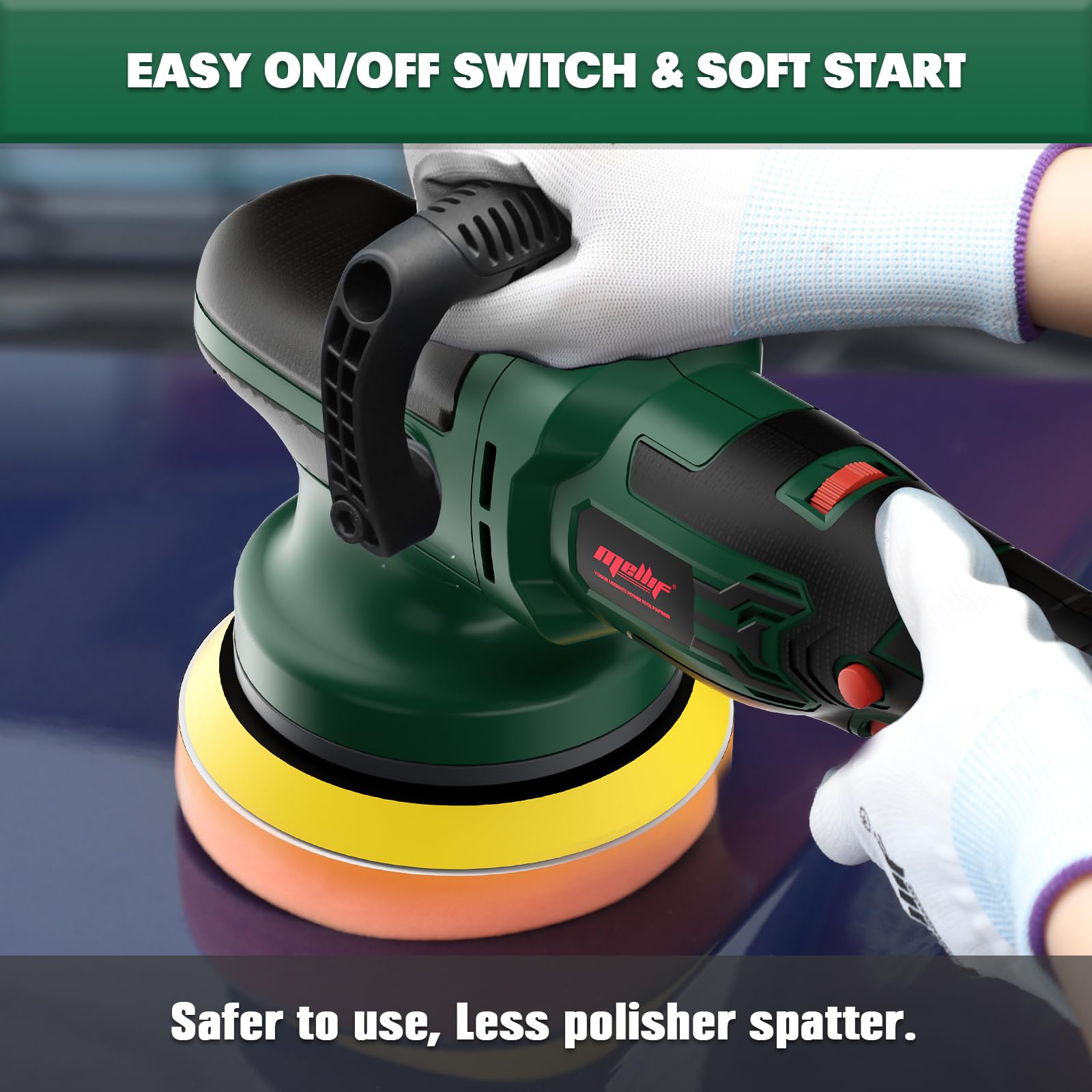
Image 5.1: Easy On/Off switch and soft start mechanism.
5.2 Variable Speed Control
The polisher features a 6-speed dial, allowing adjustment from 1800 to 5500 OPM (Orbits Per Minute). Select the appropriate speed for your task:
- Level 1-2: Ideal for waxing and buffing.
- Level 3-4: Suitable for general polishing and buffering.
- Level 5-6: Recommended for removing paint defects and stains.
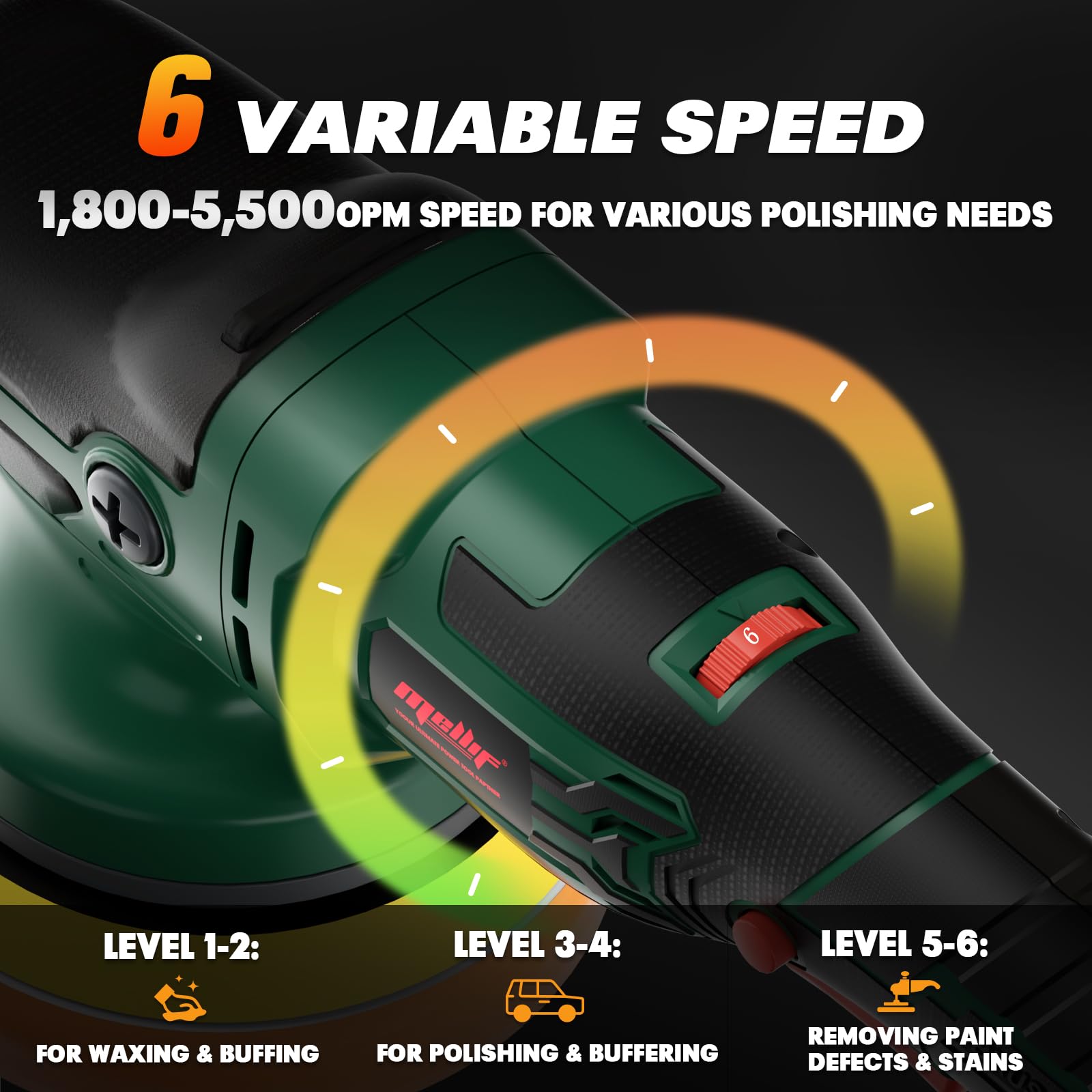
Image 5.2: Variable speed dial and recommended applications.
5.3 Polishing Techniques
Apply a small amount of polish or wax to the pad or directly to the surface. Work in small sections, using overlapping passes. Maintain consistent pressure and movement. The dual-action random orbital motion helps reduce swirl marks and provides an even finish.
5.4 Applications
This versatile polisher is suitable for various detailing tasks:
- Car detailing
- Yacht maintenance
- Motorcycle polishing
- Furniture restoration
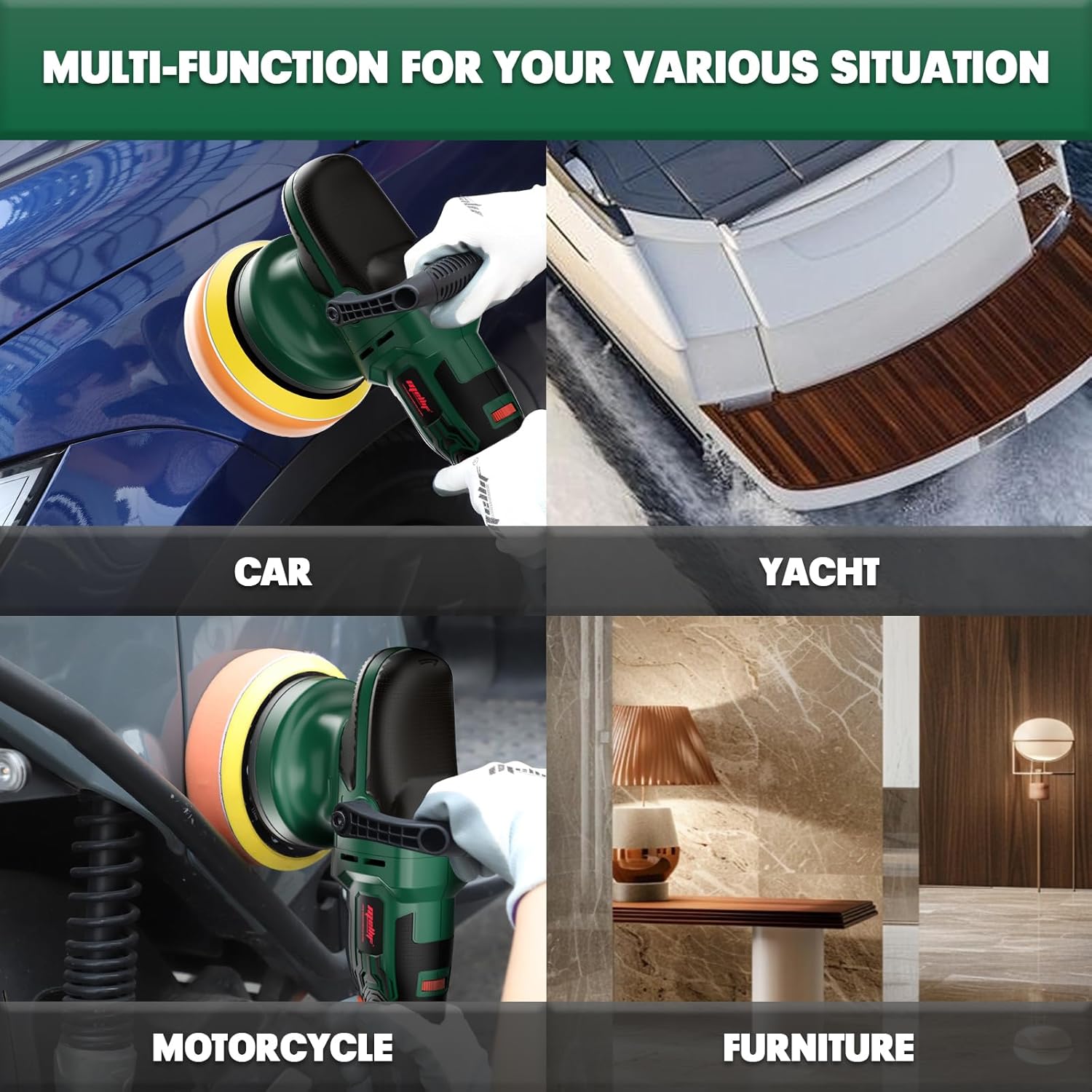
Image 5.3: Multi-functionality of the polisher across different surfaces.
5.5 Product Demonstration Video
Watch this video for a practical demonstration of the Mellif Cordless DA Polisher in action, showcasing its effectiveness in car detailing.
Video 5.4: A demonstration of the Mellif Cordless DA Polisher being used to polish a car, showing before and after results.
6. Maintenance
6.1 Cleaning
After each use, disconnect the battery and clean the polisher body with a soft, damp cloth. Remove any polish residue from the backing plate and pads. Ensure ventilation openings are clear of debris.
6.2 Storage
Store the polisher in a clean, dry place, out of reach of children. Remove the battery pack if storing for extended periods. Avoid storing in direct sunlight or extreme temperatures.
7. Troubleshooting
If you encounter issues, refer to the following common problems and solutions:
| Problem | Possible Cause | Solution |
|---|---|---|
| Polisher does not start | Battery not charged or improperly inserted; ON/OFF switch not fully engaged. | Ensure battery is fully charged and correctly inserted. Press the ON/OFF trigger firmly. |
| Reduced power or inconsistent operation | Low battery charge; excessive pressure applied; motor overheating. | Recharge battery. Reduce pressure on the tool. Allow the tool to cool down. |
| Excessive vibration or noise | Loose polishing pad or backing plate; damaged pad. | Check and tighten the polishing pad/backing plate. Replace damaged pads. |
| Polisher stops unexpectedly | Over-low voltage protection activated; overload protection activated. | Recharge battery. Reduce load on the tool. |
8. Specifications
| Feature | Specification |
|---|---|
| Model Number | MFPLS03 |
| Power Source | Battery Powered (18V DC) |
| Motor Type | Brushless |
| Speed Settings | 6 Variable Speeds |
| Operating Speed | 1800 - 5500 OPM |
| Orbit Diameter | 15mm (with optional 21mm block) |
| Backing Plate Size | 6 inches |
| Battery Capacity | 4.0 Ah |
| Charger Output | 2 Amp |
| Material | Plastic |
| Color | Green |

Image 8.1: Key features of the brushless motor.
9. Warranty and Support
The Mellif Cordless DA Polisher MFPLS03 comes with a 5-year warranty against manufacturing defects. For warranty claims, technical support, or replacement parts, please contact Mellif customer service through the retailer where the product was purchased or visit the official Mellif website.
Please retain your proof of purchase for warranty validation.