
1. Introduction
Thank you for choosing the VGR V-901 Professional Rechargeable Cordless Hair Trimmer. This manual provides essential information for the safe and effective use, maintenance, and care of your new trimmer. Please read it thoroughly before first use and keep it for future reference.
2. Safety Information
General Safety Guidelines: Avoid using this product on infants. Keep the device away from water sources to prevent electric shock. Always follow recommended cleaning and maintenance procedures outlined in this manual.
Electrical Safety Warning: This device is battery-operated. Use with caution to avoid electrical hazards. Do not attempt to open or repair the battery compartment or the device itself. Only use the provided USB cable for charging. Ensure the charging port is dry before connecting the cable.
3. Package Contents
Please check the package to ensure all items are present:
- VGR V-901 Hair Trimmer
- Guide Combs (1mm, 3mm, 5mm, 7mm)
- USB Charging Cable
- Cleaning Brush
- Lubricating Oil
- Blade Protector

Image 1: The VGR V-901 hair trimmer along with its included accessories and packaging. Visible items include the trimmer, four guide combs, a USB charging cable, a cleaning brush, and a small bottle of oil.
4. Product Overview
Familiarize yourself with the components and features of your VGR V-901 trimmer.

Image 2: A detailed view of the VGR V-901 trimmer highlighting its controls. This includes the ON/OFF button, speed increase/decrease buttons, an LED display showing RPM and battery level, and the USB charging port at the bottom.
- Metallic Blade: Designed for precise and close cutting.
- ON/OFF Button: Powers the trimmer on or off.
- Speed Adjustment Buttons: Allows selection of 4 different speeds (5500-7000 RPM) for various hair types.
- LED Display: Shows current RPM and battery charge level.
- USB Charging Port: For convenient charging.
- Portable Hook: For easy storage.
5. Setup
5.1 Initial Charging
Before first use, fully charge the trimmer. Connect the USB charging cable to the trimmer's charging port and plug the other end into a compatible USB power adapter (not included) or a computer USB port. The LED display will indicate charging status. A full charge takes approximately 2.5 hours.
5.2 Attaching Guide Combs
Select the desired guide comb (1mm, 3mm, 5mm, or 7mm) for your preferred hair length. Align the comb with the trimmer blade and push it firmly until it clicks into place. To remove, gently pull the comb away from the blade.
6. Operating Instructions
6.1 Powering On/Off
Press the ON/OFF button to turn the trimmer on. Press it again to turn the trimmer off.
6.2 Adjusting Speed
While the trimmer is on, use the speed increase/decrease buttons to cycle through the 4 available speed settings (5500 RPM, 6000 RPM, 6500 RPM, 7000 RPM). Choose a speed appropriate for your hair type and desired cut.
6.3 Trimming Techniques
For best results, ensure hair is clean and dry. Hold the trimmer against the direction of hair growth, moving it slowly and steadily. Use the guide combs to achieve uniform length. For detailing or outlining, remove the guide comb and use the bare blade carefully.
7. Maintenance
7.1 Cleaning the Blades
After each use, turn off the trimmer and remove the guide comb. Use the provided cleaning brush to remove any loose hairs from the blades and the trimmer head. For a more thorough clean, you may carefully detach the blade assembly (refer to specific instructions if available, otherwise proceed with caution) and brush away debris.
7.2 Oiling the Blades
Regular oiling ensures optimal performance and extends blade life. After cleaning, apply 1-2 drops of the lubricating oil (or a suitable clipper oil) to the teeth of the blades. Turn the trimmer on for a few seconds to distribute the oil evenly, then wipe off any excess with a soft cloth.
8. Battery and Charging
The VGR V-901 is equipped with a 1600 mAh Lithium-ion battery. A full charge takes approximately 2.5 hours and provides up to 240 minutes of operating time. The LED display indicates the current battery level. Recharge the trimmer when the battery indicator is low to ensure consistent performance.
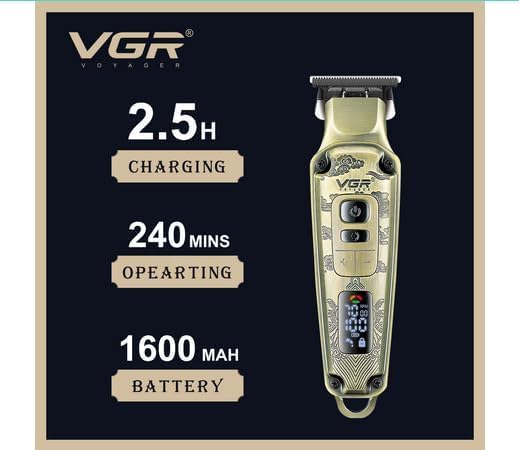
Image 3: An illustration of the VGR V-901 trimmer highlighting its battery specifications: 2.5 hours charging time, 240 minutes operating time, and a 1600 mAh battery capacity.
9. Troubleshooting
- Trimmer not turning on: Ensure the battery is charged. Connect to the USB charger and check the LED display.
- Poor cutting performance: Clean the blades thoroughly. Apply lubricating oil. Ensure the guide comb is correctly attached.
- Unusual noise: Clean and oil the blades. If the noise persists, discontinue use and contact customer support.
- Trimmer not charging: Check the USB cable and power source. Ensure the charging port is clean and dry.
10. Specifications
| Model Number | V-901 (Item model number: 096) |
| Brand | VGR |
| Power Source | Battery Powered |
| Battery Type | Lithium Ion (1 included) |
| Battery Capacity | 1600 mAh |
| Charging Time | Approx. 2.5 hours |
| Operating Time | Approx. 240 minutes |
| Blade Material | Metal |
| Item Weight | 0.55 Kilograms |
| Recommended Uses | Head hair, facial hair (beards, mustaches) |
11. Warranty and Support
For warranty information or technical support, please refer to the warranty card included with your product or contact VGR customer service through their official website or authorized retailers. Keep your purchase receipt as proof of purchase.


