Introduction
The Goldtouch Elite Adjustable Ergonomic Keyboard is engineered to provide a customizable typing experience, promoting comfort and reducing strain. Its unique design allows for independent adjustment of the keyboard halves, enabling users to find their optimal ergonomic position.
Setup and Adjustment
Connecting the Keyboard
- Locate the USB-A cable attached to the Goldtouch Elite keyboard.
- Plug the USB-A connector into an available USB port on your computer (PC or Mac).
- The keyboard is plug-and-play and should be recognized automatically by your operating system.
Adjusting Splay and Tenting
The Goldtouch Elite keyboard features adjustable splay (horizontal angle) and tenting (vertical angle) to accommodate various hand and wrist positions. The improved handle design facilitates easier adjustment.
- Horizontal Splay Adjustment: The keyboard can be splayed from 0 to 30 degrees. To adjust, gently pull the two halves apart or push them together to achieve the desired angle. The mechanism will hold the position once released.
- Vertical Tenting Adjustment: The keyboard can be tented from 0 to 60 degrees. To adjust, lift the inner edges of the keyboard halves. The integrated mechanism will allow you to set the vertical angle.

Image: The Goldtouch Elite keyboard shown in its flat, unadjusted configuration.
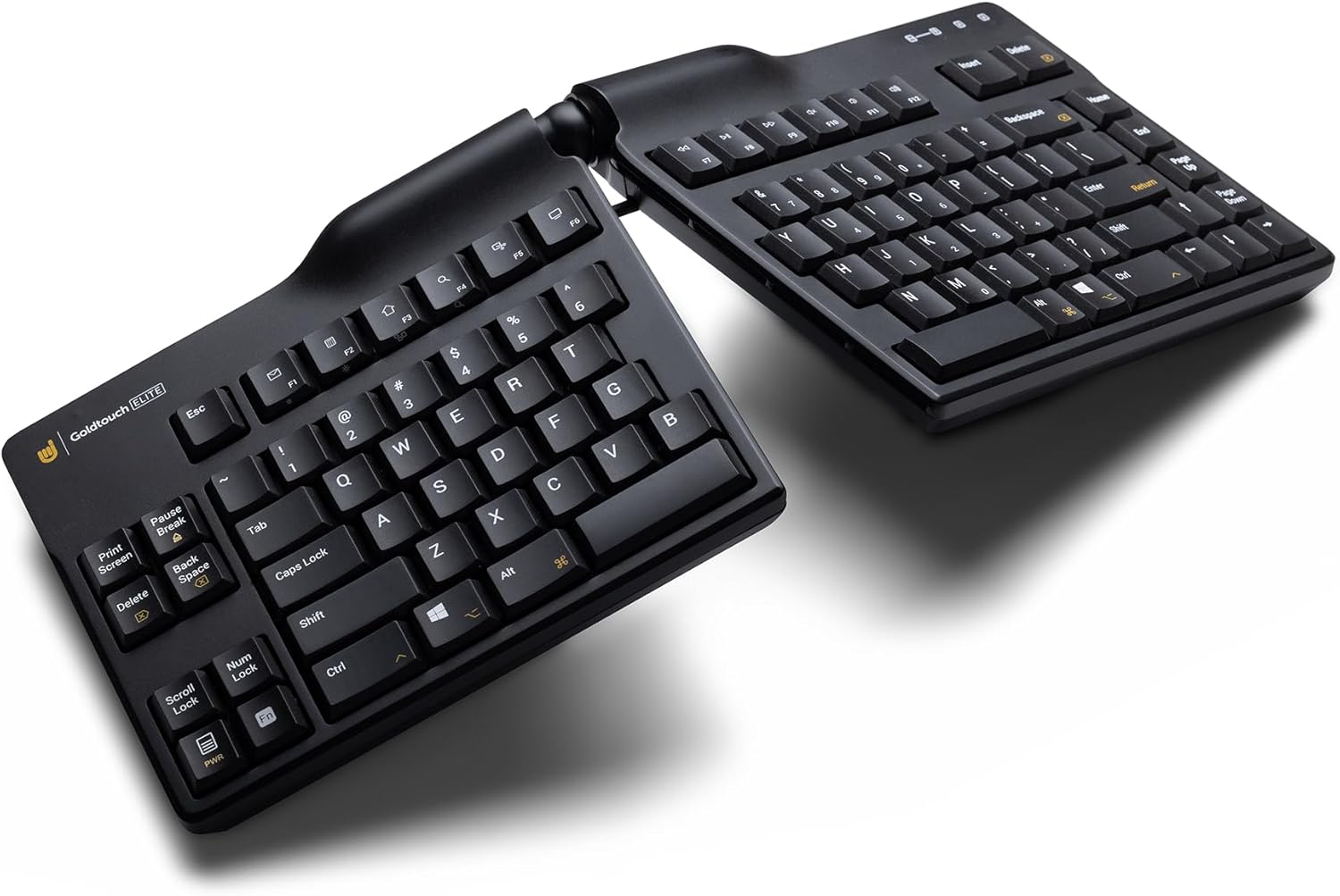
Image: The Goldtouch Elite keyboard demonstrating horizontal splay, where the two halves are angled outwards.

Image: The Goldtouch Elite keyboard configured with both horizontal splay and vertical tenting, elevating the inner edges.
Operating Instructions
PC and Mac Compatibility
The keyboard includes a toggle switch on the rear to select between PC and Mac compatibility. Ensure the switch is set to the correct operating system for optimal functionality.
Keyboard Layouts
A rear toggle switch allows you to enable either the Default or Alternate keyboard layouts. Refer to the keyboard's keycaps for specific layout differences if applicable.
Key Features
- Silicon Domed Keys: The keys are designed with silicon domes for a consistent tactile response.
- Laser-Printed Text: Keycap legends are laser-printed to ensure durability and prevent wear over time.
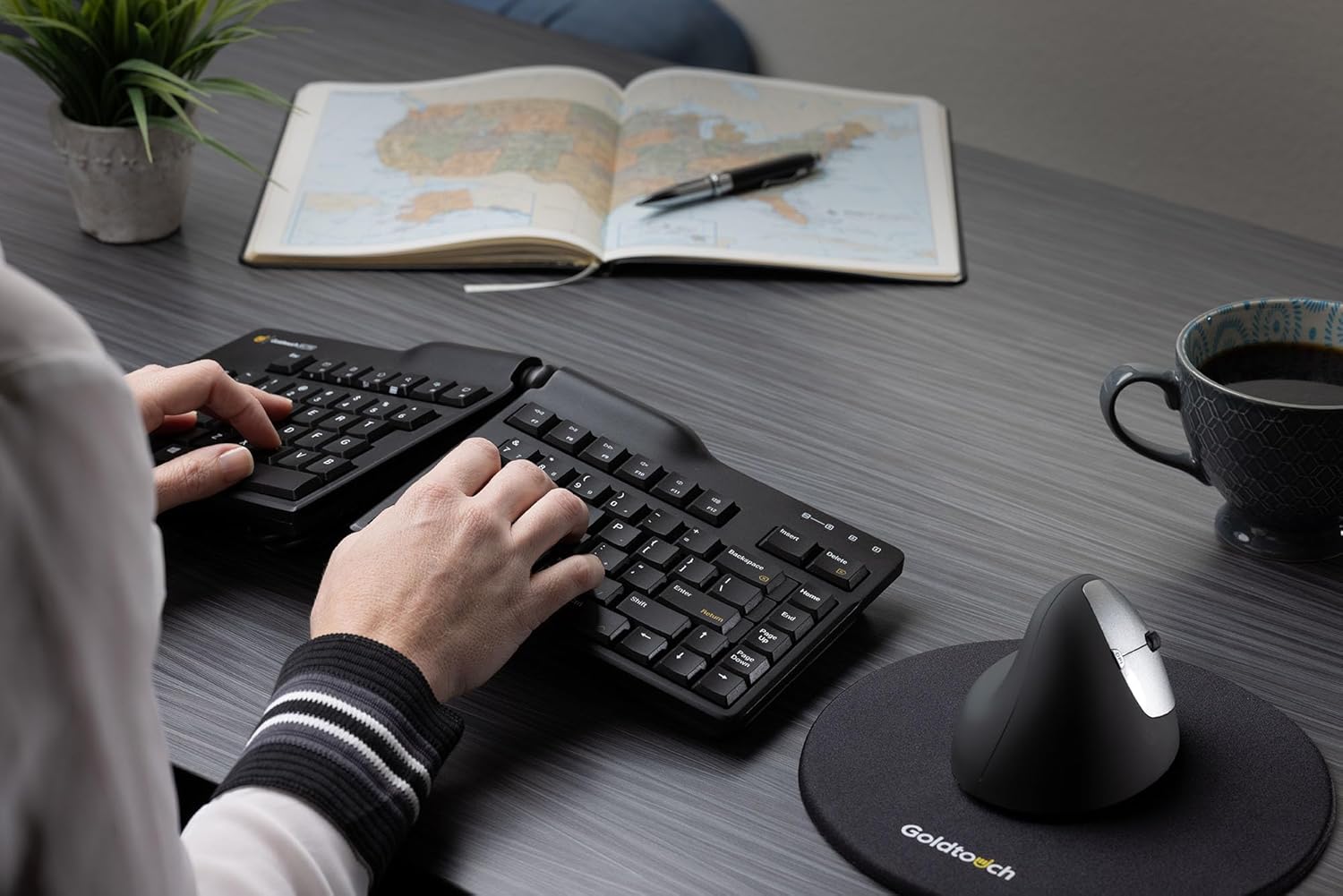
Image: A user demonstrating proper hand placement while typing on the Goldtouch Elite keyboard, highlighting its ergonomic design.
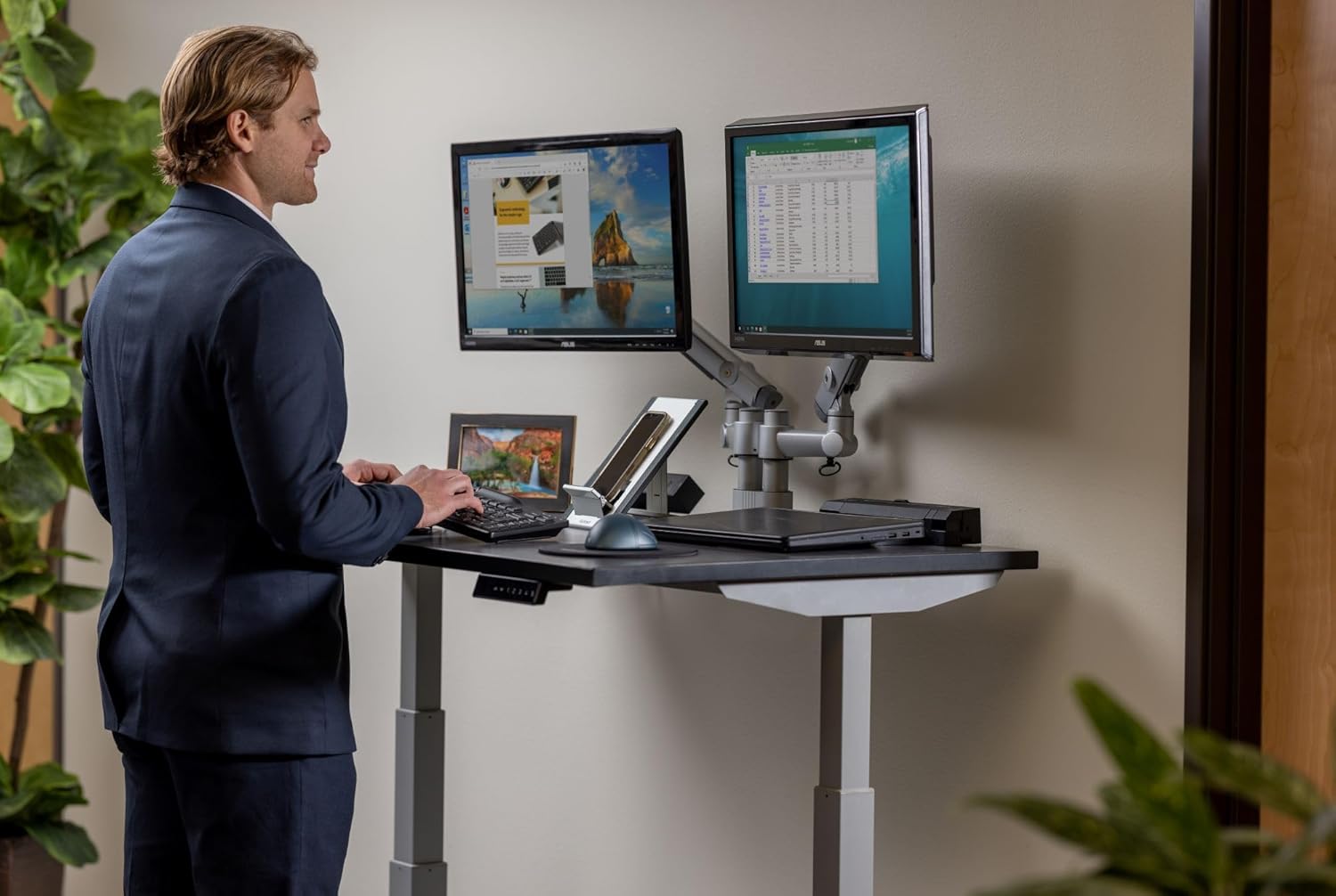
Image: A user operating the Goldtouch Elite keyboard alongside an external numeric keypad, illustrating a comprehensive ergonomic setup.
Maintenance and Care
To ensure the longevity and optimal performance of your Goldtouch Elite keyboard, follow these maintenance guidelines:
- Cleaning: Use a soft, lint-free cloth slightly dampened with water or a mild, non-abrasive cleaning solution to wipe down the keycaps and keyboard surface. Avoid excessive moisture.
- Dust Removal: Use compressed air to remove dust and debris from between the keys.
- Avoid Harsh Chemicals: Do not use strong solvents, alcohol, or abrasive cleaners, as these can damage the keycap legends or the keyboard's finish.
- Storage: When not in use for extended periods, store the keyboard in a clean, dry environment away from extreme temperatures.
Troubleshooting
Keyboard Not Responding
- Check USB Connection: Ensure the USB cable is securely plugged into both the keyboard and the computer. Try a different USB port.
- Restart Computer: A simple system restart can often resolve connectivity issues.
- Test on Another Computer: If possible, test the keyboard on a different computer to determine if the issue is with the keyboard or the original computer's setup.
Keys Not Functioning Correctly
- Check PC/Mac Switch: Verify that the compatibility switch on the rear of the keyboard is set to your operating system (PC or Mac).
- Check Layout Switch: Ensure the Default/Alternate layout switch is set to your preferred configuration.
- Clean Keys: Dust or debris under the keys can sometimes cause issues. Refer to the Maintenance section for cleaning instructions.
Specifications
| Product Dimensions | 15.25 x 6.5 x 0.75 inches (15.25"L x 6.5"W x 0.75"H) |
| Item Weight | 2.72 pounds |
| Manufacturer | Goldtouch |
| Model Number | GTE-08899 |
| Connectivity Technology | USB-A (Wired) |
| Compatible Devices | Laptop, Mac, PC, Tablet |
| Keyboard Description | Ergonomic, Split Keyset Design |
| Color | Black |
| Material | Plastic |
| Included Components | Ergonomic Keyboard, Copy & Paste Keycaps |
Warranty and Support
For specific warranty information regarding your Goldtouch Elite Adjustable Ergonomic Keyboard, please refer to the documentation included with your product at the time of purchase or visit the official Goldtouch website. The manufacturer, Goldtouch, provides customer support for product-related inquiries.
For further assistance, please contact Goldtouch customer service directly through their official support channels.


