1. Product Overview
The Ledvion 1-meter 1-phase LED track lighting system provides a modern and flexible lighting solution for various spaces. This system includes a 1-meter track and three black spotlights designed for GU10 bulbs (bulbs not included). Its versatile design allows for easy adjustment and repositioning of spotlights to create the desired ambiance.
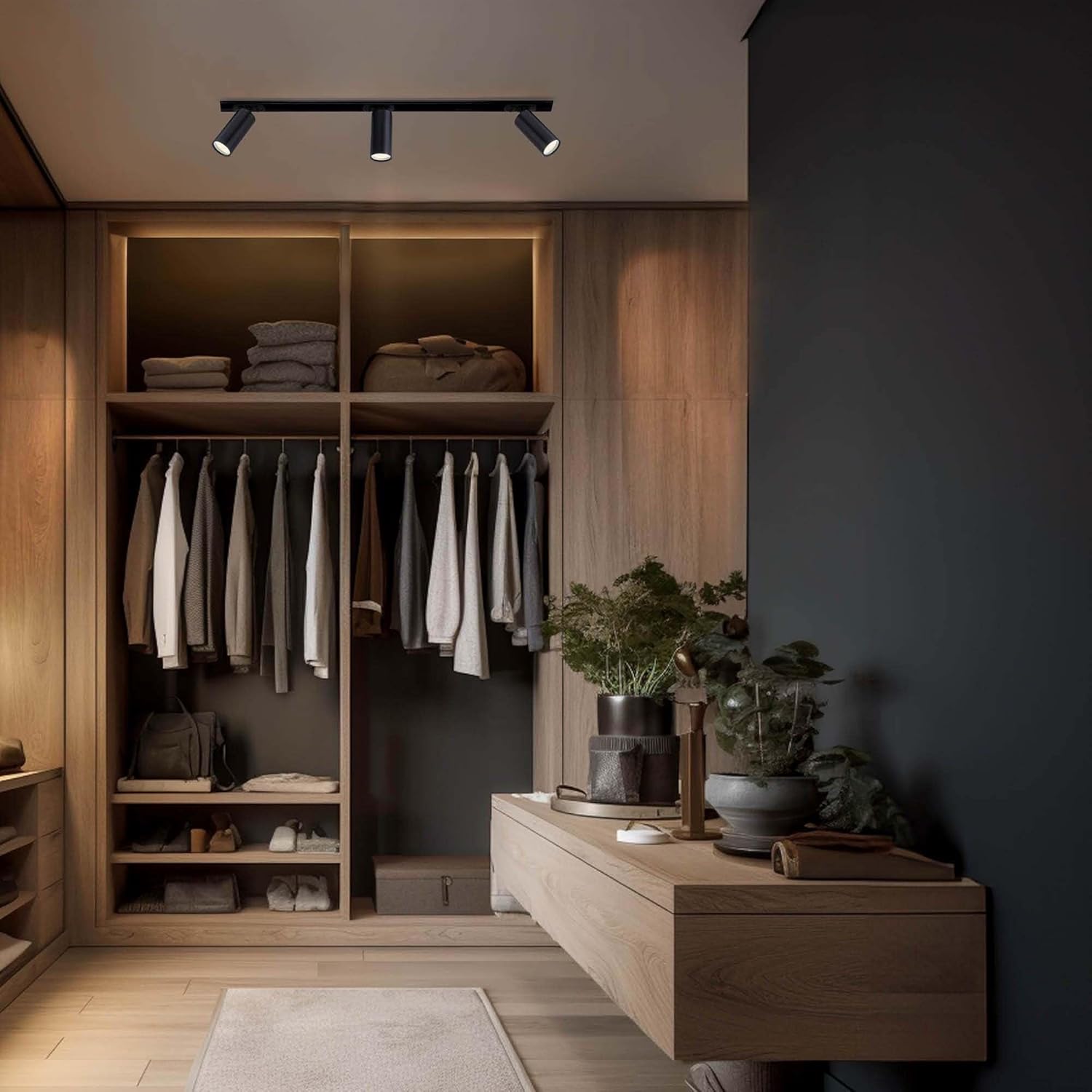
Image 1.1: Ledvion track lighting system in a closet setting.
Key Features:
- Modern and Flexible Lighting: Offers a contemporary and versatile way to illuminate any room, allowing for easy creation of the desired atmosphere.
- Freedom in Light Choice: The track lighting allows you to choose your preferred GU10 bulbs (color and light intensity) to fully adapt to your needs.
- Easy Installation: Simple to mount in kitchens, living rooms, or other areas. Spotlights can be precisely positioned where needed.
- Energy-Efficient and Dimmable: Compatible with energy-efficient LED GU10 bulbs and can be dimmed with an external dimmer (not included) to perfectly match any occasion.
- Suitable for Various Spaces: This stylish and energy-efficient lighting solution is ideal for homes, offices, and shops, providing optimal customized lighting in any space.
2. Safety Information
Please read all safety instructions carefully before installation and use. Failure to follow these instructions may result in electric shock, fire, or other hazards.
- Always disconnect power at the main circuit breaker before installing, servicing, or cleaning the fixture.
- Installation should be performed by a qualified electrician or in accordance with local electrical codes.
- Ensure the mounting surface can support the weight of the fixture.
- Do not exceed the maximum wattage specified for GU10 bulbs.
- Avoid direct contact with hot bulbs. Allow bulbs to cool before handling.
- Do not operate the fixture with damaged wiring or components.
- Keep packaging materials out of reach of children.
3. Setup and Installation
This section guides you through the installation process of your Ledvion track lighting system. Ensure all components are present before beginning.
3.1. What's in the Box

Image 3.1: Included components for model LVT10001_1m3s.
Verify that you have received the following components:
- 1x 1-meter Track Rail
- 3x GU10 Spotlights
- Mounting Hardware (screws, wall plugs)
- 1x Power Connector
Note: GU10 light bulbs are not included and must be purchased separately.
3.2. Installation Steps
- Prepare the Installation Area:
- Turn off the power to the circuit at the main breaker.
- Mark the desired mounting location for the track rail on the ceiling or wall. Ensure it is a stable surface.
- Mount the Track Rail:
- Position the track rail and mark the drilling points for the mounting screws.
- Drill pilot holes and insert wall plugs if necessary.
- Securely attach the track rail to the surface using the provided screws.
- Connect Power:
- Connect the electrical wires from your power supply to the power connector of the track rail. Ensure correct polarity (Live, Neutral, Ground).
- Carefully tuck all wires into the connector housing and secure it to the track rail.
- Install Spotlights:
- Insert the GU10 bulbs into each spotlight fixture by twisting them into place.
- Attach each spotlight to the track rail. The system features a user-friendly locking mechanism for effortless plug-and-play installation.

Image 3.2: Plug and Play Installation mechanism.
The spotlights can be easily added, removed, or repositioned along the track as needed.
4. Operating Instructions
Once installed, operating your Ledvion track lighting system is straightforward.
4.1. Powering On/Off
Turn on the power at the main circuit breaker. Use your wall switch to turn the track lighting system on or off.
4.2. Adjusting Spotlights
Each spotlight is designed to be highly adjustable. You can tilt and rotate each spotlight to direct light precisely where it is needed.
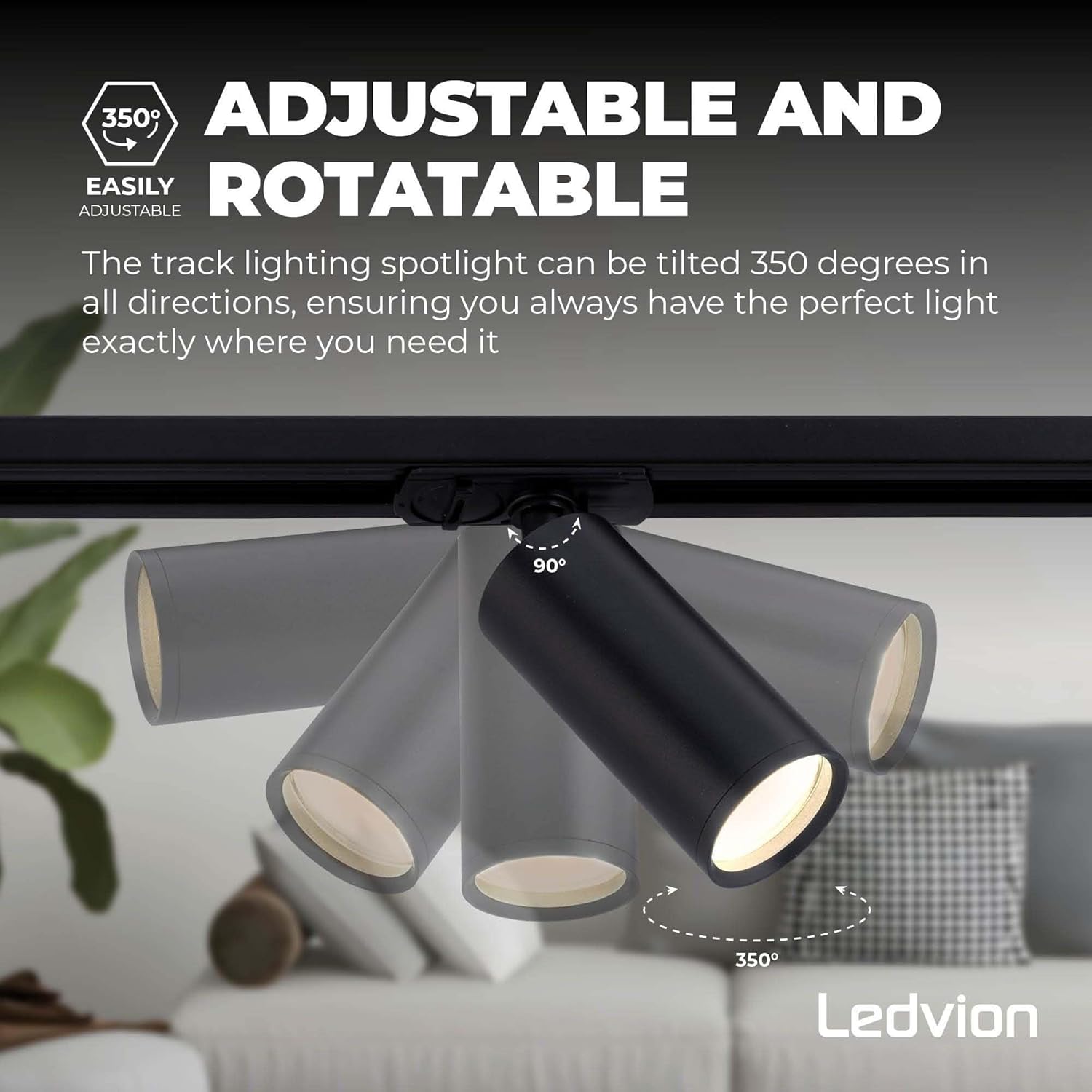
Image 4.1: Spotlight adjustability.
- Rotation: The spotlight can be rotated 350 degrees horizontally along the track.
- Tilt: The spotlight can be tilted vertically to direct the light beam.
Gently adjust the spotlights to avoid damaging the mechanism.
4.3. Dimming Functionality
If you have installed dimmable GU10 LED bulbs and connected the system to an external dimmer switch (not included), you can adjust the light intensity to suit your preference. Refer to your dimmer switch's instructions for specific operation.
5. Maintenance
Regular maintenance ensures the longevity and optimal performance of your track lighting system.
5.1. Cleaning
- Always turn off the power and allow the fixture to cool before cleaning.
- Wipe the track and spotlights with a soft, dry, or slightly damp cloth.
- Do not use abrasive cleaners, solvents, or polishes as they may damage the finish.
5.2. Bulb Replacement
- Turn off the power to the fixture at the main circuit breaker.
- Allow the old bulb to cool completely before touching it.
- Gently twist and pull out the old GU10 bulb from the spotlight fixture.
- Insert the new GU10 bulb by aligning its pins with the socket and twisting it into place.
- Restore power and test the new bulb.
6. Troubleshooting
If you encounter issues with your Ledvion track lighting system, refer to the following common problems and solutions:
| Problem | Possible Cause | Solution |
|---|---|---|
| Light does not turn on. |
|
|
| Lights flicker or dim unexpectedly. |
|
|
| Spotlight does not stay in position. |
|
|
If the problem persists after trying these solutions, please contact Ledvion customer support.
7. Product Specifications
Detailed specifications for the Ledvion 1-meter 1-phase LED track lighting system (Model: LVT10001_1m3s).
| Feature | Detail |
|---|---|
| Brand | Ledvion |
| Model Number | LVT10001_1m3s |
| Product Dimensions | 105 x 15 x 10 cm (Track length: 1000 mm) |
| Weight | 1.19 kg |
| Number of Spotlights | 3 |
| Bulb Type (not included) | GU10 LED (Max wattage per spot: 50W) |
| Voltage | 230 Volt |
| Material | Aluminum |
| Color | Black |
| Finish | Painted |
| Power Source | Corded Electric (Netstroom) |
| Installation Type | Surface Mounted (Plafondlamp) |
| Adjustability | 350° Rotation, Adjustable Tilt |

Image 7.1: Product dimensions.
8. Warranty and Support
8.1. Warranty Information
Ledvion products are manufactured to high-quality standards. This product comes with a standard manufacturer's warranty against defects in materials and workmanship. Please retain your proof of purchase for warranty claims. For specific warranty terms and duration, refer to the documentation provided with your purchase or contact Ledvion customer support.
Note: The product has a 30-day return policy through the retailer.
8.2. Customer Support
If you have any questions, require technical assistance, or need to report a problem with your Ledvion track lighting system, please contact Ledvion customer support. You can typically find contact information on the Ledvion website or through your retailer.
For further assistance, visit the Ledvion Store on Amazon.


