1. Introduction
Thank you for choosing the SCIJOY 50W Bluetooth Speaker. This portable wireless speaker is designed to deliver powerful sound with deep bass, featuring LED lights, FM radio, and support for U disk/TF card playback. Its waterproof and durable design makes it ideal for various indoor and outdoor activities. Please read this manual carefully before use to ensure proper operation and maintenance.

Image: Front view of the SCIJOY 50W Bluetooth Speaker, showcasing its green camouflage pattern and illuminated LED light bar.
2. Safety Information
- Do not expose the speaker to extreme temperatures or direct sunlight for prolonged periods.
- Avoid dropping or subjecting the speaker to strong impacts.
- Do not disassemble, repair, or modify the speaker yourself. Contact qualified service personnel for assistance.
- Keep the speaker away from medical devices, as its magnetic field may interfere with their operation.
- Ensure the charging port cover is securely closed when using the speaker near water to maintain its IPX6 waterproof rating.
- Use only the provided charging cable and a compatible power adapter.
3. Package Contents
Please check the package for the following items:
- SCIJOY 50W Bluetooth Speaker (Model X5)
- USB Charging Cable
- AUX Audio Cable
- User Manual
4. Product Overview
4.1. Components
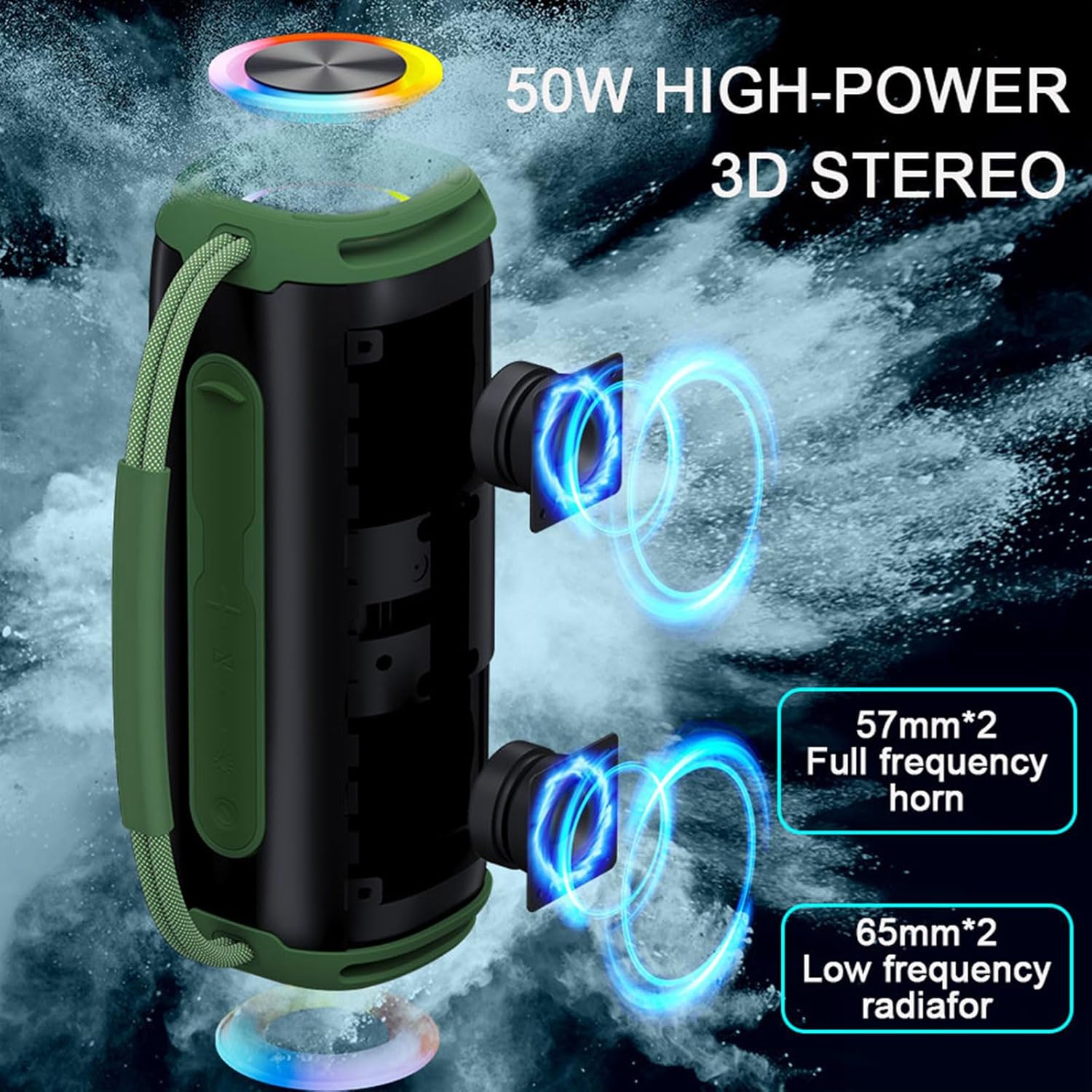
Image: Exploded view illustrating the internal components of the speaker, highlighting the dual 57mm full-frequency horns and dual 65mm low-frequency radiators for 50W high-power 3D stereo sound.
4.2. Controls and Ports
The speaker features intuitive controls and versatile connectivity options:
- Power Button: Press and hold to power on/off.
- Play/Pause Button: Play or pause music. Answer/end calls.
- Volume Up (+): Increase volume. Long press for next track.
- Volume Down (-): Decrease volume. Long press for previous track.
- Mode Button: Switch between Bluetooth, FM Radio, AUX, U Disk, and TF Card modes.
- LED Light Button: Cycle through LED light modes or turn lights off.
- TF Card Slot: Insert a TF (MicroSD) card for music playback.
- USB Port (U Disk): Insert a USB flash drive for music playback.
- AUX Port: Connect external audio devices via the 3.5mm AUX cable.
- Type-C Charging Port: For charging the speaker.

Image: Display of the SCIJOY 50W Bluetooth Speaker in three available colors: green camouflage, black, and blue, showcasing the LED light bar.
5. Setup
5.1. Charging the Speaker
Before first use, fully charge the speaker. Connect the provided USB charging cable to the Type-C charging port on the speaker and the other end to a USB power adapter (not included) or a computer USB port. The LED indicator will show charging status and turn off when fully charged.
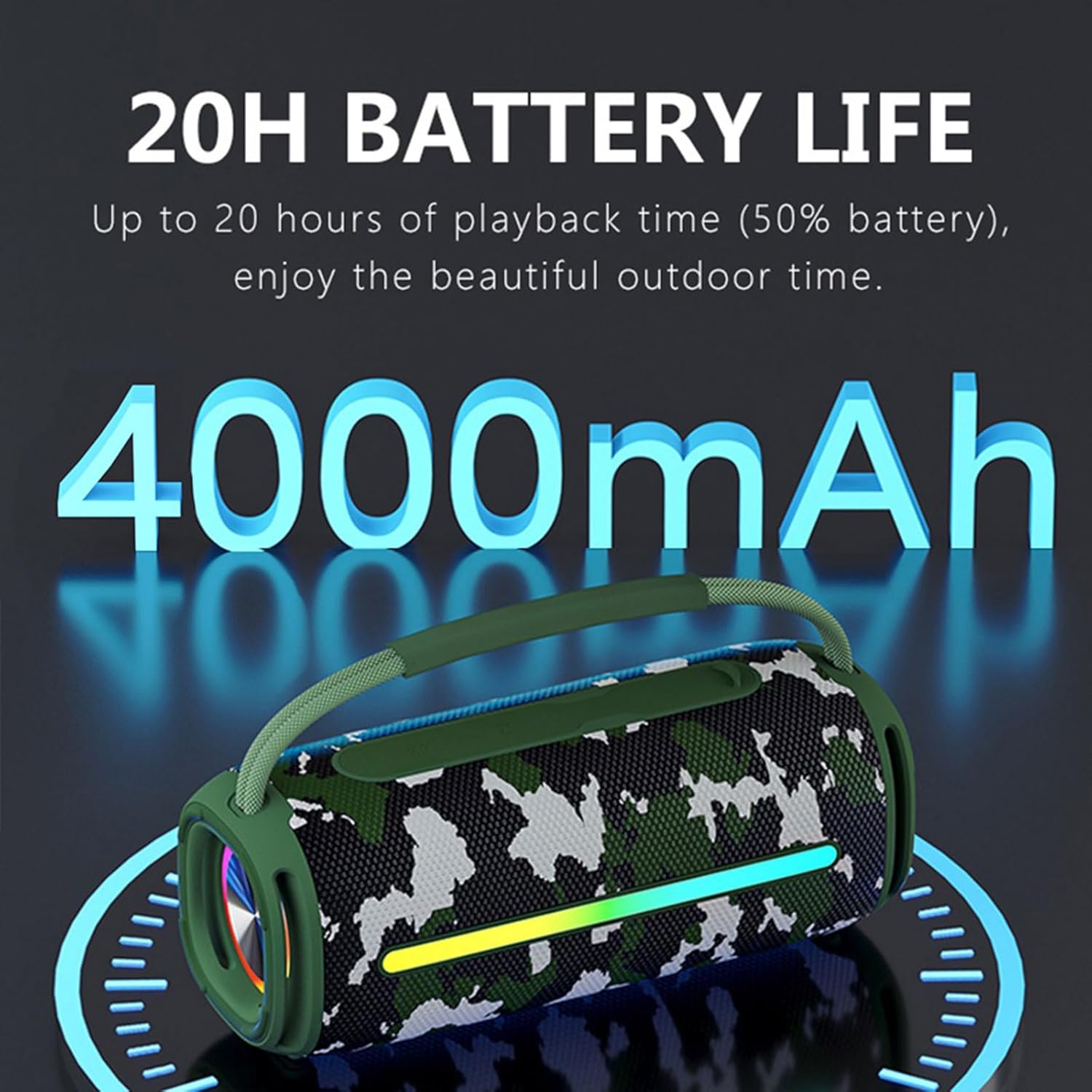
Image: The SCIJOY 50W Bluetooth Speaker highlighting its 4000mAh large-capacity battery, providing up to 20 hours of playback at 50% volume.
5.2. Power On/Off
Press and hold the Power button for 2-3 seconds to turn the speaker on or off. A voice prompt will indicate the power status.
6. Operating Instructions
6.1. Bluetooth Pairing
- Turn on the speaker. It will automatically enter Bluetooth pairing mode, indicated by a flashing LED light.
- Enable Bluetooth on your device (smartphone, tablet, etc.).
- Search for "SCIJOY X5" in the list of available Bluetooth devices.
- Select "SCIJOY X5" to connect. Once connected, the LED light will stop flashing, and you will hear a confirmation tone.
6.2. True Wireless Stereo (TWS) Pairing
To achieve 360° surround sound, you can pair two SCIJOY X5 speakers together:
- Ensure both speakers are powered on and not connected to any Bluetooth device.
- On one speaker (this will be the primary speaker), double-press the Play/Pause button. It will enter TWS pairing mode.
- The two speakers will automatically connect to each other. You will hear a confirmation tone once paired.
- Now, connect your device to the primary speaker via Bluetooth as described in section 6.1. Both speakers will play audio simultaneously.

Image: A visual representation of two SCIJOY Bluetooth speakers wirelessly connected to a smartphone, demonstrating the True Wireless Stereo (TWS) feature for double surround sound.
6.3. FM Radio Mode
To use the FM radio function:
- Press the Mode button to switch to FM Radio mode.
- Press the Play/Pause button once to automatically scan and save available FM stations.
- Use the Volume Up (+) and Volume Down (-) buttons to switch between saved stations.

Image: The SCIJOY 50W Bluetooth Speaker shown in an outdoor setting with a tablet displaying an FM radio interface, illustrating its FM radio speaker functionality.
6.4. U Disk / TF Card Playback
Insert a U disk (USB flash drive) or TF card (MicroSD card) into the respective port. The speaker will automatically switch to the corresponding mode and begin playing audio files. Supported audio formats typically include MP3, WAV, etc.
6.5. AUX Mode
Connect an external audio device (e.g., MP3 player, laptop) to the speaker's AUX port using the provided 3.5mm audio cable. The speaker will automatically switch to AUX mode. Control playback from your connected device.
6.6. LED Light Control
Press the LED Light button to cycle through different lighting effects or turn the lights off. The lights will typically sync with the music rhythm.

Image: Four SCIJOY Bluetooth Speakers showcasing their 'Dream Light Show' feature with vibrant, multi-colored LED patterns, creating a dynamic atmosphere.
6.7. Hands-free Calling
When connected to a smartphone via Bluetooth, the built-in microphone allows for hands-free calling:
- Answer Call: Press the Play/Pause button once.
- End Call: Press the Play/Pause button once during a call.
- Reject Call: Press and hold the Play/Pause button for 2 seconds.
6.8. Product Demonstration Video
Video: A comprehensive presentation showcasing the various features and functionalities of the SCIJOY Bluetooth Speaker, including its design, controls, and sound capabilities.
7. Maintenance
- Clean the speaker with a soft, dry cloth. Do not use abrasive cleaners or solvents.
- If the speaker gets wet, wipe it dry thoroughly before charging or opening any ports.
- Store the speaker in a cool, dry place when not in use.
- Avoid prolonged exposure to direct sunlight or extreme temperatures.

Image: The SCIJOY 50W Bluetooth Speaker being splashed with water, visually confirming its IPX6 waterproof and dustproof capabilities, suitable for sandy beaches, pools, and campgrounds.
8. Troubleshooting
| Problem | Possible Cause | Solution |
|---|---|---|
| Speaker does not turn on. | Low battery. | Charge the speaker fully. |
| Cannot pair with Bluetooth device. | Speaker not in pairing mode; device Bluetooth off; too far from speaker. | Ensure speaker is in pairing mode; turn on device Bluetooth; move device closer (within 10-30m). |
| No sound. | Volume too low; incorrect mode; device not connected. | Increase volume; switch to correct mode (Bluetooth, AUX, etc.); ensure device is connected. |
| FM radio static. | Weak signal. | Move to an area with better reception; try rescanning stations. |
| TWS pairing fails. | Speakers already connected to another device; not in TWS pairing mode. | Disconnect speakers from any devices; ensure both are in TWS pairing mode (double-press Play/Pause on one). |
9. Specifications
| Feature | Detail |
|---|---|
| Model Name | X5 |
| Speaker Type | Soundbar |
| Speaker Output Power | 50 Watts |
| Bluetooth Version | V5.2 |
| Bluetooth Range | 10-30 meters (33-98 feet) |
| Battery Capacity | 4000mAh |
| Playback Time | Up to 20 hours (at 50% volume) |
| Waterproof Rating | IPX6 |
| Dimensions (D x W x H) | 9.05"D x 3.74"W x 3.74"H |
| Item Weight | 2.44 pounds |
| Supported Playback | Bluetooth, U Disk, TF Card, AUX, FM Radio |
| Included Components | Bluetooth and AUX cable |
10. Warranty and Support
The SCIJOY 50W Bluetooth Speaker comes with a limited warranty. For detailed warranty information or technical support, please refer to the warranty card included in your package or contact SCIJOY customer service through the retailer where you purchased the product. You can also visit the official SCIJOY store on Amazon for more information: SCIJOY Store.


