
1. Introduction
Thank you for choosing SUNLINKCO RGB+IC Permanent Outdoor Lights. This manual provides essential information for the safe and efficient installation, operation, and maintenance of your new lighting system. Please read these instructions thoroughly before use and retain them for future reference.
2. Safety Information
- Ensure the power supply is disconnected before installation or maintenance.
- Do not cut or connect the eave lights. Each set of lights must be used individually.
- Install the lights securely to prevent them from falling. Use both adhesive tape and screws for rough surfaces.
- Keep the lights away from flammable materials.
- Do not attempt to repair or modify the product yourself. Contact customer support for assistance.
- Ensure the installation surface is clean and dry before applying adhesive.
3. Package Contents
The package includes:
- 100Ft RGB+IC Permanent Outdoor LED String Lights (60 LED chips)
- 1 x Remote Control
- Mounting accessories (adhesive tape, screws, clips)
- Power Adapter
- User Manual
4. Setup and Installation
Follow these steps for proper installation:
- Plan Placement: Determine the desired path for your lights. For optimal wall washing effect, install the lights 2 to 4 inches from the corner of the eave.
- Prepare Surface: Clean the installation surface thoroughly with a cloth to ensure it is free of dust and debris.
- Apply Adhesive: Peel off the release paper from the back of the 3M adhesive tape on each light. Firmly press each light onto the smooth wall for more than 5 seconds to secure it.
- Secure with Screws (Optional/Recommended): For rough surfaces or added security, use the provided screws and clips to further secure each LED light.
- Connect Power: Connect the string lights to the power adapter. Ensure all connections are secure.
- Waterproof Connection: If connecting multiple string lights (though the product states they cannot be connected, this refers to cutting and rejoining the main strip; individual sets can be powered), ensure waterproof connectors are tightly screwed.
- Power On: Plug the power adapter into a suitable outdoor power outlet.

Image: Step-by-step guide for installing the permanent outdoor lights, showing cleaning the surface, peeling adhesive, fixing with screws, and connecting waterproof connectors.
Video: Demonstrates the installation process of the permanent outdoor lights, including preparing the surface, attaching the lights, and connecting them.
5. Operating Instructions
Your SUNLINKCO outdoor lights offer multiple control options:
5.1. Smart Life APP Control
Download the Smart Life APP from your smartphone's app store. Follow the in-app instructions to connect your lights. The app allows you to:
- Adjust light color and brightness (16 million colors).
- Select from 8 DIY scene modes and 6 dynamic modes.
- Utilize 3 music modes for synchronized lighting effects.
- Set a timer for automatic on/off scheduling.

Image: Shows the Smart Life app interface for customizing dynamic lighting effects, including tunable white, solid color, dynamic color, and preset scenes.
5.2. Remote Control
Use the included remote control to quickly adjust basic settings:
- Turn lights On/Off.
- Change colors and modes.
- Adjust brightness.
5.3. Voice Control
The lights are compatible with Alexa and Google Assistant. Once connected via the Smart Life app, you can use voice commands to control your lights, such as:
- "Alexa, turn on the outdoor lights."
- "Hey Google, set outdoor lights to red."

Image: Illustrates the three convenient control methods for the lights: Smart Life App, voice control with Alexa and Google Assistant, and the included remote control.
5.4. Music Sync Function
Activate the music sync function via the Smart Life app. The light color and speed will change in rhythm with the music played on your phone, providing an immersive visual and auditory experience.
5.5. Timer Function
Set specific times for the lights to automatically turn on and off using the Smart Life app. This feature helps conserve energy and provides convenience.

Image: Depicts the timer function, showing lights automatically turning on at 7:00 PM and off at 7:00 AM.
6. Features
- RGB+IC LED Technology: Features 60 upgraded RGB+IC LED chips for vibrant, colorful, and customizable lighting effects with 16 million colors. Each LED light can be individually customized for single colors.
- IP67 Waterproof Rating: Designed for outdoor use, the lights and controller are IP67 waterproof, ensuring durability against various weather conditions.
- Temperature Resistance: Operates effectively in a wide temperature range from -13°F to 140°F (-25°C to 60°C).
- Long Service Life: Enjoy up to 50,000 hours of stable lighting.
- Wall Washing Effect: A wide beam angle of more than 90° provides a large and attractive wall washing effect, with over 16 inches of wall washing depth.
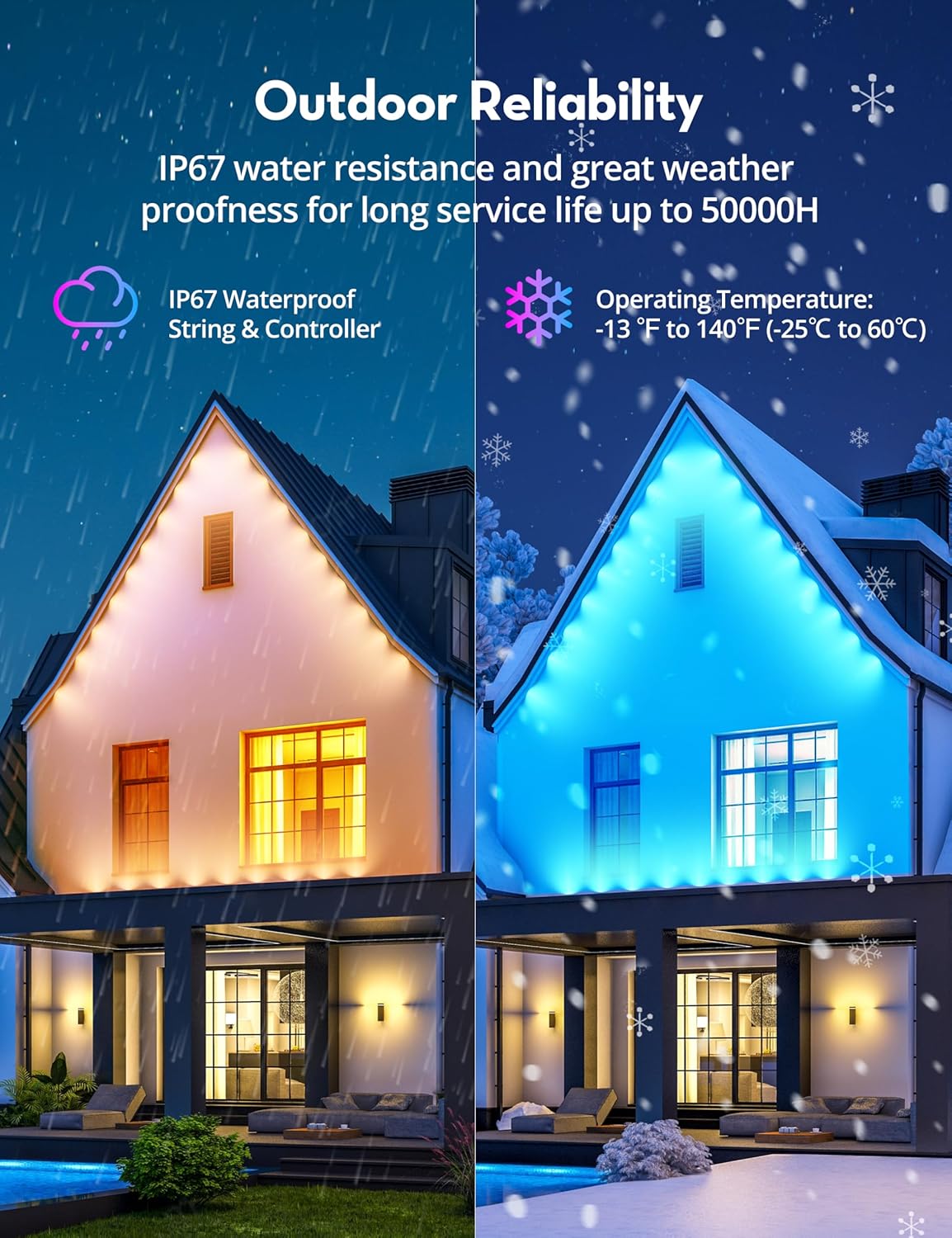
Image: Highlights the outdoor reliability of the lights, showcasing IP67 waterproof string and controller, and an operating temperature range from -13°F to 140°F.

Image: Demonstrates the 100° focus lens angle and more than 16 inches of wall washing depth, advising installation 2-4 inches from the wall for best effect.
7. Maintenance
- Regularly inspect the lights and wiring for any signs of damage.
- Clean the light surfaces periodically with a soft, damp cloth to maintain brightness.
- Ensure all connections remain tight and secure.
8. Troubleshooting
| Problem | Possible Cause | Solution |
|---|---|---|
| Lights do not turn on. | No power supply; loose connection; remote battery low. | Check power outlet; ensure all connections are secure; replace remote battery. |
| Lights flicker or dim. | Unstable power supply; loose connection. | Check power source stability; tighten connections. |
| Remote control not working. | Remote battery low; obstruction between remote and receiver. | Replace remote battery; ensure clear line of sight. |
| App control not working. | Wi-Fi connectivity issue; incorrect device pairing. | Check Wi-Fi connection; re-pair device in the Smart Life app. |
9. Specifications
- Brand: SUNLINKCO
- Model: B0DB5MVKCY
- Light Type: RGB+IC LED
- Length: 100 Feet
- Number of Light Sources: 60
- Color: Multicolor (16 million colors)
- Indoor/Outdoor Usage: Outdoor
- Waterproof Rating: IP67
- Operating Temperature: -13°F to 140°F (-25°C to 60°C)
- Power Source: DC, 24 Volts
- Wattage: 48 watts
- Control Methods: App (Smart Life), Remote, Voice (Alexa, Google Assistant)
- Special Features: Color Changing, Dimmable, Smart Control, Timer Function, Music Sync, Wall Washing Effect
10. Warranty and Support
Warranty: This product comes with a 1-year warranty, ensuring your confidence in our product. We are dedicated to addressing your inquiries regarding installation and usage, while also delivering outstanding customer support.
Support: For any questions, technical assistance, or warranty claims, please contact SUNLINKCO customer support through the retailer's platform or visit our official website for contact information.