
1. Product Overview
The PGYTECH Retro Style Camera Shoulder Strap Air is designed for mirrorless cameras, offering a blend of vintage aesthetics and modern functionality. It features a quick-release system, durable Dyneema fiber construction, and adjustable length for versatile carrying options.

Image: The PGYTECH Retro Style Camera Shoulder Strap Air, highlighting its design and color.
2. What's in the Box
- PGYTECH Retro Style Camera Shoulder Strap Air (Meteorite Grey) x 1
- Quick Release Beads (1.5mm diameter) x 2 (pre-installed)
- D-rings for camera eyelets x 2 (optional use)
- User Guide x 1
3. Setup
3.1 Attaching Quick Release Beads to Camera
- Locate the camera's strap eyelets.
- Thread the thin loop of a quick release bead through the camera eyelet.
- Pass the larger bead through the loop you just created and pull gently to secure it. Ensure the bead is fully seated and the loop is tight.
- Repeat for the second quick release bead on the other camera eyelet.

Image: Step-by-step illustration of attaching the quick release bead to a camera's strap eyelet.
3.2 Attaching Strap to Quick Release Beads
- Hold the quick connector end of the strap.
- Press the button on the quick connector to open the locking mechanism.
- Insert the quick release bead (attached to your camera) into the quick connector until it clicks securely into place.
- Gently tug on the strap to ensure it is firmly locked.
- Repeat for the other side of the strap.

Image: Detailed view of the quick connector for secure attachment.
3.3 Adjusting Strap Length
The strap features a button-based adjustment system for flexible length customization (1200mm - 1400mm for Large size). To adjust:
- Locate the adjustment buttons on the strap.
- Press the button and slide the strap material through to achieve your desired length.
- Ensure the button locks into one of the five available settings for secure positioning.

Image: The strap's flexible length adjustment mechanism with multiple button settings.
4. Operating Instructions
4.1 Carrying Options
The adjustable design allows for various carrying styles:
- Neck Strap: Wear around your neck for quick access and stability.
- Shoulder Strap: Carry over one shoulder for comfort and ease of movement.
- Crossbody Strap: Wear across your body for enhanced security and weight distribution.
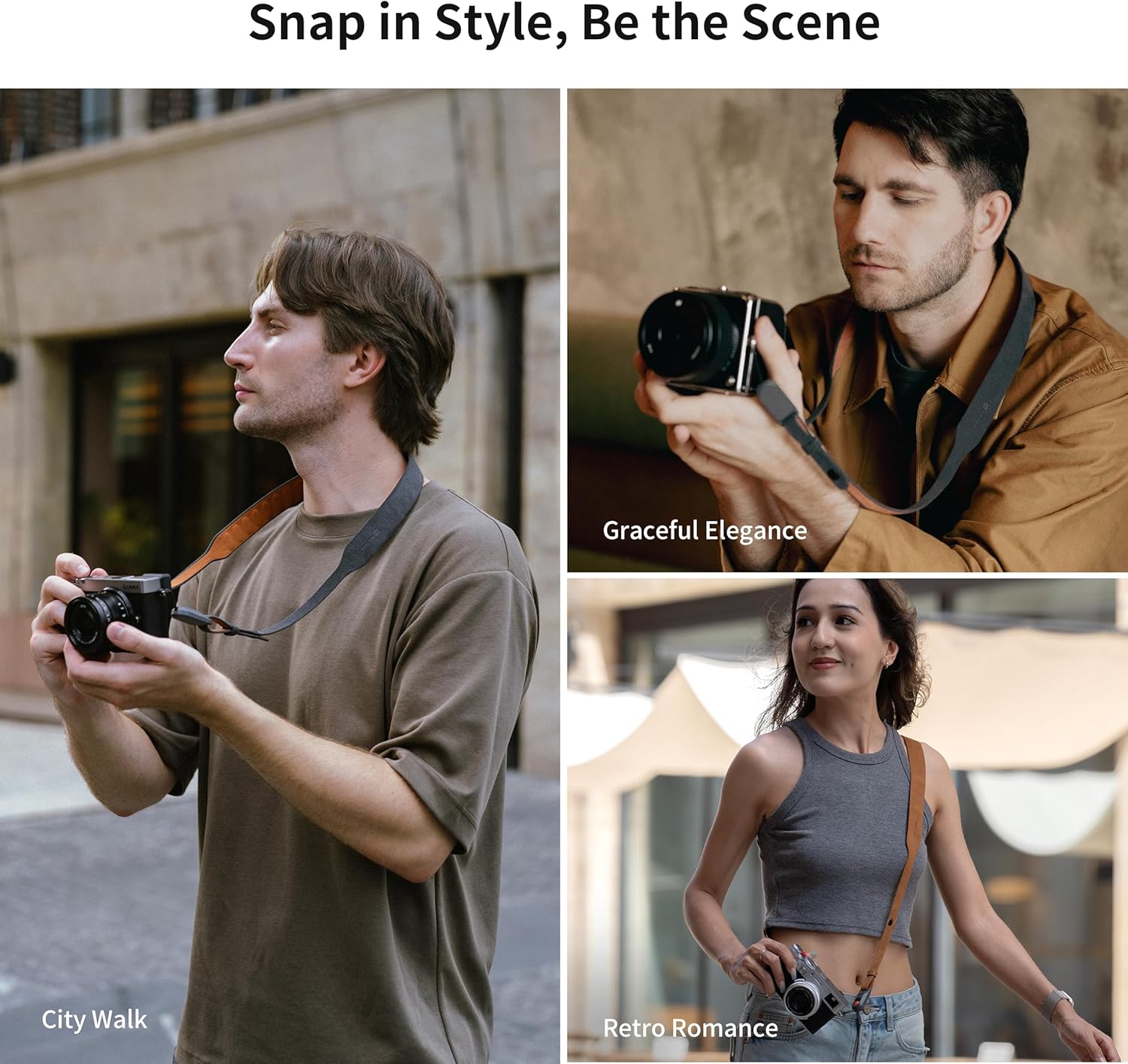
Image: Various ways to wear the camera strap, including neck, shoulder, and crossbody styles.
4.2 Quick Release Functionality
To quickly detach your camera from the strap, simply press the button on the quick connector and pull the quick release bead out. To reattach, push the bead back into the connector until it clicks.
Video: Demonstrating the quick release mechanism of the PGYTECH Camera Shoulder Strap Air.
5. Maintenance
The strap is constructed with tear-resistant Dyneema fiber. It features an internal three-layer structure for safety. The innermost layer is a load-bearing layer, followed by a replacement-warning layer (yellow), and an outer wear-resistant layer.
- Inspection: Regularly inspect the quick release beads and the strap for any signs of wear or damage.
- Replacement Warning: If the yellow layer of the Dyneema fiber becomes visible, replace the strap promptly to ensure continued camera safety.
- Cleaning: Wipe the strap with a soft, damp cloth. Avoid harsh chemicals or abrasive materials.

Image: Cross-section of the Dyneema fiber showing the load-bearing, warning, and wear-resistant layers.
6. Troubleshooting
If you experience any issues with the PGYTECH Retro Style Camera Shoulder Strap Air, please refer to the following:
- Strap not securing: Ensure the quick release bead is fully inserted into the connector until an audible click is heard. Check for any obstructions.
- Difficulty adjusting length: Ensure the adjustment button is fully depressed when attempting to slide the strap.
- Visible yellow layer on quick bead string: This indicates the need for immediate replacement to maintain safety.
7. Specifications
| Feature | Detail |
|---|---|
| Brand Name | PGYTECH |
| Model | Retro Style Camera Shoulder Strap Air |
| Color | Meteorite Grey |
| Size | Large (Adjustable range: 1200-1400mm) |
| Item Weight | 0.15 Kilograms |
| Material Type | Nylon, Menorca® Dye-free Water-based MicroSuede, TPE |
| Fastener Type | Push-Button Quick Connector |
| Load Capacity | Up to 90 KG (Dyneema fiber) |
| Compatibility | Mirrorless cameras (e.g., Canon G7 X, Sony Alpha ZV-E10, Nikon Coolpix) |
8. Warranty and Support
For warranty information and customer support, please refer to the official PGYTECH website or contact your retailer. Specific warranty terms and conditions may vary by region and purchase location.