1. Introduction
This manual provides comprehensive instructions for the ALLIMITY MME-AS3215R-NP remote control. This remote is designed as a direct replacement and is compatible with various Saba TV models, offering full functionality without the need for programming or complex setup.
To ensure compatibility, please verify that your existing remote control or your TV's original remote control drawing matches the images provided in this manual. If you are unsure of your TV's model, it can typically be found on a label located on the back of the television unit.
Compatible TV Models:
- LHD24CX(V.2), LHD28CX23(V.2), LHD32CX23, LHD40C26, LHD46CX
- S2814R, S2816R, S3214R, S3215R, AS3215R, S3225R, S4014R, SA32S40
- LE22PV15WH, LED40TC2600E, L24CE2A3EB, L32F2A3EB
- LC24HA3, LC32C22IT, LC32HA3
- LD22BCS105, LD22CH12, LD32CHS2300ES, LD40CHS2000ES
- LED28TC2300E, LED32AHC2200E, LED32AHC2200E(T), LED32AHD2000E(T), LED32TC2200E(I), LED40TC2600E(I), LED28AHD2060E(T), LED28TC2200E(V.2)
2. Product Overview
The ALLIMITY MME-AS3215R-NP remote control is designed for ease of use and comfortable handling. It is lightweight and ergonomically shaped, ensuring a secure grip during operation. This remote provides stable performance and an effective transmission distance of up to 10 meters.

Image 1: Top-down view of the ALLIMITY remote control, showing all buttons and their labels. The remote is black with white and colored buttons.
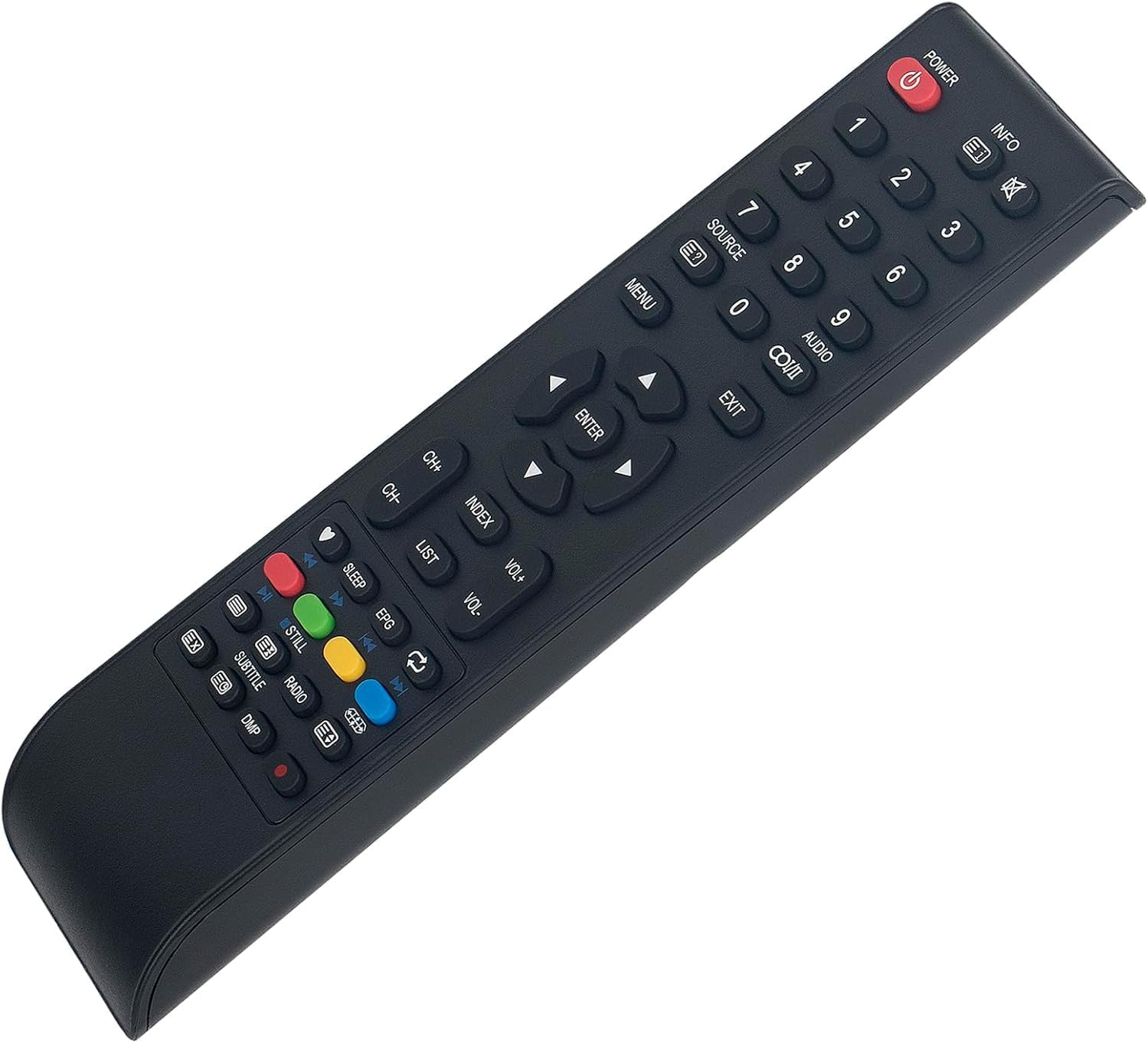
Image 2: Angled view of the ALLIMITY remote control, highlighting its ergonomic shape and button layout.
3. Setup
3.1 Battery Installation
The remote control requires two AAA batteries (not included) for operation. Follow these steps to install the batteries:
- Locate the battery compartment cover on the back of the remote control.
- Press down on the tab and slide the cover downwards to open the compartment.
- Insert two AAA batteries, ensuring the positive (+) and negative (-) terminals align correctly with the markings inside the compartment.
- Slide the battery compartment cover back into place until it clicks securely.
Note: Always replace both batteries at the same time. Do not mix old and new batteries, or different types of batteries.
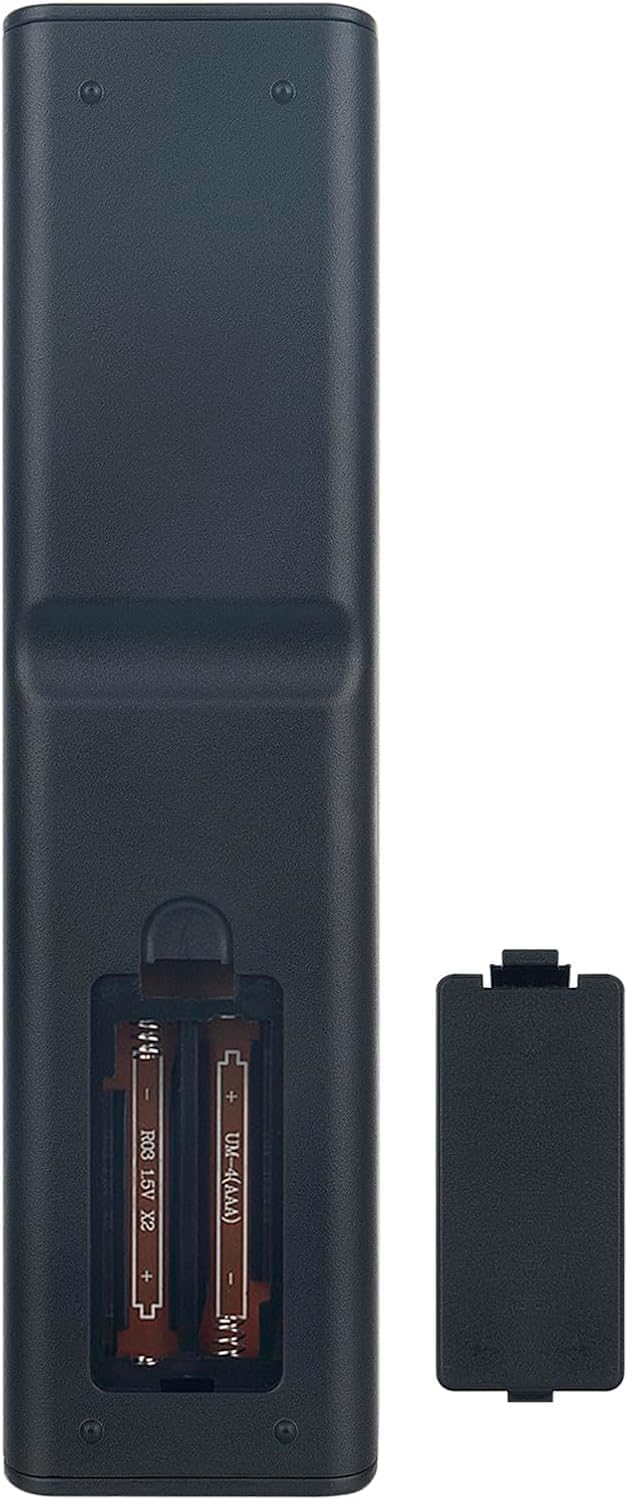
Image 3: Rear view of the ALLIMITY remote control with the battery compartment open, showing where to insert two AAA batteries.
3.2 Initial Use
This remote control is designed to work directly with compatible Saba TV models without any programming. Once batteries are installed, point the remote control towards your TV and begin operation.
4. Operating Instructions
The ALLIMITY remote control features a standard layout for easy navigation and control of your Saba TV. Refer to the image below for button identification and their primary functions.
Image 4: Detailed view of the ALLIMITY remote control, highlighting the function of each button.
- POWER (Ⓘ): Turns the TV on or off.
- INFO: Displays information about the current program or input.
- Number Buttons (0-9): Selects channels directly.
- SOURCE: Cycles through available input sources (HDMI, AV, etc.).
- MENU: Opens the TV's main menu.
- EXIT: Closes the current menu or on-screen display.
- Navigation Buttons (Up, Down, Left, Right): Navigates through menus and options.
- ENTER: Confirms a selection in menus.
- VOL+ / VOL-: Increases or decreases the volume.
- CH+ / CH-: Changes the channel up or down.
- INDEX / LIST: Accesses specific TV functions or channel lists.
- Color Buttons (Red, Green, Yellow, Blue): Used for specific functions within certain TV menus or interactive services.
- Playback Controls (Play, Pause, Stop, Rewind, Fast Forward): Controls media playback if supported by the TV.
- SLEEP: Sets a sleep timer for the TV.
- EPG: Accesses the Electronic Program Guide.
- STILL: Pauses the current image.
- RADIO: Switches to radio mode if available.
- SUBTITLE: Toggles subtitles on/off.
- DMP: Likely for Digital Media Player functions.
5. Maintenance
Proper care and maintenance will extend the life of your remote control.
- Cleaning: Use a soft, dry cloth to clean the remote control. For stubborn dirt, slightly dampen the cloth with water or a mild cleaning solution, then wipe dry immediately. Do not use abrasive cleaners or solvents.
- Battery Care: Remove batteries if the remote control will not be used for an extended period to prevent leakage. Dispose of used batteries responsibly according to local regulations.
- Storage: Store the remote control in a cool, dry place away from direct sunlight and extreme temperatures.
- Avoid Drops: Protect the remote from physical impact, as drops can damage internal components.
6. Troubleshooting
If you experience issues with your remote control, try the following troubleshooting steps:
| Problem | Possible Cause / Solution |
|---|---|
| Remote control is not working. |
|
| Remote control works intermittently. |
|
| Some buttons are not responding. |
|
7. Specifications
| Feature | Detail |
|---|---|
| Brand | ALLIMITY |
| Model Number | MME-AS3215R-NP |
| Manufacturer | ALLIMITYMM |
| Product Dimensions | 17 x 5 x 1 cm |
| Item Weight | 59 grams |
| Connectivity Technology | Infrared (IR) |
| Maximum Range | 10 meters |
| Special Feature | Comfortable design, No programming required |
| Compatible Devices | Saba TVs (models listed in Introduction) |
8. Warranty and Support
Specific warranty information for this product may vary depending on your region and retailer. Please refer to the documentation provided at the time of purchase or contact your retailer for details regarding warranty coverage.
For technical support or further assistance, please contact the ALLIMITY customer service department or your product retailer.


