
1. Introduction
This manual provides essential information for setting up, operating, and maintaining your Bigme B7 Color ePaper Tablet. Please read this manual thoroughly before using the device to ensure proper functionality and longevity.
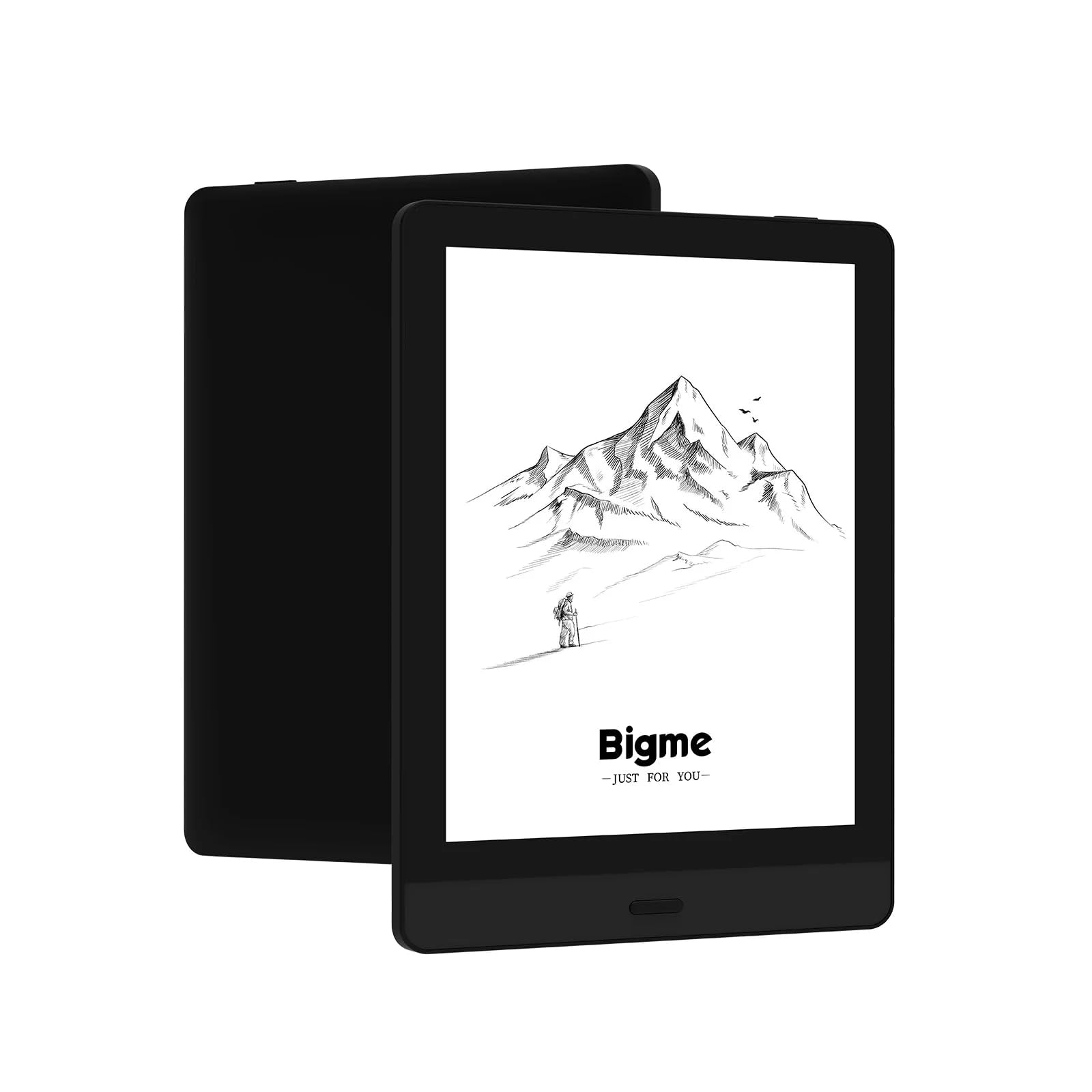
Image 1.1: The Bigme B7 Color ePaper Tablet in use, showcasing its display capabilities for reading.
Key Features:
- Display: 6-inch Color ePaper Screen with 300 PPI resolution.
- Performance: Octa-Core 2.3 GHz CPU, 8GB RAM, 128GB internal storage (expandable via microSD).
- Connectivity: 4G All-Network support, Wi-Fi, Bluetooth, USB.
- Operating System: Android 14 Open System.
- Handwriting: Global handwriting function with magnetic pen support for notes on PDF/EPUB files.
- Battery: 3000 mAh for extended usage.
2. Package Contents
Verify that all items are present in the package before proceeding with setup.

Image 2.1: The Bigme B7 package contents, showing the device and accessories.
- Bigme B7 ePaper Device
- Protective Cover
- Charging Cable
- User Guide (this manual)
- Maintenance Card
- Magnetic Pen (if included with your specific model)
3. Setup
3.1 Charging the Device
Before first use, fully charge your Bigme B7 tablet. Connect the provided charging cable to the device's USB port and a compatible USB power adapter (not included) or computer USB port.
- A charging indicator will appear on the screen.
- Charging time may vary.
3.2 Powering On/Off
To power on, press and hold the power button located on the side of the device until the Bigme logo appears. To power off, press and hold the power button, then select "Power Off" from the on-screen options.
3.3 Initial Setup Wizard
Upon first power-on, the device will guide you through an initial setup process. This includes:
- Language Selection: Choose your preferred language.
- Wi-Fi Connection: Connect to a Wi-Fi network to access online services and updates.
- Google Account: Sign in with your Google account to access Google Play Store and other Google services.
- Date and Time: Set the correct date and time.
3.4 Inserting a MicroSD Card (Optional)
The Bigme B7 supports storage expansion up to 1 TB via a microSD card. Locate the microSD card slot on the device, insert the card gently until it clicks into place. Ensure the device is powered off before inserting or removing the card.
4. Operating Instructions
4.1 Basic Navigation
The Bigme B7 features a responsive touch screen for navigation. Swipe to browse, tap to select, and use pinch-to-zoom gestures where supported.

Image 4.1: Demonstrating touch screen control for easy page turning on the device.
4.2 Reading Experience
The ePaper screen provides a paper-like reading experience. Adjust the dual-color front light (warm and cold tones) to suit your environment and reduce eye strain. The device offers 36 levels of brightness adjustment.

Image 4.2: Comparison of cold light and warm light settings for the eye-friendly display.
4.3 Supported File Formats
The Bigme B7 supports a wide range of document and image formats, enhancing your reading and viewing experience.

Image 4.3: Overview of file formats compatible with the Bigme B7.
Commonly supported formats include: PDF, EPUB, DOCX, TXT, JPG, MP3, FB2, HTML, RTF, HTM, AZW, AZW3, BMP, OEB, PRC, PNG.
4.4 Handwriting and Annotation
Utilize the magnetic pen (if included) for a natural handwriting experience directly on PDF and EPUB documents. The device supports global handwriting, allowing you to take notes and annotate with ease. Features include handwriting to text conversion and voice to text transcription.
4.5 4G Connectivity
The integrated 4G support allows you to browse the internet, use applications, and make voice calls without relying on Wi-Fi. Insert a compatible SIM card into the designated slot (if available on your model) to activate 4G services.
4.6 Google Play Store and Applications
As an Android 14 Open System device, the Bigme B7 provides access to the Google Play Store. You can download and install a variety of applications to customize your device functionality.
4.7 Voice Translation
The device includes a voice translation feature, useful for language learners or when reading foreign language content. Access this feature through the device's settings or dedicated applications.
5. Maintenance
5.1 Cleaning the Screen
Use a soft, lint-free cloth slightly dampened with water or a screen cleaner specifically designed for electronic displays. Avoid harsh chemicals or abrasive materials that could damage the ePaper screen.
5.2 Battery Care
- Avoid exposing the device to extreme temperatures.
- Do not allow the battery to fully discharge frequently.
- Use only the provided charging cable or a certified compatible cable.
5.3 Software Updates
Periodically check for software updates in the device settings. Updates can improve performance, add new features, and enhance security. Ensure your device is sufficiently charged and connected to Wi-Fi before performing an update.
6. Troubleshooting
6.1 Device Not Powering On
Ensure the device is fully charged. Connect it to a power source and wait a few minutes before attempting to power it on again.
6.2 Poor Wi-Fi/4G Connection
Check your router or cellular signal. Restart the device and try reconnecting. For 4G, ensure your SIM card is properly inserted and activated.
6.3 Screen Responsiveness Issues
Restart the device. Ensure the screen is clean and free of debris. If using a screen protector, ensure it is properly applied and not interfering with touch input.
6.4 Battery Drains Quickly
Adjust screen brightness, disable unused features like Wi-Fi or Bluetooth when not needed, and close background applications. Check for any apps consuming excessive power.
6.5 Ghosting on ePaper Screen
The Bigme B7 incorporates a ghosting elimination algorithm. If ghosting persists, perform a full screen refresh (often an option in reading apps or system settings) or restart the device.
7. Specifications
| Model Name | B7 |
| Part Number | B751C |
| Display | 6-inch Color ePaper Screen, 300 PPI |
| Processor | Octa-Core 2.3 GHz |
| RAM | 8 GB |
| Internal Storage | 128 GB |
| Expandable Storage | MicroSD card slot, up to 1 TB |
| Operating System | Android 14 |
| Connectivity | 4G All-Network, Wi-Fi, Bluetooth, USB |
| Battery | 3000 mAh Lithium Polymer |
| Dimensions | 15.6 cm (L) x 13.8 cm (W) x 0.6 cm (Thickness) |
| Weight | Approximately 520 g |
| Color | Black |
8. Warranty and Support
For warranty information, please refer to the maintenance card included in your package or contact Bigme customer support. For technical assistance or further inquiries, please visit the official Bigme website or contact their support channels.
Note: Specifications and features are subject to change without prior notice.


